
Beyond the Basic Arduino Définition: Why Your OS Fails to Recognize the Board
When international makers, engineering students, and hobbyists search for the arduino définition, they are typically looking for a high-level summary of the open-source electronics platform. However, in the context of embedded systems troubleshooting, the "definition" of an Arduino board refers to how the host operating system enumerates, identifies, and assigns a COM port to the microcontroller's USB-to-Serial interface. If your computer cannot properly define the USB device descriptor, the Arduino IDE will throw "Board Not Found" or "Unknown USB Device" errors, halting your project entirely.
As of 2026, with the widespread adoption of USB-C connectors on newer maker boards and the strict security architectures of modern operating systems (like macOS Apple Silicon and Windows 11 Core Isolation), USB enumeration failures are the most common hurdle for beginners and veterans alike. This guide bypasses the basic dictionary definition and dives deep into the hardware and software definitions required to get your board recognized, compiling, and uploading.
The Hardware Définition: Understanding USB-to-Serial Architectures
To troubleshoot recognition issues, you must first understand how your specific board defines itself to the host PC. An Arduino is not a single monolithic chip; it is a system that relies on a USB interface to bridge the gap between the PC's USB bus and the microcontroller's UART (Universal Asynchronous Receiver-Transmitter) serial lines.
There are three primary USB architectures in the Arduino ecosystem. Identifying which one your board uses is the first step in resolving driver and definition errors.
| USB Interface Chip | Common Boards | VID / PID (Hex) | OS Definition Status (2026) |
|---|---|---|---|
| ATmega16U2 | Uno R3, Mega 2560 (Genuine) | 0x2341 / 0x0043 | Native Plug & Play (Windows/macOS/Linux) |
| CH340G / CH340C | Uno R3 Clones, Nano V3, ESP32 DevKit | 0x1A86 / 0x7523 | Requires WCH V1.9+ Driver (Often blocked on macOS) |
| Native USB (ATmega32U4) | Leonardo, Micro, Pro Micro | 0x2341 / 0x8036 | Native Plug & Play (Requires bootloader to be intact) |
| CP2102 / CP2104 | NodeMCU, ESP8266, some Nano clones | 0x10C4 / 0xEA60 | Requires Silicon Labs CP210x VCP Driver |
Troubleshooting "Device Not Defined" (Unknown USB Device Errors)
When the OS fails to read the VID (Vendor ID) and PID (Product ID) from the board's firmware, it defaults to a generic, non-functional definition. Here is how to fix the most common enumeration failures across major operating systems.
1. Windows: Resolving Code 43 (USB Device Descriptor Request Failed)
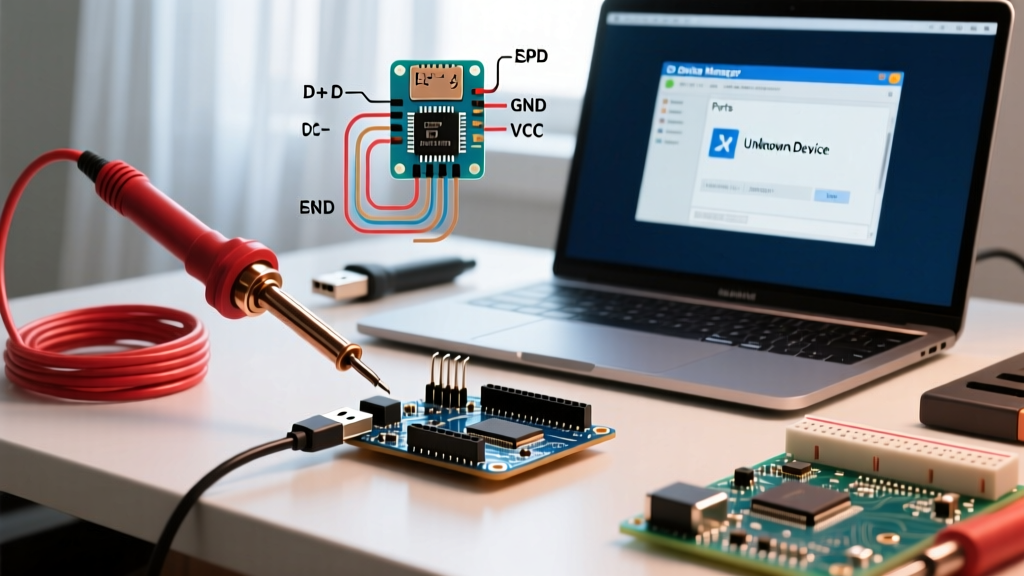
If Windows Device Manager shows "Unknown USB Device (Device Descriptor Request Failed)" with Error Code 43, the host is failing to complete the initial USB handshake. This is rarely a driver issue and usually a hardware or power-delivery fault.
- Step 1: The Cable Test. Over 60% of Code 43 errors are caused by "charge-only" USB cables that lack the D+ and D- data lines. Swap to a verified data-sync cable. If using a USB-C to USB-C cable on a modern laptop, try a USB-A to USB-C adapter to bypass USB-C Power Delivery negotiation timeouts.
- Step 2: Power Cycle the USB Hub. Open Device Manager, right-click the Unknown Device, and select Uninstall Device. Disconnect the Arduino. Shut down the PC completely (do not use Restart, as Windows Fast Startup keeps the USB bus powered). Boot up and reconnect.
- Step 3: Check the 5V Polyfuse. On genuine Uno R3 boards, there is a resettable polyfuse (labeled "501" or similar) near the USB port. If you have accidentally shorted a 5V sensor to ground, this fuse may have tripped, starving the ATmega16U2 chip of the power it needs to define itself to the PC. Leave the board unplugged for 30 minutes to allow the polyfuse to reset.
2. macOS: Apple Silicon and CH340 Driver Blocks
On macOS, particularly on M1/M2/M3/M4 Apple Silicon machines running macOS Sonoma or Sequoia, the system's strict kernel extension (kext) security often blocks the CH340 driver from defining the serial port. You will plug the board in, but no /dev/tty.wchusbserial* port will appear in the Arduino IDE.
Expert Fix: Do not use outdated third-party CH340 driver packages from random forums. As of 2026, you must use the official WCH V1.9+ signed driver, or install it via Homebrew to ensure proper system extension approval.
- Open Terminal and install the driver via Homebrew:
brew install --cask wch-ch34x-usb-serial-driver. - Navigate to System Settings > Privacy & Security.
- Scroll to the Security section. You will see a prompt stating that system software from developer "Nanjing Qinheng Microelectronics" was blocked. Click Allow.
- Reboot your Mac. The port will now properly define itself in the IDE.
For deeper insights on clone board drivers, refer to the SparkFun CH340 Driver Installation Guide, which maintains updated compatibility matrices for modern OS environments.
3. Linux: Missing udev Rules and Dialout Permissions
Linux natively defines almost all Arduino USB-to-Serial chips without proprietary drivers. However, the OS security model prevents standard users from accessing the raw serial device (/dev/ttyACM0 or /dev/ttyUSB0). If the IDE throws a "Permission Denied" or "Port Not Found" error, your user profile lacks the correct group definition.
- Open your terminal and add your user to the
dialoutgroup:sudo usermod -a -G dialout $USER - For boards that use the ATmega16U2 (which defines as an ACM device), you may also need to add yourself to the
plugdevgroup:sudo usermod -a -G plugdev $USER - Crucial Step: You must log out and log back in (or reboot) for the group membership changes to take effect.
- If the board still disconnects immediately after plugging it in, the
ModemManagerservice is likely hijacking the serial port, thinking it is a cellular modem. Disable it via:sudo systemctl stop ModemManager && sudo systemctl disable ModemManager.
For comprehensive Linux setup instructions, consult the official Arduino Linux Guide.
Bootloader Corruption: When the MCU Loses Its Definition
If your OS recognizes the USB-to-Serial bridge (e.g., the CH340 chip), but the Arduino IDE fails to upload code, throwing avrdude: stk500_recv(): programmer is not responding, the issue lies in the main microcontroller's bootloader. The bootloader is a small background program (usually Optiboot, occupying 512 bytes) that runs for the first 2 seconds on boot. Its sole job is to listen for a new sketch definition from the IDE. If this bootloader is corrupted or wiped, the MCU will not respond to upload requests.
How to Diagnose a Wiped Bootloader
- The L-LED Test: On a standard Uno or Nano, press the physical RESET button on the board. If the onboard "L" LED (connected to Pin 13) does not blink rapidly three times upon release, the bootloader is missing or the board is configured for the wrong clock speed.
- The Loopback Test: To verify the USB bridge is working while the main MCU is dead, connect a jumper wire between the
TXandRXpins. Open the Serial Monitor, type a message, and hit send. If the text echoes back, your USB definition is perfectly fine, confirming the main ATmega328P chip is the culprit.
Restoring the Definition via ISP Programming
To fix a corrupted bootloader, you cannot use the USB port. You must use an In-System Programmer (ISP) like a USBasp (approx. $5 USD) or a second working Arduino configured as an "Arduino as ISP".
- Wire the ISP programmer to the target board's ICSP header (MISO, MOSI, SCK, 5V, GND, and Reset).
- Open Arduino IDE 2.3+, go to Tools > Programmer, and select your ISP device.
- Select Tools > Burn Bootloader. This process takes about 15 seconds. It wipes the flash memory, writes the Optiboot bootloader hex file, and sets the ATmega328P fuse bits to define the clock source as the external 16MHz crystal rather than the internal 8MHz oscillator.
IDE Board Manager Definition Errors
Sometimes the hardware is fine, but the Arduino IDE itself fails to parse the board definitions. This occurs when the boards.txt file or the JSON package index becomes corrupted, resulting in missing board options in the IDE dropdown menu.
If you are using third-party cores (like the ESP32 by Espressif or STM32duino), an interrupted download can corrupt the index. To force a clean re-definition of your board packages:
- Close the Arduino IDE.
- Navigate to the IDE cache directory. On Windows, this is typically
C:\Users\[Username]\AppData\Local\Arduino15. On macOS, it is~/.arduino15. - Delete the
package_index.jsonfile and thestagingfolder. - Restart the IDE. It will automatically fetch a fresh, uncorrupted definition index from the remote servers.
For general upload and IDE anomalies, the Arduino Official Troubleshooting Guide remains an essential bookmark for resolving edge-case compilation faults.
Diagnostic Summary Matrix
| Symptom | Probable Cause | Targeted Fix |
|---|---|---|
| OS shows "Unknown Device" / Code 43 | Charge-only cable, tripped polyfuse, or dead USB bridge chip. | Swap to data cable; check 5V rail for shorts; replace USB cable. |
| Port missing on macOS (Apple Silicon) | WCH CH340 driver blocked by System Integrity Protection. | Install V1.9+ driver via Homebrew; approve in Privacy & Security. |
| "Permission Denied" on Linux | User not in dialout group; ModemManager hijacking port. |
Add user to dialout group; disable ModemManager service. |
| Upload fails (stk500_recv error) | Corrupted Optiboot bootloader or wrong board selected in IDE. | Verify board selection; Burn Bootloader via USBasp ISP programmer. |
Understanding the true hardware and software arduino définition transforms how you approach troubleshooting. By shifting your focus from vague software errors to the exact USB enumeration handshakes, driver signatures, and bootloader states, you can systematically isolate and resolve any port recognition failure in minutes.