
Introduction: The Reality of Production ESP32 Web Servers
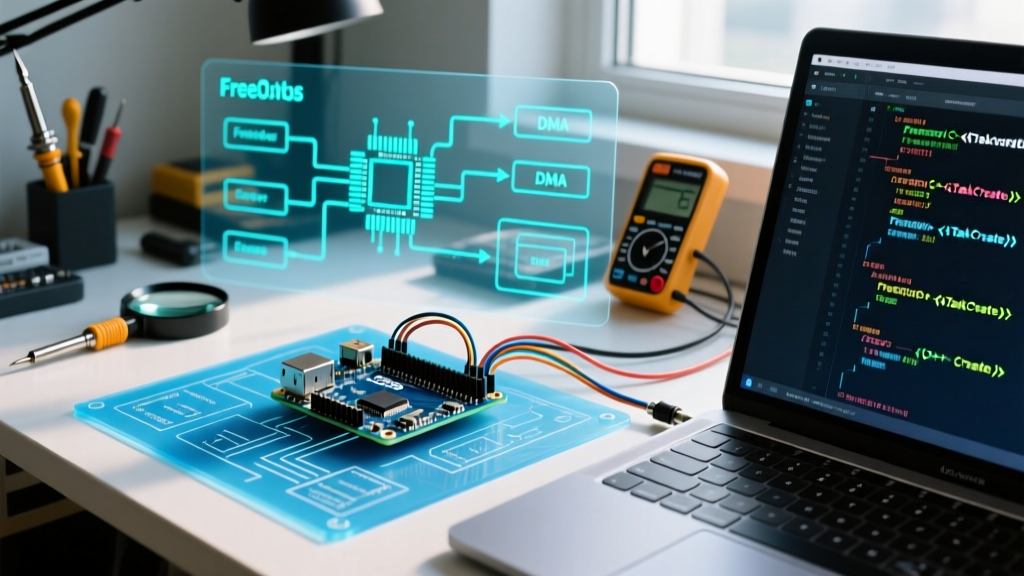
Building a quick prototype with an ESP32 web server is remarkably easy, but transitioning that code into a stable, 24/7 production environment is where most developers hit a wall. The ESP32's dual-core architecture, combined with the asynchronous nature of the LwIP (Lightweight IP) stack and FreeRTOS, creates a complex environment where race conditions, heap fragmentation, and silent memory leaks thrive. When your device randomly reboots after 48 hours of uptime, or silently drops WebSocket connections, standard serial printing is rarely enough. This guide bypasses basic tutorials and dives deep into the advanced debugging techniques required to stabilize high-performance ESP32 web applications.
Decoding the "Guru Meditation Error" in AsyncWebServer
The infamous Guru Meditation Error is the ESP32's equivalent of a kernel panic. When running an asynchronous web server, these crashes usually occur on Core 0 (where the WiFi and TCP/IP stacks reside) or Core 1 (the default Arduino loop core), manifesting as LoadProhibited or StoreProhibited exceptions.
Core 1 Panic and Concurrent Access
A frequent cause of StoreProhibited crashes in an ESP32 web server is concurrent access to shared variables. If your main loop() on Core 1 is updating a global sensor variable while an AsyncWebServer callback on Core 0 is simultaneously reading it to format a JSON response, you will eventually trigger a memory access violation.
Expert Fix: Never use raw global variables for data shared between the web server callbacks and the main loop. Instead, use FreeRTOS mutexes (
SemaphoreHandle_t) or atomic operations (std::atomic) to guarantee thread-safe access. For simple state flags,xSemaphoreTake()andxSemaphoreGive()around the critical sections will eliminate 90% of random Core 1 panics.
The Null Pointer Trap in Async Callbacks
Another common culprit is attempting to access the AsyncWebServerRequest object outside of its immediate callback scope. The AsyncWebServer library automatically destroys the request object once the response is sent. If you pass a pointer to this request object to a delayed task or a timer, the ESP32 will attempt to read freed memory, resulting in a LoadProhibited exception. Always extract necessary data (like headers or payload strings) into local variables before initiating any asynchronous delay or queueing a FreeRTOS task.
The Silent Killer: Heap Fragmentation and Memory Leaks
If your ESP32 web server runs perfectly for three days and then suddenly crashes with an abort() was called or Out of Memory error, you are likely suffering from heap fragmentation. The ESP32 has roughly 320KB of usable internal SRAM. When you dynamically allocate and free memory in varying sizes, the heap becomes fragmented, leaving plenty of total free bytes but no contiguous blocks large enough for the WiFi stack's TCP buffers.
Memory Allocation Strategies Compared
To maintain long-term stability, you must strictly control how memory is allocated inside your HTTP request handlers. Below is a decision framework for memory management in ESP32 web applications.
| Strategy | Heap Impact | Fragmentation Risk | Best Use Case |
|---|---|---|---|
Arduino String Class |
High (dynamic realloc) | Severe | Quick prototyping only; avoid in production loops. |
std::string |
Moderate | Moderate | C++ logic where size is predictable; avoid in high-frequency callbacks. |
char[] / snprintf |
Zero (if pre-allocated) | None | AsyncWebServer responses, JSON formatting, and HTTP headers. |
| PSRAM Allocation | Zero (internal heap) | None | Large buffers, OTA updates, and parsing massive JSON payloads. |
According to the Espressif Memory Allocation API Guide, utilizing heap_caps_malloc(size, MALLOC_CAP_SPIRAM) for large temporary buffers (like serving large HTML files or processing JSON) saves the internal heap from severe fragmentation. Furthermore, monitor your heap health by periodically logging ESP.getFreeHeap(), ESP.getMinFreeHeap(), and crucially, ESP.getMaxAllocHeap(). If the maximum allocatable block drops below 20KB while the total free heap remains high, fragmentation is actively degrading your server.
Filesystem Failures: LittleFS vs SPIFFS Mounting Errors
Modern ESP32 Arduino Core versions (v2.x and v3.x) have largely deprecated SPIFFS in favor of LittleFS due to its superior power-loss resilience and wear-leveling algorithms. However, misconfiguring the filesystem mount sequence is a frequent source of boot loops and 404 errors on web servers serving static assets.
The formatOnFail Trap
Many developers use LittleFS.begin(true) during setup to automatically format the filesystem if mounting fails. While this prevents boot loops during initial development, in a production environment, a corrupted filesystem (perhaps due to a sudden power cut during a write operation) will trigger a silent format, wiping your web server's HTML, CSS, and JS files. The server will boot, but every HTTP GET request will return 404.
Debugging Step: Always separate the mount and format logic. Attempt LittleFS.begin(false) first. If it fails, log a critical error to an external UART or EEPROM, and only format if explicitly commanded via a recovery pin or a dedicated serial command. This prevents catastrophic data loss in the field.
Network Layer Nightmares: CORS and WebSocket Drops
When your ESP32 web server is accessed by a modern frontend framework (like React, Vue, or a hosted dashboard), browser security policies often block communication, leading developers to mistakenly blame the ESP32's code.
Solving CORS Preflight (OPTIONS) Failures
If your frontend sends a POST request with a Content-Type: application/json header, the browser will first send an OPTIONS preflight request. The default ESPAsyncWebServer library does not handle OPTIONS requests automatically. If the ESP32 returns a 404 or 405 to the preflight request, the browser will block the actual POST request, and your serial monitor will show zero incoming traffic.
The Fix: You must explicitly handle CORS headers and preflight requests. Add a global header to your server responses and catch the OPTIONS method:
server.on("/api/data", HTTP_OPTIONS, [](AsyncWebServerRequest *request){
  AsyncWebServerResponse *response = request->beginResponse(204);
  response->addHeader("Access-Control-Allow-Origin", "*");
  response->addHeader("Access-Control-Allow-Methods", "GET, POST, OPTIONS");
  response->addHeader("Access-Control-Allow-Headers", "Content-Type");
  request->send(response);
});
WebSocket Disconnects and Keep-Alive Intervals
WebSockets are notorious for dropping silently when passing through NAT routers or mobile hotspots. Routers aggressively close idle TCP connections. If your ESP32 web server relies on WebSockets for real-time telemetry, you must implement a strict Ping/Pong keep-alive mechanism. Configure your AsyncWebSocket to send a ping frame every 10 to 15 seconds. If a Pong is not received within 5 seconds, forcefully close the socket on the ESP32 side to free up the LwIP PCB (Protocol Control Block) memory, which is strictly limited on the ESP32.
Advanced Debugging Toolkit for the ESP32
To move beyond guesswork, integrate these tools into your development workflow:
- PlatformIO Exception Decoder: Add
monitor_filters = esp32_exception_decoderto yourplatformio.ini. This automatically translates raw hex backtraces into exact file names and line numbers where the crash occurred. - Wireshark with ESP32 Promiscuous Mode: For deep packet inspection, capture the WiFi traffic natively. This reveals if the ESP32 is failing to send TCP ACKs or if the router is issuing RST (Reset) packets due to malformed HTTP headers.
- Task Watermark Monitoring: Use
uxTaskGetStackHighWaterMark(NULL)inside your web server callbacks. If this value drops close to zero, your task is on the verge of a stack overflow, which will corrupt memory and crash the web server. Increase the task stack size viaxTaskCreatePinnedToCoreif necessary.
Conclusion
Stabilizing an ESP32 web server requires shifting your mindset from simple scripting to embedded systems engineering. By respecting FreeRTOS concurrency rules, eliminating dynamic heap allocations in HTTP handlers, properly managing LittleFS power-loss scenarios, and adhering to strict CORS and WebSocket keep-alive protocols, you can transform a fragile prototype into an industrial-grade IoT endpoint. Always rely on hardware-level metrics like heap caps and task watermarks rather than simple serial prints to diagnose the true root cause of your network anomalies.