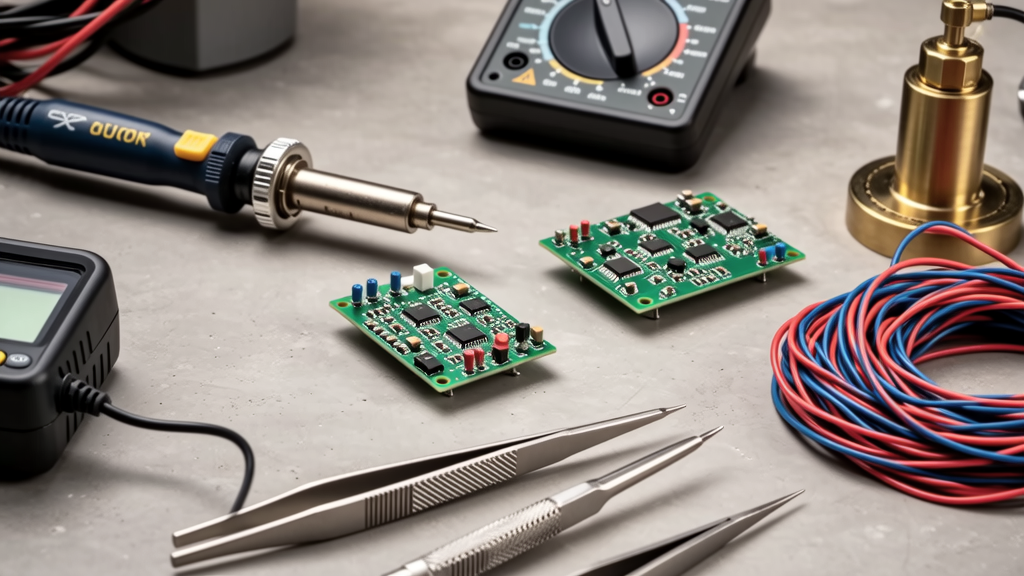
Raspberry Pi MCU projects combine a Linux single-board computer with microcontroller hardware, making them useful for robotics, sensors, automation, and hardware prototyping. Essential projects often use a Raspberry Pi 4 or Raspberry Pi 5 for the host, a Raspberry Pi Pico W or STM32 Nucleo board for low-level control, and a mixed-signal breadboard with 3.3 V logic, UART, I2C, SPI, PWM, and GPIO protection. Start with simple tasks: blink an LED, read a DHT22 temperature and humidity sensor, control a servo with PWM, and log data to CSV. Then add reliability: decoupling capacitors, 100 kΩ pull-ups on I2C, level shifters for 5 V devices, and clean power sequencing. This article covers practical Raspberry Pi MCU essentials, from board selection and wiring to software tools, debugging, and project scaling.
Project Essentials for Raspberry Pi MCU Work
A Raspberry Pi MCU setup usually has two computing domains. The Raspberry Pi runs Linux, handles networking, storage, user interfaces, and high-level logic. The microcontroller handles timing-critical tasks, analog inputs, motor control, and direct pin manipulation. In many student projects, the Raspberry Pi can do both, but a separate MCU is valuable when tasks need real-time behavior, lower power, or isolated GPIO logic.
The most useful starter kit includes a Raspberry Pi 4 Model B with 4 GB RAM, a Raspberry Pi Pico W, a 5 V 3 A official power supply, a solderless breadboard, jumper wires, LEDs, 330 Ω resistors, push buttons, a servo motor, a DHT22 sensor, and an HC-SR04 ultrasonic module. For mobile or remote projects, add a lithium polymer battery, a boost converter, a USB-C power module, and a 32 GB microSD card formatted with Raspberry Pi OS.
- Host board: Raspberry Pi 5 or Raspberry Pi 4 for Linux services.
- MCU board: Raspberry Pi Pico W, ESP32-S3, or STM32 Nucleo-F401RE for firmware control.
- Power: 5 V regulated supply rated at least 3 A for Pi 4, 5 A for Pi 5 with USB-PD accessories.
- Logic: 3.3 V GPIO on Raspberry Pi; ESP32 pins also generally operate at 3.3 V.
- Data: CSV or SQLite logs stored on the SD card or a network drive.
Projects become reliable when each subsystem has a defined role. The Pi should not be the only place where safety-critical motor timing lives. Use the MCU for PWM generation and watchdog timers, then let the Pi send commands over UART or USB serial. This separation reduces the chance that a Linux process delay causes a robot to keep running.
Power, GPIO, and Protection
Raspberry Pi GPIO pins are 3.3 V logic only. Connecting a 5 V Arduino Uno digital output directly to a Pi input can damage the pin. Use a level shifter, such as a 74LVC125A buffer, a TXS0108E module, or a simple voltage divider with 10 kΩ and 20 kΩ resistors. For current-limited signals, a divider with a 10 kΩ top resistor and 22 kΩ bottom resistor gives about 2.1 V, which is safe for logic input but may need a Schmitt-trigger buffer for noise immunity.
Using the 40-Pin GPIO Header Safely
The 40-pin header includes power, ground, I2C, SPI, UART, and general-purpose pins. Pin 1 is 3.3 V, pin 2 is also 3.3 V, pins 6, 9, 14, 20, and 25 are ground, and pins 3 and 5 are I2C SDA and SCL. Do not short 3.3 V to ground. Do not drive LEDs directly from GPIO without a resistor. A typical blue or white LED at 3.3 V should use 220 Ω to 470 Ω, limiting current to roughly 7 mA to 15 mA depending on forward voltage.
The Raspberry Pi can source and sink a recommended maximum of about 16 mA per GPIO pin and 50 mA total across all pins. Motors, solenoids, relays, and high-power LEDs need transistor drivers. Use a BC337 NPN transistor for small loads, a TIP120 Darlington for medium loads, or a MOSFET such as IRLZ44N for PWM-controlled motors. Always place a flyback diode, such as a 1N4007 or SS34 Schottky diode, across inductive loads.
- Use 100 nF ceramic capacitors near MCU and sensor power pins.
- Add a 100 μF electrolytic or tantalum capacitor for bulk energy storage.
- Run 3.3 V and 5 V power wires away from motor current paths.
- Use twisted-pair wiring for UART and SPI when cable length exceeds 30 cm.
- Label every wire with pin numbers before applying power.
Communication Interfaces for Raspberry MCU Projects
UART is the simplest link between Raspberry Pi and an MCU. On Raspberry Pi, use a USB-TTL adapter or enable the hardware UART on GPIO 14 TXD and GPIO 15 RXD. On Raspberry Pi OS, the serial console may occupy the UART, so edit config.txt or use raspi-config to disable serial login while enabling the hardware UART. At 115200 baud, 8 data bits, no parity, and 1 stop bit, UART is fast enough for sensor packets, command lines, and status messages.
I2C is better for multiple low-speed sensors. The Raspberry Pi I2C pins are GPIO 2 SDA and GPIO 3 SCL. Use 100 kΩ to 4.7 kΩ pull-up resistors. For a bus with four sensors, 4.7 kΩ often works better than 10 kΩ, especially with short wires. Keep cable length under 30 cm for stable 100 kHz operation. Use i2cdetect -y 1 to scan the bus and confirm addresses such as 0x3C for an SSD1306 OLED, 0x76 for a BME280, 0x68 for an MPU6050, or 0x27 for a PCF8574.
SPI is best for displays, microSD modules, ADCs, and high-speed data. Raspberry Pi has two hardware SPI buses. For a simple analog input, an MCP3008 10-bit ADC can use SPI mode 0 at 1 MHz to 4 MHz. For an OLED display, use a 128 x 64 SSD1306 module with SPI and an appropriate library. Keep SPI wires short because clock and data edges are sensitive to noise.
Hardware Choices: Raspberry Pi Boards and MCU Partners
Board selection should match the project constraints. A Raspberry Pi 5 is better when the project needs fast GPIO, NVMe storage, dual micro HDMI outputs, and more CPU headroom. A Raspberry Pi 4 is a proven choice for many classrooms and maker labs. A Raspberry Pi Zero 2 W is compact and energy friendly, but its GPIO and compute power are more limited. A Raspberry Pi Pico W is not a Linux host, but it is an excellent MCU for sensor sampling, motor PWM, and serial gateway tasks.
Choosing a Raspberry Pi Model
| Board | Processor | RAM | Best for | Power note |
|---|---|---|---|---|
| Raspberry Pi 5 | 8-core Cortex-A76 at 2.4 GHz | 4 GB or 8 GB | Fast GPIO, cameras, local AI, multiple peripherals | 5 V 5 A USB-C PD recommended |
| Raspberry Pi 4 | 4-core Cortex-A72 at 1.5 GHz | 2 GB, 4 GB, or 8 GB | General maker projects, web dashboards, robot brains | 5 V 3 A official supply is common |
| Raspberry Pi Zero 2 W | 4-core Cortex-A53 at 1.0 GHz | 512 MB | Compact headless sensors and kiosks | Use good 5 V 2.5 A supply |
| Raspberry Pi Pico W | RP2040 dual-core Cortex-M0+ at 133 MHz | 264 KB SRAM | Real-time control, UART bridge, PWM, analog input | USB or 3.3 V regulated supply |
| STM32 Nucleo-F401RE | Cortex-M4 at 84 MHz | 96 KB SRAM | C firmware, timers, DMA, robust industrial practice | USB powered, 3.3 V logic |
When the Raspberry Pi needs analog inputs, use the Pico RP2040 ADC or an external MCP3008, ADS1115, or INA219. The ADS1115 is a 16-bit I2C ADC that can measure 0 V to 4.096 V full scale and is excellent for battery monitoring. The INA219 measures voltage and current over I2C and is useful for tracking a robot motor draw, often with a shunt resistor rated for 2 A or more.
Software Stack: Python, C, and Microcontroller Firmware
Python is the quickest language on Raspberry Pi. Libraries such as gpiozero, RPi.GPIO, smbus2, spidev, and pyserial cover most starter projects. For a button and LED, gpiozero can create a Button and LED object in a few lines. For a servo, use PWM with a 20 ms period, 1000 μs pulse for 0 degrees, and 2000 μs for 180 degrees. For serial communication, pyserial can open a serial device at 115200 baud, while Raspberry Pi tools such as minicom can monitor raw bytes.
C is better when timing matters. On the MCU side, use C or C++ with vendor SDKs. Raspberry Pi Pico can be programmed in MicroPython, CircuitPython, or C with the Pico SDK. An STM32 Nucleo board can be programmed in C with STM32CubeIDE or with Arduino core. For a UART bridge, keep the firmware small: initialize GPIO, set USART1 to 115200 8N1, echo received bytes, and send periodic sensor data as text lines.
Testing Serial and I2C Connections
Before writing application code, test the physical links. For UART, send a known ASCII string from the MCU to the Pi and capture it with a serial terminal. For I2C, run i2cdetect -y 1 and check that each sensor responds. If a device does not appear, measure SDA and SCL with a multimeter. Both lines should be high near 3.3 V when idle. If they are stuck low, remove devices one by one or check for swapped SDA and SCL wiring.
Use simple packet formats. A good starter format is a comma-separated line with sensor name, timestamp, temperature, humidity, and pressure, followed by a newline. On the Pi, parse it with Python csv or split. On the MCU, keep the buffer fixed at 64 bytes to avoid memory fragmentation. For more advanced projects, use JSON over UART, but avoid binary frames until the system is stable.
- Install Raspberry Pi OS with desktop or headless depending on the project.
- Enable SSH so the Pi can be updated and debugged from another computer.
- Use git for firmware and Python code, even on small breadboard projects.
- Keep separate power rails for logic and motors when using breadboards.
- Record the exact board revision and OS version for reproducible builds.
Assembly Checklist and Debugging Workflow
A practical Raspberry MCU project should be assembled in stages. First, flash the Pi and confirm it boots from the microSD card. Then test the MCU on a USB connection. Next, wire the communication port and verify serial or I2C. After that, add one sensor, then one actuator. If you connect everything at once, a shorted motor can appear to be a software bug.
Use a multimeter as the primary debugging tool. Check 3.3 V and 5 V rails before plugging in modules. Check ground continuity between the Pi and MCU. If the Pi uses a 5 V regulator and the MCU uses USB 5 V, connect grounds carefully to avoid ground loops. For battery-powered robots, use a common regulated 5 V rail and a separate 3.3 V LDO, such as an AMS1117-3.3 or a TPS7A05 low-dropout regulator, for sensitive logic.
Common failures include reversed jumper wires, missing pull-up resistors, 5 V applied to 3.3 V GPIO, loose breadboard contacts, and serial console conflicts. If UART sends characters but receives nothing, check that TX and RX are crossed correctly. The MCU TX pin connects to the Pi RX pin, and the MCU RX pin connects to the Pi TX pin. If I2C shows random addresses, add 100 kΩ or 4.7 kΩ pull-ups and shorten wires.
- Power only the Raspberry Pi and confirm the OS boots.
- Power only the MCU and confirm firmware runs.
- Connect ground between boards.
- Connect UART or I2C with correct voltage levels.
- Send test data and verify received bytes.
- Add one peripheral at a time.
- Log errors with timestamps for later review.
Reliability, Safety, and Scaling Raspberry MCU Designs
Reliability comes from predictable power, clear code boundaries, and physical protection. Add a watchdog timer on the MCU so it stops outputs if the host stops sending heartbeat messages. On the Pi, use systemd services to restart Python scripts after crashes. Use a real-time clock module such as the DS3231 when the project must keep time without network access. Store logs with rotation so a small SD card does not fill after a week.
Safety matters when motors, heaters, or batteries are involved. Never run a LiPo battery without a proper charger and protection circuit. Use a battery holder with over-discharge protection, and keep current paths short. For mains-connected projects, use a certified power supply or relay module with appropriate creepage and clearance. For robotics, add a physical emergency stop switch that breaks the motor power path before the controller turns off.
Scaling from breadboard to durable project requires better wiring and enclosure design. Move jumper wires to crimped Dupont or JST connectors. Replace the breadboard with a perfboard or PCB. Add screw terminals for power and motor lines. Use a Raspberry Pi case with GPIO access, or a DIN-rail enclosure for industrial settings. For field devices, include a status LED, a reset button, and a labeled power input.
The best Raspberry MCU projects start simple and prove each interface. Blink an LED, read one sensor, send one serial line, then log that data. Once that loop works, add a second sensor, then a motor, then a web dashboard. With careful 3.3 V logic, solid grounding, pull-up resistors, and staged debugging, a Raspberry Pi and MCU setup can support reliable automation, robotics, and sensor projects for schools, makers, and professional prototypes.