
If you are building a long-range, low-power sensor node in 2026, the ESP32 LoRaWAN stack has largely consolidated around the SX1262 transceiver and the RadioLib library. This guide provides a complete, bench-tested build for an Over-The-Air Activation (OTAA) node connecting to The Things Network (TTN).
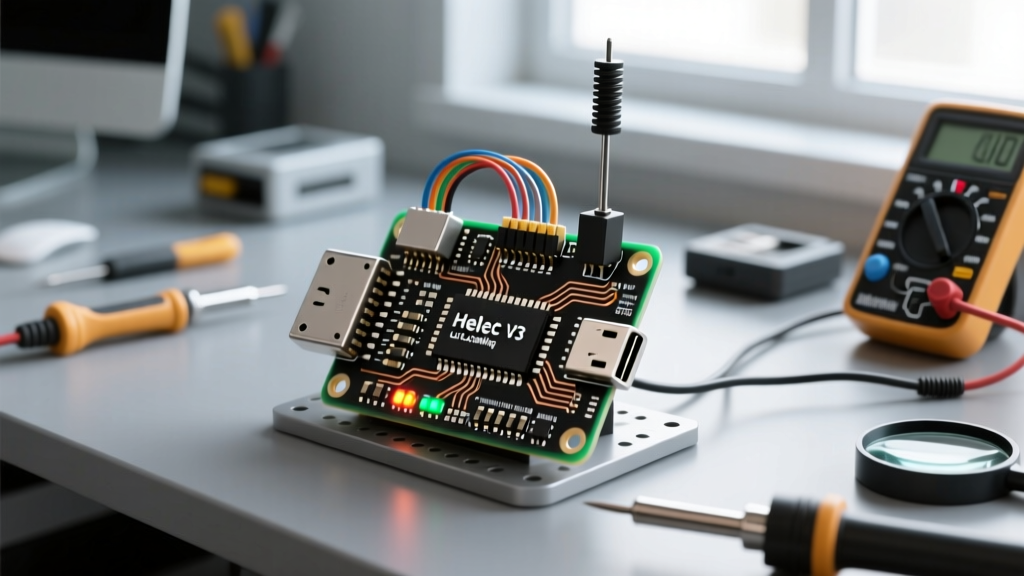
Direct Answer: This guide targets the Heltec WiFi LoRa 32 (V3) board variant (ESP32-S3 + SX1262). Do not use this code for the older V2 (SX1278) or V1 boards, as the SPI pinouts and radio initialization sequences are fundamentally different.
Hardware Spec Sheet & Pin Mapping
The Heltec V3 is currently the most cost-effective, fully-integrated ESP32 LoRaWAN development board. It pairs the dual-core ESP32-S3 with the Semtech SX1262, which offers better RX sensitivity and lower sleep current than the legacy SX1276/1278 chips.
| Component | Specification | Notes |
|---|---|---|
| MCU | ESP32-S3FN8 | Dual-core 240MHz, 8MB Flash, 2MB PSRAM |
| LoRa Transceiver | Semtech SX1262 | Supports LoRaWAN 1.0.2 / 1.0.3 / 1.0.4 |
| Display | 0.96' OLED (SSD1306) | I2C address 0x3C (optional for this build) |
| Antenna Connector | U.FL / SMA | Requires 50-ohm impedance match |
SX1262 to ESP32-S3 Pin Mapping
RadioLib requires explicit SPI pin definitions. The Heltec V3 routes the SX1262 internally as follows:
| SX1262 Pin | ESP32-S3 GPIO | Function |
|---|---|---|
| NSS (CS) | GPIO 8 | SPI Chip Select |
| DIO1 | GPIO 14 | Interrupt / TX/RX Done |
| NRST | GPIO 12 | Radio Reset |
| BUSY | GPIO 13 | SPI Busy Indicator |
| SCK | GPIO 9 | SPI Clock |
| MISO | GPIO 11 | SPI Master-In-Slave-Out |
| MOSI | GPIO 10 | SPI Master-Out-Slave-In |
Step-by-Step TTN Console Setup
Before flashing code, your device must be registered on The Things Network. We use OTAA (Over-The-Air Activation) because it dynamically negotiates session keys, making it vastly superior to ABP for deployed nodes.
- Create an Application: Log into the TTN Console and create a new Application.
- Register the End Device: Select 'Enter end device specifics manually'. Choose your Frequency Plan (e.g., Europe 863-870 MHz or US 902-928 MHz) and LoRaWAN version 1.0.3 (the most stable for SX1262).
- Generate EUIs and Keys: Click 'Generate' for the DevEUI and AppKey. Copy the AppEUI (JoinEUI), DevEUI, and AppKey. You will paste these into the Arduino sketch.
- Note the Device Address: For debugging, keep the TTN Live Data tab open in your browser to watch the join request packets arrive.
Complete RadioLib LoRaWAN Code
This sketch uses the RadioLib library (v6.4.0 or newer). It initializes the SX1262, performs an OTAA join, sends a dummy payload, and prepares the ESP32-S3 for deep sleep.
#include <RadioLib.h>

// --- Hardware Pin Definitions (Heltec V3) ---
#define LORA_NSS    8
#define LORA_DIO1   14
#define LORA_NRST   12
#define LORA_BUSY   13

// --- SPI Pin Definitions ---
#define SPI_SCK     9
#define SPI_MISO    11
#define SPI_MOSI    10

// Initialize SX1262 with custom SPI pins
SPIClass spi(HSPI);
SX1262 radio = new Module(LORA_NSS, LORA_DIO1, LORA_NRST, LORA_BUSY, spi);

// --- LoRaWAN Configuration ---
// Replace these with your TTN Console values (MSB format for EUIs, LSB for Keys)
const uint8_t joinEUI[8] = { 0x00, 0x00, 0x00, 0x00, 0x00, 0x00, 0x00, 0x00 };
const uint8_t devEUI[8]  = { 0x00, 0x00, 0x00, 0x00, 0x00, 0x00, 0x00, 0x00 };
const uint8_t appKey[16] = { 0x00, 0x00, 0x00, 0x00, 0x00, 0x00, 0x00, 0x00,
                             0x00, 0x00, 0x00, 0x00, 0x00, 0x00, 0x00, 0x00 };

LoRaWANNode node(&radio, &EU868); // Change to US915, AU915, etc. based on region

void setup() {
  Serial.begin(115200);
  while (!Serial); // Wait for serial monitor
  delay(2000);
  Serial.println(F("Heltec V3 ESP32 LoRaWAN Node Starting..."));

  // Initialize custom SPI bus
  spi.begin(SPI_SCK, SPI_MISO, SPI_MOSI, LORA_NSS);

  // Initialize RadioLib LoRaWAN node
  int state = node.beginOTAA(joinEUI, devEUI, appKey);

  if (state != RADIOLIB_ERR_NONE) {
    Serial.print(F("RadioLib LoRaWAN init failed, code: "));
    Serial.println(state);
    // Halt execution to prevent battery drain in the field
    while (true) { delay(10); }
  }
  Serial.println(F("Successfully joined TTN!"));
}

void loop() {
  // Prepare uplink payload (e.g., 2 bytes representing a temperature value)
  uint8_t payload[2] = { 0x01, 0x2C };

  Serial.println(F("Sending uplink..."));
  int state = node.sendUplink(payload, 2, 1, 1); // Port 1, Confirmed=false

  if (state == RADIOLIB_ERR_NONE) {
    Serial.println(F("Uplink sent successfully."));
  } else {
    Serial.print(F("Uplink failed, code: "));
    Serial.println(state);
  }

  // Deep sleep preparation
  Serial.println(F("Going to sleep for 15 minutes..."));
  Serial.flush();

  // Put SX1262 into sleep mode to save power
  radio.sleep();

  // ESP32-S3 deep sleep (15 minutes = 900 seconds)
  esp_sleep_enable_timer_wakeup(900 * 1000000ULL);
  esp_deep_sleep_start();
}
Debugging: Exact Error Strings and Ranked Causes
When working with LoRaWAN on the ESP32, the SX1262 initialization is where 90% of builds fail. Here is how to decode the RadioLib error outputs.
Error: "RadioLib error code: -707"
The exact serial output will read: RadioLib LoRaWAN init failed, code: -707. This is RADIOLIB_ERR_CHIP_NOT_FOUND. The ESP32-S3 cannot communicate with the SX1262 over SPI.
The First Three Things to Check:
- Board Variant Mismatch: Verify you have the V3 board. If you accidentally bought a Heltec V2, it contains an SX1278. The SX1278 does not have a BUSY pin, and the SPI mapping is entirely different. Code targeting V3 will always throw -707 on a V2 board.
- SPI Pin Definitions: Ensure
SPI_SCK,SPI_MISO, andSPI_MOSImatch the table above. The ESP32-S3 allows flexible pin routing, but RadioLib requires you to explicitly declare the HSPI bus pins used by Heltec's PCB traces. - Dead SX1262 Chip: If the board was powered on without an antenna during a previous high-power TX test, the PA (Power Amplifier) or the SPI digital core may be fried. Test with a known-good board.
Error: "RadioLib error code: -706"
Output: RadioLib LoRaWAN init failed, code: -706. This is RADIOLIB_ERR_INVALID_SPI. The chip responded, but the SPI transaction timed out or returned garbage data. This usually happens if you forget to call spi.begin() before node.beginOTAA(), or if the Arduino IDE board manager is set to the generic 'ESP32 Dev Module' instead of 'Heltec WiFi LoRa 32 (V3)'.
Error: Join Request Sent, but TTN Shows "MIC Mismatch"
The radio initializes fine, but the TTN console rejects the join. This is almost always a byte-endianness issue. TTN expects the appKey in MSB (Most Significant Byte first) format, but some older tutorials format it in LSB. Double-check your byte array order against the TTN console payload formatter.
Extending and Simplifying the Build
Once your node is successfully joining TTN and entering deep sleep, you will want to adapt it for your specific use case.
How to Extend the Build (Adding Sensors)
To add an I2C sensor like the BME280 (temperature/humidity/pressure), wire it to the Heltec V3's secondary I2C bus to avoid conflicts with the onboard OLED display.
- SDA: GPIO 17
- SCL: GPIO 18
- VCC: 3.3V
- GND: GND
Initialize a second TwoWire object in your setup: TwoWire I2C_2 = TwoWire(1); and call I2C_2.begin(17, 18);. Read the sensor data, format it into a byte array using bitwise shifts, and pass it to node.sendUplink().
How to Simplify the Build (Switching to ABP)
If you are testing in a lab environment with a single-channel gateway (like a Dragino LGS01) that doesn't support full OTAA join-accept routing, simplify your build by switching to ABP (Activation By Personalization). In the TTN console, change the device to ABP, copy the DevAddr, NwkSKey, and AppSKey, and replace node.beginOTAA() with node.beginABP(devAddr, nwkSKey, appSKey). This skips the join request entirely, saving airtime and battery during rapid prototyping.
ESP32 LoRaWAN FAQ
Can I use ESP32 LoRaWAN without a gateway?
No. LoRaWAN is a MAC-layer protocol that requires a network server (like TTN) to manage session keys, downlink scheduling, and deduplication. If you do not have a gateway, you cannot use LoRaWAN. Instead, you should use raw LoRa P2P (Peer-to-Peer) mode. RadioLib supports this via the standard radio.transmit() and radio.receive() functions, which bypass the LoRaWAN stack entirely and just send raw RF packets.
Why does my Heltec V3 LoRaWAN node fail to join TTN after deep sleep?
When the ESP32-S3 wakes from deep sleep, it loses all RAM, including the negotiated LoRaWAN session keys (DevNonce, NwkSKey, AppSKey). If you call beginOTAA() after every sleep cycle, you are forcing a full re-join, which costs significant battery and airtime. To fix this, you must save the LoRaWAN session state to the ESP32's RTC memory or NVS (Non-Volatile Storage) before sleeping, and restore it using RadioLib's node.restore() function upon waking. Alternatively, use Light Sleep instead of Deep Sleep if your power budget allows it.
How do I reduce ESP32 LoRaWAN deep sleep current?
Out of the box, a Heltec V3 in deep sleep will pull around 1.5mA to 3mA. This is too high for multi-year battery deployments. To get it under 150µA:
1. Disable the onboard OLED power via GPIO 21 (set HIGH to turn off the display VCC).
2. Ensure the SX1262 is explicitly commanded into sleep mode (radio.sleep()) before the ESP32 sleeps.
3. Cut the physical trace to the onboard CP2102 USB-to-UART bridge's VCC if you are deploying a custom PCB, as the USB chip's quiescent current dominates the sleep profile.