
The Evolution of the Windows IDE: Architecture & Toolchains
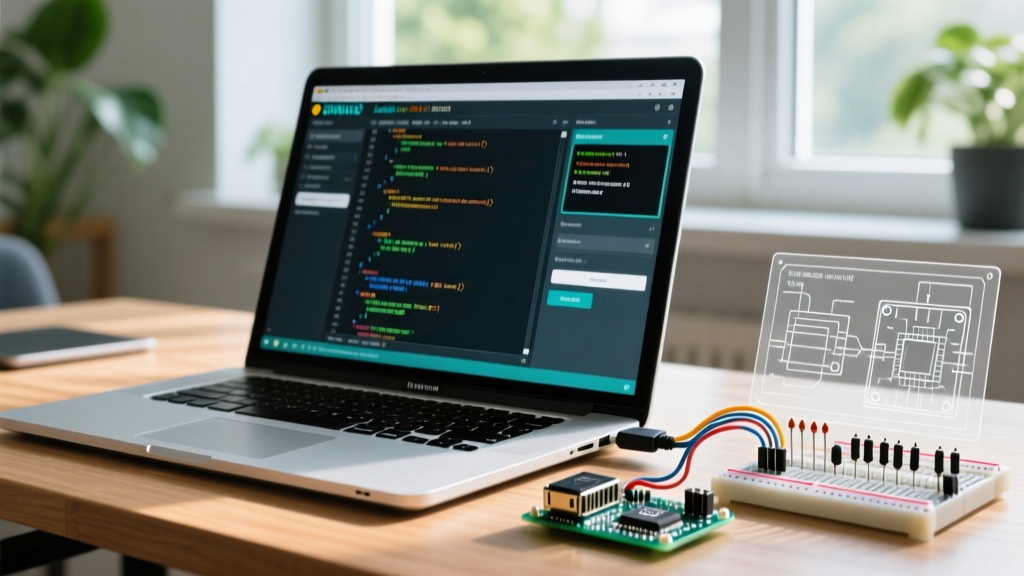
When engineers and makers search to download Arduino IDE for Windows, they are often unaware that the underlying architecture of the development environment has fundamentally shifted. The transition from the legacy Java-based IDE 1.8.x to the modern Electron and Theia-based IDE 2.x series has radically altered how C++ code is parsed, compiled, and linted on Windows machines. Understanding this shift is critical for establishing robust coding patterns and avoiding silent compilation failures.
| Feature | Legacy IDE (1.8.19) | Modern IDE (2.3.x+) |
|---|---|---|
| Base Architecture | Java (Processing fork) | Electron / Eclipse Theia |
| Code Parsing & Linting | Basic Regex / avr-gcc errors | clangd (Language Server Protocol) |
| Toolchain Management | Monolithic Board Manager | Decoupled via Arduino CLI backend |
| Memory Footprint (Win 11) | ~350 MB RAM | ~1.2 GB RAM (with clangd active) |
| Multi-File Sketch Support | Poor (requires manual includes) | Native C/C++ project awareness |
Because the modern IDE utilizes clangd under the hood, the way you structure multi-file sketches must adapt. The IDE now behaves more like a professional C++ environment, meaning legacy patterns—such as relying on the IDE to automatically generate prototypes for functions in secondary .ino tabs—will trigger LSP (Language Server Protocol) warnings. We will cover how to adapt your code patterns later in this guide.
Step-by-Step: Secure Download & Checksum Verification
Supply chain attacks targeting open-source toolchains are a growing concern in the embedded systems industry. When you download Arduino IDE for Windows, you must ensure the binary has not been tampered with. Never use third-party aggregator sites; always pull directly from the official Arduino Software Page.
Security Warning: Executing a compromised compiler toolchain can result in malicious payloads being injected directly into your microcontroller's flash memory, potentially creating hardware-level backdoors or bricking the silicon.
Verifying the SHA-256 Checksum on Windows
After downloading the .exe installer, open Windows PowerShell and verify the file's integrity against the checksum provided on the Arduino download page.
- Open PowerShell and navigate to your Downloads folder:
cd ~\Downloads - Run the hashing command:
Get-FileHash .\arduino-ide_2.3.2_Windows_64bit.exe -Algorithm SHA256 - Compare the output hash string character-by-character with the official release notes.
Post-Installation: Windows 11 Driver Edge Cases
The most common point of failure after installing the IDE on a Windows 11 machine is USB-to-UART bridge recognition. While genuine FTDI FT232RL chips generally pass Windows Update driver signing, the market is flooded with development boards utilizing the CH340G or CP2102 chips.
The Core Isolation / Memory Integrity Conflict
Windows 11 enables Core Isolation (Memory Integrity) by default. This security feature blocks the installation of older, improperly signed kernel-mode drivers. If you plug in a NodeMCU or generic clone board and it fails to appear in the IDE's port selector, the CH340 driver is likely being blocked by the Windows kernel.
- Symptom: Device Manager shows a yellow exclamation mark under 'Other Devices' or 'Ports (COM & LPT)'.
- Resolution: Download the latest WHQL-certified CH341SER.EXE from the manufacturer (WCH), right-click the installer, and select 'Run as Administrator'. If Memory Integrity still blocks it, you must temporarily toggle off Core Isolation in Windows Security > Device Security, install the driver, and immediately re-enable it.
Workspace Configuration: The OneDrive Anti-Pattern
By default, Windows 11 forces OneDrive sync on the Documents folder. The Arduino IDE defaults to storing your sketchbook in C:\Users\%USERNAME%\Documents\Arduino. This creates a catastrophic anti-pattern for embedded development.
When the IDE compiles a sketch, it generates hundreds of temporary .o, .d, and .elf files in the background build directory. If OneDrive attempts to sync these transient binary files in real-time, it causes file-locking collisions. This results in permission denied compilation errors and massive I/O bottlenecks.
Relocating the Sketchbook
To optimize your workspace, move your sketchbook outside the OneDrive sync tree:
1. Create a dedicated directory: C:\Embedded_Workspace\Arduino
2. Open the IDE, go to File > Preferences.
3. Update the 'Sketchbook location' path to your new directory.
4. Restart the IDE to force the backend to rebuild its library index in the new, non-synced location.
Compilation Bottlenecks: Windows Defender Exclusions
The GCC ARM and AVR toolchains are highly I/O intensive. During a standard compilation, the arduino-cli backend writes and reads thousands of small files. Windows Defender's real-time protection scans every single file operation, which can increase compilation times by up to 300% on large projects utilizing libraries like TFT_eSPI or LVGL.
According to Microsoft's official performance guidelines, adding compiler directories to the exclusion list is a standard practice for software engineers. Run PowerShell as Administrator and execute the following to exclude the IDE's hidden cache and package directories:
Add-MpPreference -ExclusionPath 'C:\Users\%USERNAME%\AppData\Local\Arduino15'
Add-MpPreference -ExclusionPath 'C:\Embedded_Workspace\Arduino'
This single configuration change routinely drops compile times for complex ESP32 projects from 45 seconds down to 12 seconds on a standard NVMe SSD.
Code Patterns: Adapting to clangd in IDE 2.x
Because the modern Windows IDE relies on the Arduino CLI backend and clangd for syntax highlighting and error checking, your C++ coding patterns must evolve. The legacy IDE used a pre-processor that automatically generated function prototypes and concatenated all .ino tabs into a single hidden .cpp file before compilation. The modern IDE respects standard C++ translation units.
Best Practices for Multi-File Sketches
If your project requires separating logic into multiple files, do not use multiple .ino tabs. Instead, use standard .h and .cpp extensions. This ensures the LSP can properly parse your code and provide accurate auto-complete suggestions.
1. The Header File (MyModule.h):
Always use include guards and explicitly include the Arduino core library so clangd recognizes types like uint8_t and String.
#ifndef MY_MODULE_H
#define MY_MODULE_H

#include <Arduino.h>

class SensorModule {
  public:
    void init(uint8_t pin);
    int readData();
  private:
    uint8_t _pin;
};

#endif
2. The Source File (MyModule.cpp):
Include the header and implement the logic. Because you are using .cpp, the IDE will compile this as an independent translation unit, drastically reducing recompile times when only this specific file is modified.
Advanced Toolchain Management via CLI
For power users who find the GUI's board manager limiting, the IDE 2.x architecture allows direct integration with the Arduino CLI. By using the CLI via Windows Terminal, you can script the installation of specific core versions, lock library dependencies for production firmware, and integrate the build process into Windows batch scripts or GitHub Actions runners.
To link the CLI to your IDE's downloaded packages, ensure you point the CLI configuration to the IDE's hidden data folder:
arduino-cli config init --dest-dir 'C:\Users\%USERNAME%\AppData\Local\Arduino15'
Frequently Asked Questions
Why does the IDE show 'Port is Busy' on Windows 11?
This usually occurs when a secondary application (like Cura, PrusaSlicer, or an old serial monitor instance) is polling COM ports in the background for 3D printer detection. Close these applications or disable their background serial polling features to free up the UART bridge.
Can I use the Windows IDE to program ARM Cortex-M7 boards?
Yes, but you must install the specific board packages (e.g., STM32 MCU based boards via STMicroelectronics). Be aware that ARM GCC toolchains require significantly more disk space (up to 2GB per core) and benefit heavily from the Windows Defender exclusions mentioned above.
Is the Windows Store version of the IDE recommended?
No. The Microsoft Store version operates within a UWP (Universal Windows Platform) sandbox. This sandbox restricts low-level file system access and serial port enumeration, frequently causing silent failures when flashing ESP8266/ESP32 chips that require the IDE to assert the DTR/RTS lines to trigger the bootloader. Always download the standalone .exe or .zip version.