The Short Answer: What is ARDUINO_EVENT_WIFI_STA_GOT_IP?
In the ESP32 Arduino Core (v2.0.0 and newer, including the current v3.x releases), ARDUINO_EVENT_WIFI_STA_GOT_IP is the specific system event ID that fires exactly when the ESP32's DHCP client successfully secures an IPv4 address from your router. It is the definitive signal that your device is not just associated with the access point, but is fully routable on the local network.
Target Board Variant: This guide and the accompanying code specifically target the ESP32 DevKit V1 (ESP32-WROOM-32E module). The event architecture applies universally across ESP32, ESP32-S3, and ESP32-C3 variants running the modern Arduino-ESP32 core, but pin mappings and LED behaviors default to the standard WROOM-32E DevKit layout.
Historically, developers used blocking while(WiFi.status() != WL_CONNECTED) loops to wait for WiFi. This freezes the main thread, starves the watchdog timer, and prevents sensor polling. The modern event-driven architecture pushes the TCP/IP stack handshake into the background FreeRTOS tasks, triggering ARDUINO_EVENT_WIFI_STA_GOT_IP asynchronously when the DHCP handshake completes. If this event never fires, your device is stuck at Layer 2 (associated but no IP) or you are compiling against a legacy core version.
Hardware & Pin Mapping for the Reference Build
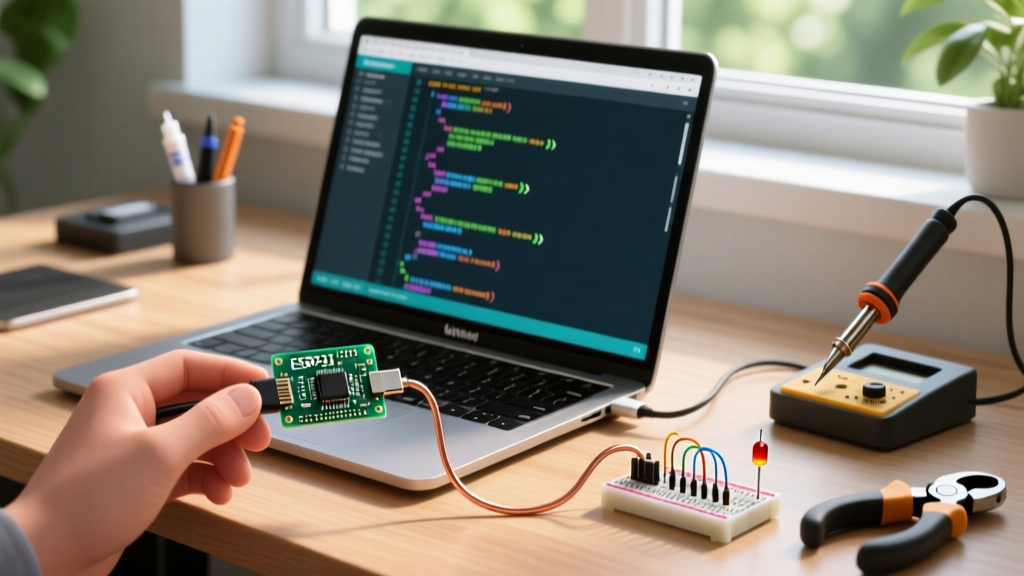
To visually confirm the exact moment the DHCP lease is granted without relying solely on the serial monitor, we will wire an external LED to trigger strictly on the GOT_IP event. This is invaluable for headless deployments where you need to verify network readiness across a room.
Parts List
- Microcontroller: ESP32 DevKit V1 (30-pin or 38-pin, ESP32-WROOM-32E)
- External LED: Standard 5mm diffused LED (any color)
- Current Limiting Resistor: 330Ω (1/4W)
- Prototyping: Half-size breadboard, male-to-male jumper wires
- Power: High-quality USB-C or Micro-USB data cable (avoid charge-only cables which cause brownouts during WiFi TX spikes)
Pin Mapping Table
| Component | ESP32 GPIO | Notes |
|---|---|---|
| Built-in Status LED | GPIO 2 | Active HIGH on most DevKit V1 clones. Used for boot/heartbeat. |
| External IP-Ready LED (Anode) | GPIO 25 | Driven HIGH only when ARDUINO_EVENT_WIFI_STA_GOT_IP fires. |
| External LED (Cathode) | GND | Connect via 330Ω resistor to protect the GPIO pin. |
The Complete Event-Driven WiFi Code (ESP32 DevKit V1)
The following code is fully compilable in the Arduino IDE (v2.x) or PlatformIO. It registers the event handler, manages reconnections, and explicitly defines pins. Do not use blocking delays in the event callback; keep it short and defer heavy processing to the main loop or a FreeRTOS task.
#include <WiFi.h>

// --- PIN DEFINITIONS ---
#define STATUS_LED_PIN 2   // Built-in LED on most DevKit V1 boards
#define EXT_LED_PIN 25     // External LED for visual IP confirmation

// --- NETWORK CREDENTIALS ---
// ESP32 only supports 2.4GHz 802.11 b/g/n. Ensure this SSID is not 5GHz only.
const char* ssid = "YOUR_2.4GHZ_SSID";
const char* password = "YOUR_PASSWORD";

// --- EVENT HANDLER CALLBACK ---
void WiFiEvent(WiFiEvent_t event) {
  switch(event) {
    case ARDUINO_EVENT_WIFI_STA_CONNECTED:
      Serial.println("[WiFi] Layer 2 associated. Waiting for DHCP lease...");
      digitalWrite(STATUS_LED_PIN, HIGH); // Blink to show association
      break;

    case ARDUINO_EVENT_WIFI_STA_GOT_IP:
      Serial.print("[WiFi] DHCP Success. IP Address: ");
      Serial.println(WiFi.localIP());
      digitalWrite(EXT_LED_PIN, HIGH); // Solid ON means fully routable
      break;

    case ARDUINO_EVENT_WIFI_STA_DISCONNECTED:
      Serial.println("[WiFi] Lost connection. Triggering reconnect...");
      digitalWrite(EXT_LED_PIN, LOW);
      digitalWrite(STATUS_LED_PIN, LOW);
      // Auto-reconnect logic
      WiFi.reconnect();
      break;

    default:
      // Catch-all for other WiFi events (scan done, auth expire, etc.)
      break;
  }
}

void setup() {
  Serial.begin(115200);
  delay(500); // Allow serial buffer to stabilize

  pinMode(STATUS_LED_PIN, OUTPUT);
  pinMode(EXT_LED_PIN, OUTPUT);

  Serial.println("Initializing WiFi in Station Mode...");

  // Register the event handler BEFORE starting WiFi
  WiFi.onEvent(WiFiEvent);
  WiFi.mode(WIFI_STA);
  WiFi.setSleep(false); // Disable WiFi sleep for lower latency event firing
  WiFi.begin(ssid, password);
}

void loop() {
  // Non-blocking main loop.
  // Application logic (MQTT, sensor reads) goes here.
  // Check WiFi.isConnected() before attempting network calls.
  delay(10);
}
Debugging: Why ARDUINO_EVENT_WIFI_STA_GOT_IP Never Fires
When the serial monitor shows the device associating with the router but the GOT_IP event never triggers, or the compiler rejects the code entirely, you are dealing with either a core version mismatch or a Layer 3 (DHCP) failure. Here are the first three things to check when this fails:
- Verify Arduino Core Version: Open Boards Manager and ensure you are using
esp32by Espressif Systems v2.0.0 or higher (v3.x recommended). Legacy v1.x uses a completely different event enum. - Check Router DHCP Pool Exhaustion: If your router's DHCP pool is full (common in IoT-heavy homes with 50+ devices), the ESP32 will associate but the router will ignore the DHCP Discover packet. The event will hang indefinitely.
- Confirm 2.4GHz Band: Modern mesh routers use band-steering (same SSID for 2.4GHz and 5GHz). The ESP32's 2.4GHz radio will sometimes fail the 4-way handshake if the router aggressively tries to steer it. Create a dedicated 2.4GHz-only IoT SSID if timeouts persist.
Exact Error Strings & Ranked Causes
Error 1: Compile-Time Scope Failure
error: 'ARDUINO_EVENT_WIFI_STA_GOT_IP' was not declared in this scope
- Cause A (Most Likely): You are compiling with ESP32 Arduino Core v1.0.6 or older. The legacy enum is
SYSTEM_EVENT_STA_GOT_IP. - Cause B: Missing
#include <WiFi.h>at the very top of the sketch, preventing the enum typedefs from loading. - Fix: Update the core via Boards Manager to v3.x. Do not downgrade your code to the legacy
SYSTEM_EVENTmacros, as they are deprecated in ESP-IDF v5.x and will break on newer chips like the ESP32-C6.
Error 2: Runtime DHCP Timeout
E (14523) wifi:sta is connecting, but no IP (Followed by continuous association loops)
- Cause A (Most Likely): Captive portal or WPA2-Enterprise mismatch. The router accepts the PHY connection but blocks DHCP until a web login occurs, which the ESP32 cannot handle natively without custom HTTP intercepts.
- Cause B: MAC address filtering or a stale DHCP lease on the router side where the router thinks the IP is still assigned to a dead device and refuses to re-offer it.
- Fix: Assign a static IP outside the router's DHCP pool using
WiFi.config()before callingWiFi.begin().
Decision Tree: Fixing WiFi Event & DHCP Failures
Use this decision matrix to isolate the exact failure point and apply the correct fix. Follow the path until you reach a concrete resolution.
| Observed Symptom | Condition / Diagnostic Check | Concrete Action & Resolution |
|---|---|---|
| Code fails to compile with 'not declared' error | Boards Manager shows ESP32 Core v1.x | Update to ESP32 Core v3.0.0+. Change no code. |
| Serial prints 'Connected to AP' but IP event hangs | Router admin page shows ESP32 MAC associated but no IP leased | Expand router DHCP pool OR assign static IP via WiFi.config(local_ip, gateway, subnet). |
| Device connects, gets IP, then instantly disconnects | Router logs show 'Deauth' or 'SA Query Timeout' | Disable WiFi Power Save in code: WiFi.setSleep(false); and disable router 'Client Isolation'. |
| Event fires on home network, but fails on mobile hotspot | Mobile hotspot uses randomized MAC blocking or 5GHz only | Force ESP32 MAC whitelist on phone, or switch phone hotspot settings to 'Maximize Compatibility' (forces 2.4GHz). |
Extending or Simplifying the Build
Depending on your final deployment environment, you may need to strip this down to the bare minimum or scale it up for production IoT use.
How to Simplify (Headless / Low-Power Nodes)
If you are building a battery-powered sensor node (e.g., ESP32 deep-sleep soil moisture sensor), remove the external LED and the WiFi.onEvent() callback entirely. For quick, burst-transmit applications, blocking code is actually acceptable and saves RAM by avoiding the event queue overhead.
// Simplified blocking approach for deep-sleep wake-and-send
WiFi.begin(ssid, password);
int attempts = 0;
while (WiFi.status() != WL_CONNECTED && attempts < 20) {
  delay(500);
  attempts++;
}
if (WiFi.status() == WL_CONNECTED) {
  // Send MQTT payload, then esp_deep_sleep_start()
}
How to Extend (Production / MQTT Integration)
For a robust smart home node, extend the event handler to manage your MQTT client lifecycle. Never attempt to connect to an MQTT broker inside the ARDUINO_EVENT_WIFI_STA_GOT_IP callback itself. The callback executes in the context of the WiFi/TCPIP FreeRTOS task; heavy network operations here can cause stack overflows or watchdog resets.
The correct extension pattern: Set a boolean flag inside the GOT_IP event, and let the main loop() handle the MQTT connection.
volatile bool ipAcquired = false;

// Inside WiFiEvent callback:
case ARDUINO_EVENT_WIFI_STA_GOT_IP:
  ipAcquired = true;
  break;

// Inside void loop():
if (ipAcquired && !mqttClient.connected()) {
  mqttClient.connect("ESP32_Node_01");
  ipAcquired = false; // Reset flag
}
Furthermore, if your network supports IPv6, you can register a secondary listener for ARDUINO_EVENT_WIFI_STA_GOT_IP6 to capture the global or local IPv6 address, which is increasingly required for modern Thread/Matter border router integrations.
For deeper architectural details on the ESP-IDF WiFi driver that underpins the Arduino core, refer to the official Espressif WiFi Driver API Guide. You can also track core-level changes to the event enums in the Arduino-ESP32 GitHub Repository.