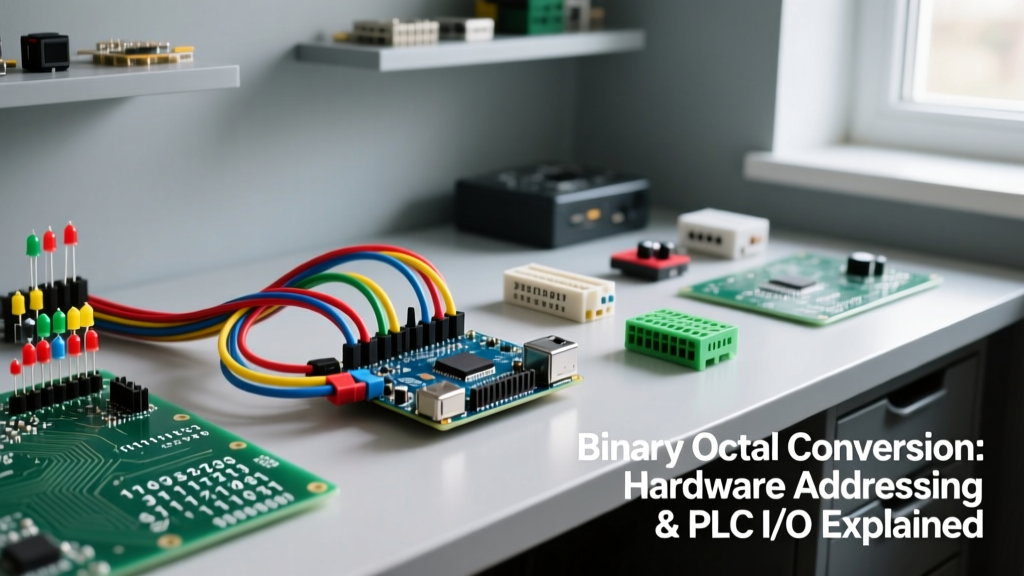

Binary octal refers to the direct mathematical mapping between base-2 (binary) and base-8 (octal) number systems, where every three binary bits perfectly represent one octal digit. In a real circuit or installation, understanding this mapping dictates how you physically set hardware DIP switches, address legacy PLC I/O racks, and configure file permissions on embedded Linux controllers like the Raspberry Pi. Makers and junior technicians commonly confuse octal (base-8, digits 0-7) with hexadecimal (base-16, digits 0-F), mistakenly assuming octal is purely a legacy software artifact with no modern hardware application.
The Core Mapping: Binary to Octal Conversion Table
Because 8 is a perfect cube of 2 ($2^3 = 8$), the translation between binary and octal requires no complex multiplication or division. You simply group binary digits into sets of three, starting from the right (the least significant bit). This makes mental math on the bench incredibly fast once you memorize the 3-bit patterns.
| Octal Digit | 3-Bit Binary | Decimal Value | Hardware State (3-Pin DIP) |
|---|---|---|---|
| 0 | 000 | 0 | OFF - OFF - OFF |
| 1 | 001 | 1 | OFF - OFF - ON |
| 2 | 010 | 2 | OFF - ON - OFF |
| 3 | 011 | 3 | OFF - ON - ON |
| 4 | 100 | 4 | ON - OFF - OFF |
| 5 | 101 | 5 | ON - OFF - ON |
| 6 | 110 | 6 | ON - ON - OFF |
| 7 | 111 | 7 | ON - ON - ON |
Worked Example: Configuring a 12-Bit Hardware Address
Let us look at a real-world scenario: you are wiring a 12-bit parallel absolute encoder (such as a generic magnetic encoder or a legacy Tamagawa unit) to an ESP32 DevKit v1. The encoder outputs its angular position across 12 separate GPIO pins. You need to verify the raw binary read and convert it to a human-readable format for your MQTT telemetry payload.
Your logic analyzer or serial monitor spits out the following raw 12-bit binary string:
101 011 010 110
Step 1: Group by Threes
Starting from the right, we already have it grouped in fours, so let us regroup it strictly into triplets from right to left:
101 | 011 | 010 | 110
Step 2: Map to Octal
Using the table above, we translate each triplet instantly:
101 = 5
011 = 3
010 = 2
110 = 6
Step 3: The Result
The octal representation is 5326.
If you need the final decimal degree value for your ESP32 code, you calculate it using base-8 positional weights ($8^3, 8^2, 8^1, 8^0$):
$(5 \times 512) + (3 \times 64) + (2 \times 8) + (6 \times 1) = 2560 + 192 + 16 + 6 = 2774}$.
By using octal as a stepping stone, you bypass the tedious process of multiplying out twelve individual binary powers of 2 in your head or relying on a calculator while standing at the control panel.
Where You Meet Binary Octal in Practice
While hexadecimal dominates modern 8-bit and 32-bit microcontroller memory mapping, octal remains deeply embedded in specific industrial and embedded systems. Here is where you will actually need to use it.
1. PLC I/O Addressing (Allen-Bradley / Rockwell)
If you work with Allen-Bradley SLC 500, MicroLogix 1100, or MicroLogix 1400 PLCs, discrete I/O is addressed in octal. A standard 16-point input card is addressed as I:01/00 through I:01/07. The very next terminal is I:01/10. There is no I:01/08 or I:01/09.
This trips up every beginner transitioning from decimal-based systems like Siemens S7. If you wire a limit switch to physical terminal 8 on the card, your ladder logic must reference I:01/10 (octal 10, which is decimal 8). Failing to grasp this binary octal mapping results in hours of troubleshooting why a sensor wired to terminal 9 is not triggering the logic mapped to I:01/09 (an address that physically does not exist). For deeper reference on Rockwell addressing schemes, consult the PLC Academy addressing guides.
2. Embedded Linux Permissions (Raspberry Pi / BeagleBone)
When deploying a Python or C++ control script to run on boot on a Raspberry Pi 4 or 5 running Raspberry Pi OS (Debian-based), you must set execution permissions using the chmod command. Linux file permissions are inherently binary octal.
- Read (r) = 4 (binary 100)
- Write (w) = 2 (binary 010)
- Execute (x) = 1 (binary 001)
When you type chmod 755 script.py, you are writing in octal. The 7 (owner) is 111 (rwx). The 5 (group) is 101 (r-x). The final 5 (others) is 101 (r-x). Understanding this binary octal breakdown prevents the dangerous habit of blindly typing chmod 777 (binary 111 111 111), which grants full write and execute access to every user on the network—a massive security risk for an IoT edge device. The Red Hat Linux permissions guide provides an excellent breakdown of this architecture.
3. Legacy Motor Drivers and DMX512 Universes
Some older industrial stepper motor drivers and lighting relays use physical 9-position or 12-position DIP switches grouped in blocks of three to set the device node address. Instead of reading a 12-switch binary string, the silkscreen labels them as four 3-bit octal dials. You set the physical toggles to match the octal digits required by the master controller.
Octal vs. Hexadecimal: Choosing the Right Base
To solidify your understanding, it helps to contrast octal directly with hexadecimal. Both are shorthand for binary, but they serve different hardware architectures.
| Criteria | Octal (Base-8) | Hexadecimal (Base-16) |
|---|---|---|
| Bit Grouping | 3 bits per digit | 4 bits per digit (1 nibble) |
| Valid Digits | 0, 1, 2, 3, 4, 5, 6, 7 | 0-9, A, B, C, D, E, F |
| Ideal Word Size | 12-bit, 18-bit, 36-bit (e.g., PDP-8) | 8-bit, 16-bit, 32-bit, 64-bit |
| Primary Modern Use | PLC I/O, Linux permissions, Unix file modes | Memory addresses, MAC addresses, color codes, I2C registers |
Frequently Asked Questions
Q: Why does my PLC throw an 'Invalid Address' error when I type I:01/08?
A: Because the PLC's firmware parses discrete I/O in base-8. The digit '8' does not exist in octal. The sequence rolls over from 7 to 10. You must use I:01/10 for the 9th physical terminal (index 8).
Q: How do I quickly read an octal DIP switch without a calculator?
A: Memorize the 4-2-1 rule. For any 3-switch block, the left switch is worth 4, the middle is 2, and the right is 1. If switches 1 and 3 are ON, the value is 4 + 1 = 5. It is identical to reading a single byte in binary, just constrained to three bits.
Q: Can I use octal formatting in Arduino or ESP32 C++ code?
A: Yes. In C/C++, prefixing a number with a zero tells the compiler it is octal. For example, int val = 012; assigns the decimal value 10 (1*8 + 2*1). Be careful: typing int pin = 08; will cause a compilation error because 8 is an invalid octal digit. To avoid this, modern embedded developers prefer hexadecimal (0x) or binary (0b) literals in code, reserving octal strictly for hardware configuration and OS-level permissions.
Mastering the binary octal relationship bridges the gap between abstract digital logic and the physical realities of industrial control panels and embedded Linux deployments. Whether you are mapping a 12-bit encoder or securing a Raspberry Pi SSH daemon, recognizing the 3-bit grouping pattern saves time and prevents critical addressing errors on the bench.