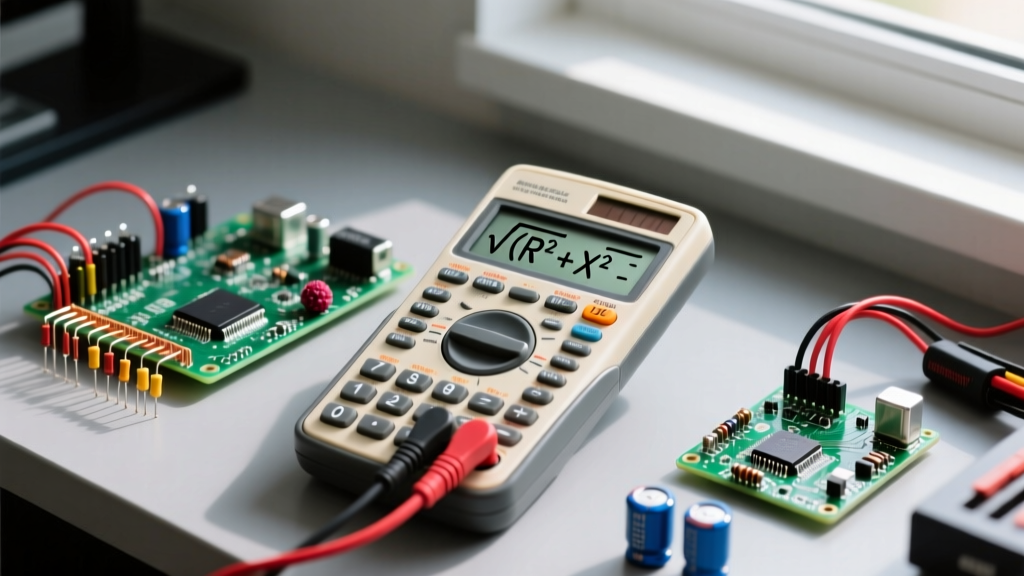

The Core Formula: AC Impedance Magnitude
When you move from DC to AC circuit analysis, resistance is no longer the only opposition to current flow. Inductors and capacitors introduce reactance, which shifts the phase of the current. To find the total opposition to AC current, we calculate impedance magnitude. If you are troubleshooting an audio crossover, designing an LC filter, or sizing a snubber network, you will constantly rely on the Pythagorean relationship between resistance and reactance. This is where a scientific calculator with square root button becomes your most used bench tool.
The foundational formula for the magnitude of AC impedance in a series circuit is:
Z = √(R² + X²)
Symbol Definition and Assumptions
| Symbol | Parameter | Standard Unit | Realistic Bench Magnitude |
|---|---|---|---|
| Z | Total Impedance Magnitude | Ohms (Ω) | 1 Ω to 10 kΩ (audio/power); up to 1 MΩ (RF/sensors) |
| R | DC Resistance | Ohms (Ω) | 0.1 Ω (shunts) to 100 kΩ (pull-ups) |
| X | Net Reactance (XL or XC) | Ohms (Ω) | 1 Ω to 50 kΩ (depending on frequency and L/C values) |
When this applies: This formula applies strictly to linear, time-invariant AC circuits driven by a single sinusoidal frequency in a steady-state condition. It assumes you are calculating the magnitude of a series combination. For parallel circuits, you must use admittance (Y = √(G² + B²)) or the product-over-sum method for complex numbers.
Derivation: Why We Need the Square Root
In the phasor domain, resistance (R) lies entirely on the real axis (0° phase shift), while reactance (X) lies on the imaginary axis (±90° phase shift). Because these two vectors are orthogonal (perpendicular to each other), you cannot simply add them arithmetically (Z ≠ R + X). Instead, they form the two legs of a right triangle, with the impedance magnitude (Z) acting as the hypotenuse. Applying the Pythagorean theorem (c² = a² + b²) yields Z² = R² + X². To isolate Z, we must take the principal square root of both sides, making the square root function mathematically mandatory for AC analysis.
Step-by-Step Calculator Keystrokes
Most modern scientific calculators (like the Casio fx-115ES PLUS or TI-30X Pro) handle this sequence smoothly. Here is the exact keystroke path to evaluate Z = √(R² + X²) without triggering order-of-operation errors.
- Enter the Resistance (R): Type the numerical value of R.
- Square it: Press the
x²button. (Do not use the^ory^xbutton unless necessary;x²is faster and avoids parenthesis errors). - Add: Press the
+key. - Enter the Reactance (X): Type the numerical value of X.
- Square it: Press the
x²button again. - Equals: Press
=to sum the squares. (You should now see R² + X² on the screen). - Apply the Square Root: Press the
√(square root) button. On some calculators, you press√first, then navigate back to the sum, but on standard algebraic entry models, pressing√after the sum wraps the entire previous answer in the radical. - Final Equals: Press
=to compute the final magnitude.
Worked Examples with Unit Tracking
Let us run through two common bench scenarios. Tracking units through the radical is critical to ensure your final answer is actually in Ohms.
Problem 1: Series RL Filter (Audio Crossover)
Given: A series circuit with a 120 Ω resistor and an inductor exhibiting 160 Ω of inductive reactance (XL) at the crossover frequency.
Setup: Z = √((120 Ω)² + (160 Ω)²)
Intermediate Steps:
- Square R: 120² = 14,400 Ω²
- Square X: 160² = 25,600 Ω²
- Sum the squares: 14,400 + 25,600 = 40,000 Ω²
- Apply square root: √(40,000 Ω²) = 200 Ω
Calculator Sequence: 120 → x² → + → 160 → x² → = → √ → =
Answer: Z = 200 Ω. (This is a classic 3-4-5 right triangle scaled by 40, a common integer result in textbook problems).
Problem 2: Series RC Snubber (Mains Switching)
Given: A snubber network across a relay contact featuring a 2.2 kΩ resistor and a capacitor with 1.5 kΩ of capacitive reactance (XC) at 60 Hz.
Setup: First, convert kilo-ohms to base Ohms to prevent magnitude errors. R = 2200 Ω, X = 1500 Ω.
Z = √((2200 Ω)² + (1500 Ω)²)
Intermediate Steps:
- Square R: 2200² = 4,840,000 Ω²
- Square X: 1500² = 2,250,000 Ω²
- Sum the squares: 4,840,000 + 2,250,000 = 7,090,000 Ω²
- Apply square root: √(7,090,000 Ω²) ≈ 2662.705 Ω
Answer: Z ≈ 2.66 kΩ. When designing the physical PCB, you would select a standard 2.7 kΩ resistor if replacing the whole network, or verify that the 2.2 kΩ component can handle the I²R heating at this impedance.
Rearranged Forms and Variable Isolation
On the bench, you rarely have all three variables. Often, you know the total impedance (measured with an LCR meter) and the DC resistance (measured with a DMM), and you need to find the hidden reactance. Here are the algebraically rearranged forms, all of which still require your calculator's square root function.
- Solving for Resistance (R):
R = √(Z² - X²)
Use case: You have an LCR meter reading (Z) and a known capacitor reactance (X), and need to find the equivalent series resistance (ESR) of the component. - Solving for Reactance (X):
X = √(Z² - R²)
Use case: You measure the total impedance of a motor winding (Z) and its DC wire resistance (R), and need to isolate the inductive reactance to calculate its inductance (L = X / 2πf).
Common Unit Mistakes That Break the Math
The most frequent reason a calculator with square root button yields a wildly incorrect answer is not a math error, but a unit prefix error before the calculation even begins.
Never mix prefixes inside the radical. If R is in Ohms (Ω) and X is in kilo-ohms (kΩ), squaring them yields Ω² and kΩ² (which is actually MΩ²). Adding them directly will result in nonsense. Always strip prefixes to base units (Ohms, Henrys, Farads, Hertz) before executing the formula.
The Reactance Calculation Trap: Often, X is not given directly; you must calculate it first using XL = 2πfL or XC = 1 / (2πfC). If your inductance is in milliHenrys (mH) or capacitance in microFarads (µF), failing to convert to Henrys and Farads will shift your reactance by factors of 1,000 or 1,000,000. For a deep dive on standard AC component behaviors, refer to the All About Circuits AC textbook chapter on series R-L circuits.
FAQ: Using a Calculator with Square Root Button for Circuit Math
How do I find the square root button on a standard scientific calculator?
On almost all modern scientific calculators (Casio, Texas Instruments, Sharp), the square root button is denoted by the √ symbol. It is typically located in the upper-left quadrant of the keypad, often grouped with the x² and x³ keys. On basic 4-function calculators, the square root function is usually absent, which is why a dedicated scientific model is mandatory for AC electronics work. For complex number calculations (which bypass the manual square root step by handling phase angles automatically), you will need an advanced engineering calculator like the TI-Nspire CX II or a Casio fx-CG50.
Why does my calculator with square root button give an error when calculating RMS voltage?
If you are getting a "Math ERROR" or "Domain ERROR" while calculating RMS voltage (VRMS = Vpeak / √2) or impedance, you likely have a negative number trapped inside the radical. The square root of a negative real number yields an imaginary result, which basic scientific calculators cannot display in standard real-number mode. This usually happens in the rearranged impedance formula (R = √(Z² - X²)) if your measured reactance (X) is somehow larger than your total impedance (Z)—a physical impossibility that indicates a measurement error with your multimeter or LCR meter.
Can I use a basic 4-function calculator instead of a calculator with square root button for impedance?
No. A basic 4-function calculator (add, subtract, multiply, divide) lacks the √ and x² functions required to resolve the Pythagorean relationship of AC phasors. While you could theoretically use Newton's method to manually approximate a square root through iterative division, it is entirely impractical on the bench. Furthermore, basic calculators lack the ability to handle scientific notation (e.g., EXP or EE buttons), making the micro and milli prefix conversions required for reactance calculations prone to catastrophic zero-counting errors. Always use a scientific calculator for AC theory.


