
The Challenge of Continuous RTSP Decoding on SBCs
Setting up a dedicated Raspberry Pi RTSP player for a security kiosk, manufacturing floor monitor, or baby cam seems straightforward until you encounter frame drops, audio desync, or thermal throttling at 3 AM. RTSP (Real-Time Streaming Protocol) is unforgiving. Unlike buffered HTTP video, RTSP pushes a continuous stream of I-frames and P-frames. If your single-board computer (SBC) drops a packet or the CPU spikes, the video feed devolves into a blocky mess until the next I-frame arrives—which, on many IP cameras, can take up to 10 seconds.
This guide compares the hardware realities of deploying a Raspberry Pi as an RTSP client, moving beyond basic spec sheets to examine thermal behavior, hardware decoding silicon, and network interface stability.
Why Hardware Decoding is Non-Negotiable
Software decoding (using libx264 or libx265) on a Raspberry Pi 4 will peg all four cores at 100% for a single 1080p30 H.264 stream. This generates massive heat and leaves zero headroom for the underlying OS or window manager. Hardware decoding offloads this mathematical heavy lifting to a dedicated silicon block on the SoC, dropping CPU usage to under 5% and keeping power consumption low.
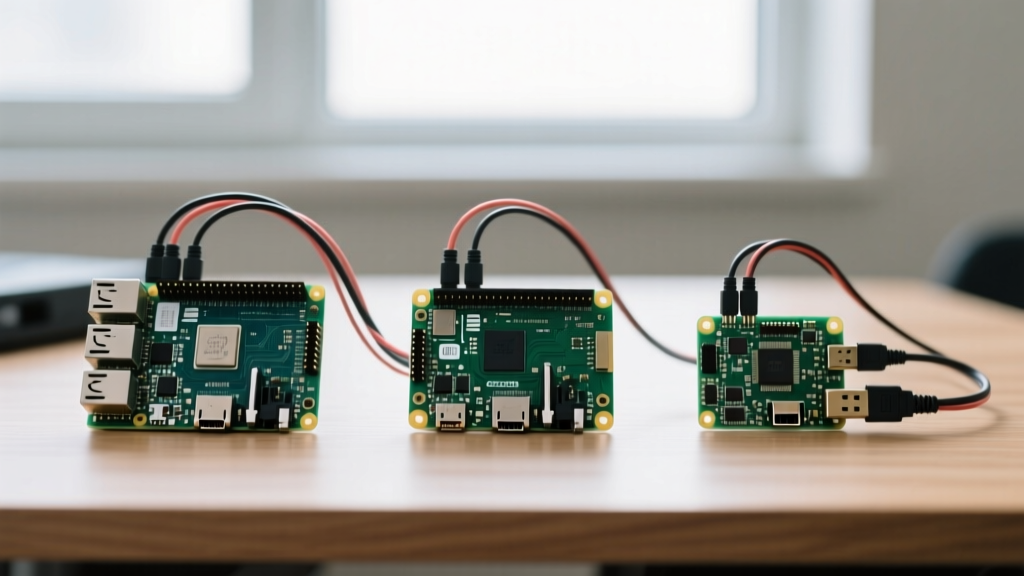
SBC Contenders: Pi 4 vs. Pi 5 vs. Zero 2 W
When selecting a board for an RTSP kiosk, the newest model is not always the most efficient. The transition from the BCM2711 (Pi 4) to the BCM2712 (Pi 5) introduced a massive architectural shift regarding video codecs.
| Feature | Raspberry Pi 4 Model B | Raspberry Pi 5 | Pi Zero 2 W |
|---|---|---|---|
| SoC | BCM2711 (Cortex-A72) | BCM2712 (Cortex-A76) | BCM2710A1 (Cortex-A53) |
| H.264 HW Decode | Yes (up to 1080p60) | Software/CPU reliant | Yes (up to 1080p30) |
| H.265 (HEVC) HW Decode | Yes (up to 4Kp60) | No (Dedicated block removed) | No |
| Network | Gigabit Ethernet / Wi-Fi 5 | Gigabit Ethernet / Wi-Fi 5 | Wi-Fi 4 only |
| Idle Power Draw | ~2.5W | ~4.0W | ~1.2W |
| Estimated Price | $55 - $75 | $80 - $110 | $15 - $20 |
The Pi 5 HEVC Anomaly
A critical piece of information gain for system integrators: The Raspberry Pi 5 lacks the dedicated H.265 (HEVC) hardware decoder block present in the Pi 4. While the Pi 5's Cortex-A76 CPU is powerful enough to brute-force software decode multiple 4K H.265 streams, doing so generates significant heat and requires the mandatory Active Cooler. If your IP cameras (like modern Reolink or Hikvision models) output H.265 to save bandwidth, and your goal is a low-power, fanless 24/7 kiosk, the Raspberry Pi 4 remains the superior, more efficient choice.
Network Interfaces: Wi-Fi vs. Ethernet for IP Cameras
RTSP streams are highly sensitive to network jitter. Most IP cameras default to RTSP over UDP to minimize latency, but UDP does not guarantee packet delivery. A dropped packet on a congested Wi-Fi network results in macroblocking (visual tearing) on your display.
- Gigabit Ethernet (Pi 4 / Pi 5): The gold standard for RTSP players. Hardwiring eliminates RF interference and jitter, ensuring a flawless I-frame to P-frame transition.
- Wi-Fi (All Models): If Ethernet is impossible, you must connect to a 5GHz network and disable Wi-Fi power management. Power saving modes cause the Pi's Wi-Fi chip to sleep for milliseconds, causing micro-stutters in the video feed. Run
sudo iwconfig wlan0 power offin your startup script to force continuous polling. - Pi Zero 2 W Limitation: The Zero 2 W only features 2.4GHz Wi-Fi and no native Ethernet. In environments with heavy microwave or Bluetooth interference, a 2.4GHz RTSP stream will frequently stutter. Use this board only for low-bitrate (1Mbps) 720p camera feeds.
Display Output and HDMI Failure Modes
Connecting a Pi to a commercial display or TV for a security feed introduces physical layer challenges.
Both the Pi 4 and Pi 5 utilize Micro-HDMI ports. In 24/7 kiosk deployments, Micro-HDMI cables are a primary point of failure due to vibration and thermal expansion. We highly recommend using high-quality, shielded Micro-HDMI to full-size HDMI cables with locking mechanisms, or mounting the Pi directly behind the display using VESA mounts to eliminate cable strain.
CEC (Consumer Electronics Control): If you want your Pi RTSP player to automatically wake up a connected TV when motion is detected, the Pi's HDMI port supports CEC. You can send wake commands via the cec-client package, turning the Pi into a smart signage controller.
Active Cooling Requirements for 24/7 Kiosks
Continuous 1080p H.264 decoding pushes the Pi 4 BCM2711 to roughly 65°C without a heatsink. While it will not throttle until 80°C, prolonged exposure to 70°C+ degrades the lifespan of the surrounding PCB components. A simple $5 aluminum passive heatsink case is sufficient for the Pi 4. The Pi 5, however, requires the official Active Cooler or a tower cooler when decoding video continuously; otherwise, it will thermal throttle within 15 minutes of booting the stream.
Software Stack Impact on Hardware Choices
The hardware you buy dictates the software stack you can run efficiently. The legacy omxplayer has been deprecated for years. Today, the standard for rendering RTSP directly to a framebuffer or X11 desktop is mpv combined with FFmpeg.
To utilize the Pi 4's hardware decoder, your mpv command must explicitly invoke the DRM (Direct Rendering Manager) or V4L2 stateless API:
mpv --hwdec=drm --profile=low-latency --untimed rtsp://192.168.1.100:554/stream1If you are building a web-based kiosk using Chromium, rendering RTSP directly in a browser is impossible. Instead, developers use go2rtc, an incredibly efficient open-source tool that ingests the RTSP stream and transcodes it to WebRTC or MSE (Media Source Extensions) with sub-500ms latency. This approach requires more CPU overhead, making the Pi 4 (4GB) or Pi 5 the mandatory choice over the Zero 2 W.
Expert Troubleshooting Tip: If your RTSP player experiences 'buffer bloat' where the video feed slowly drifts minutes behind real-time, the camera's I-frame interval is likely set too high (e.g., 10 seconds). Access your IP camera's web interface and force the I-frame interval to match the framerate (e.g., 1 second for a 15fps stream). This forces the player to resync frequently, eliminating cumulative latency drift.
Final Verdict: Which Board Should You Buy?
Choosing the right hardware for your Raspberry Pi RTSP player depends entirely on your camera's codec and your deployment environment.
- Buy the Raspberry Pi 4 (4GB): If you are deploying H.265 cameras, need a fanless/low-power setup, and want native hardware decoding. It remains the undisputed king of low-power digital signage and CCTV kiosks.
- Buy the Raspberry Pi 5: If you are running a web-based kiosk (Chromium + go2rtc), displaying a 2x2 grid of multiple 1080p cameras simultaneously, or require the latest PCIe accessories for local AI inference (like Frigate NVR object detection).
- Buy the Pi Zero 2 W: Only for ultra-budget, portable 720p H.264 baby monitors where power consumption must remain under 2 watts and network conditions are controlled.
By matching the SBC's silicon capabilities to your camera's output format, you eliminate the frustrating micro-stutters and thermal crashes that plague poorly planned RTSP deployments.