
The Anatomy of an ESP32 LoRaWAN Failure
Connecting an ESP32 to a LoRaWAN network like The Things Network (TTN) or Helium should be straightforward. However, the reality of RF state machines, regional frequency plans, and hardware quirks often leads to hours of frustration. This guide bypasses generic advice and dives deep into the exact failure modes of ESP32 LoRaWAN deployments, specifically targeting the popular TTGO and Heltec development boards.
Hardware Verification: SPI and DIO Pin Mapping
The most frequent cause of silent failures or ASSERT crashes in the MCCI LMIC library is an incorrect pinmap. The ESP32 does not have a default hardware SPI routing for LoRa shields; you must explicitly define the pins. Furthermore, manufacturers frequently update board revisions without changing the silkscreen, leading to mismatched DIO1 and DIO2 pins.
| Board Model | LoRa Chip | SPI Pins (SCK/MISO/MOSI) | DIO Pins (0/1/2) | Reset Pin |
|---|---|---|---|---|
| TTGO LoRa32 V1.0 | SX1276 | 5 / 19 / 27 | 26 / 33 / 32 | 14 |
| TTGO LoRa32 V2.1 | SX1276 | 5 / 19 / 27 | 26 / 33 / 32 | 23 |
| Heltec WiFi LoRa 32 V3 | SX1262 | 9 / 11 / 10 | 26 / 35 / 34 | 12 |
If you are using the Heltec V3, note that it utilizes the Semtech SX1262 chip, which requires a completely different initialization sequence and DIO mapping compared to the legacy SX1276. Standard LMIC configurations will fail silently or throw SPI timeouts on the V3.
Decoding the EVT_JOIN_FAILED Nightmare
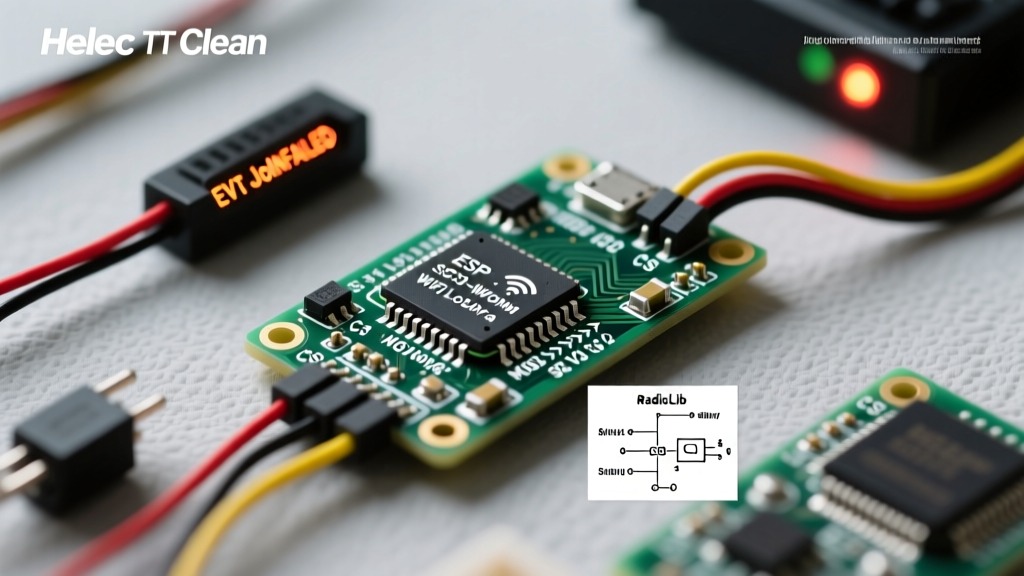
If your serial monitor repeatedly outputs Event: EV_JOIN_FAILED, your node is transmitting Join Requests, but the network server is rejecting them. While this can be a gateway coverage issue, 90% of the time it is a cryptographic mismatch caused by Endianness formatting.
Event: EV_JOIN_FAILED
Event: EV_TXSTART
The Things Network (TTN) and LoRaWAN specifications require specific byte ordering for your device credentials. According to the TTN Documentation, the DevEUI and AppEUI (or JoinEUI) must be entered in MSB (Most Significant Byte) format, while the AppKey must be entered in LSB (Least Significant Byte) format when using the legacy MCCI LMIC library.
Fixing MSB vs LSB Key Formatting
When copying keys from the TTN console, they are displayed in MSB format. If you paste the AppKey directly into your LMIC sketch without reversing the byte order, the MIC (Message Integrity Code) will fail, and the gateway will drop the packet silently. Always use a hex converter or manually reverse the byte pairs for the AppKey in your os_getArtEui() and os_getDevKey() callbacks.
Regional Frequency and Duty Cycle Traps
Another massive source of ESP32 LoRaWAN troubleshooting stems from regional frequency plans, particularly in the US915 and AU915 bands. Unlike the EU868 band which uses 8 default channels, US915 defines 64 uplink channels and 8 downlink channels, grouped into 8 subbands.
Most LoRaWAN gateways in the US only listen to a single 8-channel subband (typically Subband 2, channels 8-15) due to hardware limitations. If your ESP32 is transmitting on channels 0-7 or 16-63, your gateway will never hear the Join Request, resulting in an endless loop of EV_JOIN_FAILED.
The Subband Masking Fix
To force the MCCI LMIC library to use the correct subband, you must inject a subband selection command during the setup phase. Add the following line immediately after os_init() or in the EV_JOINED callback:
#if defined(CFG_us915)
  LMIC_selectSubBand(1); // 0-indexed, so 1 = Subband 2 (Channels 8-15)
#endif
Without this mask, the ESP32 will pseudorandomly select channels across the entire 64-channel spectrum, guaranteeing a join failure on standard single-subband gateways.
RadioLib vs. MCCI LMIC: Choosing Your Stack
For years, the MCCI LoRaWAN LMIC library was the undisputed standard for Arduino-based LoRaWAN. However, it is notoriously bloated, consumes excessive RAM, and struggles with the newer SX1262 chips found on modern ESP32 boards.
Enter RadioLib. Developed by Jan Gromeš, RadioLib is a modern, highly optimized stack that natively supports both SX127x and SX126x series chips. If you are troubleshooting persistent stack crashes, watchdog resets, or memory leaks on an ESP32, migrating to RadioLib's LoRaWAN implementation is highly recommended. RadioLib handles the SX1262's TCXO voltage regulation and DIO1 interrupt mapping automatically, eliminating the most common hardware-level bugs encountered on Heltec V3 boards.
Power Delivery and the Brownout Reset
LoRaWAN transmissions, particularly at higher spread factors (SF10-SF12), require significant current spikes—often exceeding 120mA for brief milliseconds. If your ESP32 is powered via a standard USB hub or a weak onboard LDO, the voltage will droop, triggering the ESP32's internal brownout detector.
This manifests as a sudden reboot exactly when the node attempts to transmit the Join Request. You will see the boot logs repeat endlessly in the serial monitor. To fix this, you have two options:
- Hardware Fix: Solder a 100µF to 470µF low-ESR electrolytic capacitor directly across the 3.3V and GND pins on the ESP32 dev board to act as a current buffer during TX spikes.
- Software Fix: Disable the brownout detector in your code. While this is a band-aid, it prevents the reset loop in field deployments where USB power is inconsistent.
#include "soc/soc.h"
#include "soc/rtc_cntl_reg.h"

void setup() {
  WRITE_PERI_REG(RTC_CNTL_BROWN_OUT_REG, 0); // Disable brownout detector
  // ... rest of LoRaWAN setup
}
Advanced Debugging: Antenna VSWR and RF Front-End Damage
If your ESP32 successfully joins the network but immediately drops offline or fails to receive downlink acknowledgments (ACKs), suspect an RF front-end issue. Transmitting LoRaWAN packets without an antenna attached, or using a poorly matched 868/915MHz antenna, can cause a high Voltage Standing Wave Ratio (VSWR). This reflects RF energy back into the SX1276/SX1262 PA (Power Amplifier), permanently damaging the RF trace or the chip itself.
To verify RF health, check the RSSI and SNR of the downlink packets. If your node reports an RSSI of -120dBm or worse when sitting just 10 feet from a known-good gateway, the antenna connector (usually U.FL or SMA) may be damaged, or the matching network on the PCB has failed. Always ensure the antenna is firmly connected before initializing the LoRa stack.
Summary Checklist for Field Deployment
- Verify exact board revision and update the
lmic_pinmapstruct accordingly. - Confirm MSB/LSB endianness for TTN credentials.
- Apply US915/AU915 subband masking if operating outside of Europe.
- Monitor serial output for brownout resets during TX windows.
- Never power on the LoRaWAN node without a properly tuned antenna attached.