
The OS-to-Use-Case Matrix: Why Your Distro Dictates Success
When makers and engineers search for the best uses for Raspberry Pi, they are often met with endless lists of DIY projects. However, the true bottleneck of any single-board computer (SBC) project isn't the hardware—it is the operating system. Standard Raspberry Pi OS (formerly Raspbian) with a desktop environment is a jack-of-all-trades but a master of none. It carries unnecessary X11/Wayland overhead, background services, and GUI packages that consume precious RAM and CPU cycles.
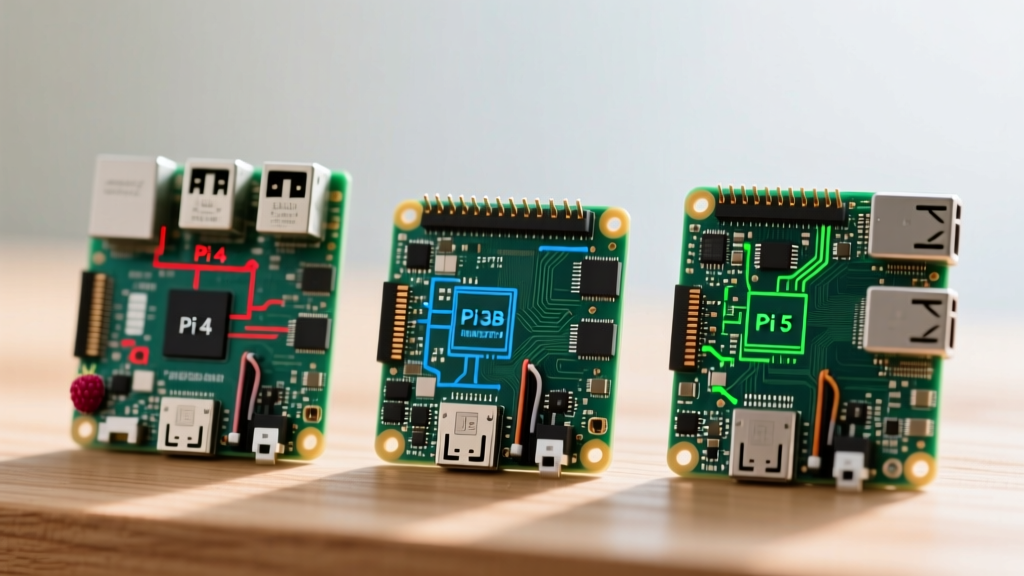
To truly unlock the potential of your Pi 4 or Pi 5, you must align your specific use case with a specialized, stripped-down distribution. This guide breaks down the optimal OS choices for the most demanding Pi applications, detailing the architectural nuances, storage requirements, and kernel configurations necessary for a production-grade deployment in 2026.
The Golden Rule of SBC Deployment: Never force a general-purpose desktop OS to perform a dedicated appliance task. The right distribution reduces idle RAM usage from 800MB down to under 150MB, extending the lifespan of your hardware and preventing thermal throttling.
Top 5 Best Uses for Raspberry Pi & Their Ideal Distributions
1. Smart Home Hub (Home Assistant)
Running a smart home hub is arguably one of the best uses for Raspberry Pi in the modern connected home. However, installing Home Assistant via Docker on top of standard Raspberry Pi OS is a frequent point of failure for beginners. You will inevitably run into AppArmor profile conflicts, missing systemd-resolved dependencies, and Bluetooth HCI routing issues.
The Expert Choice: Home Assistant OS (HAOS)
HAOS is a minimal, immutable Linux distribution built specifically to run the Home Assistant Supervisor. It utilizes an A/B boot partition scheme. When an OS update is pulled, it writes to the inactive slot. If the new kernel panics or fails to boot, the bootloader automatically rolls back to the previous slot. This fail-safe mechanism is critical for a hub that must survive remote reboots.
Hardware Note: HAOS requires exclusive control of the block device. You cannot easily dual-boot it. Furthermore, because HAOS relies heavily on a local SQLite/MariaDB database for historical sensor data, running it on a microSD card will result in write-amplification failure within 6 to 12 months. You must use an NVMe SSD or a high-endurance USB 3.1 SLC flash drive.
For the official bare-metal flashing instructions, always refer to the Home Assistant Installation Guide.
2. High-Performance NAS & Media Server
Turning the Pi into a Network Attached Storage (NAS) device is highly popular, but standard file-sharing via Samba on Raspberry Pi OS lacks enterprise storage management features like SMART monitoring, BTRFS snapshotting, and NFSv4 ACLs.
The Expert Choice: OpenMediaVault (OMV) 7.x on Debian Bookworm
OMV provides a robust web GUI for managing RAID arrays, LVM, and network shares. However, a critical E-E-A-T warning: do not install OMV on top of Raspberry Pi OS. Raspberry Pi OS utilizes custom networking daemons and user-space tweaks that conflict violently with OMV's systemd-networkd and saltstack configurations. Instead, flash a pure, vanilla Debian 12 (Bookworm) ARM64 image, and run the official OMV install script. This ensures a clean dependency tree and prevents kernel module mismatches when compiling ZFS or BTRFS DKMS packages.
3. Retro Gaming Console
Emulation requires direct access to the GPU and minimal input latency. Desktop environments introduce compositor lag that ruins the experience of timing-sensitive retro games.
The Expert Choice: Batocera.linux
Batocera is an embedded, read-only OS that boots directly into EmulationStation. Unlike RetroPie, which is a script-based layer on top of Raspberry Pi OS, Batocera is a standalone Buildroot environment. For the Pi 4 and Pi 5, Batocera leverages the Mesa V3D DRM driver, enabling Vulkan API support. This is a massive information gain for users wanting to emulate Nintendo GameCube, Wii, or Switch, as the Vulkan backend in Dolphin and Sudachi provides a 40-60% FPS uplift over OpenGL ES. Furthermore, Batocera handles CEC (Consumer Electronics Control) over HDMI natively, allowing you to turn on your TV and switch inputs using the Pi's boot sequence.
4. Edge AI & Computer Vision
Deploying machine learning models (like TensorFlow Lite or YOLOv8) for object detection requires a 64-bit userland, modern Python environments, and hardware-accelerated video decoding.
The Expert Choice: Ubuntu Server 24.04 LTS (ARM64)
Ubuntu Server provides the most robust support for Docker containers and hardware-accelerated AI libraries. Canonical maintains official, pre-compiled ARM64 wheels for PyTorch and TensorFlow, saving you hours of compiling C++ dependencies from source. Ubuntu's cloud-init also allows you to inject SSH keys and network configurations via the user-data file on the boot partition before the Pi even boots for the first time, enabling true headless deployment.
5. Network Security & Ad-Blocking
Running Pi-hole or AdGuard Home requires an OS that stays out of the way of DNS port binding (port 53).
The Expert Choice: DietPi (Bookworm)
DietPi is a highly optimized, stripped-down Debian derivative. Its flagship feature is dietpi-software, a command-line menu that automates the installation of DNS servers, web servers, and databases with optimized sysctl parameters. DietPi disables swap by default (reducing SD card wear) and configures systemd to use aggressive garbage collection, keeping idle RAM usage below 100MB.
Hardware-OS Compatibility & Resource Matrix
Selecting the right OS also depends on the specific SBC model and its available RAM. Use this matrix to plan your build:
| Use Case | Recommended OS | Min. RAM | Storage Medium | Best Pi Model |
|---|---|---|---|---|
| Smart Home (HAOS) | Home Assistant OS | 4 GB | NVMe / SATA SSD | Pi 5 (8GB) |
| NAS / OMV | Debian 12 + OMV | 4 GB | USB 3.1 HDD/SSD | Pi 4B / Pi 5 |
| Retro Gaming | Batocera.linux | 2 GB | High-IOPS SD / SSD | Pi 4B / Pi 5 |
| Edge AI / Docker | Ubuntu Server 24.04 | 8 GB | NVMe SSD | Pi 5 (8GB) |
| Pi-hole / DNS | DietPi | 512 MB | microSD (A2 Class) | Pi Zero 2 W / Pi 3 |
Storage Realities: SD Card Corruption and NVMe Booting
The most common reason Pi projects fail is storage degradation. MicroSD cards are designed for sequential writes (like recording video), not the random 4K I/O operations generated by Linux logging, database indexing, and container layering.
The Pi 5 PCIe Revolution
The Raspberry Pi 5 introduced a dedicated PCIe 2.0 x1 lane. By utilizing an M.2 HAT (Hardware Attached on Top), you can boot directly from an NVMe SSD. For advanced users, the Pi 5 bootloader supports overriding the PCIe link speed to Gen 3.0. While technically out of spec for the BCM2712 SoC, many high-quality NVMe drives (like the Samsung 980 or WD Black SN770) handle the 8 GT/s signaling rate perfectly, effectively doubling your storage bandwidth to roughly 800 MB/s.
To enable this, you must edit the /boot/firmware/config.txt file and append:
dtparam=pciex1
 dtparam=pciex1_gen=3
For comprehensive details on PCIe peripherals and bootloader configurations, consult the Raspberry Pi Hardware Documentation.
Expert Troubleshooting: Bootloader and Kernel Panics
When experimenting with alternative distributions, you may encounter boot loops or kernel panics. Here is how to diagnose them like a senior embedded engineer:
- 32-bit vs 64-bit Userland Mismatches: If you are using a third-party OS image and it hangs at the rainbow splash screen, verify the architecture. The Pi 4 and 5 require a 64-bit (ARM64/aarch64) kernel to address more than 3GB of RAM. Attempting to boot a 32-bit ARMHF kernel on a Pi 5 will fail, as the BCM2712 SoC lacks the legacy 32-bit ARM instruction set support found in older chips.
- EEPROM Bootloader Updates: If your Pi refuses to boot from USB or NVMe, your bootloader firmware is likely outdated. You must boot into standard Raspberry Pi OS, open the terminal, and run
sudo rpi-eeprom-update -a. This flashes the latest SPI EEPROM configuration, enabling USB-MSD and PCIe boot timeouts. - UART Serial Console Debugging: When a headless OS fails to assign an IP address via DHCP, you are flying blind. Connect a USB-to-TTL serial cable to the Pi's GPIO pins (TXD to RXD, RXD to TXD, GND to GND). Use PuTTY or screen at 115200 baud to watch the kernel ring buffer (
dmesg) in real-time. This will instantly reveal if a kernel module is failing to load or if the root filesystem is corrupted.
Conclusion: Match the Tool to the Task
Identifying the best uses for Raspberry Pi is only half the battle; executing them requires abandoning the safety of the default desktop OS. By deploying specialized distributions like HAOS for smart home automation, Batocera for low-latency gaming, or DietPi for network services, you transform a hobbyist board into a reliable, production-grade appliance. Always prioritize 64-bit architectures, migrate away from microSD cards for write-heavy workloads, and leverage the Pi 5's PCIe lane to eliminate storage bottlenecks.