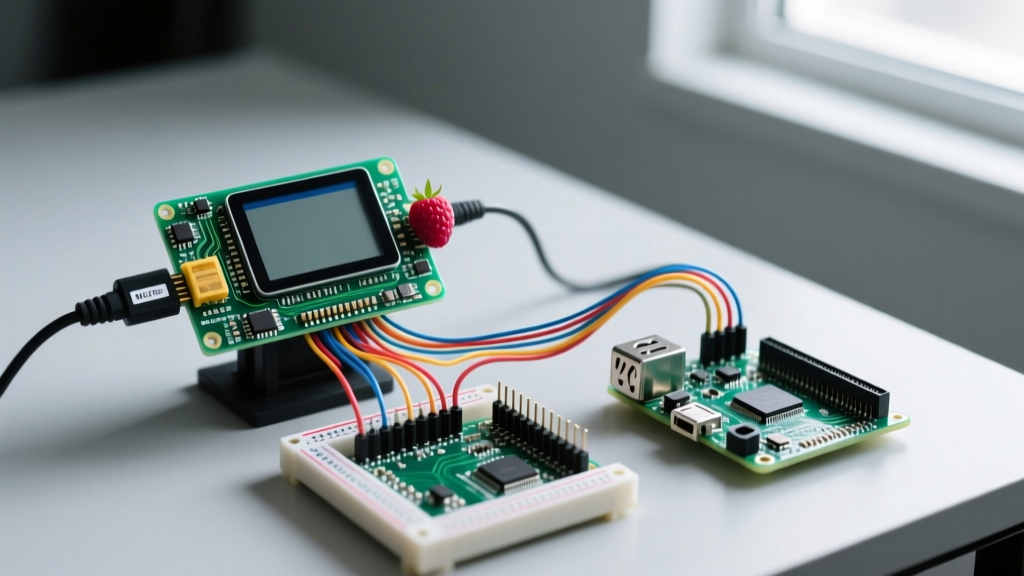
The Verdict: Which Raspberry Pi Runs Windows CE?
You can run Windows CE (specifically Windows Embedded Compact 2013) on Raspberry Pi, but only on the Raspberry Pi 2 Model B (1GB) or the Raspberry Pi 3 Model B (in 32-bit mode). It will not run on the RPi 4, 5, or Zero. The Board Support Package (BSP) for WinCE relies on the BCM2836/BCM2837 ARMv7 architecture and specific VideoCore IV driver hooks that were abandoned for the BCM2711 (RPi 4) and BCM2712 (RPi 5).
In 2026, the only practical reason to deploy Windows CE on a Raspberry Pi is to rescue legacy industrial equipment. When a $60,000 CNC machine or medical cart suffers a dead proprietary HMI, but the underlying PLC and mechanics are flawless, swapping the dead x86/ARM panel for a $45 Raspberry Pi 2B running the original .NET Compact Framework (CF) C# application saves tens of thousands of dollars in retrofit engineering.
Decision Matrix: WinCE vs. Modern Alternatives
Before committing to a WinCE port, verify that a modern stack isn't actually cheaper in the long run. Use this decision path to select your OS.
| Scenario | Recommended OS | Why? |
|---|---|---|
| Existing .NET CF 3.5 codebase; zero budget to rewrite UI | Windows CE 2013 on RPi 2B | Direct binary compatibility; deploy the original .exe via USB. |
| New HMI build; requires modern web UI or Node-RED | Linux (Raspberry Pi OS) | WinCE's browser is IE6-era; Linux supports modern web stacks. |
| Requires Azure IoT Hub, MQTT over TLS 1.3, or .NET 8 | Windows 10/11 IoT Enterprise | WinCE lacks modern cryptographic APIs and .NET Core support. |
Final Decision: If you have a compiled .NET Compact Framework 3.5 executable and the source code is lost or too costly to migrate, pick the Raspberry Pi 2 Model B with Windows Embedded Compact 2013.
Parts List & Pin Mapping for Industrial Serial
Most legacy HMIs communicate via Modbus RTU over RS-485 or RS-232. The RPi's native UART must be mapped correctly to avoid conflicts with the WinCE debug console.
Bill of Materials (BOM)
- Compute: Raspberry Pi 2 Model B (BCM2836, ARM Cortex-A7) — ~$45 used/refurb
- Storage: 16GB Industrial SLC MicroSD (e.g., SanDisk Max Endurance) — WinCE writes to the registry hive constantly; consumer TLC cards will corrupt within months.
- Display: 7-inch 800x480 Resistive Touch HDMI display (e.g., Waveshare 7inch HDMI LCD) — Resistive is required for gloved operators; capacitive fails in industrial environments.
- Comm: Isolated RS-485 to UART HAT (e.g., Waveshare RS485 CAN HAT) — Never wire raw UART to an industrial bus without optical/magnetic isolation.
UART Pin Mapping (PL011 Primary UART)
| BCM GPIO | Physical Pin | Function | Wiring Destination |
|---|---|---|---|
| GPIO 14 | Pin 8 | TXD (Transmit) | RS-485 HAT DI (Data In) |
| GPIO 15 | Pin 10 | RXD (Receive) | RS-485 HAT RO (Receiver Out) |
| 3.3V | Pin 1 | Power | HAT VCC (Do NOT use 5V on RPi UART) |
| GND | Pin 6 | Ground | HAT GND |
Compilable C# .NET Compact Framework Modbus Poll
This code targets the COM1: serial port, which the WinCE RPi BSP maps to the primary PL011 UART (GPIO 14/15). It performs a Modbus RTU Function Code 03 (Read Holding Registers) poll.
using System;
using System.IO.Ports;
using System.Threading;

namespace WinCE_HMI_Modbus
{
    class Program
    {
        // COM1: maps to PL011 UART on RPi 2B/3B WinCE BSP
        private const string PORT_NAME = "COM1:";
        private const int BAUD_RATE = 9600;

        static void Main()
        {
            SerialPort modbusPort = null;
            try
            {
                modbusPort = new SerialPort(PORT_NAME, BAUD_RATE, Parity.None, 8, StopBits.One);
                modbusPort.ReadTimeout = 500;
                modbusPort.Open();

                // Modbus RTU: Read Holding Register 0 from Slave ID 1
                // CRC16 pre-calculated for this specific payload
                byte[] request = { 0x01, 0x03, 0x00, 0x00, 0x00, 0x01, 0x84, 0x0A };
                modbusPort.Write(request, 0, request.Length);

                Thread.Sleep(100); // Wait for slave response

                byte[] response = new byte[7];
                int bytesRead = modbusPort.Read(response, 0, response.Length);

                if (bytesRead == 7 && response[0] == 0x01 && response[1] == 0x03)
                {
                    int registerValue = (response[3] << 8) | response[4];
                    Console.WriteLine("Sensor Value: " + registerValue);
                }
                else
                {
                    Console.WriteLine("ERROR: Malformed Modbus response.");
                }
            }
            catch (UnauthorizedAccessException ex)
            {
                Console.WriteLine("FATAL: " + ex.Message);
                Console.WriteLine("Action: Check UART debug console conflict in registry.");
            }
            catch (TimeoutException)
            {
                Console.WriteLine("ERROR: Modbus slave timeout. Check RS-485 DE/RE pin wiring.");
            }
            catch (Exception ex)
            {
                Console.WriteLine("UNEXPECTED: " + ex.GetType().Name + " - " + ex.Message);
            }
            finally
            {
                if (modbusPort != null && modbusPort.IsOpen)
                {
                    modbusPort.Close();
                    modbusPort.Dispose();
                }
            }
        }
    }
}
Debugging: "Access to the port 'COM1:' is denied"
The most common showstopper when deploying serial code on WinCE for RPi is the following exact error string:
System.UnauthorizedAccessException: Access to the port 'COM1:' is denied.
This is rarely a permissions issue in the Windows sense. It is a hardware resource lock. Here are the ranked causes and fixes:
- The Debug Serial Console is Enabled (90% of cases): The WinCE BSP defaults to routing the kernel debug shell to
COM1:. You must disable this. Edit theboot.cmdor registry hive on the SD card's system partition and setDEBUGPORT=NONEor remove theserialflag from the kernel command line. - Bluetooth UART Conflict (RPi 3B only): If you are using an RPi 3B, the Bluetooth module claims the primary PL011 UART by default, pushing
COM1:to the mini-UART (which lacks a stable baud rate clock). Fix: Adddtoverlay=pi3-disable-btto theconfig.txtfile on the FAT32 boot partition to force the PL011 back to the GPIO pins. - Ghost Process Lock: A background service (like a GPS daemon or a previous crashed instance of your HMI app) holds the handle. Fix: Reboot the Pi; WinCE does not gracefully release locked COM ports on app crash.
The First Three Things to Check When It Fails
If your HMI boots to a blank screen or the app immediately throws an unhandled exception, run this triage sequence before recompiling:
- Verify the .NET CF 3.5 Runtime: WinCE 2013 does not always ship with the .NET Compact Framework installed by default in community BSPs. Check
\Windows\forcgacutil.exe. If missing, you must CAB-install theNETCFv35.wce.armv4.cabpackage. - Check Display Resolution Registry: If the UI is clipped or touch coordinates are inverted, the WinCE display driver is defaulting to 640x480. Open the WinCE Registry Editor and navigate to
[HKEY_LOCAL_MACHINE\Drivers\Display\Config]to forceCxScreento 800 andCyScreento 480. - Confirm 32-bit ARMv7 Image: If your app throws a
BadImageFormatException, you are likely trying to run an x86 desktop .NET executable or an ARM64 binary. WinCE on RPi strictly requires ARMv4/ARMv7 32-bit compiled binaries.
Extending and Simplifying the Build
To Simplify: Do not attempt to compile the Windows Embedded Compact 2013 BSP from source using Visual Studio 2015 and Platform Builder unless you are a dedicated OS engineer. The build environment is notoriously fragile and relies on deprecated Microsoft download links. Instead, source a pre-built, community-maintained WinCE 2013 RPi 2B image from industrial retrofit archives or specialized GitHub repositories, flash it via Win32DiskImager, and focus purely on your C# application layer.
To Extend: If your legacy machine uses CAN bus (e.g., J1939 heavy machinery protocols) instead of RS-485, you cannot use standard .NET CF libraries. You must extend the build by adding a USB-to-CAN adapter (like a Kvaser Leaf or generic SLCAN device) and writing a C++ Win32 DLL wrapper that utilizes the WinCE DeviceIoControl API to pass raw CAN frames up to your C# UI via DllImport.
For deeper reading on configuring the underlying UART hardware before the OS boots, refer to the official Raspberry Pi UART configuration documentation. For legacy .NET Compact Framework API limitations, consult the Microsoft Windows Embedded Compact archives.