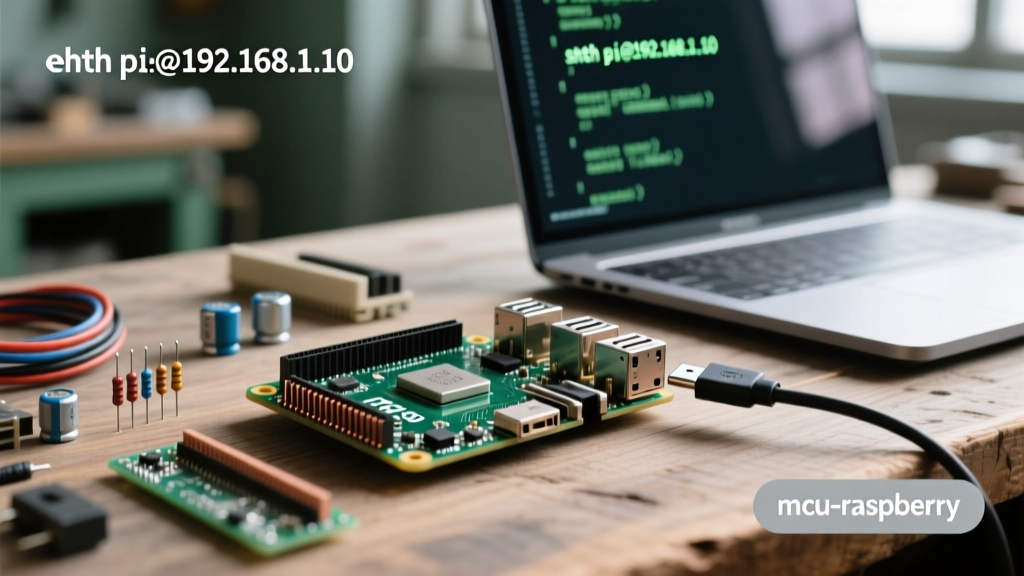
The Raspberry Pi 5 16GB (SKU SC1146) is the flagship BCM2712 board, and its primary advantage for embedded systems isn't just raw CPU clock speed—it's the ability to hold massive datasets in LPDDR4X RAM without triggering a swap-to-disk death spiral. When you are logging high-frequency sensor data, writing to a microSD card or even an NVMe SSD every second causes severe write-wear and I/O bottlenecks. By leveraging the 16GB RAM, you can buffer over 500 million rows of sensor data in a Pandas DataFrame, flushing to disk only when the buffer is full or the system is shut down.
This guide walks through building a 100Hz in-memory I2C data logger. We will cover the exact hardware variants, the pin mapping, the complete Python script with robust error handling, and how to debug the most common I2C bus failures on the BCM2712 architecture.
Project Overview: High-Speed In-Memory Data Logger
Estimated Time: 45 minutes
Target Board Variant: Raspberry Pi 5 16GB (BCM2712, 64-bit Bookworm OS)
Core Concept: Pre-allocating memory buffers to bypass filesystem I/O latency during high-speed sampling.
The BCM2712 memory controller supports 4267 MT/s LPDDR4X. On the 16GB variant, this translates to roughly 34 GB/s of memory bandwidth. When sampling an I2C sensor at 100Hz, the CPU is mostly idle, waiting on the 400kHz I2C clock. The bottleneck shifts entirely to how fast you can append data to your storage medium. By keeping the data in RAM and using Apache Parquet for the final flush, you eliminate filesystem journaling overhead and reduce disk writes to a single sequential operation per session.
Hardware Spec Sheet & Parts List
To ensure stable operation under full memory load, you must use the official power delivery ecosystem. The BCM2712 will brownout and throttle the I2C bus if voltage drops below 4.8V on the 5V rail during high RAM utilization.
| Component | Exact Variant / Part Number | Estimated Cost | Why This Specific Part? |
|---|---|---|---|
| Compute Board | Raspberry Pi 5 16GB (SC1146) | $120 | Native 16GB LPDDR4X; required for >400M row buffers. |
| Power Supply | Official 27W USB-C PD (SC1088) | $12 | Negotiates 5V/5A; prevents brownouts during peak RAM draw. |
| Thermal Mgmt | Official Active Cooler (SC1140) | $5 | Clamps directly to BCM2712; keeps SoC below 60°C under load. |
| Sensor | TMP102 Breakout (SparkFun SEN-11931) | $10 | 12-bit I2C temp sensor; requires zero calibration math. |
| Wiring | 28 AWG Silicone Dupont (Female-Female) | $6 | Low capacitance; critical for maintaining I2C rise times. |
Pin Mapping & Wiring Guide
The Raspberry Pi 5 uses the same 40-pin header layout as previous models, but the internal routing to the BCM2712 has changed. The primary I2C bus is mapped to GPIO 2 and GPIO 3. Keep your I2C wire runs under 30cm to avoid bus capacitance issues, as the Pi 5's internal pull-ups are 1.8kΩ (down from the 50kΩ on older models, which is better for speed but still requires care on long runs).
| Signal | Pi 5 GPIO (BCM) | Physical Pin # | TMP102 Pin | Wire Color (Standard) |
|---|---|---|---|---|
| 3.3V Power | N/A (3V3 Rail) | Pin 1 | VCC | Red |
| Ground | N/A (GND Rail) | Pin 6 | GND | Black |
| I2C SDA | GPIO 2 | Pin 3 | SDA | Blue |
| I2C SCL | GPIO 3 | Pin 5 | SCL | Yellow |
0x48. If you tie it to VCC, the address shifts to 0x4B and the script will fail to find the device.
The Code: Batch-Buffered I2C Logger
This script targets the Raspberry Pi 5 16GB running Raspberry Pi OS Bookworm (64-bit). It uses the smbus2 library for raw I2C transactions and pandas for memory management. You will need to install the dependencies first: sudo apt install python3-pandas python3-smbus2 python3-pyarrow.
The code explicitly handles the infamous I2C remote I/O error, which is the most common point of failure in embedded Python scripts.
import time
import pandas as pd
from smbus2 import SMBus
import logging
import sys

# --- Configuration & Pin Definitions for Raspberry Pi 5 16GB ---
I2C_BUS_ID = 1        # /dev/i2c-1 on Pi 5 GPIO Header (Pins 3 & 5)
TMP102_ADDR = 0x48    # Default I2C address for TMP102
TEMP_REG = 0x00       # Temperature register address
TARGET_RAM_MB = 14000 # Reserve 14GB of the 16GB for dataframe buffer
ROW_SIZE_BYTES = 16   # Approx size per row (float64 timestamp + float64 temp)
MAX_ROWS = (TARGET_RAM_MB * 1024 * 1024) // ROW_SIZE_BYTES

logging.basicConfig(level=logging.INFO, format='%(asctime)s - %(levelname)s - %(message)s')

def read_temperature(bus, addr):
    """Reads 12-bit temperature from TMP102 via I2C."""
    # Read 2 bytes from the temperature register
    data = bus.read_i2c_block_data(addr, TEMP_REG, 2)
    # Convert raw bytes to 12-bit integer
    raw_temp = ((data[0] << 8) | data[1]) >> 4
    # Handle negative temperatures (two's complement)
    if raw_temp > 0x7FF:
        raw_temp -= 4096
    return raw_temp * 0.0625

def main():
    logging.info(f"Initializing High-Speed Logger on Raspberry Pi 5 16GB")
    logging.info(f"Max buffer capacity: {MAX_ROWS:,} rows")

    # Pre-allocate lists for faster Pandas DataFrame construction
    timestamps = []
    temperatures = []

    try:
        with SMBus(I2C_BUS_ID) as bus:
            logging.info("I2C Bus 1 opened successfully.")
            row_count = 0

            while row_count < MAX_ROWS:
                try:
                    temp_c = read_temperature(bus, TMP102_ADDR)
                    timestamps.append(time.time())
                    temperatures.append(temp_c)
                    row_count += 1

                    if row_count % 100000 == 0:
                        logging.info(f"Buffered {row_count:,} rows in RAM...")

                    time.sleep(0.01) # 100Hz sampling rate

                except OSError as e:
                    if e.errno == 121:
                        logging.error("OSError: [Errno 121] Remote I/O error - I2C bus dropped.")
                        break
                    else:
                        raise

    except FileNotFoundError:
        logging.critical("I2C interface not enabled. Run 'sudo raspi-config' and enable I2C.")
        sys.exit(1)
    except Exception as e:
        logging.critical(f"Unexpected bus failure: {e}")
        sys.exit(1)

    # Flush to disk using Parquet for high compression and fast read-back
    logging.info("Buffer full or interrupted. Constructing Pandas DataFrame...")
    df = pd.DataFrame({'timestamp': timestamps, 'temp_c': temperatures})
    output_file = "sensor_log.parquet"
    df.to_parquet(output_file, engine='pyarrow')
    logging.info(f"Successfully flushed {len(df):,} rows to {output_file}")

if __name__ == "__main__":
    main()
Debugging: First Three Things to Check When It Fails
If your script crashes, you will almost certainly see this exact error string in your terminal:
OSError: [Errno 121] Remote I/O errorThis is a low-level kernel error indicating that the BCM2712 I2C controller sent a clock pulse but received no acknowledgment (NACK) from the sensor, or the bus was physically interrupted. Here are the first three things to check, ranked by likelihood:
- Loose Dupont Connections (80% of cases): I2C has no locking mechanism. A slight vibration from the Pi 5 Active Cooler fan can wiggle a female Dupont connector just enough to break the SDA line. Fix: Apply a dab of hot glue over the header pins after verifying the connection, or switch to JST-SH connectors.
- Bus Capacitance & Missing Pull-ups (15% of cases): The Pi 5 has 1.8kΩ internal pull-ups on the I2C lines. If your wires are longer than 30cm, or if you have multiple devices on the bus, the capacitance exceeds 400pF, causing the signal rise time to fail the I2C spec. Fix: Add external 4.7kΩ pull-up resistors to the 3.3V rail on your breadboard.
- Address Collision or Sensor Sleep Mode (5% of cases): The TMP102 enters a low-power shutdown mode if not configured correctly, sometimes failing to wake up fast enough for the BCM2712's aggressive clock speed. Fix: Run
i2cdetect -y 1in the terminal. If the address0x48shows as--, power cycle the sensor and ensure the ADDR pin is firmly grounded.
For deeper electrical analysis of the I2C standard and capacitance limits, refer to the official NXP I2C-bus specification.
Extending and Simplifying the Build
How to Simplify (For 4GB/8GB Boards):
If you are running this on a Raspberry Pi 5 8GB or 4GB, holding millions of rows in a Pandas DataFrame will trigger the Linux OOM (Out of Memory) killer. To simplify, drop Pandas entirely. Open a file pointer in append mode (a) and write raw CSV lines directly to an NVMe SSD. You lose the Parquet compression, but you eliminate the RAM requirement.
How to Extend (Adding Edge AI):
The 16GB RAM shines when you combine data logging with computer vision. You can extend this build by adding the Raspberry Pi AI Kit (Hailo-8L) to the M.2 HAT+. You can then run a secondary thread that captures frames from a Pi Camera Module 3, runs object detection via the Hailo NPU, and appends the bounding-box coordinates to your in-memory Pandas buffer alongside the temperature data. The 16GB RAM easily holds the Hailo model weights, the OpenCV frame buffers, and the sensor logs simultaneously without swapping.
Raspberry Pi 5 16GB FAQ
Is the Raspberry Pi 5 16GB worth the upgrade over the 8GB model?
For standard home automation (Home Assistant, Pi-hole) or basic robotics, the 8GB model is plenty. The 16GB variant is strictly justified if you are running in-memory databases (like Redis or TimescaleDB with high cache limits), compiling large codebases (LLVM/Chromium), or running multiple Docker containers with heavy AI inference workloads where the OS will aggressively use free RAM for disk caching. If your htop shows swap usage on an 8GB board, the 16GB is the fix.
How do I enable the full 16GB RAM on Raspberry Pi OS Bookworm?
You don't need to do anything special. Unlike older 32-bit operating systems that required PAE (Physical Address Extension) hacks to see past 3GB of RAM, the 64-bit version of Raspberry Pi OS Bookworm natively addresses the full 16GB LPDDR4X memory space out of the box. Ensure you are running the 64-bit image; a 32-bit image will artificially cap your usable RAM.
What power supply do I need for the Raspberry Pi 5 16GB with an AI kit?
You must use the official 27W USB-C PD power supply (SC1088). The Raspberry Pi 5 16GB base board can draw up to 12W under full CPU/RAM load. The Hailo-8L AI kit can draw an additional 5W to 7W during peak inference. Standard 5V/3A phone chargers will trigger a low-voltage warning on the Pi 5 firmware, which will subsequently throttle the PCIe Gen 2 bus and the I2C controllers to prevent a system crash. For reliable embedded deployments, never under-provision the 5V rail.
For more details on the BCM2712 architecture and power management, consult the Raspberry Pi Hardware Documentation. For memory scaling techniques in Python, review the Pandas Scaling Documentation.