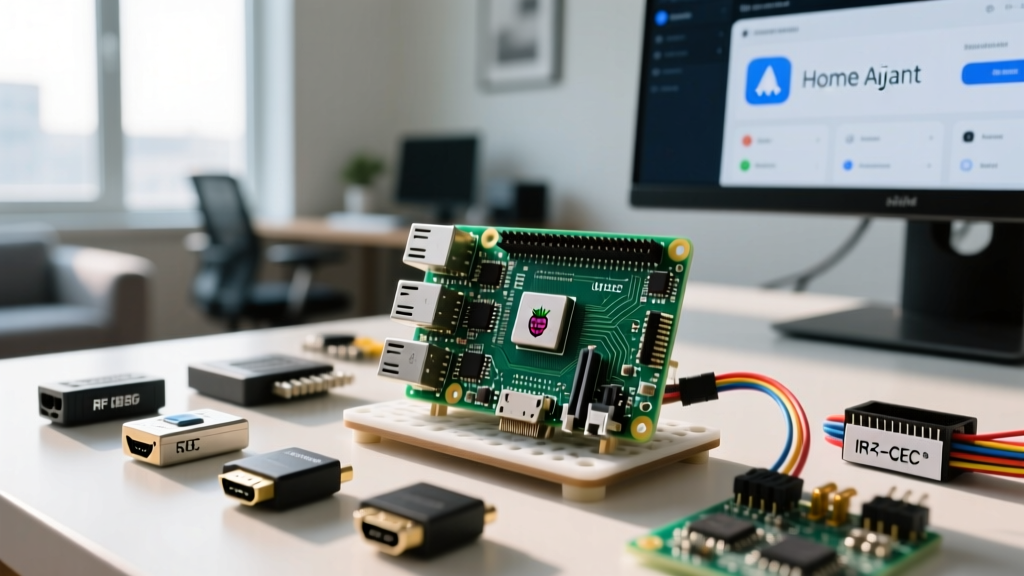
Getting Netflix to play on a Raspberry Pi used to be a nightmare of compiled browsers and broken DRM handshakes. In 2026, the situation has stabilized: Raspberry Pi OS (64-bit) natively supports Google’s Widevine DRM via the default Chromium browser. However, turning a Pi into a dedicated living room media center requires more than just a software install. You need physical controls, reliable power management, and a way to wake your TV without reaching for a second remote.
This guide walks through the exact hardware requirements for smooth Netflix playback, provides a data-dense compatibility matrix, and details how to build a custom GPIO hardware launcher using Python to trigger Netflix and blast an IR wake signal to your TV.
Hardware Compatibility & Parts List
Netflix relies on Digital Rights Management (DRM) to prevent piracy. On ARM Linux, this means using Google's Widevine. Because the Raspberry Pi lacks a hardware Trusted Execution Environment (TEE) required for Widevine L1, it operates at Widevine L3. This officially caps streaming resolution at 720p, though specific Chromium implementations on the Pi 5 can sometimes negotiate 1080p depending on the title's encoding profile.
Pi Model Netflix Viability Matrix
| Board Variant | RAM | Max Netflix Resolution | Widevine DRM Level | 2026 Street Price | Verdict |
|---|---|---|---|---|---|
| Raspberry Pi 5 (8GB) | 8GB | 1080p (Profile dependent) | L3 | $80 | Best choice; handles DOM and DRM easily. |
| Raspberry Pi 5 (4GB) | 4GB | 720p / 1080p | L3 | $60 | Great value; sufficient for most streams. |
| Raspberry Pi 4 Model B (8GB) | 8GB | 720p | L3 | $75 | Adequate, but lacks Pi 5's PCIe and I/O speed. |
| Raspberry Pi 4 Model B (2GB) | 2GB | 480p (Stutters) | L3 | $45 | Not recommended; heavy swap usage. |
| Raspberry Pi Zero 2 W | 512MB | Unusable | N/A | $15 | Will crash immediately. Avoid. |
Exact Parts List for the Hardware Launcher
- Compute: Raspberry Pi 5 (8GB variant)
- Storage: SanDisk Extreme 128GB A2 microSD (The A2 rating is critical for random I/O during OS boot and browser caching)
- Enclosure: Argon ONE V3 Pi 5 Case (Includes built-in IR receiver and power management)
- Input: 30mm Sanwa OBSF-30 Arcade Pushbutton
- IR Blaster: TSAL6200 940nm High-Power IR LED
- Switching: 2N2222 NPN Transistor + 1kΩ base resistor + 10Ω current-limiting resistor for the LED
- Indicator: 3mm Diffused Red LED + 330Ω resistor
GPIO Pin Mapping & Circuit Wiring
The code provided later targets the Raspberry Pi 5 8GB. We are using three GPIO pins to create a physical kiosk interface: one for the launch button, one for a status indicator, and one to drive an IR blaster that turns on your TV when Netflix launches.
| Function | Pi 5 GPIO (BCM) | Physical Pin | Component | Wiring Notes |
|---|---|---|---|---|
| Launch Button | GPIO 17 | Pin 11 | Arcade Button | Wire between GPIO 17 and GND. Internal pull-up enabled in code. |
| Status LED | GPIO 22 | Pin 15 | 3mm Red LED | Anode to GPIO 22 via 330Ω resistor. Cathode to GND. |
| IR Blaster | GPIO 27 | Pin 13 | 2N2222 Base | GPIO 27 to 2N2222 Base via 1kΩ resistor. Emitter to GND. Collector to TSAL6200 Cathode. |
Software Setup: Installing Widevine DRM
Before writing the launcher script, the underlying OS must be configured to decrypt DRM-protected streams. According to the official Raspberry Pi OS documentation, Widevine support is packaged natively in the 64-bit Bookworm and Trixie releases, but it must be explicitly installed.
- Flash the OS: Use Raspberry Pi Imager to flash Raspberry Pi OS (64-bit) to your A2 microSD card. Do not select the 32-bit version.
- Update the System: Open a terminal and run:
sudo apt update && sudo apt full-upgrade -y - Install Widevine: Install the DRM component and Chromium dependencies:
sudo apt install -y libwidevinecdm0 chromium-browser - Verify Installation: Confirm the architecture and DRM package:
You must seeuname -m && dpkg -l | grep widevineaarch64and a valid version number for libwidevinecdm0.
The Python Hardware Launcher Code
This script uses the gpiozero library to listen for the physical arcade button press. When triggered, it pulses the IR blaster to wake the TV, then launches Chromium in kiosk mode directly to the Netflix browse page. It includes robust error handling to catch subprocess crashes.
#!/usr/bin/env python3
"""
Netflix Hardware Launcher for Raspberry Pi 5 (8GB)
Target Board: Raspberry Pi 5 8GB running Raspberry Pi OS (64-bit)
"""
import subprocess
import logging
from gpiozero import Button, LED
from signal import pause

# --- PIN DEFINITIONS (BCM Numbering) ---
PIN_BUTTON = 17   # Physical arcade button (Input, Pull-Up)
PIN_STATUS = 22   # Status LED (Output)
PIN_IR_BLAST = 27 # IR Blaster via 2N2222 transistor (Output)

# Setup logging to journalctl
logging.basicConfig(level=logging.INFO, format='%(asctime)s - %(levelname)s - %(message)s')

# Initialize GPIO
launch_button = Button(PIN_BUTTON, pull_up=True, bounce_time=0.2)
status_led = LED(PIN_STATUS)
ir_blaster = LED(PIN_IR_BLAST)

CHROMIUM_PATH = "/usr/bin/chromium-browser"
NETFLIX_URL = "https://www.netflix.com/browse"

# Flags required for Widevine DRM and hardware acceleration on Pi 5
CHROMIUM_FLAGS = [
    "--kiosk",
    "--disable-infobars",
    "--enable-widevine-cdm",
    "--disable-features=TranslateUI",
    "--window-size=1920,1080",
    "--no-sandbox" # Required if running as root/autologin user in some kiosk setups
]

def launch_netflix():
    status_led.on()
    # Pulse IR to wake TV (assumes TV is configured to wake on any IR activity)
    ir_blaster.blink(on_time=0.1, off_time=0.1, n=3)
    logging.info("Launching Netflix in Kiosk mode...")

    cmd = [CHROMIUM_PATH] + CHROMIUM_FLAGS + [NETFLIX_URL]

    try:
        # Popen allows non-blocking execution so the button doesn't lock up
        process = subprocess.Popen(
            cmd,
            stdout=subprocess.DEVNULL,
            stderr=subprocess.PIPE,
            text=True
        )
        # Quick check to ensure it didn't immediately crash on launch
        try:
            outs, errs = process.communicate(timeout=3)
            if process.returncode is not None and process.returncode != 0:
                logging.error(f"Chromium crashed on launch: {errs}")
                status_led.blink(on_time=0.5, off_time=0.5)
        except subprocess.TimeoutExpired:
            # Expected path for a successful long-running kiosk app
            logging.info("Chromium launched successfully.")
    except FileNotFoundError:
        logging.error(f"Chromium not found at {CHROMIUM_PATH}. Did you install it?")
        status_led.blink(on_time=0.2, off_time=0.2)
    except Exception as e:
        logging.error(f"Unexpected error launching Netflix: {e}")

if __name__ == "__main__":
    logging.info(f"Hardware Launcher ready. Press button on GPIO {PIN_BUTTON} to start.")
    launch_button.when_pressed = launch_netflix
    pause()
To make this run on boot, save it as /home/pi/netflix_launcher.py and add it to your user's crontab using @reboot python3 /home/pi/netflix_launcher.py &.
Debugging: When Netflix Refuses to Play
When dealing with DRM on ARM Linux, failures are rarely subtle. If you press the button and get a black screen, or Chromium loads but Netflix throws an error, you are likely facing a Widevine handshake failure.
Exact Error Strings
If you check the Chromium logs (or run the script without redirecting stderr), you will see this exact console output:
[ERROR:widevine_cdm_component_installer.cc(143)] Widevine CDM component update failed
On the Netflix web player itself, this manifests as the UI overlay:
Netflix Error Code: UI-800-3
"An error has occurred. Please try again later."
Ranked Causes & Fixes
- 32-bit OS Architecture (Most Common): Widevine L3 binaries for Linux ARM are strictly compiled for 64-bit architectures. If you flashed the 32-bit Raspberry Pi OS, the CDM (Content Decryption Module) will silently fail to load. Fix: Re-flash the 64-bit OS.
- Missing libwidevinecdm0 Package: Sometimes a partial upgrade strips the DRM library. Fix: Run
sudo apt install --reinstall libwidevinecdm0. - GPU Compositor Crashes: The Pi 5's VideoCore VII GPU can conflict with Chromium's hardware acceleration overlays during DRM decryption. Fix: Add
--disable-gpu-compositingto theCHROMIUM_FLAGSarray in the Python script.
The First Three Things to Check
When the build fails, do not rewrite the code. Check these three physical and software states first:
- Verify Architecture: Run
uname -m. If it returnsarmv7l, you are on 32-bit. It must returnaarch64. - Verify DRM Presence: Run
ls -l /opt/WidevineCdm/(or check/usr/lib/chromium-browser/depending on your exact Chromium build). Thelibwidevinecdm.sofile must exist and have read permissions. - Verify Network Time: DRM handshakes require strict TLS certificate validation. If your Pi's RTC (Real Time Clock) is out of sync and you don't have a network connection at boot, the handshake will fail. Ensure
systemd-timesyncdis active.
Extending and Simplifying the Build
Not everyone wants to solder transistors or wire arcade buttons. Here is how you can adjust this project to fit your skill level or ambition.
How to Simplify
If the hardware launcher is overkill, drop the GPIO circuit entirely. Purchase a Logitech K400 Plus wireless touch keyboard (~$25). Plug the USB dongle into the Pi, configure Chromium to launch on boot via the ~/.config/autostart/ directory, and use the keyboard's trackpad to navigate the Netflix UI. This eliminates the Python script and IR wiring entirely, trading custom embedded integration for off-the-shelf convenience.
How to Extend
To make this a true "one-button" smart home integration, extend the Python script to utilize HDMI-CEC (Consumer Electronics Control). Instead of relying on an IR blaster to wake the TV, the Pi can send a power-on command directly through the HDMI cable.
Install the CEC utilities:
sudo apt install -y cec-utilsThen, modify the launch_netflix() function in the Python script to execute a CEC transmission before launching Chromium:
# Send CEC command: Wake up TV (Device 0) from Pi (Device 4)
subprocess.run(["echo", "tx", "40", "04", "|", "cec-client", "-s", "-d", "1"], shell=True)
This requires your TV to have CEC enabled in its settings menu (often branded as Anynet+, Bravia Sync, or SimpLink). By combining CEC for power control and the GPIO button for software launching, you create a seamless, single-touch media center that rivals commercial streaming sticks, while retaining the full flexibility of a Linux desktop environment.