The Verdict: Hardware Decision Path
Setting up a Raspberry Pi as music server usually ends in one of two ways: a bloated web UI that stutters on large FLAC libraries, or a lean, headless daemon that sounds incredible and never crashes. We are building the latter. By bypassing the desktop environment and using the Music Player Daemon (MPD) paired with a dedicated I2S Digital-to-Analog Converter (DAC), you get bit-perfect audio output and sub-second track loading.
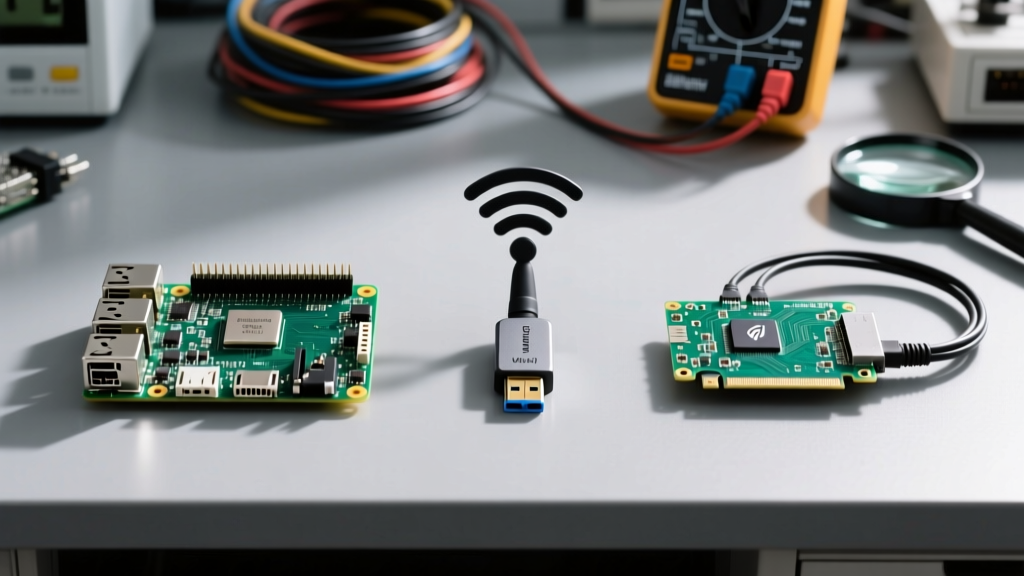
Before buying parts, run through this decision matrix to lock in your hardware. The Pi 5 is faster, but its physical I2S header clearance and early-adopter DAC HAT compatibility issues make the Pi 4 the superior choice for dedicated audio builds right now.
| Criteria | Option A (USB DAC) | Option B (I2S HAT DAC) |
|---|---|---|
| Audio Quality | Good (subject to USB bus noise) | Excellent (direct I2S bus, no USB polling) |
| CPU Overhead | Higher (USB stack interrupts) | Lower (hardware DMA to I2S) |
| Form Factor | Bulky (requires external dongle/box) | Compact (stacks directly on GPIO) |
| Setup Complexity | Low (plug and play ALSA) | Medium (requires config.txt overlay) |
Parts List & Spec Sheet
This build targets the Raspberry Pi 4 Model B. Do not substitute a Pi 3B+; its 1GB RAM will bottleneck during large database updates, and its shared USB/Ethernet bus introduces latency.
| Component | Exact Variant | Est. Cost |
|---|---|---|
| Compute Board | Raspberry Pi 4 Model B (4GB RAM) | $55.00 |
| Audio DAC | HiFiBerry DAC+ Pro (I2S HAT) | $45.00 |
| Storage | SanDisk 32GB Extreme microSD (A1 rated) | $12.00 |
| Power Supply | Official Raspberry Pi 5.1V 3A USB-C | $10.00 |
| Controls | 5x 12mm Momentary Pushbuttons (Normally Open) | $5.00 |
| Wiring | 24 AWG stranded silicone wire, female dupont headers | $8.00 |
Wiring the I2S DAC and GPIO Controls
The HiFiBerry DAC+ Pro communicates via the I2S bus (BCM pins 18, 19, 20, 21) and I2C for hardware volume control. Because the HAT occupies the top of the header, you will need to solder a 2x20 pin header with extended shanks (or use a GPIO breakout ribbon) to access the remaining pins for your physical buttons.
GPIO Pin Mapping
We are using internal pull-up resistors in software, so you only need to wire one side of the button to the GPIO pin and the other side to a common Ground.
| Function | BCM GPIO | Physical Pin | Wiring Destination |
|---|---|---|---|
| Play / Pause | 5 | 29 | Button 1 -> GND (Pin 39) |
| Next Track | 6 | 31 | Button 2 -> GND (Pin 39) |
| Previous Track | 13 | 33 | Button 3 -> GND (Pin 39) |
| Volume Up | 19 | 35 | Button 4 -> GND (Pin 39) |
| Volume Down | 26 | 37 | Button 5 -> GND (Pin 39) |
Configuration Steps
- Flash Raspberry Pi OS Lite (64-bit, Bookworm or newer) to the microSD card using Raspberry Pi Imager. Enable SSH and configure WiFi in the Imager settings.
- Boot the Pi and SSH in. Update the system:
sudo apt update && sudo apt upgrade -y. - Install MPD, MPC (client), and Python dependencies:
sudo apt install mpd mpc python3-pip python3-gpiozero -y. - Install the MPD Python library:
pip3 install python-mpd2 --break-system-packages. - Enable the I2S overlay. Open the boot config:
sudo nano /boot/firmware/config.txt. - Comment out the default audio output by adding a
#todtparam=audio=on. - Add the HiFiBerry overlay at the bottom:
dtoverlay=hifiberry-dacplus. Save and reboot. - Verify the DAC is recognized by running
aplay -l. You should see 'snd_rpi_hifiberry_dacplus' as card 0.
Headless MPD Python Controller
This script maps the physical buttons to MPD commands. It runs headlessly as a systemd service. It includes robust error handling to survive MPD restarts or temporary socket drops.
#!/usr/bin/env python3
import time
import logging
from gpiozero import Button
from signal import pause
from mpd import MPDClient, ConnectionError, CommandError

# Configure Logging
logging.basicConfig(level=logging.INFO, format='%(asctime)s - %(levelname)s - %(message)s')

# --- PIN DEFINITIONS ---
PIN_PLAY = 5
PIN_NEXT = 6
PIN_PREV = 13
PIN_VOL_UP = 19
PIN_VOL_DOWN = 26

# Initialize Buttons with internal pull-ups and hardware debounce
btn_play = Button(PIN_PLAY, pull_up=True, bounce_time=0.05)
btn_next = Button(PIN_NEXT, pull_up=True, bounce_time=0.05)
btn_prev = Button(PIN_PREV, pull_up=True, bounce_time=0.05)
btn_vol_up = Button(PIN_VOL_UP, pull_up=True, bounce_time=0.05)
btn_vol_down = Button(PIN_VOL_DOWN, pull_up=True, bounce_time=0.05)

def get_mpd_client():
    """Establish connection to MPD socket with retry logic."""
    client = MPDClient()
    client.timeout = 10
    client.idletimeout = None
    try:
        client.connect('localhost', 6600)
        return client
    except ConnectionError as e:
        logging.error(f'MPD Connection Failed: {e}')
        return None

def safe_mpd_command(func, *args):
    """Wrapper to handle dropped connections and execute MPD commands."""
    client = get_mpd_client()
    if not client:
        return
    try:
        func(client, *args)
        client.close()
        client.disconnect()
    except (ConnectionError, BrokenPipeError) as e:
        logging.error(f'Connection lost during command: {e}')
    except CommandError as e:
        logging.error(f'MPD Command Error: {e}')

# --- CALLBACK FUNCTIONS ---
def toggle_play():
    def cmd(c): c.pause() if c.status()['state'] == 'play' else c.play()
    safe_mpd_command(cmd)
    logging.info('Toggled Play/Pause')

def next_track():
    safe_mpd_command(lambda c: c.next())
    logging.info('Next Track')

def prev_track():
    safe_mpd_command(lambda c: c.previous())
    logging.info('Previous Track')

def vol_up():
    safe_mpd_command(lambda c: c.volume(5))
    logging.info('Volume Up')

def vol_down():
    safe_mpd_command(lambda c: c.volume(-5))
    logging.info('Volume Down')

# --- BIND EVENTS ---
btn_play.when_pressed = toggle_play
btn_next.when_pressed = next_track
btn_prev.when_pressed = prev_track
btn_vol_up.when_pressed = vol_up
btn_vol_down.when_pressed = vol_down

if __name__ == '__main__':
    logging.info('GPIO Music Controller Started. Waiting for button presses...')
    try:
        pause()
    except KeyboardInterrupt:
        logging.info('Shutting down gracefully.')
Save this as /home/pi/music_controller.py, make it executable (chmod +x), and create a systemd service to run it on boot.
Debugging Audio and Socket Errors
When building a headless Raspberry Pi as music server, you will inevitably hit ALSA routing issues or Python socket drops. Here is how to diagnose the two most common failures.
Error 1: Python Socket Refusal
Exact Error String: ConnectionRefusedError: [Errno 111] Connection refused
Ranked Causes:
- MPD Service is Dead: MPD crashed during a library update. Fix: Run
sudo systemctl restart mpd. - Socket Path Mismatch: Your Python script is looking for localhost:6600, but
/etc/mpd.confis configured to use a local Unix socket (e.g.,/run/mpd/socket). Fix: Open/etc/mpd.conf, ensurebind_to_address "localhost"is uncommented, and comment out the Unix socket line. - Port Blocked: UFW or iptables is blocking local loopback. Fix:
sudo ufw allow from 127.0.0.1 to any port 6600.
Error 2: ALSA Hardware Missing
Exact Error String: ALSA lib pcm_hw.c:1829:(_snd_pcm_hw_open) Invalid value for card (Seen in journalctl -u mpd)
Ranked Causes:
- Missing dtoverlay: The I2S HAT is not initialized at boot. Fix: Verify
dtoverlay=hifiberry-dacplusis in/boot/firmware/config.txtand reboot. - Wrong ALSA Device in MPD: MPD is trying to use the default Pi headphone jack instead of the HAT. Fix: In
/etc/mpd.conf, find theaudio_outputsection and setdevice "hw:0,0"(or whateveraplay -llists as your HiFiBerry card number). - PulseAudio/PipeWire Interference: The desktop audio server is hijacking the ALSA device. Fix: Since this is a headless build, purge PulseAudio/PipeWire entirely:
sudo apt purge pulseaudio pipewire -y.
- Verify the Service: Run
systemctl status mpdto ensure the daemon is actually active and not stuck in a restart loop. - Verify ALSA Routing: Run
aplay -l. If the HiFiBerry doesn't show up as Card 0, your I2S overlay failed to load or the HAT is unseated. - Check for Thermal Throttling: Run
vcgencmd get_throttled. If it returns anything other thanthrottled=0x0, your power supply is failing under the DAC's current draw, causing I2S clock desync and audio pops.
Extending or Simplifying the Build
Once the core MPD server and GPIO controls are stable, you have two distinct paths to modify the system based on your physical installation.
How to Simplify (The 'Set and Forget' Path)
If this server is going inside a sealed amplifier chassis or a wall-mounted enclosure where physical buttons are impossible, strip the GPIO code entirely. Rely solely on MPD's network protocol. Install an Android/iOS controller app like MAFA or MPDroid on your phone. Delete the Python script, disable the systemd service, and let MPD run purely as a background network daemon. This reduces CPU overhead and eliminates the risk of GPIO pin shorts inside a metal enclosure.
How to Extend (The 'Living Room Console' Path)
If the Pi is sitting on a media rack, extend the physical interface by adding a 128x64 I2C OLED display (SSD1306) to show current track metadata. Wire the OLED to I2C1 (GPIO 2/SDA, GPIO 3/SCL). Because the HiFiBerry DAC+ Pro uses the I2S pins but leaves the I2C bus intact, you can poll client.currentsong() in your Python script and render the 'Artist' and 'Title' tags directly to the OLED using the luma.oled library. Ensure you add a 4.7kΩ pull-up resistor to the SDA and SCL lines if your OLED breakout board lacks them, as the Pi's internal pull-ups are too weak for stable I2C communication over long wires.