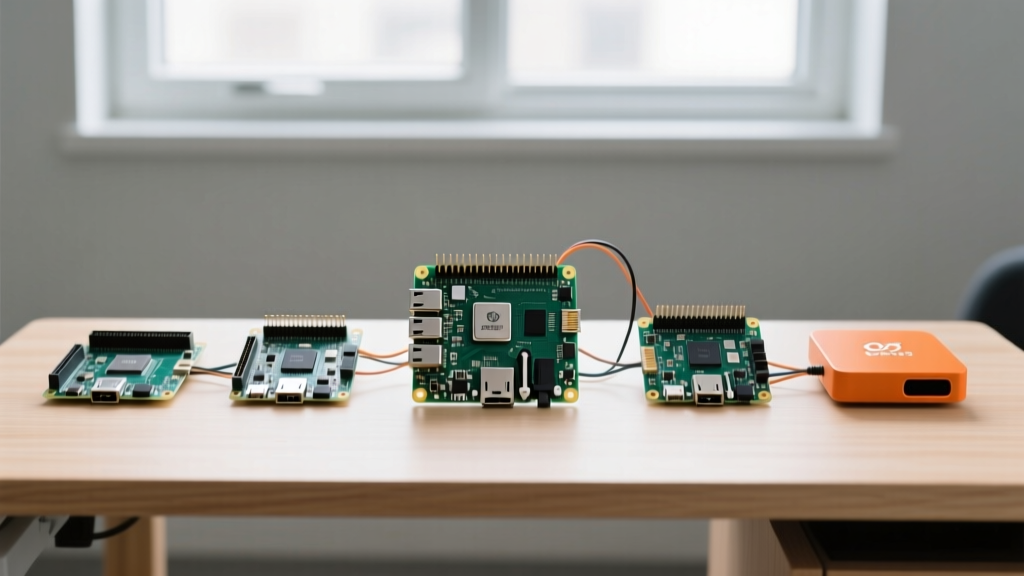

The 'More Power' Trap in Beginner SBC Selection
When makers and hobbyists search for easy Raspberry Pi projects, the focus is almost entirely on software tutorials, Python scripts, and 3D-printed enclosures. However, the most common point of failure in beginner builds isn't the code—it is the hardware mismatch. A frequent mistake is purchasing the latest, most expensive single-board computer (SBC) for a task that requires minimal compute. Buying an $80 Raspberry Pi 5 with 8GB of RAM to run a simple network-wide ad blocker is not just a waste of money; it introduces unnecessary thermal management requirements and power draw complexities.
To truly succeed at hardware hacking, you must match the silicon to the workload. In this hardware comparison, we evaluate the current landscape of SBCs to determine which board is genuinely the best fit for the most popular entry-level builds. We will look at exact power consumption metrics, thermal throttling thresholds, and real-world pricing to help you make an informed decision.
Hardware Contenders for Entry-Level Builds
Raspberry Pi 5 (8GB): The Overkill Option
The Raspberry Pi 5 represents a massive architectural shift, introducing the RP1 southbridge chip and a PCIe 2.0 x1 interface. While it is a powerhouse for edge AI and heavy compilation tasks, it is often overkill for basic DIY projects. The BCM2712 SoC runs hot, drawing roughly 10W to 12W under load. According to the Tom's Hardware Raspberry Pi 5 Review, the board will aggressively thermal throttle at 85°C if you do not install the official Active Cooler. For a simple smart home dashboard, the Pi 5's idle power draw of ~2.5W and mandatory active cooling make it a poor fit for silent, low-power environments.
Raspberry Pi 4 Model B (4GB): The Reliable Middleweight
The Pi 4B (4GB) remains the gold standard for general-purpose tinkering. Powered by the BCM2711 quad-core Cortex-A72, it offers true Gigabit Ethernet and dual 4K display output. Priced around $55, it hits the sweet spot for projects like RetroPie or a robust Home Assistant server. Its idle power draw sits at a manageable ~1.8W, and with a simple $3 passive aluminum heatsink, it will never throttle during standard home automation workloads.
Raspberry Pi Zero 2 W: The Low-Power Champion
For headless, set-and-forget projects, the Zero 2 W is unmatched. It utilizes a SiP (System-in-Package) design housing a quad-core 64-bit ARM Cortex-A53 and 512MB of LPDDR2. The critical advantage here is power efficiency: it idles at just 0.7W and peaks around 1.2W. The 512MB RAM limitation means it cannot run heavy Docker containers, but for a DNS sinkhole or an MQTT broker, it is flawless. At $15 MSRP (though often marked up by scalpers), it is the most cost-effective way to deploy multiple nodes around a house.
Orange Pi Zero 3: The Budget Alternative
Supply chain issues often make the Zero 2 W difficult to find at MSRP. The Orange Pi Zero 3, featuring the Allwinner H618 SoC and 1.5GB of RAM, is a $20 alternative. While the hardware is capable, the software ecosystem relies on community-driven Armbian images rather than the polished Raspberry Pi OS. It is an excellent choice for tinkerers who want to learn Linux system administration, but it adds friction to 'easy' projects that rely on one-click installers.
Project-to-Hardware Mapping Matrix
To eliminate guesswork, we have mapped the most common beginner projects to their ideal hardware counterparts based on I/O requirements, RAM overhead, and thermal constraints.
| Project Type | Ideal SBC | Min RAM | Idle Power | Cooling Needed? |
|---|---|---|---|---|
| Pi-hole / AdGuard Home | Raspberry Pi Zero 2 W | 512MB | 0.7W | No |
| RetroPie (Up to N64/Dreamcast) | Raspberry Pi 4B (4GB) | 2GB | 1.8W | Passive Heatsink |
| Home Assistant (Supervised) | Raspberry Pi 4B (8GB) or Pi 5 | 4GB+ | 2.2W | Active / Case |
| Magic Mirror (Basic Modules) | Raspberry Pi 3B+ or Zero 2 W | 1GB | 1.1W | Passive Heatsink |
| OctoPrint (3D Printer Host) | Orange Pi Zero 3 / Pi 4B | 1GB | 1.2W | No / Passive |
Thermal and Power Realities: Where Beginners Fail
The most insidious hardware failures in easy Raspberry Pi projects are not catastrophic; they are silent. Understanding power delivery and storage I/O is what separates a project that runs for years from one that corrupts its SD card in a week.
The Undervoltage Throttling Loop
The Raspberry Pi Zero 2 W requires a precise 5V/2.5A power supply. Beginners often reuse old smartphone chargers with thin, low-quality micro-USB cables. This introduces voltage drop. When the Pi's internal PMIC detects voltage below 4.63V, it triggers an undervoltage warning and forcefully throttles the CPU to 600MHz to prevent a brownout. Your 'easy' project suddenly becomes sluggish, and network drops occur. Always use a high-quality, short cable with thick AWG wiring.
SD Card I/O Bottlenecks and Corruption
Projects like Home Assistant and Pi-hole perform continuous, small-block write operations. Standard microSD cards are designed for sequential photography writes, not random database logging. The Pi-hole Documentation explicitly warns about SD card wear. Using a cheap Class 10 card will result in filesystem corruption within 6 to 12 months.
Pro-Tip: For any project requiring high write endurance, bypass the SD card entirely. Use a USB 3.0 to SATA adapter with a cheap 120GB 2.5-inch SSD, or utilize the Pi 5's PCIe lane with an NVMe HAT. This increases IOPS by over 100x and eliminates SD card corruption as a failure mode.
If you must use a microSD card, invest in 'High Endurance' or 'Industrial' rated cards from SanDisk or Samsung, which utilize SLC or high-grade MLC NAND designed for continuous dashcam and security camera loops.
Final Verdict: Matching the Board to the Build
The pursuit of easy Raspberry Pi projects should be about minimizing friction, not maximizing teraflops. If your goal is to learn Python, blink LEDs, and run basic sensors, the Raspberry Pi 4 Model B (2GB or 4GB) remains the undisputed king of balance, offering native support for every tutorial on the internet without requiring active cooling or expensive NVMe drives.
However, if you are deploying a headless network utility like a Pi-hole DNS server or a simple MQTT broker, save your money and your power bill. The Raspberry Pi Zero 2 W is the superior hardware choice, provided you pair it with a high-quality power supply and a High Endurance microSD card. Reserve the powerful, thermally demanding Raspberry Pi 5 for projects that genuinely require PCIe storage, dual 4K60 video decoding, or heavy machine learning inference. By respecting the hardware boundaries of each board, your DIY builds will transition from weekend experiments to permanent, reliable home infrastructure.
For further reading on board specifications and official power requirements, always consult the Raspberry Pi Official Documentation before finalizing your bill of materials.