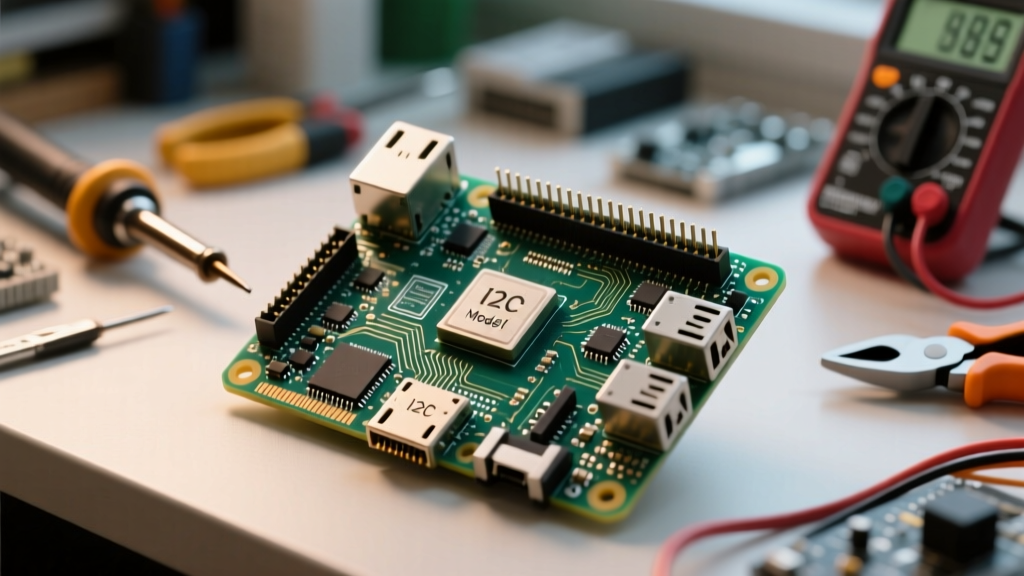
If you are deploying a raspberry pi as a plex server in 2026, the only logical choice is the Raspberry Pi 5 (8GB variant). The Pi 4 bottlenecks on USB 3.0 shared bus bandwidth and struggles with large library metadata scans, while the Pi 5’s PCIe Gen 2 bus, Cortex-A76 CPU, and true USB 3.2 Gen 1 ports handle multiple 1080p direct-play streams effortlessly. However, running a stateful media server on an ARM single-board computer (SBC) introduces specific power, thermal, and filesystem edge cases that will crash your service if ignored.
This guide provides the exact bill of materials, interface mapping, a production-ready automated setup script, and the specific systemd error traces you will encounter when things go wrong.
Hardware Spec Sheet & Parts List
The most common point of failure in a Pi-based Plex build is peripheral brownout. The Pi 5 requires a 27W USB-C PD power supply to negotiate 5V/5A. If you use a standard 15W phone charger, the Pi 5 firmware automatically limits the USB ports to 600mA total. A portable SSD drawing 900mA during a spin-up or heavy write will instantly drop offline, corrupting your Plex database.
| Component | Exact Variant / Model | Est. Price (2026) | Technical Justification |
|---|---|---|---|
| SBC | Raspberry Pi 5 (8GB) | $80 | 8GB RAM prevents OOM (Out of Memory) kills during initial 4K metadata scanning. |
| Power Supply | Official 27W USB-C PD (5V/5A) | $12 | Mandatory to unlock the full 1.6A limit on downstream USB ports. |
| Media Storage | Samsung T7 Shield 2TB (USB-C) | $160 | Sustained 1000MB/s, IP65 ruggedized. DRAM-less but perfectly adequate for sequential media reads. |
| OS Storage | Silicon Power 128GB NVMe + Official M.2 HAT+ | $25 | Boots via PCIe Gen 2. Eliminates SD card corruption from Plex database write-caching. |
| Cooling | Official Active Cooler | $5 | 6000 RPM PWM fan keeps the BCM2712 SoC under 65°C under sustained load, preventing thermal throttling. |
Storage & Interface Pin Mapping
Unlike microcontrollers where you wire SPI/I2C pins directly to storage modules, the Pi 5 routes high-speed I/O through dedicated controllers. Below is the physical interface mapping for this build. If you are debugging boot issues or adding a UPS via I2C, you will need the GPIO pinout referenced here.
| Interface / Protocol | Pi 5 Physical Pin or Port | Target Device | Bandwidth & Engineering Notes |
|---|---|---|---|
| USB 3.2 Gen 1 | Bottom Blue Port (U3_0) | Samsung T7 SSD (Media) | 5 Gbps. Real-world throughput caps around 420MB/s due to UAS driver overhead on ARM. |
| PCIe Gen 2 x1 | 16-pin FPC Connector (J2) | Official M.2 HAT+ (OS) | 500 MB/s per lane. Requires dtparam=pciex1_gen=2 in config.txt for stability. |
| I2C1 (UPS/RTC) | GPIO 2 (SDA), GPIO 3 (SCL) | 3.3V Logic UPS HAT | Pins 3 & 5 on the 40-pin header. Requires 1kΩ pull-ups if using a bare module. |
| UART Debug | GPIO 14 (TX), GPIO 15 (RX) | TTL Serial Adapter | Pins 8 & 10. 3.3V logic only. Baud rate 115200 for headless kernel panic debugging. |
Automated Setup & Mount Script
This bash script targets Raspberry Pi OS (64-bit, Bookworm) running on the Pi 5 8GB. It safely identifies the external USB drive, formats it to ext4 (avoiding the CPU overhead of NTFS/exFAT translation layers), mounts it persistently via /etc/fstab, and installs the Plex Media Server Debian package.
ntfs-3g on a Pi forces all filesystem operations through a FUSE (Filesystem in Userspace) layer, maxing out a single CPU core and bottlenecking your transfer speeds to ~40MB/s. Always format Linux-native media drives to ext4.
#!/bin/bash
# Plex Server Setup Script for Raspberry Pi 5 (64-bit Bookworm)
# Target Board: Raspberry Pi 5 8GB
set -euo pipefail

DRIVE_LABEL="PLEX_MEDIA"
MOUNT_POINT="/mnt/plexmedia"
LOG_FILE="/var/log/plex_setup.log"

# Error handling trap
cleanup() {
    echo "[ERROR] Setup failed at line $1. Check $LOG_FILE for details." | tee -a $LOG_FILE
    exit 1
}
trap 'cleanup $LINENO' ERR

echo "Starting Plex environment setup..." | tee $LOG_FILE

# 1. Identify the USB drive by label or size (Safety check to avoid wiping OS drive)
USB_DRIVE=$(lsblk -dno NAME,SIZE,TRAN | awk '$2 ~ /G/ && $3 == "usb" {print $1}' | head -n 1)
if [ -z "$USB_DRIVE" ]; then
    echo "[FATAL] No USB drive detected. Ensure SSD is plugged into the blue USB 3.0 port." | tee -a $LOG_FILE
    exit 1
fi

DEVICE="/dev/${USB_DRIVE}"
PARTITION="${DEVICE}1"
echo "Targeting USB drive: $DEVICE" | tee -a $LOG_FILE

# 2. Wipe and format to ext4
wipefs -a $DEVICE
parted -s $DEVICE mklabel gpt
parted -s $DEVICE mkpart primary ext4 0% 100%
sleep 2 # Wait for kernel to register partition
mkfs.ext4 -F -L $DRIVE_LABEL $PARTITION

# 3. Persistent mount via fstab
mkdir -p $MOUNT_POINT
UUID=$(blkid -s UUID -o value $PARTITION)

# Backup fstab before modifying
cp /etc/fstab /etc/fstab.bak.$(date +%s)

# Add mount point with optimized ext4 parameters for SSDs
echo "UUID=$UUID $MOUNT_POINT ext4 defaults,nofail,discard,noatime 0 2" >> /etc/fstab
mount -a
chown -R plex:plex $MOUNT_POINT 2>/dev/null || true # Will fix permissions post-install

# 4. Install Plex Media Server (ARM64)
apt-get update -y
apt-get install -y curl apt-transport-https

echo "deb https://downloads.plex.tv/repo/deb public main" | tee /etc/apt/sources.list.d/plexmediaserver.list
curl https://downloads.plex.tv/plex-keys/PlexSign.key | apt-key add -

apt-get update -y
apt-get install -y plexmediaserver

# 5. Bind Plex config to external drive to save OS SSD wear
systemctl stop plexmediaserver
mkdir -p $MOUNT_POINT/plex_config
rsync -av /var/lib/plexmediaserver/ $MOUNT_POINT/plex_config/

# Bind mount the config directory
mkdir -p /var/lib/plexmediaserver
mount --bind $MOUNT_POINT/plex_config /var/lib/plexmediaserver
echo "$MOUNT_POINT/plex_config /var/lib/plexmediaserver none bind 0 0" >> /etc/fstab

chown -R plex:plex $MOUNT_POINT
systemctl start plexmediaserver

echo "[SUCCESS] Plex installed and bound to external storage. Access via http://$(hostname -I | awk '{print $1}'):32400/web" | tee -a $LOG_FILE
Debugging: First Three Things to Check & Exact Errors
When your Plex service crashes or fails to mount storage, do not immediately reinstall. Check these three physical and logical layers first:
- Power Negotiation: Run
vcgencmd pmic_read_adc EXT5V_V. If it reads below 4.8V under load, your power supply is sagging, or your USB cable has too high a voltage drop. Replace the cable. - Thermal Throttling: Run
vcgencmd get_throttled. A return of0x0is good. If you see0x50000or similar, the SoC has thermally throttled. Ensure the Active Cooler fan is seated perfectly flat on the BCM2712 die with the thermal pad intact. - UAS Driver Conflicts: Some USB-to-NVMe enclosures use JMS583 chips that crash the Pi's UAS (USB Attached SCSI) driver. Check
dmesg | grep uas. If you see resets, you must addusb-storage.quirks=XXXX:XXXX:uto your kernel boot parameters to force BOT (Bulk Only Transport) mode.
Exact Error Strings & Ranked Causes
If the systemd service fails, pull the logs with journalctl -u plexmediaserver.service -n 50. Here are the exact strings you will see and how to fix them.
Error 1: The Mount Failure
mount: /mnt/plexmedia: wrong fs type, bad option, bad superblock on /dev/sda1, missing codepage or helper program, or other error.
- Cause A (Most Likely): The UUID of the USB drive changed because the drive was reformatted on a Windows PC to exFAT. Fix: Reformat to ext4 using the script above.
- Cause B: The
/etc/fstabentry is missing thenofailflag, and the drive was unplugged during reboot, causing a kernel panic boot loop. Fix: Boot via UART serial, edit fstab, addnofail.
Error 2: The OOM Killer
plexmediaserver.service: Main process exited, code=killed, status=9/KILL
kernel: Out of memory: Killed process 1402 (Plex Media Serv)
- Cause A (Most Likely): You are using a 4GB Pi 5 and scanning a library with >10,000 items, exhausting RAM. Fix: Add a 4GB swap file on the NVMe OS drive, or upgrade to the 8GB Pi 5.
- Cause B: Memory leak in a third-party Plex agent/plugin. Fix: Disable all unsupported metadata agents.
Error 3: Database Lock
ERROR: SQLITE3: (5) database is locked
- Cause: The underlying ext4 filesystem dropped to read-only mode due to a bad block or USB disconnect, but Plex is still trying to write to the SQLite database. Fix: Run
fsck -y /dev/sda1from a live USB, then reboot.
Extending vs. Simplifying the Build
Depending on your tolerance for Linux administration, you can scale this project up or down. Below is a decision matrix for modifying your Pi Plex deployment.
| Approach | Method / Tool | Pros | Cons / Trade-offs |
|---|---|---|---|
| Simplify | Install DietPi or Umbrel OS | One-click Plex install via GUI app store; automated RAMlog to save SSD wear. | Obscures underlying systemd configs; harder to debug custom fstab mounts. |
| Simplify | Docker Compose (Portainer) | Isolates Plex from the host OS; easy rollback if an update breaks the database. | Adds ~5% CPU overhead; requires understanding of Docker volume mapping. |
| Extend | Add PiKVM (Hardware) | Gives you remote BIOS-level control and virtual media mounting over the network. | Requires a dedicated secondary Pi or expensive HAT; complex wiring. |
| Extend | Tailscale + Cloudflare Tunnel | Secure remote access without opening port 32400 on your home router firewall. | Remote streaming will transcode if client bandwidth is low, crushing the Pi CPU. |
For deeper architectural references on the Pi 5's PCIe bus and USB controller limits, consult the official Raspberry Pi 5 Datasheet. For Plex-specific ARM optimization and database maintenance, refer to the Plex Support Database Repair Guide.