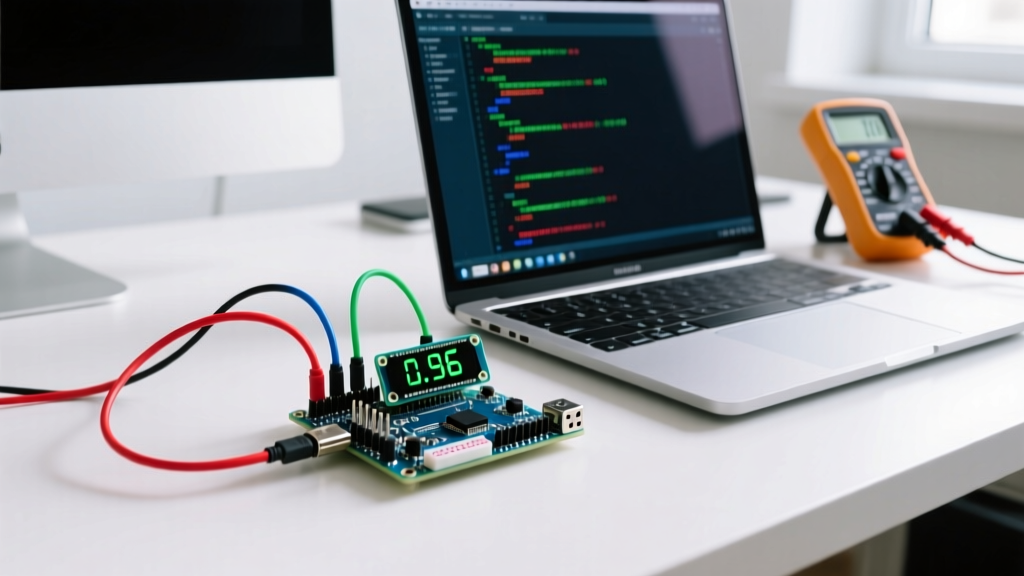
A microcontroller is a compact, self-contained integrated circuit designed to read electrical inputs, execute a stored sequence of logical instructions, and control physical outputs in real time. Unlike a desktop CPU that relies on external RAM, storage, and a complex motherboard, a microcontroller (MCU) packs its processor core, memory (Flash and SRAM), and input/output (I/O) peripherals onto a single silicon die, making it the dedicated 'brain' of embedded systems.
The Core Job: Reading, Deciding, and Switching
To understand what a microcontroller does in a real circuit, look at what it replaces. Before MCUs became cheap and ubiquitous, controlling a DC motor based on ambient temperature required a messy web of analog comparators, 555 timers, voltage dividers, and electromechanical relays. An MCU replaces that entire breadboard of discrete components with a single chip and a few lines of C++ or MicroPython. It changes a circuit from a rigid, hardware-defined state machine into a flexible, software-defined system.
Think of an MCU like a night-shift security guard in a building. The guard checks specific doors to see if they are open or closed (reads GPIO inputs), consults a clipboard of rules (executes firmware logic), and locks or unlocks gates based on what they find (toggles output pins or sends PWM signals to a motor driver).
The most common way makers destroy an MCU is by ignoring logic levels. If your microcontroller operates at 3.3V (like the ESP32 or RP2040), feeding a 5V signal from a legacy sensor directly into a GPIO pin will fry the silicon. Always use a logic level shifter or a voltage divider when bridging 5V and 3.3V domains.
Silicon Showdown: Specs of the Most Common Maker MCUs
Not all microcontrollers are built for the same job. The chip you choose dictates your available memory, processing speed, and peripheral hardware. Below is a spec-sheet-table comparing the workhorse MCUs you will encounter on the bench in 2026.
| MCU Model | Architecture | Clock Speed | Flash / SRAM | Typical Price | Best For |
|---|---|---|---|---|---|
| Microchip ATmega328P | 8-bit AVR | 16 MHz | 32 KB / 2 KB | $2.50 | Legacy 5V projects, simple robotics |
| Espressif ESP32-WROOM-32 | 32-bit Xtensa Dual-Core | 240 MHz | 4 MB / 520 KB | $4.00 | IoT, WiFi/BLE sensor nodes |
| Raspberry Pi RP2040 | 32-bit ARM Cortex-M0+ Dual | 133 MHz | 2 MB / 264 KB | $1.20 | PIO state machines, USB devices |
| STM32F103C8T6 (Blue Pill) | 32-bit ARM Cortex-M3 | 72 MHz | 64 KB / 20 KB | $2.80 | Industrial control, high-precision ADC |
Note the SRAM disparity: The ATmega328P gives you a mere 2 KB of SRAM, meaning you cannot load large arrays or run complex string manipulation without crashing. The ESP32's 520 KB of SRAM allows you to buffer audio data or parse large JSON payloads from a web API directly in memory. For deep technical limits, always consult the Espressif ESP32 Datasheet or the Raspberry Pi RP2040 Datasheet before finalizing your PCB layout.
Worked Example: Sizing an ESP32 Power Budget for a Sensor Node
A critical function of a modern microcontroller is managing its own power states. Let's calculate the battery life of an off-grid sensor node to see how an MCU's sleep modes impact a real installation.
The Scenario: You are building a remote weather station using an ESP32-WROOM-32 and a BME280 I2C sensor. The system is powered by a single 2000mAh 18650 Li-ion cell. The MCU wakes up every 10 minutes (600 seconds), reads the sensor, transmits the data via WiFi, and returns to deep sleep.
The Power Draw Data:
- ESP32 active (WiFi TX burst): ~160 mA
- BME280 sensor active: ~1 mA
- ESP32 deep sleep current: ~10 µA (0.01 mA)
The Timing per 600-second Cycle:
- Active time (boot, read I2C, WiFi TX): 2.5 seconds
- Deep sleep time: 597.5 seconds
The Math:
First, calculate the total milliamp-seconds (mAs) consumed in one cycle:
Active mAs = (160 mA + 1 mA) * 2.5 seconds = 402.5 mAs
Sleep mAs = 0.01 mA * 597.5 seconds = 5.975 mAs
Total cycle mAs = 408.475 mAs
Next, find the average continuous current draw:
Average Current = 408.475 mAs / 600 seconds = 0.68 mA
Finally, calculate the battery life:
Battery Life = 2000 mAh / 0.68 mA = 2,941 hours, or roughly 122 days.
If you failed to program the MCU to enter deep sleep and left it idling in a standard 'while' loop (drawing ~40 mA), that same 2000mAh battery would be dead in exactly 50 hours. The microcontroller's ability to execute a self-shutdown command is what makes remote IoT viable.
Where You Meet Microcontrollers in Practice
You interact with dozens of microcontrollers every day, usually without realizing it. Here is where MCUs are doing the heavy lifting in the real world:
- Home Appliances: The inverter board inside your washing machine uses a 32-bit MCU (often an STM32 or TI C2000) to run the BLDC drum motor. It calculates space vector PWM (SVPWM) algorithms thousands of times per second to keep the motor spinning smoothly while minimizing acoustic noise.
- Automotive Networks: A modern vehicle contains between 70 and 100 individual microcontrollers. When you press the brake pedal, a dedicated MCU reads the pressure sensor and broadcasts a digital message over the CAN bus network to the taillight and ABS controllers. For more on how silicon providers architect these systems, review the Texas Instruments MCU Overview.
- The Maker Bench: Using an Arduino Nano (ATmega328P) to debounce a mechanical push-button switch and drive a WS2812B addressable LED strip. The MCU reads the noisy analog bounce of the switch contact, filters it in software, and shifts out the precise 800kHz digital timing required by the LEDs.
Clearing Up the Confusion: MCU vs. MPU vs. SBC
People commonly confuse microcontrollers with microprocessors and single-board computers. While they all process data, their architectural goals are entirely different. Use this comparison-table to select the right brain for your project.
| Feature | Microcontroller (MCU) | Microprocessor (MPU) | Single Board Computer (SBC) |
|---|---|---|---|
| Boot Time | Instant (Milliseconds) | Seconds | 10 to 45 seconds |
| OS Requirement | Bare-metal or RTOS | Requires Linux/OS | Full Desktop OS (Linux/Windows) |
| Power Draw | µA to low mA | Hundreds of mA to Amps | 2W to 15W+ |
| Memory | Internal Flash/SRAM (KB to MB) | External DDR RAM (GBs) | External DDR RAM + SD/eMMC Storage |
| Typical Example | ESP32, ATmega328P, RP2040 | Intel Core, ARM Cortex-A series | Raspberry Pi 5, BeagleBone |
Frequently Asked Questions
Can I run Linux on a microcontroller?
No. Standard MCUs lack the memory management unit (MMU) and the gigabytes of RAM required to run a full Linux kernel. If you need Linux, you must step up to a microprocessor or an SBC like the Raspberry Pi 5. However, you can run a Real-Time Operating System (RTOS) like FreeRTOS on 32-bit MCUs like the ESP32.
Is a Raspberry Pi Pico a microcontroller?
Yes. While the 'Raspberry Pi' brand is famous for its Linux-powered SBCs, the Raspberry Pi Pico is a microcontroller board built around the RP2040 MCU. It boots instantly, runs bare-metal C++ or MicroPython, and does not run Linux.
Why not just use an SBC for everything?
Because SBCs are power-hungry, expensive, and suffer from slow boot times and OS corruption risks. If your project simply needs to read a temperature sensor and turn on a relay, an SBC is massive overkill. An MCU will do the job for $2, draw a fraction of a milliamp, and turn on in 5 milliseconds.