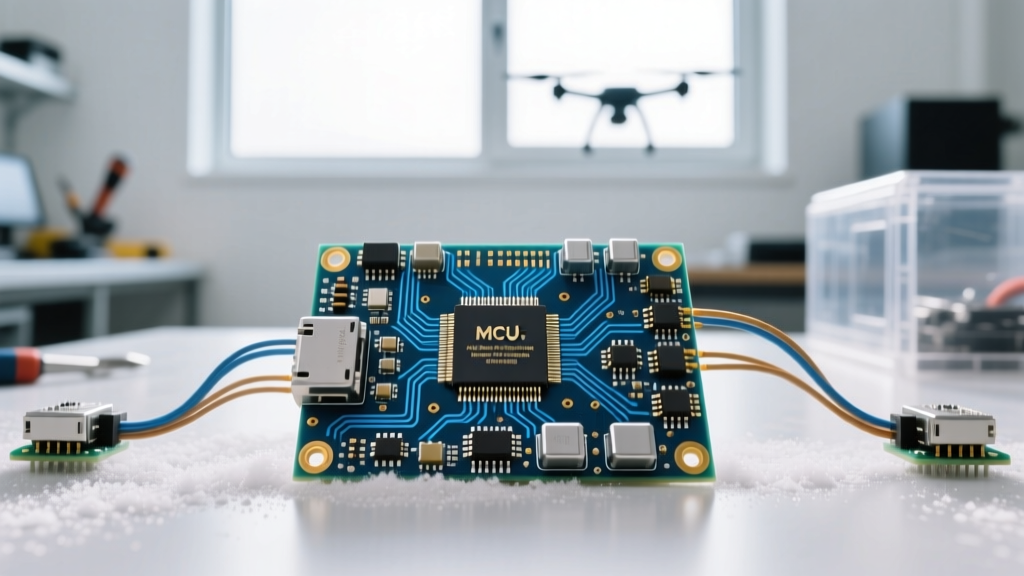
If you are searching for an ESP32 LoRa gateway, you need to clear up a common misconception immediately: an ESP32 cannot natively drive the multi-channel concentrator chips (like the SX1301 or SX1302) required for a true, TTN-compliant LoRaWAN gateway. What you are actually building is a private LoRa-to-MQTT bridge (sometimes called a single-channel gateway or proprietary gateway). This setup listens for LoRa packets from remote sensor nodes and forwards them via WiFi to an MQTT broker like Mosquitto, Node-RED, or Home Assistant.
This guide walks through building a robust, private LoRa gateway targeting the Heltec WiFi LoRa 32 V3 (ESP32-S3 + SX1262). We will cover the exact hardware pinouts, provide complete, compilable C++ firmware with WiFi reconnection logic, and break down the specific RadioLib error codes that halt most first-time builds.
The "ESP32 LoRa Gateway" Reality Check
Before wiring anything, it is critical to understand where an ESP32-based gateway fits into the LoRa ecosystem. Hobbyists often buy an ESP32 LoRa board expecting it to replace a $150 RAKwireless concentrator. It will not. Here is how the architectures compare in 2026:
| Gateway Type | Core Hardware | Channels / Duty Cycle | Network Compatibility | Typical Cost |
|---|---|---|---|---|
| True LoRaWAN Concentrator | Raspberry Pi + SX1302/SX1303 | 8 to 16 channels, 100% | TTN, Helium, ChirpStack (Full compliance) | $120 - $250 |
| Single-Channel Packet Forwarder | ESP32 + SX1276/SX1262 | 1 channel, restricted | Deprecated by TTN; private servers only | $25 - $40 |
| Private LoRa-to-MQTT Bridge (This Guide) | ESP32-S3 + SX1262 | 1 channel, user-defined | Proprietary payloads, Home Assistant, Node-RED | $25 - $35 |
| LoRaWAN End Node | ESP32 + SX1262 (Running MAC) | 1 channel (transmit only) | Connects to Concentrators, not a gateway itself | $20 - $30 |
By building the Private LoRa-to-MQTT Bridge, you bypass the strict duty-cycle and join-request overhead of LoRaWAN. You control the payload format, the encryption, and the polling rate, making it ideal for private agricultural sensors, off-grid weather stations, or localized asset tracking.
Hardware BOM and Internal Pin Mapping
The code in this guide specifically targets the Heltec WiFi LoRa 32 V3. This board pairs the dual-core ESP32-S3 with the Semtech SX1262 transceiver. Do not use this code on the older V2 boards (which use the SX1278) without modifying the pin definitions and swapping to the SX1278 class.
- MCU/LoRa Board: Heltec WiFi LoRa 32 V3 (Select 868MHz for EU/UK/AU or 915MHz for US/Americas).
- Antenna: OEM spring antenna or a tuned 868/915MHz SMA whip. Never power the board without the antenna attached; the SX1262 will blow its internal RF front-end.
- Power: 5V 2A USB-C power supply (the ESP32-S3 WiFi radio draws sharp 350mA transient spikes).
- MQTT Broker: Mosquitto running on a local Raspberry Pi, or a cloud broker like HiveMQ.
The SX1262 on the Heltec V3 is wired to the ESP32-S3's internal SPI bus. You do not need to jumper any wires on the breadboard; you only need to define these internal GPIO pins in your firmware.
| SX1262 Function | ESP32-S3 GPIO (Heltec V3) | Notes |
|---|---|---|
| NSS (Chip Select) | GPIO 8 | Active LOW |
| DIO1 (Interrupt) | GPIO 14 | Triggers on RX/TX done |
| NRST (Reset) | GPIO 12 | Active LOW |
| BUSY | GPIO 13 | SX1262 specific; HIGH when processing |
| MOSI | GPIO 10 | Internal SPI |
| MISO | GPIO 11 | Internal SPI |
| SCK | GPIO 9 | Internal SPI |
The Firmware: LoRa-to-MQTT Bridge Code
This firmware uses RadioLib (the modern standard for sub-GHz radios) and PubSubClient for MQTT. Install both via the Arduino Library Manager before compiling. Ensure your Arduino IDE board manager is set to esp32 by Espressif Systems (v2.0.14 or newer) and select Heltec WiFi LoRa 32(V3) from the boards menu.
#include <RadioLib.h>
#include <WiFi.h>
#include <PubSubClient.h>

// --- Heltec WiFi LoRa 32 V3 Pin Definitions ---
#define LORA_NSS    8
#define LORA_DIO1   14
#define LORA_NRST   12
#define LORA_BUSY   13

// Initialize SX1262 instance
SX1262 radio = new Module(LORA_NSS, LORA_DIO1, LORA_NRST, LORA_BUSY);

// --- Network Credentials ---
const char* ssid = "YOUR_WIFI_SSID";
const char* password = "YOUR_WIFI_PASSWORD";
const char* mqtt_server = "192.168.1.50"; // Local Mosquitto IP
const int mqtt_port = 1883;
const char* mqtt_topic = "lora/gateway/payload";

WiFiClient espClient;
PubSubClient mqttClient(espClient);

// Interrupt flag
volatile bool receivedFlag = false;

// Interrupt Service Routine (ISR)
void IRAM_ATTR setFlag(void) {
  receivedFlag = true;
}

void setupWiFi() {
  delay(10);
  Serial.print("Connecting to WiFi");
  WiFi.begin(ssid, password);
  while (WiFi.status() != WL_CONNECTED) {
    delay(500);
    Serial.print(".");
  }
  Serial.println("\nWiFi connected. IP:");
  Serial.println(WiFi.localIP());
}

void reconnectMQTT() {
  while (!mqttClient.connected()) {
    Serial.print("Attempting MQTT connection...");
    String clientId = "ESP32-LoRa-GW-";
    clientId += String(random(0xffff), HEX);
    if (mqttClient.connect(clientId.c_str())) {
      Serial.println("connected");
    } else {
      Serial.print("failed, rc=");
      Serial.print(mqttClient.state());
      Serial.println(" retry in 5 seconds");
      delay(5000);
    }
  }
}

void setup() {
  Serial.begin(115200);
  delay(2000); // Wait for serial monitor

  setupWiFi();
  mqttClient.setServer(mqtt_server, mqtt_port);

  Serial.println("[SX1262] Initializing...");
  // Parameters: Freq (MHz), BW (kHz), SF, CR, SyncWord, Power (dBm), Preamble, TCXO Voltage
  // Adjust 915.0 to 868.0 if in Europe/UK
  int state = radio.begin(915.0, 125.0, 7, 5, 0x18, 10, 8, 1.6, false);

  if (state == RADIOLIB_ERR_NONE) {
    Serial.println("[SX1262] Init success!");
  } else {
    Serial.printf("[SX1262] init failed, code %d\n", state);
    while (true); // Halt execution
  }

  // Set DIO1 interrupt action
  radio.setDio1Action(setFlag);

  // Put radio into continuous receive mode
  radio.startReceive();
}

void loop() {
  if (!mqttClient.connected()) {
    reconnectMQTT();
  }
  mqttClient.loop();

  if (receivedFlag) {
    receivedFlag = false; // Reset flag immediately

    String strData;
    int state = radio.readData(strData);

    if (state == RADIOLIB_ERR_NONE) {
      Serial.printf("[LoRa] Received: %s (RSSI: %.1f dBm, SNR: %.1f dB)\n",
                    strData.c_str(), radio.getRSSI(), radio.getSNR());

      // Publish to MQTT
      if (mqttClient.connected()) {
        mqttClient.publish(mqtt_topic, strData.c_str());
      }
    } else if (state == RADIOLIB_ERR_CRC_MISMATCH) {
      Serial.println("[LoRa] CRC Mismatch - corrupted packet dropped.");
    } else {
      Serial.printf("[LoRa] Read failed, code %d\n", state);
    }

    // Return to receive mode
    radio.startReceive();
  }
}
Debugging: Exact Error Strings and the First 3 Checks
Sub-GHz RF debugging is notoriously frustrating because failures are silent. When the serial monitor halts or payloads drop, use this decision tree.
Quoted Error: [SX1262] init failed, code -2
Error -2 is RADIOLIB_ERR_CHIP_NOT_FOUND. The ESP32-S3 cannot communicate with the SX1262 over SPI. Ranked causes:
- Wrong Board Selected in IDE: You selected "ESP32 Dev Module" instead of "Heltec WiFi LoRa 32(V3)". The standard ESP32 maps SPI to entirely different GPIOs. Switch the board and re-upload.
- RadioLib Version Mismatch: You are using an outdated fork of RadioLib. Ensure you are on v6.x or newer via the Library Manager.
- Dead SX1262 Module: If you previously ran transmit code without an antenna attached, the RF PA (Power Amplifier) fried the silicon. The board must be replaced.
Quoted Error: [SX1262] init failed, code -707
Error -707 is RADIOLIB_ERR_SPI_CMD_FAILED. The chip is found, but it rejected the configuration command. This almost always means your TCXO voltage parameter in radio.begin() is wrong. The Heltec V3 requires 1.6V for its internal TCXO. If you pass 0 or 3.3, the chip refuses to initialize the PLL.
The First 3 Things to Check When Payloads Drop
If the code compiles, connects to MQTT, but you aren't seeing sensor data in Node-RED:
- SyncWord Mismatch: In the code above, the SyncWord is
0x18. If your remote sensor nodes are using the default LoRaWAN SyncWord (0x34), the gateway hardware will silently filter the packets out before the ESP32 ever sees them. Ensure both ends use0x18for private networks. - Frequency Drift / Region: A US 915MHz node will not be heard by an EU 868MHz gateway, even if they are sitting on the same desk. Verify the physical antenna tuning matches the
radio.begin()frequency parameter. - MQTT Keep-Alive Timeout: If your gateway sits idle for 10 minutes and then drops packets, your router is likely killing the TCP socket. Add
mqttClient.setKeepAlive(60);in your setup function to force ping packets.
Scaling: Simplifying or Extending the Build
Depending on your deployment environment, you may need to alter this baseline architecture.
Simplify: Drop WiFi for ESP-NOW
If you don't have WiFi coverage at the gateway site (e.g., a remote barn), strip out PubSubClient and use ESP-NOW. The ESP32-S3 can receive the LoRa packet and instantly bridge it via ESP-NOW to a base station inside your house, bypassing the need for a local router entirely.
Extend: Dual-Band Simultaneous RX
Need to listen to 868MHz and 433MHz simultaneously? The ESP32-S3 has two SPI buses. Wire a second SX1262 module to the HSPI pins (MOSI=35, MISO=37, SCK=36) and instantiate a second SX1262 object in RadioLib. You can poll both DIO1 interrupts in the main loop without dropping packets.
Building a private ESP32 LoRa gateway gives you total control over your sensor network's payload structure and polling intervals. By targeting the Heltec V3 and utilizing RadioLib's robust error handling, you avoid the fragile SPI timing issues that plague older SX1276 implementations. Always verify your antenna VSWR before transmitting, and ensure your MQTT broker is configured to handle the high-frequency transient reconnects typical of ESP32 WiFi radios.