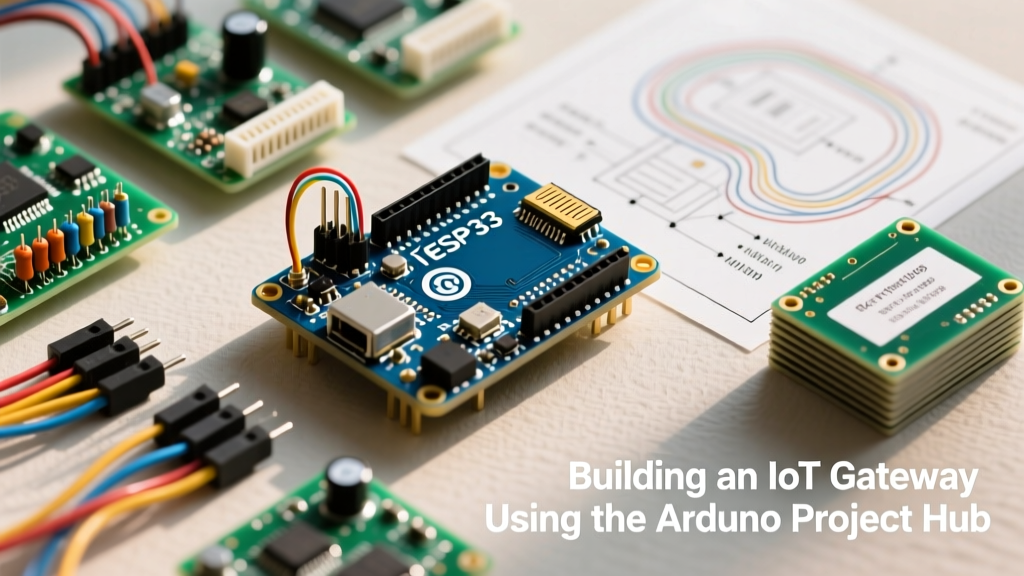
If you are asking how much storage does ESP32 have, the direct answer depends on which memory type and which board variant you are using. A standard ESP32-WROOM-32 features 4MB of external Flash and 520KB of internal SRAM. However, modern variants like the ESP32-S3 can pack up to 16MB of Flash and 8MB of PSRAM. Crucially, your usable storage for files and code is dictated by the partition table, not just the physical silicon.
Understanding the difference between non-volatile Flash (for your code and filesystem) and volatile SRAM/PSRAM (for runtime variables and buffers) is the difference between a project that compiles cleanly and one that crashes with a Guru Meditation error. Below, we break down the exact capacities, build a real-time storage monitor, and debug the most common partition errors.
The Short Answer: ESP32 Storage Capacities by Variant
Not all ESP32s are created equal. Espressif has fragmented the lineup to target specific use cases, from ultra-low-power Matter nodes to AI-driven camera rigs. Here is the spec-sheet breakdown of the most common modules you will buy in 2026.
| Module Variant | Internal SRAM | Embedded Flash | Max External PSRAM | Typical Use Case |
|---|---|---|---|---|
| ESP32-WROOM-32E | 520 KB | 4 MB | 4 MB (QSPI) | Standard IoT, basic sensor logging |
| ESP32-S3-WROOM-1 (N8R2) | 512 KB | 8 MB | 2 MB (Octal SPI) | Audio processing, medium web servers |
| ESP32-S3-WROOM-1 (N16R8) | 512 KB | 16 MB | 8 MB (Octal SPI) | AI/ML edge inference, camera buffers |
| ESP32-C3-MINI-1 | 400 KB | 4 MB | None | Low-cost BLE/Matter smart home nodes |
| ESP32-C6-WROOM-1 | 512 KB | 4 MB - 8 MB | None | Thread/Zigbee/Wi-Fi 6 mesh devices |
Flash vs. SRAM vs. PSRAM: Where Your Data Actually Lives
To effectively manage ESP32 storage, you must map your data to the correct memory domain. The ESP32 architecture splits memory into three distinct buckets:
- Flash Memory (Non-Volatile): This is where your compiled sketch (the .bin file) and your filesystem (LittleFS or SPIFFS) live. It survives power cycles. Flash is relatively slow and has a limited write-erase cycle life (typically ~100,000 cycles), so it is not meant for high-frequency logging.
- Internal SRAM (Volatile): At ~520KB, this is incredibly fast memory used for your stack, heap, and active variables. If you declare a massive global array, it eats into this limited pool. When SRAM runs out, the ESP32 reboots unpredictably.
- PSRAM (Pseudo-SRAM): Available on specific S3 and original ESP32 variants, PSRAM acts as an overflow pool. It is slower than internal SRAM but much faster than Flash. It is explicitly designed for large, temporary buffers like raw JPEG frames from an OV2640 camera or audio WAV buffers.
The physical Flash size is only half the story. The ESP-IDF Partition Table dictates how that Flash is sliced. A 4MB Flash chip might be partitioned to give 1.2MB to your App, 1.2MB to an OTA (Over-The-Air) update partition, and 1.5MB to your LittleFS filesystem. If your compiled code exceeds the App partition limit, it will not upload, regardless of total physical storage.
Project: Build a Storage Monitor & LittleFS Datalogger
This project targets the ESP32-S3-DevKitC-1 (N8R2 variant). We will mount a LittleFS filesystem, log sensor data to a file, and display the total vs. used storage on an I2C OLED. This demonstrates how to handle filesystem mounting errors and query storage metrics programmatically.
Parts List
- 1x ESP32-S3-DevKitC-1 (N8R2 - 8MB Flash, 2MB PSRAM)
- 1x 0.96" I2C OLED Display (SSD1306 driver, 128x64)
- 1x Breadboard and male-to-female jumper wires
- USB-C cable for power and programming
Pin Mapping Table
| ESP32-S3 Pin | OLED Pin | Function |
|---|---|---|
| 3V3 | VCC | Power (3.3V) |
| GND | GND | Ground |
| GPIO 8 | SDA | I2C Data |
| GPIO 9 | SCL | I2C Clock |
Complete Arduino Code
Ensure you have the Adafruit SSD1306 and Adafruit GFX libraries installed via the Library Manager. In the Arduino IDE Tools menu, ensure Partition Scheme is set to "8M Flash (3MB APP/1.5MB FAT)" or similar, and USB CDC On Boot is enabled for Serial output.
/*
 * ESP32-S3 LittleFS Storage Monitor & Datalogger
 * Target Board: ESP32-S3-DevKitC-1 (N8R2)
 * Requires: Adafruit_SSD1306, Adafruit_GFX, LittleFS (built-in)
 */

#include
#include
#include
#include

// --- Pin Definitions ---
#define SCREEN_WIDTH 128
#define SCREEN_HEIGHT 64
#define OLED_RESET -1
#define SCREEN_ADDRESS 0x3C
#define I2C_SDA 8
#define I2C_SCL 9

// --- Object Initialization ---
Adafruit_SSD1306 display(SCREEN_WIDTH, SCREEN_HEIGHT, &Wire, OLED_RESET);

unsigned long lastLogTime = 0;
const unsigned long LOG_INTERVAL = 5000; // Log every 5 seconds
int logCounter = 0;

void setup() {
  Serial.begin(115200);
  delay(1000); // Allow USB-CDC serial to connect
  Serial.println("\n--- ESP32-S3 Storage Monitor Booting ---");

  // Initialize I2C with specific S3 pins
  Wire.begin(I2C_SDA, I2C_SCL);

  // Initialize OLED
  if(!display.begin(SSD1306_SWITCHCAPVCC, SCREEN_ADDRESS)) {
    Serial.println(F("SSD1306 allocation failed. Check I2C wiring."));
    while(true) { delay(100); } // Halt execution
  }
  display.clearDisplay();
  display.setTextColor(SSD1306_WHITE);
  display.setTextSize(1);
  display.setCursor(0,0);
  display.println("Booting LittleFS...");
  display.display();

  // Mount LittleFS with format-on-fail enabled
  if(!LittleFS.begin(true)) {
    Serial.println("ERROR: LittleFS Mount Failed. Flash may be corrupted.");
    display.clearDisplay();
    display.setCursor(0,0);
    display.println("FATAL: LittleFS Fail");
    display.display();
    while(true) { delay(100); }
  }

  // Calculate and print storage metrics
  size_t totalBytes = LittleFS.totalBytes();
  size_t usedBytes = LittleFS.usedBytes();

  Serial.printf("LittleFS Mounted. Total: %u bytes, Used: %u bytes\n", totalBytes, usedBytes);

  display.clearDisplay();
  display.setCursor(0,0);
  display.printf("Flash Total: %uKB\n", totalBytes / 1024);
  display.printf("Used: %uKB\n", usedBytes / 1024);
  display.printf("Free: %uKB\n", (totalBytes - usedBytes) / 1024);
  display.drawLine(0, 30, 128, 30, SSD1306_WHITE);
  display.setCursor(0, 35);
  display.println("Logging to data.csv...");
  display.display();
}

void loop() {
  if (millis() - lastLogTime >= LOG_INTERVAL) {
    lastLogTime = millis();
    logCounter++;

    // Simulate sensor reading
    float tempC = 22.5 + (random(-10, 10) / 10.0);

    // Append to file with error handling
    File file = LittleFS.open("/data.csv", FILE_APPEND);
    if(!file) {
      Serial.println("ERROR: Failed to open data.csv for appending.");
      return;
    }

    // Write CSV header if file is new/empty
    if(file.size() == 0) {
      file.println("log_id,timestamp_ms,temp_c");
    }

    file.printf("%d,%lu,%.2f\n", logCounter, millis(), tempC);
    file.close();

    Serial.printf("Logged entry %d: %.2fC. File size: %u bytes\n", logCounter, tempC, LittleFS.usedBytes());
  }
}
Debugging: Storage and Partition Errors
When working with ESP32 storage, the compiler and the runtime will throw distinct errors if you misconfigure your partitions or exceed your physical limits. The most common compile-time error you will encounter when asking "how much storage does my ESP32 have left" is:
Sketch too big; reduce sketch size or use a larger partition scheme.
Followed by:text section exceeds available space...
First Three Things to Check When It Fails
- Verify the Partition Scheme: In the Arduino IDE, go to Tools > Partition Scheme. The "Default 4MB with spiffs" scheme allocates only ~1.2MB for your app. Switch to "Huge APP (3MB No OTA/1MB SPIFFS)" if you don't need Over-The-Air updates.
- Match Board Definition to Physical Silicon: If you selected "ESP32 Dev Module" but your physical board has 8MB of Flash, the IDE defaults to 4MB. Create a custom board definition or select the exact ESP32-S3 variant to expose the larger flash options.
- Erase All Flash Before Sketch Upload: Corrupted partition tables from previous projects can cause the bootloader to reject new firmware. Set Tools > Erase All Flash Before Sketch Upload to "Enabled" for one clean upload cycle.
Ranked Causes for "Sketch Too Big"
- OTA Partition Overhead: OTA requires two identical app partitions to swap firmware safely. This halves your available code space. Disable OTA in the partition scheme if you only program via USB.
- Bloated Libraries: Including heavy libraries like
TensorFlowLite_ESP32orlvglwithout stripping unused modules will easily consume 1.5MB+ of Flash. - Hardcoded Binary Assets: Storing raw HTML, CSS, or image arrays directly in
.hfiles asconst uint8_tarrays bloats the.textsegment. Move these to LittleFS and serve them from the filesystem instead.
Extending and Simplifying Your Storage Build
Depending on your project constraints, you may need to scale your storage architecture up or down.
How to Extend the Build:
If 16MB of Flash is insufficient for long-term datalogging, add a MicroSD card breakout via SPI. Using the built-in SD.h library, you can offload gigabytes of CSV data. Wire the SD card to the ESP32-S3's hardware SPI pins (MOSI=GPIO 11, MISO=GPIO 13, SCK=GPIO 12, CS=GPIO 10). For high-throughput needs like audio streaming, upgrade to an ESP32-S3 N16R8 board and utilize the 8MB Octal PSRAM to buffer data before writing to the SD card in large chunks, reducing flash wear.
How to Simplify the Build:
If you only need to store a few configuration variables (like Wi-Fi credentials or calibration offsets), drop LittleFS entirely. Use the Preferences library (NVS - Non-Volatile Storage). NVS is built into the ESP32 core, requires no filesystem mounting, and stores key-value pairs directly in a dedicated Flash partition. It is significantly more robust against power-loss corruption than a FAT or LittleFS filesystem.
Frequently Asked Questions
How much storage does ESP32 have for a web server?
For a web server, your storage limit is defined by the LittleFS/SPIFFS partition, not the total Flash. On a standard 4MB ESP32 using the "Default" partition scheme, you have roughly 1.44MB available for HTML, CSS, JS, and image files. If you switch to a custom partition table or an 8MB ESP32-S3, you can allocate up to 4MB to 7MB exclusively for web assets, which is more than enough for complex Single Page Applications (SPAs).
Can I increase the storage on my existing ESP32 board?
You cannot increase the internal Flash or SRAM soldered to the WROOM module. However, you can expand non-volatile storage by wiring an external SPI MicroSD card module, or expand volatile memory by adding an external PSRAM chip (though this requires a custom PCB design, as PSRAM shares the QSPI/OPI bus with the Flash and cannot be easily piggybacked on a breadboard).
What is the difference between SPIFFS and LittleFS on ESP32?
SPIFFS is deprecated and should no longer be used in new projects. It lacks true directories, suffers from severe wear-leveling issues, and is prone to corruption on power loss. LittleFS is the modern standard. It supports true subdirectories, features power-loss resilience, and has a much faster mounting time. Always select LittleFS in your partition and upload tools.
How do I check my ESP32 PSRAM size in code?
To verify if your board has PSRAM and how much is available at runtime, use the ESP32 API function ESP.getPsramSize(). If the board has no PSRAM, or if it is disabled in the Tools menu, this function returns 0. To check how much is currently free, use ESP.getFreePsram(). Remember that PSRAM must be explicitly enabled in the Arduino IDE board settings before compilation, or the compiler will ignore it.