
The Short Answer: What Coding Language Does Arduino Use?
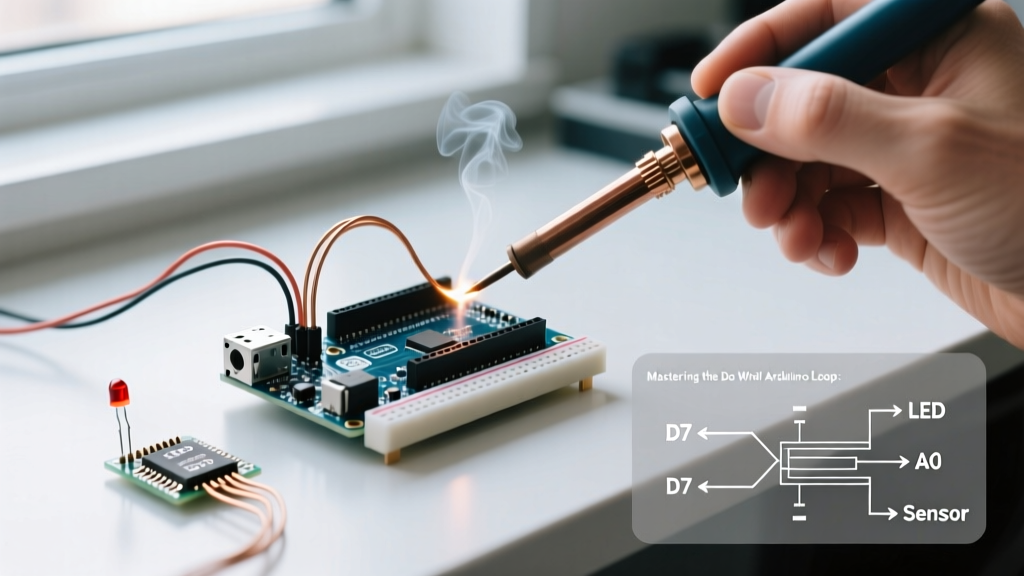
If you are diving into the maker ecosystem, you have likely asked: what coding language does Arduino use? The short answer is C and C++. However, it is not the exact same C++ you would use to build a desktop application or a high-performance game engine. Arduino utilizes a specific dialect of C++ built upon the Wiring and Processing frameworks. This dialect abstracts away the complex, low-level hardware register manipulations into easy-to-read functions like digitalWrite() and analogRead().
Under the hood, the Arduino IDE uses the avr-gcc compiler for 8-bit AVR boards (like the classic Uno R3) and arm-none-eabi-gcc for 32-bit ARM Cortex-M boards (like the newer Arduino Uno R4 Minima or Nano ESP32). Understanding this distinction is critical for writing optimized, crash-free firmware in 2026.
Step-by-Step: Transitioning to Advanced Arduino C++
Many beginners get stuck in the 'procedural programming' trap, writing massive loop() functions filled with blocking delay() calls. To truly master the language Arduino uses, you must leverage Object-Oriented Programming (OOP) and modern C++ standards (C++11 and C++14, which are fully supported by the modern Arduino IDE 2.3.x).
Step 1: Ditch the #define for constexpr
Legacy Arduino tutorials heavily rely on the C-preprocessor #define for constants. In modern Arduino C++, you should use constexpr. This enforces type safety at compile time and prevents unexpected macro expansion bugs.
// Bad: Legacy C-style macro
#define LED_PIN 13

// Good: Modern C++ type-safe constant
constexpr uint8_t LED_PIN = 13;
Step 2: Implement Non-Blocking Object-Oriented Code
Let us build a reusable LED controller class that uses millis() instead of delay(). This allows your microcontroller to handle multiple tasks concurrently.
class NonBlockingLed {
private:
    const uint8_t pin;
    const unsigned long interval;
    unsigned long previousMillis;
    bool ledState;

public:
    NonBlockingLed(uint8_t p, unsigned long i)
        : pin(p), interval(i), previousMillis(0), ledState(false) {
        pinMode(pin, OUTPUT);
    }

    void update() {
        unsigned long currentMillis = millis();
        if (currentMillis - previousMillis >= interval) {
            previousMillis = currentMillis;
            ledState = !ledState;
            digitalWrite(pin, ledState);
        }
    }
};

NonBlockingLed statusLed(13, 500); // Blink every 500ms

void setup() {
    // Initialization handled by constructor
}

void loop() {
    statusLed.update();
    // Add other non-blocking tasks here
}
Feature Comparison: Arduino C++ vs. Standard C++ vs. MicroPython
When deciding how to program your microcontroller, it helps to compare the native Arduino language against standard desktop C++ and the increasingly popular MicroPython alternative.
| Feature | Arduino C++ (AVR/ARM) | Standard Desktop C++ | MicroPython (ESP32/RP2040) |
|---|---|---|---|
| Memory Management | Manual (No Garbage Collection) | Manual / Smart Pointers | Automatic Garbage Collection |
| Standard Library | Minimal (No STL by default) | Full STL (Vectors, Maps, etc.) | Standard Python Libraries |
| Execution Speed | Native Machine Code | Native Machine Code | Interpreted / Bytecode |
| RTTI & Exceptions | Disabled (Saves Flash Memory) | Enabled | Handled via Python VM |
| Hardware Access | Direct Register / Arduino API | OS-Level System Calls | Hardware Abstraction Layer |
Deep Dive: Memory Management on 8-Bit vs. 32-Bit Boards
The most common point of failure for intermediate developers is running out of SRAM. The language Arduino uses does not protect you from memory leaks or stack overflows; you must manage memory explicitly.
The Harvard Architecture Constraint
On classic 8-bit boards like the Arduino Uno R3 (ATmega328P), Flash memory (32KB) and SRAM (2KB) are separate. If you write Serial.println("Hello World");, the string is stored in Flash but copied into the precious 2KB SRAM at runtime. To prevent this, use the F() macro, which forces the string to be read directly from Flash memory using the PROGMEM attribute.
// Wastes SRAM
Serial.println("This is a very long debug message that eats RAM");

// Preserves SRAM by reading directly from Flash
Serial.println(F("This is a very long debug message that eats RAM"));
Scaling to 32-Bit: The Uno R4 Minima
If you upgrade to the Arduino Uno R4 Minima (retailing around $27.50 in 2026), you are working with a Renesas RA4M1 ARM Cortex-M4 processor. This board features 256KB of Flash and 32KB of SRAM. While the F() macro is still supported for backward compatibility, the unified memory architecture of ARM chips means strings are handled more like standard desktop C++. However, dynamic memory allocation (new and delete or the dreaded String class) should still be avoided in the loop() to prevent heap fragmentation over weeks of continuous uptime.
Beyond C++: Alternative Languages for Arduino Hardware
While C++ is the native tongue, the hardware ecosystem has expanded. If C++ is not your preference, you can use alternative languages on Arduino-branded boards:
- MicroPython / CircuitPython: Highly recommended for the Arduino Nano ESP32 (~$21.00). You can flash the MicroPython firmware via the ESP-ROM and write Python scripts directly to the board. This is ideal for rapid IoT prototyping where execution speed is secondary to development speed.
- Rust: The
avr-halandembassycrates allow you to write memory-safe Rust code for AVR and ARM Arduino boards. While not officially supported by the Arduino IDE, Rust is gaining massive traction in the embedded space for its compile-time guarantees against null pointers and data races. - Arduino Cloud IoT (JavaScript/Node-RED): For edge-to-cloud workflows, you can write C++ for the edge device and use Node-RED or JavaScript on the cloud dashboard side to process the telemetry data.
Troubleshooting Common C++ Compilation Errors
Because the Arduino IDE hides the main.cpp file and auto-generates function prototypes, it can sometimes produce confusing C++ errors.
Expert Tip: If you encounter the error 'undefined reference to vtable', it means you have declared a virtual function in your class header but forgot to implement it in your .cpp file, or you forgot to implement the virtual destructor. The compiler needs at least one virtual function implementation to generate the virtual table (vtable) in Flash memory.
Fixing the 'String' Class Heap Fragmentation
The Arduino String object (capital 'S') is a wrapper around standard C++ std::string but lacks the sophisticated memory pooling of desktop environments. Concatenating Strings inside the loop() function will eventually fragment the 2KB SRAM on an Uno R3, leading to a silent reboot. Solution: Use fixed-size C-style character arrays (char[]) and functions like snprintf() for formatting text.
Summary and Next Steps
So, what coding language does Arduino use? It uses a highly optimized, hardware-focused dialect of C++. By moving beyond basic procedural sketches and embracing modern C++ features like constexpr, object-oriented design, and strict memory management via PROGMEM, you can write firmware that is robust, scalable, and professional. For further reading on syntax and hardware APIs, consult the official Arduino Language Reference and the broader C++ Language Reference. To set up your development environment, ensure you are using the latest Arduino IDE Documentation to take advantage of modern C++14 compiler flags.