
The Architecture Divide: 16-Bit vs 32-Bit Integers
When programming microcontrollers, the int (integer) data type is the most frequently used variable for storing whole numbers. However, a massive source of bugs for makers migrating between boards stems from a fundamental misunderstanding of how the int Arduino data type scales across different silicon architectures. Unlike standard desktop C++ where an integer is almost universally 32 bits, the Arduino ecosystem is fragmented.
On classic 8-bit AVR boards like the Arduino Uno R3, Nano, and Mega 2560, an int is 16 bits (2 bytes). This restricts your value range to -32,768 to 32,767. Conversely, on modern 32-bit architectures like the Arduino Nano ESP32, Zero, Due, and Teensy 4.1, an int is 32 bits (4 bytes), expanding the range to -2,147,483,648 to 2,147,483,647. According to the Arduino Official Language Reference, this hardware-level discrepancy means a sketch that runs perfectly on an ESP32 might silently fail or overflow on an Uno simply because of the underlying compiler implementation.
Step-by-Step: Declaring and Scoping int Variables
Proper memory management starts with where you declare your variables. In Arduino C++, variables can be scoped globally or locally, which drastically affects how SRAM is allocated.
// Global scope: Stored in the BSS or Data segment of SRAM
int globalSensorReading = 0;

void setup() {
  Serial.begin(115200);
}

void loop() {
  // Local scope: Stored on the Stack, destroyed when loop() finishes
  int localTempCalculation = analogRead(A0);
  globalSensorReading = localTempCalculation;
}
Expert Tip: Avoid declaring large arrays of int globally unless absolutely necessary. On an ATmega328P (Uno), you only have 2,048 bytes of SRAM. A global array of 500 integers (int myData[500];) will consume 1,000 bytes—nearly 50% of your total available memory—before your code even begins to execute.
The Silent Killer: Integer Overflow and Underflow
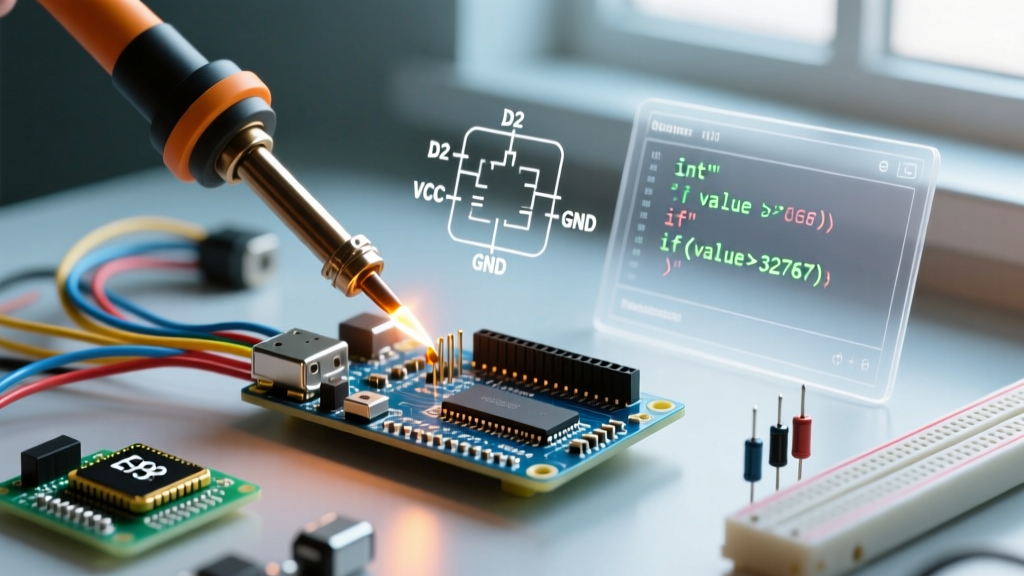
Integer overflow occurs when a calculation exceeds the maximum capacity of the data type. Because microcontrollers use Two's Complement binary representation, adding 1 to the maximum positive value of a 16-bit int (32,767) does not throw an error. Instead, it wraps around to the maximum negative value (-32,768).
Real-World Failure Mode: The Motor Controller Spike
Imagine you are building a PID temperature controller. Your error calculation results in an int value of 32,767. Due to a sudden thermal spike, the integral windup adds just 1 more to the variable. The int overflows to -32,768. If you pass this negative value into a function expecting an unsigned magnitude, or cast it to an 8-bit PWM signal via analogWrite(), the negative number is reinterpreted as a massive positive integer (e.g., 255). Your heater or motor suddenly receives 100% duty cycle, potentially causing hardware damage.
The Millis() Rollover Trap
One of the most common beginner mistakes is using an int to store the result of the millis() function. The Arduino millis() Reference explicitly states that millis() returns an unsigned long. A 16-bit int will overflow in just 32.7 seconds. Even a 32-bit signed int will overflow in roughly 24.8 days, causing timing logic to break and relays to stick. Always use unsigned long for time-tracking variables.
Memory Optimization Matrix: Choosing the Right Type
To write highly optimized firmware, you must select the smallest data type that safely holds your expected range. Use the following matrix to guide your variable declarations on 8-bit AVR boards:
| Data Type | Size (AVR) | Size (ARM/ESP32) | Value Range | Best Use Case |
|---|---|---|---|---|
byte / uint8_t |
1 byte | 1 byte | 0 to 255 | PWM values, raw I2C bytes, pin states |
int / int16_t |
2 bytes | 4 bytes* | -32,768 to 32,767 | Analog readings (0-1023), sensor math |
unsigned int |
2 bytes | 4 bytes* | 0 to 65,535 | Large counters, RPM calculations |
long / int32_t |
4 bytes | 4 bytes | -2.14B to 2.14B | Large accumulations, GPS coordinates |
float |
4 bytes | 4 bytes | ±3.4028235E38 | PID tuning, precise voltage mapping |
*Note: While ARM/ESP32 compilers treat standard int as 4 bytes, relying on this breaks cross-platform compatibility. See the next section for the solution.
Pro-Tip: Guaranteeing Cross-Platform Compatibility
If you plan to share your code on GitHub or migrate from an Uno to an ESP32 in the future, never rely on the generic int keyword for critical math. Instead, include the standard C++ integer library and use explicitly sized types.
The
<stdint.h>Standard:
By including#include <stdint.h>at the top of your sketch, you unlock exact-width integers. Useint16_twhen you specifically need a 16-bit signed integer, andint32_tfor 32-bit. This guarantees that your memory footprint and overflow thresholds remain identical whether you compile for an ATmega328P or an ESP32-S3. The AVR Libc FAQ highly recommends this practice for portable embedded firmware.
Advanced: Bitwise Operations for Sensor Parsing
Many I2C and SPI sensors, such as the MPU6050 accelerometer or BME280 environmental sensor, transmit 16-bit two's complement data split across two 8-bit registers (High Byte and Low Byte). You must combine these bytes into a single int to get the actual reading.
#include <stdint.h>

int16_t parseSensorData(uint8_t highByte, uint8_t lowByte) {
  // Shift the high byte 8 bits to the left, then bitwise OR with the low byte
  int16_t rawValue = (highByte << 8) | lowByte;
  return rawValue;
}
This bitwise shifting technique is vastly more memory-efficient and faster than using the String class or floating-point math to reconstruct sensor payloads.
The Volatile Keyword: Handling Interrupts Safely
When an int is modified inside an Interrupt Service Routine (ISR) and read inside your main loop(), it must be declared with the volatile keyword. This tells the compiler not to cache the variable in a CPU register, forcing it to read from SRAM every time.
Critical Edge Case for 8-bit AVR: Reading a 16-bit int on an 8-bit microcontroller requires two separate clock cycles (one for the low byte, one for the high byte). If an interrupt fires exactly between these two reads, your main loop will capture a corrupted, hybrid value. To prevent this, you must temporarily disable interrupts while reading the volatile integer in the main loop:
volatile int16_t encoderCount = 0;

void loop() {
  noInterrupts();
  int16_t safeCopy = encoderCount;
  interrupts();

  // Perform math on safeCopy, not encoderCount
}
Final Pre-Compilation Checklist
Before uploading your sketch, run through this rapid diagnostic checklist to ensure your integer variables are optimized and safe:
- Range Check: Will this variable ever exceed 32,767? If yes, upgrade to
longorint32_t. - Sign Check: Can this value ever be negative? If no, use
unsigned intoruint16_tto double your positive headroom. - Timing Check: Is this variable storing
millis()ormicros()? Change it tounsigned longimmediately. - ISR Check: Is this variable touched inside an
attachInterrupt()function? Add thevolatilekeyword and use atomic read blocks. - Memory Check: Are you using arrays of
intwhere an array ofbytewould suffice? Downsize to save SRAM.
Mastering the int Arduino data type is about more than just storing numbers; it is about understanding the physical limitations of the silicon you are programming. By respecting architecture boundaries, utilizing explicit typing, and guarding against overflow, you will write firmware that is robust, portable, and highly efficient.