
Key Takeaways
- The
returncommand exits an Arduino function immediately and passes a value back to the caller. - Using
returninside afororwhileloop terminates the entire function, not just the loop. - Microcontrollers like the ATmega328P have limited SRAM (2048 bytes), making efficient return strategies critical.
Table of Contents
- What is the Arduino Return Command?
- Using Return in Arduino Functions
- The Return Statement Inside Loops
- Performance and Memory Implications
- Frequently Asked Questions
What is the Arduino Return Command?
The return command in Arduino programming immediately terminates the execution of the current function and passes control back to the calling function. If the function is defined with a specific data type, the statement also passes a calculated value back. When executed inside a loop, it exits the entire parent function rather than just breaking the loop iteration.
This guide is written for beginner and intermediate Arduino developers, robotics hobbyists, and embedded systems students. It provides actionable strategies for writing cleaner C++ code for microcontrollers. You will learn how to manage memory and control flow effectively.
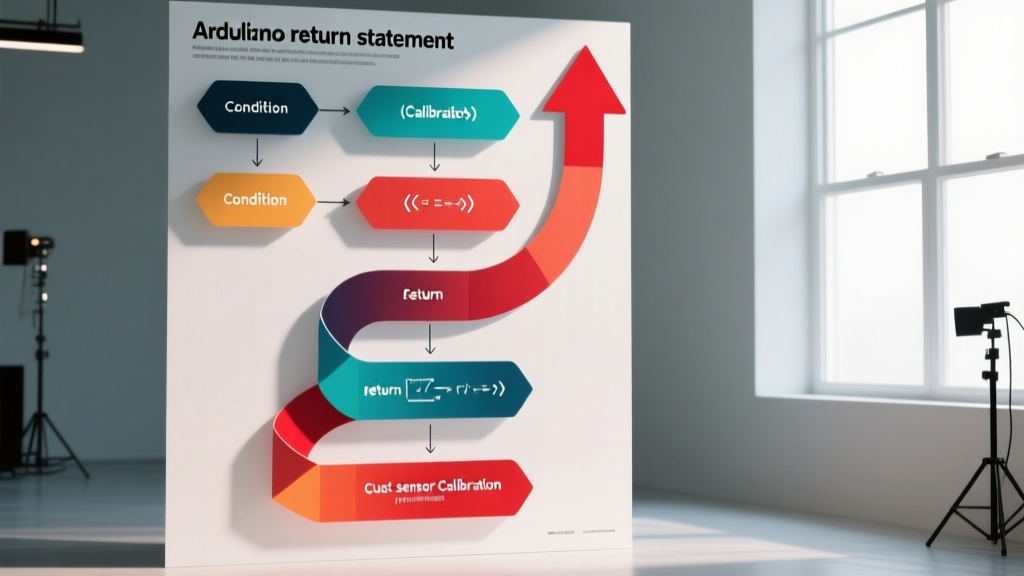
Return Statement: A fundamental C++ control structure keyword that immediately halts the execution of the current function block. It redirects the program flow back to the exact point following the initial function call, while optionally passing a specified data value to the caller.
Using Return in Arduino Functions
Returning Single Values
Custom functions allow you to modularize your firmware and reuse logic across your sketch. Defining a return type ensures the compiler allocates the correct memory for the output. The official Arduino Language Reference mandates that the returned data type matches the function declaration.
Standard integers on the ATmega328P microcontroller consume 2 bytes of memory. Floating-point numbers require 4 bytes of memory. Returning large arrays directly is impossible, so developers must pass pointers or use structures.
Returning Multiple Values
Arduino C++ does not natively support returning multiple discrete variables from a single function call. Developers must package the required data into a custom struct or class definition. Alternatively, you can pass variables by reference to allow the function to modify them directly in the parent scope.

The Return Statement Inside Loops
Exiting For and While Loops Early
Placing a return statement inside a for or while loop creates an early exit condition. This is highly useful for sensor polling when a specific threshold is met. The microcontroller immediately abandons the remaining loop iterations and exits the parent function.
Developers often confuse return with break when trying to exit a loop early. The break command only terminates the innermost loop structure. The return command terminates the entire function containing that loop.
Return vs Break vs Continue Decision Matrix
| Command | Scope of Effect | Use Case |
|---|---|---|
return | Exits the entire function | Abort operation and pass data back to caller |
break | Exits the current loop/switch | Stop iterating once a target condition is met |
continue | Skips to next loop iteration | Ignore invalid sensor readings without stopping |
Performance and Memory Implications
The ATmega328P microcontroller operates with only 2048 bytes of SRAM and a 16 MHz clock speed. Every function call adds a stack frame to the limited memory space. According to the AVR Libc Stack Documentation, mismanaging these return addresses causes stack overflow crashes.
Returning local variables by value is safe because the compiler copies the data before destroying the stack frame. Returning pointers to local variables causes critical memory corruption. Always allocate 8 bytes for double-precision floats if you are upgrading to 32-bit ARM boards.
Stack Memory: A specialized region of random-access memory that operates on a strict last-in, first-out principle. The microcontroller uses this limited memory space to store local variables, function parameters, and return addresses during nested function calls. Mismanaging this memory leads to stack overflow crashes.
Frequently Asked Questions
Can you use return in a loop in Arduino?
Yes, you can use the return command inside any loop structure. Doing so will immediately stop the loop and exit the function entirely. Use break instead if you only want to stop the loop but continue executing the rest of the function.
How do I return multiple values from a function in Arduino?
Arduino C++ does not support returning multiple discrete values directly. You must package the data into a custom struct or class. Alternatively, you can pass variables by reference to allow the function to modify them directly.
What is the difference between return and break in Arduino?
The return command exits the entire function and passes a value back to the caller. The break command only exits the current loop or switch statement. The continue command skips the rest of the current loop iteration and jumps to the next cycle.
Conclusion and Next Steps
Mastering the return command allows you to write predictable, memory-efficient firmware for your microcontroller projects. You now understand how to exit functions cleanly, pass data types accurately, and avoid common loop-trapping errors. Your next step is to open the Arduino Integrated Development Environment and refactor an existing sketch to replace global variables with local return values.