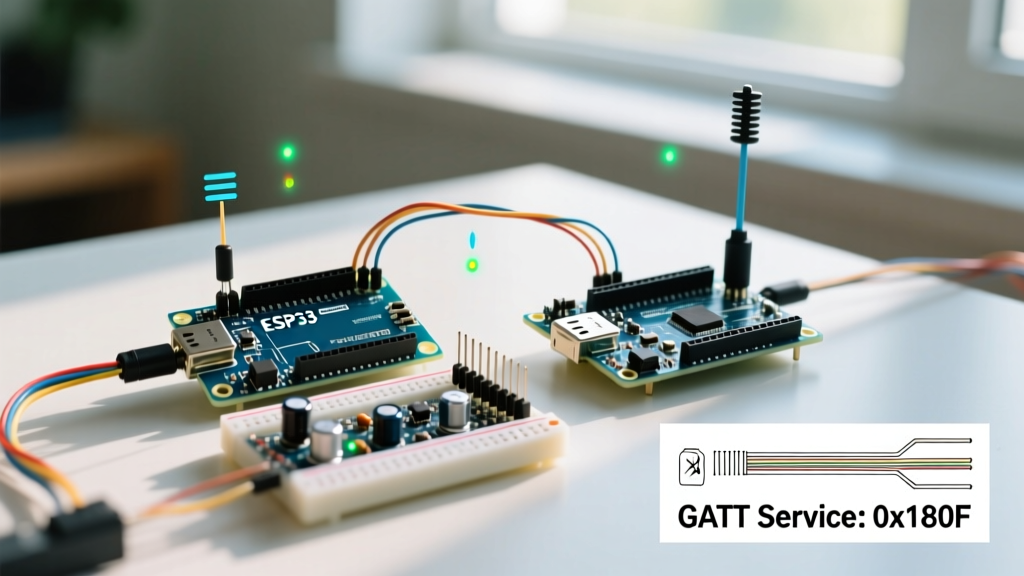
If you need to control hardware via URL parameters like ?led=1&state=on without freezing your ESP32's background tasks, the standard synchronous WebServer library will eventually cause watchdog resets under load. The direct solution is the ESPAsyncWebServer library paired with AsyncTCP. This combination offloads HTTP parsing to the lwIP (Lightweight IP) thread, keeping your main Arduino loop free for sensor polling and motor control.
Below is a complete, decision-forward guide to wiring, coding, and debugging an ESP32 async web server that safely extracts and acts on query parameters.
The Verdict: Sync vs. Async Web Servers on ESP32
Before writing a single line of code, you must choose the right server architecture. The ESP32's dual-core FreeRTOS environment handles concurrent connections poorly if the main thread blocks. Use this decision matrix to lock in your approach:
| Criteria | Standard WebServer (Sync) | ESPAsyncWebServer (Async) |
|---|---|---|
| Concurrent Clients | 1 (Blocks until response sent) | Up to 8-12 (Non-blocking) |
| Serving Large Files (LittleFS) | Fails / Causes WDT Resets | Streams in chunks natively |
| RAM Overhead | Low (~20KB) | Higher (~45KB + TCP buffers) |
| Query Parameter Parsing | server.arg() |
request->getParam() |
Parts List and Pin Mapping
This build targets the ubiquitous ESP32-WROOM-32 DevKit V1 (30-pin variant). We avoid GPIO 2 and GPIO 12 for outputs, as they are tied to boot-strapping resistors and can cause boot-loop failures if pulled high/low during power-on.
| Component | Specification / Variant | Quantity |
|---|---|---|
| Microcontroller | ESP32-WROOM-32 DevKit V1 (30-pin, Type-C or Micro-USB) | 1 |
| Indicators | 5mm Standard LEDs (Red and Green) | 2 |
| Current Limiting | 220Ω or 330Ω 1/4W Resistors | 2 |
| Prototyping | 830-point Solderless Breadboard & Jumper Wires | 1 |
Pin Mapping Table
| ESP32 GPIO | Component | Notes |
|---|---|---|
| GPIO 16 | Red LED (Anode via 220Ω) | Safe for boot; no strapping conflicts. |
| GPIO 17 | Green LED (Anode via 220Ω) | Safe for boot; supports PWM if needed later. |
| GND | LED Cathodes | Common ground rail. |
Complete ESP32 Async Web Server Query Parameters Example
The following code is fully compilable in the Arduino IDE (ESP32 core v2.0.14 or v3.x) or PlatformIO. It connects to WiFi, spins up the async server, and listens for two query parameters: target (which LED) and state (on/off).
#include <WiFi.h>
#include <AsyncTCP.h>
#include <ESPAsyncWebServer.h>

// --- Network Credentials ---
const char* ssid = "YOUR_WIFI_SSID";
const char* password = "YOUR_WIFI_PASSWORD";

// --- Pin Definitions ---
const int LED_RED = 16;
const int LED_GREEN = 17;

// --- Server Instance ---
AsyncWebServer server(80);

void setup() {
  Serial.begin(115200);
  pinMode(LED_RED, OUTPUT);
  pinMode(LED_GREEN, OUTPUT);
  digitalWrite(LED_RED, LOW);
  digitalWrite(LED_GREEN, LOW);

  // Connect to Wi-Fi
  WiFi.begin(ssid, password);
  while (WiFi.status() != WL_CONNECTED) {
    delay(500);
    Serial.print(".");
  }
  Serial.println("\nConnected! IP address: " + WiFi.localIP().toString());

  // --- Route: Root ---
  server.on("/", HTTP_GET, [](AsyncWebServerRequest *request){
    request->send(200, "text/html",
      "<h2>ESP32 Async Control</h2>"
      "<p>Use: <code>/control?target=red&state=on</code></p>"
      "<p>Targets: red, green | States: on, off</p>");
  });

  // --- Route: Control via Query Parameters ---
  server.on("/control", HTTP_GET, [](AsyncWebServerRequest *request){

    // 1. Validate required parameters exist
    if (!request->hasParam("target") || !request->hasParam("state")) {
      request->send(400, "text/plain", "Error: Missing 'target' or 'state' parameter.");
      return;
    }

    // 2. Extract parameter values
    String target = request->getParam("target")->value();
    String state = request->getParam("state")->value();

    // 3. Map to hardware safely
    int pin = -1;
    if (target == "red") pin = LED_RED;
    else if (target == "green") pin = LED_GREEN;

    if (pin == -1) {
      request->send(400, "text/plain", "Error: Invalid target. Use 'red' or 'green'.");
      return;
    }

    // 4. Execute hardware state change
    if (state == "on") {
      digitalWrite(pin, HIGH);
      request->send(200, "text/plain", "Success: " + target + " LED turned ON.");
    }
    else if (state == "off") {
      digitalWrite(pin, LOW);
      request->send(200, "text/plain", "Success: " + target + " LED turned OFF.");
    }
    else {
      request->send(400, "text/plain", "Error: Invalid state. Use 'on' or 'off'.");
    }
  });

  // --- Handle 404 Not Found ---
  server.onNotFound([](AsyncWebServerRequest *request){
    request->send(404, "text/plain", "404: Endpoint not found.");
  });

  server.begin();
  Serial.println("Async HTTP server started.");
}

void loop() {
  // Keep loop empty or use for non-blocking sensor reads.
  // NEVER use delay() here when using AsyncTCP.
}
Debugging: First 3 Things to Check When It Crashes
AsyncTCP and ESPAsyncWebServer execute their callbacks inside the ESP32's lwIP (Lightweight IP) thread, not your main Arduino loop. If you violate the rules of this thread, the RTOS will panic. Here is the exact decision path for the three most common crash signatures.
1. The "Guru Meditation Error: Core 1 panic'ed (Interrupt wdt timeout on CPU1)"
- The Cause: You placed a blocking function like
delay(),Wire.requestFrom()without a timeout, or a longforloop inside theserver.on()callback. The lwIP thread missed its watchdog feed. - The Fix: Never block in an async callback. If you need to trigger a slow hardware sequence (like moving a stepper motor), set a
volatile boolflag inside the callback, and execute the physical movement inside theloop()based on that flag.
2. The "Exception (28): LoadProhibited" or "Stack Smashing Protect Failure"
- The Cause: Heap fragmentation or out-of-bounds memory access. This usually happens when you heavily manipulate Arduino
Stringobjects inside the callback, or try to serve large HTML strings stored in RAM instead of Flash (PROGMEM/LittleFS). - The Fix: Use
request->send_P()for large HTML payloads stored in flash. For query parameters, extract the value to a primitive type (likeintorchararray) immediately and discard theStringobject. Refer to the Espressif Watchdog API documentation for deeper RTOS thread context limits.
3. The "rst:0x10 (RTCWDT_RTC_RESET)" on Boot
- The Cause: The WiFi connection loop in
setup()is blocking the RTC watchdog because it lacks ayield()ordelay()to feed the background RF tasks. - The Fix: Ensure your
while (WiFi.status() != WL_CONNECTED)loop includes adelay(500);oryield();inside it. (This is included in the provided code above).
Extending and Simplifying the Build
Once you have the baseline query parameter routing working, you will inevitably need to scale the project. Use this framework to decide your next architectural move:
| Goal | Implementation Strategy | Complexity |
|---|---|---|
| Simplify UI | Replace raw URL typing with a local HTML file hosted on LittleFS. Use JavaScript fetch() to send the query parameters in the background without reloading the page. |
Medium |
| Handle Complex Data | Abandon URL query parameters for configuration. Switch to HTTP POST requests with a JSON body. Use ArduinoJson to parse the payload in the onRequestBody callback. |
High |
| Real-time Updates | Implement WebSockets via AsyncWebSocket. Query parameters are strictly request-response; WebSockets allow the ESP32 to push sensor data to the browser instantly. |
High |
| Secure the Endpoint | Add HTTP Basic Authentication. In the async callback, check request->authenticate("admin", "password") before parsing parameters. Return request->requestAuthentication() if it fails. |
Low |
WiFi.onEvent() callback can catch ARDUINO_EVENT_WIFI_STA_DISCONNECTED and trigger a reconnect without requiring a full hardware reboot, preserving your hardware states.
By keeping your async callbacks lean, validating parameters before mapping them to hardware, and respecting the lwIP thread boundaries, your ESP32 web server will run indefinitely without succumbing to the dreaded watchdog resets.