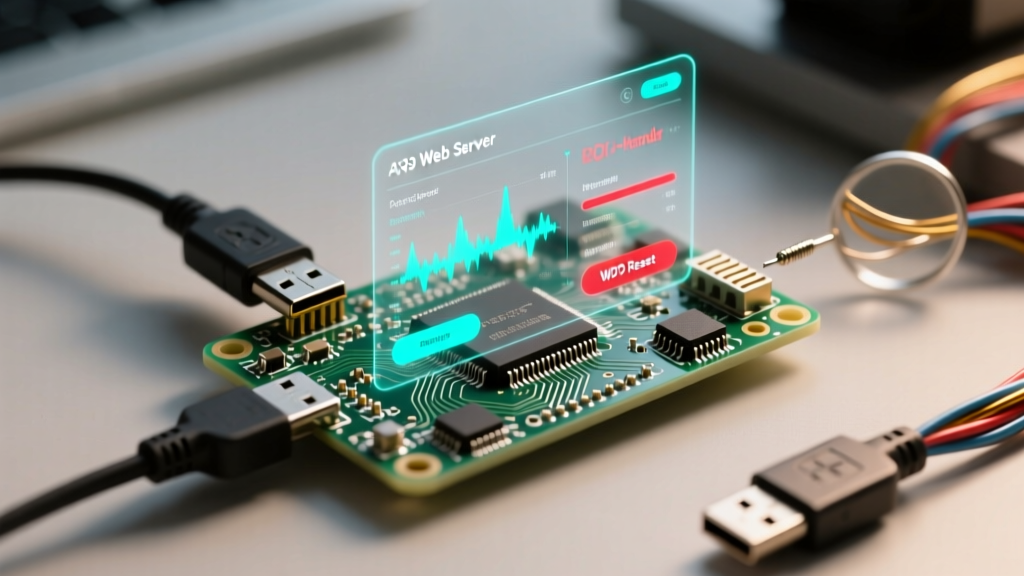

The ESPAsyncWebServer library is the undisputed champion for building non-blocking, high-performance IoT dashboards on Espressif microcontrollers. However, when developers transition from simple stateless HTTP GET requests to real-time, bidirectional telemetry using Server-Sent Events (SSE) or WebSockets, the esp32 async web server event handler frequently becomes a source of catastrophic failure. Symptoms range from silent heap exhaustion and ghost clients to violent Task Watchdog Timer (TWDT) core panics.
Debugging these asynchronous environments requires a fundamental shift in how you think about task execution. Unlike standard synchronous web servers, your event callbacks do not run in the main loop(). They execute in the context of the underlying TCP/IP stack. This article provides a deep-dive troubleshooting framework for diagnosing and resolving the most insidious event handler failures on the ESP32.
The ESP-IDF 5.x Migration: Why Legacy Event Handlers Fail
Before diving into logic bugs, we must address the architectural shift in the ESP32 Arduino Core 3.0.0+ (based on ESP-IDF 5.1). The original me-no-dev/ESPAsyncWebServer repository is effectively deprecated and will fail to compile or crash unpredictably on modern cores due to underlying LWIP (Lightweight IP) and FreeRTOS task priority changes.
If your event handlers are suddenly triggering Guru Meditation Errors after a platform update, the root cause is likely an incompatibility with the legacy AsyncTCP library. To stabilize your event handlers, you must migrate to the actively maintained mathieucarbou/ESPAsyncWebServer fork, alongside its companion AsyncTCP Fork for ESP-IDF 5.x. These forks correctly handle the new LWIP callback contexts and prevent immediate core panics upon client connection.
Core Panics: Blocking the AsyncTCP Task Context
The most common reason for a Watchdog Timer (WDT) reset in an AsyncWebSocket or AsyncEventSource callback is blocking the async thread. When a client connects, disconnects, or sends a message, the library triggers your onEvent callback. This callback runs on the async_tcp task, which is responsible for processing all incoming and outgoing TCP packets for the server.
If you perform heavy operations inside this callback—such as reading from an SD card, executing SPIFFS.open(), performing blocking delay() calls, or running heavy ArduinoJson serialization on a 4KB payload—you starve the LWIP task. The ESP32's Task Watchdog Timer monitors this task; if it does not yield within the configured timeout (usually 5 seconds), the TWDT triggers a core panic and reboots the MCU.
The FreeRTOS Queue Deferral Pattern
The golden rule of async event handling is: never do heavy lifting in the callback. Instead, use the event handler solely to parse the incoming event and defer the actual processing to a dedicated FreeRTOS task.
Expert Architecture Tip: Create a custom FreeRTOS Queue usingxQueueCreate(). Inside youronEventcallback, package the client ID and the incoming payload into a struct, and push it to the queue usingxQueueSendFromISR()orxQueueSend(). Your mainloop()or a dedicated Core 1 task should then poll this queue, perform the heavy JSON parsing, interact with hardware peripherals, and send the response back to the specific client ID.
This pattern ensures the async TCP thread is freed immediately to handle network ACKs and keep-alive packets, completely eliminating WDT resets caused by application logic.
Diagnosing Ghost Clients and Heap Fragmentation
A 'ghost client' occurs when a user closes their browser tab or loses WiFi connectivity, but the ESP32 fails to register the disconnect event. In Server-Sent Events (AsyncEventSource), the server continues to queue telemetry messages for a client that is no longer listening. Because the TCP window is full and the client isn't sending ACKs, the ESP32's send queue grows until the heap is exhausted, resulting in an Out-Of-Memory (OOM) crash.
To debug this, you must monitor the heap watermark and actively manage client lifecycle states. Relying solely on the DISCONNECT event type is insufficient for mobile clients that frequently drop connections without sending a TCP FIN packet.
Memory Leak Signatures in Event Sources
| Symptom | Root Cause | Resolution Strategy |
|---|---|---|
| Heap drops 2KB per hour | Unacknowledged SSE messages queuing in AsyncTCP buffers | Implement client ping/pong or max-queue limits |
| WDT Reset on Client Connect | Heavy JSON serialization inside onEvent callback | Defer processing via FreeRTOS Queue |
| Random Disconnects after 10 mins | Router NAT table timeout dropping idle TCP connections | Send SSE keep-alive comments every 15 seconds |
| Core Panic on Browser Refresh | Race condition accessing global variables during reconnect | Use portMUX_TYPE spinlocks or semaphores |
To mitigate ghost clients, implement a periodic cleanupClients() call in your main loop, but more importantly, track the millis() timestamp of the last successful message acknowledgment. If a client hasn't ACKed data in 30 seconds, forcefully close the connection from the server side using client->close().
Event Queue Overflows in Server-Sent Events (SSE)
When pushing high-frequency sensor data (e.g., 50Hz IMU readings) via the AsyncEventSource event handler, you will quickly hit the limits of the ESP32's TCP buffer. If the server pushes data faster than the network can transmit it, the internal AsyncTCP send queue overflows. The library will either drop packets silently or crash due to heap allocation failures.
To debug high-frequency event handler overflows, you must implement a 'dirty flag' or 'latest value' caching mechanism. Instead of queuing every single sensor reading, the event handler should only update a global, mutex-protected variable. A separate, timer-driven task running at a safe network rate (e.g., 10Hz) reads this variable and broadcasts it to all connected SSE clients. This decouples your hardware sampling rate from your network transmission rate, ensuring the event handler remains stable under load.
A Structured Debugging Workflow for Async Events
When your event handler misbehaves, follow this systematic debugging workflow to isolate the fault domain:
- Enable Verbose LWIP Logging: In your
platformio.inior Arduino IDE build flags, enable-DCORE_DEBUG_LEVEL=5. This will print raw TCP state transitions to the serial monitor, allowing you to see if the ESP32 is actually receiving the TCP FIN packet from the client. - Pin the Async Task: Use
CONFIG_ASYNC_TCP_RUNNING_CORE=1in your build flags to pin the async TCP task to Core 1, leaving Core 0 exclusively for your application logic and hardware interrupts. This prevents Wi-Fi modem interrupts from starving your event callbacks. - Monitor Stack High Watermarks: Use
uxTaskGetStackHighWaterMark(NULL)inside your deferred processing task. If the watermark drops below 512 bytes during complex event parsing, you are at risk of a stack overflow, which often manifests as a corrupted heap and delayed core panics. - Validate Thread Safety: Ensure that any global state modified by the
onEventcallback is protected. The ESP32 is dual-core; if your event callback runs on Core 0 and yourloop()reads that data on Core 1, you must usexSemaphoreTakeorstd::mutexto prevent data tearing.
Authoritative References & Further Reading
Mastering the esp32 async web server event handler requires a solid understanding of the underlying RTOS and networking stacks. For deeper architectural insights, consult the following resources:
- Espressif Task Watchdog Timer (TWDT) Documentation - Essential for understanding why your callbacks are triggering reboots and how to reconfigure the WDT timeout limits.
- mathieucarbou/ESPAsyncWebServer GitHub Repository - The definitive, actively maintained fork required for ESP32 Arduino Core 3.x and ESP-IDF 5.1+ compatibility.
- FreeRTOS API Reference for ESP-IDF - Critical for implementing the queue deferral patterns and mutex locks discussed in this guide.
By respecting the boundaries of the async TCP task, deferring heavy logic via FreeRTOS queues, and actively managing client lifecycle states, you can transform your ESP32 web server from a fragile prototype into a robust, production-ready IoT gateway.