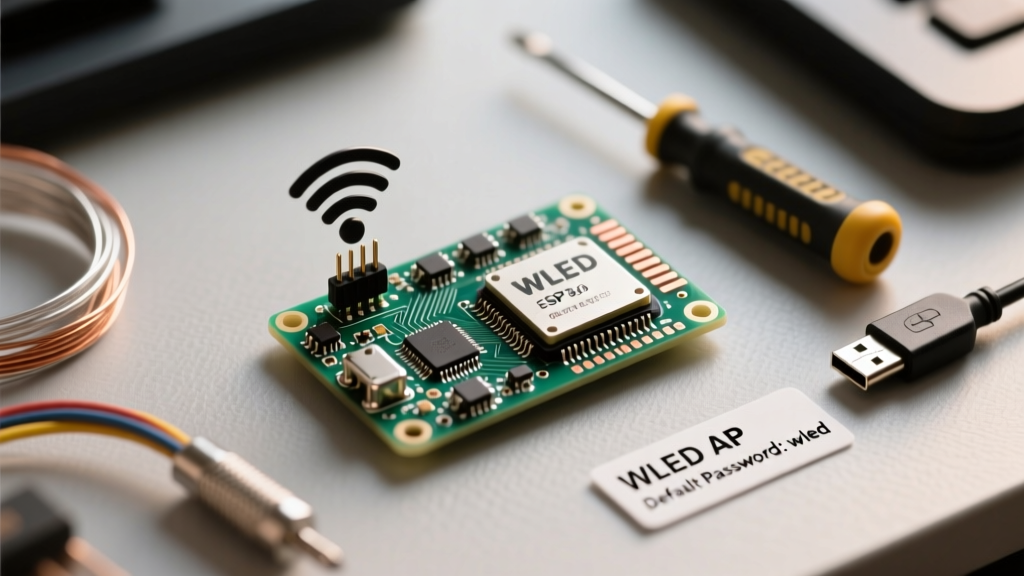

Building custom addressable LED arrays using WS2812B, SK6812, or APA102 strips is a cornerstone of modern DIY electronics. At the heart of most of these projects is WLED, the wildly popular open-source firmware for ESP8266 and ESP32 microcontrollers. However, before you can orchestrate complex lighting sequences, you must conquer the initial setup hurdle: connecting to the device's fallback hotspot. If you are searching for the WLED AP password, you are likely staring at a blinking ESP board wondering why your router hasn't picked it up yet.
This guide goes far beyond a simple credential lookup. We will dissect the anatomy of WLED's Access Point (AP) mode, explain the engineering quirks behind its IP addressing, and provide a hardware-level troubleshooting matrix for when the captive portal inevitably fails on modern smartphones.
The Anatomy of WLED's Access Point Fallback
To understand the WLED AP password, you must first understand the WLED boot state machine. When an ESP8266 or ESP32 chip powers on, WLED immediately queries its Non-Volatile Storage (NVS) or EEPROM for saved Wi-Fi credentials. If the NVS is completely empty (as it is on a freshly flashed chip), or if the saved credentials fail to associate with a local router within a specific timeout window (usually 10 to 15 seconds), the firmware triggers a fallback protocol.
It abandons Station (STA) mode and initializes a software-based Access Point. This is a localized Wi-Fi network broadcast directly from the microcontroller's antenna. Because the ESP8266 lacks the hardware memory to run a full-scale enterprise router stack, this AP mode is highly stripped down, relying on a lightweight LwIP (Lightweight IP) network stack and a minimal DNS server designed solely to serve the WLED web interface.
Default WLED AP Password and Network Credentials
Out of the box, Aircoookie's official WLED firmware uses a universal default credential set. This allows manufacturers who sell pre-flashed WLED controllers (like those found on AliExpress or Amazon) to provide a seamless unboxing experience.
| Network Parameter | Default Value | Technical Notes |
|---|---|---|
| SSID (Network Name) | WLED-AP or WLED-ESP-XXXXXX |
The XXXXXX is usually a partial MAC address to differentiate multiple boards. |
| WLED AP Password | wled1234 |
Case-sensitive. Exactly 8 characters to meet WPA2 minimum requirements. |
| Default IP Address | 4.3.2.1 |
Not the standard 192.168.x.x. See section below for the engineering reason. |
| Subnet Mask | 255.255.255.0 |
Standard Class C subnet for the localized DHCP server. |
| Security Protocol | WPA2-PSK (AES) | Required by modern mobile OS devices to allow a stable connection. |
Step-by-Step: Connecting to the Hotspot
- Power on your ESP8266/ESP32 via USB or a 5V power supply.
- Wait approximately 15 seconds. The onboard LED (usually GPIO2 on ESP8266) will blink, indicating AP mode is active.
- Open the Wi-Fi settings on your smartphone or laptop.
- Select the
WLED-APnetwork and enter the WLED AP password:wled1234. - Once connected, open a web browser and navigate to
http://4.3.2.1.
The 4.3.2.1 IP Quirk: Engineering the Captive Portal
Veteran network engineers often scratch their heads when they see WLED's default IP address. Standard consumer routers use 192.168.1.1 or 10.0.0.1. So why does WLED use 4.3.2.1?
This is a deliberate, brilliant hack designed to force modern smartphones to trigger a Captive Portal login screen. When an iOS or Android device connects to a new Wi-Fi network, it silently pings a known Apple or Google server (like captive.apple.com) to check for internet access. If the DNS request is intercepted and redirected to a local IP, the OS assumes it's on a public network (like a hotel or airport) and automatically throws up the WLED setup UI.
By using an IP address in the 4.x.x.x range (which is technically assigned to Level 3 Communications and not reserved for private local networks), WLED ensures that the mobile OS recognizes the network as 'unrouted' to the broader internet, aggressively triggering the captive portal popup without requiring the user to manually type an IP address into Safari or Chrome. You can read more about this behavior in the WLED Official Getting Started Guide.
Troubleshooting Matrix: Connection Failures
Despite the elegant fallback system, the ESP8266's aging Wi-Fi silicon and modern smartphone security features frequently clash. Below is a diagnostic matrix for the most common AP mode failures.
| Symptom | Root Cause | Hardware / Software Fix |
|---|---|---|
| Password 'wled1234' is rejected by phone. | You bought a pre-flashed board from a third-party vendor who compiled a custom fork with a different hardcoded AP password. | Try 12345678 or password. If those fail, you must re-flash the ESP with official firmware via USB. |
| Phone connects, but says 'No Internet' and drops the connection. | iOS 'Private Wi-Fi Address' (MAC Randomization) or Android 'MAC Randomization' is confusing the ESP's lightweight DHCP server. | Go into your phone's Wi-Fi settings for the WLED-AP network and toggle OFF 'Private Wi-Fi Address' or set MAC to 'Use Device MAC'. |
| Captive portal never pops up. | Modern mobile browsers enforce HTTPS (DNS over HTTPS), bypassing the ESP's local DNS spoofing. | Manually type http://4.3.2.1 into the browser address bar. Ensure you type http:// and not https. |
| AP network disappears after 2 seconds. | Power supply brownout. The ESP32 draws up to 500mA during Wi-Fi transmission spikes, causing a voltage drop and a boot-loop. | Use a dedicated 5V 2A+ power supply wired directly to the 5V/GND pins, bypassing the USB micro-port's restrictive polyfuse. |
Escaping AP Mode: Provisioning Your Local Router
The ultimate goal of the WLED AP password is simply to get you into the web interface so you can provision your actual home router credentials. Once you are on the 4.3.2.1 page, tap the WiFi Setup button.
Expert Warning regarding WPA3 and PMF: The ESP8266 and early ESP32 chips do not natively support WPA3-SAE or 802.11w Protected Management Frames (PMF). If your mesh router (like Eero, Asus ZenWiFi, or Ubiquiti UniFi) enforces WPA3 or requires PMF for 2.4GHz IoT networks, the ESP will fail to authenticate. It will silently drop the connection and immediately reboot back into AP mode. You must create a dedicated 2.4GHz 'IoT SSID' on your router using legacy WPA2-PSK (AES) security with PMF disabled. For deeper architectural details on ESP Wi-Fi limitations, consult the Espressif Wi-Fi Driver API documentation.
Enter your 2.4GHz SSID and password, hit save, and the ESP will reboot. If the credentials are correct, the WLED AP will vanish, and the device will pull an IP address from your main router's DHCP pool.
Emergency Hard Reset: When the AP Password Fails
What happens if you are salvaging a WLED node from a previous owner, or you flashed a custom usermod that altered the NVS partition, and the default WLED AP password no longer works? You cannot simply 'factory reset' an ESP chip via a button press like a commercial smart plug. You must wipe the flash memory.
The GPIO0 Bootloader Method
On an ESP8266, if you bridge GPIO0 to GND while applying power, the chip enters UART Serial Bootloader mode. It will not execute the WLED firmware, meaning it won't broadcast an AP. From here, you can connect the board to your PC via USB and use the Espressif Flash Download Tool or the esptool.py command line utility to execute an erase_flash command. This completely blanks the NVS, wiping any custom AP passwords and forcing the next WLED installation to revert to the pristine wled1234 default.
For a comprehensive look at compiling your own firmware to permanently hardcode a new AP password or bypass the setup screen entirely, review the source code and wiki on the Aircoookie WLED GitHub Repository.
Summary of Best Practices
Mastering the WLED AP setup is a rite of passage for DIY lighting engineers. Always remember the holy trinity of WLED provisioning: the password is wled1234, the IP is 4.3.2.1, and your router must be broadcasting a 2.4GHz WPA2 signal. By understanding the underlying network stack and the quirks of mobile OS captive portals, you can bypass the frustration and get straight to designing your LED presets.