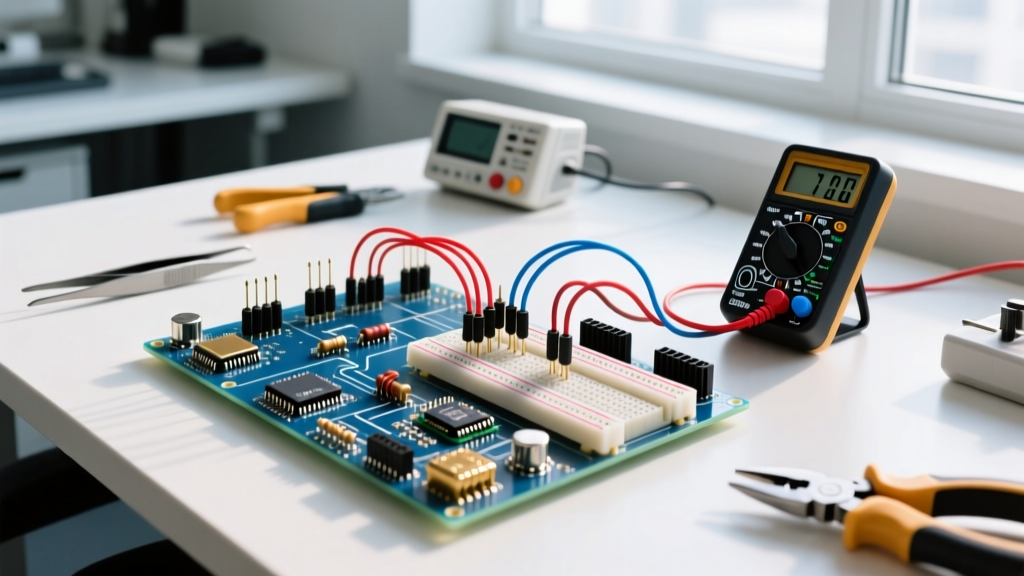
When we talk about smart home tech, most consumers only see the plastic enclosures and the app interfaces. But on the workbench, Zigbee represents a fundamental shift in how we design control circuits. It replaces physical copper control wires with 2.4 GHz radio frequency (RF) packets, utilizing Direct Sequence Spread Spectrum (DSSS) to punch through domestic noise floors. Understanding the definition of Zigbee from an electrical and RF perspective is critical if you are designing custom sensor nodes, sizing battery packs for off-grid telemetry, or retrofitting multi-way switch circuits in older homes.
The Core Specs: How Zigbee Actually Transmits
Zigbee does not define the physical radio itself; it relies on the IEEE 802.15.4 standard for the Physical (PHY) and Media Access Control (MAC) layers. Zigbee handles the network and application layers on top of that. In most global regions, it operates at 2.4 GHz, utilizing 16 distinct channels (each 5 MHz wide) with a maximum data rate of 250 kbps. This low data rate is intentional: it allows the radio to use narrow bandwidth, which drastically lowers the noise floor and improves receiver sensitivity, often reaching down to -98 dBm.
To understand where Zigbee fits in the RF ecosystem, you have to compare its silicon-level power draw and topology limits against its direct competitors. The table below breaks down the real-world hardware constraints you will face when selecting a radio module for a custom PCB.
| Protocol | PHY Standard | Frequency (US) | Max Data Rate | Typical TX Current | Topology Limit |
|---|---|---|---|---|---|
| Zigbee 3.0 | IEEE 802.15.4 | 2.4 GHz | 250 kbps | ~30 mA @ +6 dBm | 65,535 nodes |
| Thread 1.3 | IEEE 802.15.4 | 2.4 GHz | 250 kbps | ~30 mA @ +6 dBm | 65,535 nodes |
| Z-Wave 800 | Proprietary (ITU) | 908.42 MHz | 100 kbps | ~15 mA @ +6 dBm | 4,000 nodes |
| Wi-Fi 6 (2.4G) | IEEE 802.11ax | 2.4 GHz | 286 Mbps | ~150 mA (burst) | ~255 (practical) |
Note: TX current values are based on bench measurements of modern SoCs like the Silicon Labs EFR32MG21 and Nordic nRF52840. Older 8-bit Zigbee modules will draw significantly more.
What Zigbee Changes in a Physical Wiring Installation
In a traditional residential circuit, if you want to control a single 120V 15A lighting load from three different locations, you must wire a 4-way switch system. This requires running 14/2 NM-B to the first switch, then 14/3 NM-B (using the red and black conductors as travelers) between the intermediate switches, and finally 14/2 to the load. It is copper-intensive, difficult to fish through finished walls, and creates a single point of failure if a traveler wire gets pinched and shorts to ground.
Zigbee fundamentally alters this installation. By placing a Zigbee-enabled smart relay (like a Sonoff ZBMINI-L) directly at the load or in the junction box, you only need to provide line and neutral (or just line, if using a no-neutral module with a bypass capacitor). The physical wall switches are replaced by battery-powered Zigbee scene controllers. What it changes in the real circuit is the total elimination of traveler wires and the decoupling of the control logic from the mains voltage path. You are no longer switching 120V AC at the wall; you are sending a 2.4 GHz RF packet that tells a solid-state triac or mechanical relay at the ceiling fixture to alter its state. This reduces copper usage and allows you to mount a 'switch' on a glass shower door or a stone fireplace where running conduit would be impossible.
Worked Example: Sizing a Battery for a Zigbee PIR Sensor
The most common failure point in DIY and commercial Zigbee deployments is misunderstanding battery drain in sensor nodes. Let us calculate the theoretical battery life of a Zigbee Passive Infrared (PIR) motion sensor powered by a standard CR2032 coin cell (nominal capacity: 225 mAh), and see why cheap sensors die so quickly.
• PIR Sensor Module: Generic off-brand (e.g., SR602 variant) drawing 50 µA continuous standby current.
• Zigbee SoC: Sleep mode (EM2) drawing 1.2 µA.
• TX Event: Waking the PLL, transmitting the payload, and waiting for the MAC ACK takes 25 ms at an average of 35 mA.
• Usage: 100 motion events per day.
Step 1: Calculate Daily Sleep Drain
The PIR module must remain active to detect motion, meaning the node never truly 'deep sleeps'.
Total sleep current = 50 µA (PIR) + 1.2 µA (Zigbee) = 51.2 µA (0.0512 mA).
Daily sleep drain = 24 hours × 0.0512 mA = 1.228 mAh/day.
Step 2: Calculate Daily TX Drain
100 events × 0.025 seconds = 2.5 seconds of active TX/RX time per day.
2.5 seconds = 0.000694 hours.
Daily TX drain = 0.000694 hours × 35 mA = 0.024 mAh/day.
Step 3: Total Life Calculation
Total daily consumption = 1.228 + 0.024 = 1.252 mAh/day.
Theoretical life = 225 mAh / 1.252 mAh/day = 179 days (approx. 6 months).
This math explains a massive real-world frustration. The RF transmission itself (0.024 mAh) is virtually negligible. The battery is being killed by the continuous 50 µA draw of the cheap PIR sensor module. If you swap the PIR for a magnetic reed switch on a door contact—which draws exactly 0 µA in standby—that same CR2032 will last over two years. When designing your own nodes on a bench, always check the quiescent current of your sensing element, not just the Zigbee radio datasheet.
Where You Meet This in Practice (And Common Confusions)
You will primarily encounter Zigbee in three scenarios: commercial lighting control (where DALI is too expensive), smart home hubs (like the Philips Hue Bridge or Amazon Echo Show with built-in coordinators), and DIY home automation via Home Assistant using a dedicated coordinator dongle (such as the Sonoff Zigbee 3.0 USB Dongle Plus featuring the CC2652P chip).
The most frequent confusion on the bench is mixing up Zigbee, Thread, and Matter. People ask, 'Should I buy a Matter bulb or a Zigbee bulb?' This is a category error. Matter is an application layer (the language the devices speak to ensure interoperability between Apple, Google, and Amazon). Zigbee and Thread are transport layers (the roads the data drives on). A device can run Matter over Thread, but it cannot run Matter over Zigbee. If you are building a new RF mesh from scratch in 2026, Thread is generally preferred for new IP-based deployments, but Zigbee remains the undisputed king of legacy device compatibility and raw node-count scalability in commercial sensor networks.
Quick Reference FAQ
Does Zigbee interfere with Wi-Fi?
Yes, if poorly configured. Zigbee channels 15, 20, and 25 fall between the standard Wi-Fi channels 1, 6, and 11 in the 2.4 GHz band. Always hard-code your Zigbee coordinator to channel 25 to avoid 802.11n/ax beacon collisions.
What is the maximum range of a single Zigbee node?
Line-of-sight with a standard +6 dBm chip antenna is roughly 100 meters. However, inside a residential structure with drywall, timber, and copper wiring, expect a reliable point-to-point radius of 10 to 15 meters before requiring a router node (like a smart plug) to repeat the signal.
Can I wire a Zigbee switch to a 277V commercial panel?
The Zigbee protocol doesn't care about voltage, but the physical relay module you buy must be rated for it. Never put a standard 100-240V AC rated smart relay on a 277V commercial lighting circuit; the arc suppression inside the module will fail, resulting in a welded relay contact and a severe fire hazard.