
Introduction to Physical WLED Control
While the WLED web interface and mobile apps offer unparalleled granularity for LED matrix mapping and effect timing, integrating a physical WLED remote control remains the most tactile and immediate way to adjust ambient lighting. Whether you are building a bias lighting system behind a monitor or installing architectural cove lighting, an Infrared (IR) remote eliminates the friction of unlocking a smartphone. This reference guide serves as your definitive cheat sheet for IR receiver selection, GPIO pin mapping, standard NEC hex codes, and advanced API overrides using ir.json.
Hardware Selection: TSOP38238 vs. VS1838B
The foundation of any reliable WLED remote control setup is the IR receiver module. Most beginner kits include the VS1838B, but for permanent architectural installations, you should upgrade to the TSOP38238.
- VS1838B: A budget-friendly, widely available receiver. It lacks robust Automatic Gain Control (AGC) and is highly susceptible to noise from modern CFL/LED light bulbs and direct sunlight, which can cause phantom button presses in WLED.
- TSOP38238 (Vishay): The industry standard for 38kHz carrier frequencies. It features superior shielding against ambient light and electrical noise. According to the Vishay datasheet, optimal performance requires a specific RC filter circuit to prevent power supply ripple from the LED strip from blinding the sensor.
The Vishay Recommended Filter Circuit
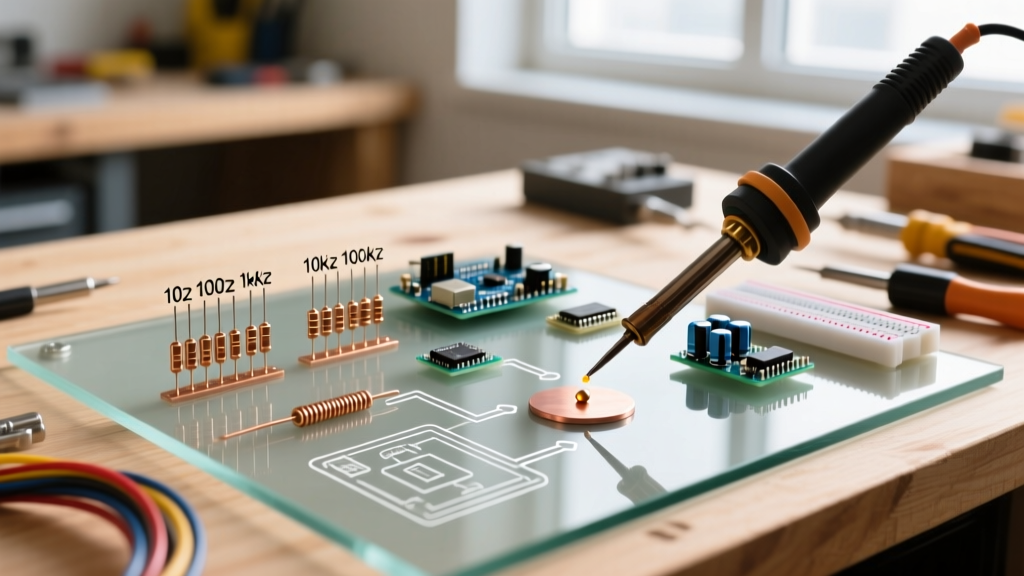
If you are wiring a bare TSOP38238 to your ESP32 or ESP8266, do not just connect VCC, GND, and OUT. You must implement a decoupling circuit to handle the massive current spikes generated by WS2812B/SK6812 LED strips:
- Place a 100Ω to 470Ω resistor between the 5V power supply and the VCC pin of the receiver.
- Place a 4.7μF electrolytic capacitor between the receiver's VCC and GND pins.
- This low-pass filter ensures that voltage dips caused by white LED flashes do not reset the IR receiver's internal AGC.
GPIO Pinout Cheat Sheet for IR Receivers
Assigning the correct ir_pin in WLED is critical. Infrared decoding relies on hardware interrupts to measure microsecond-level pulses. Using the wrong pin will result in total failure or boot-looping.
| Microcontroller | Recommended GPIO | Board Silk Screen Label | Notes & Warnings |
|---|---|---|---|
| ESP8266 (NodeMCU) | GPIO 14 | D5 | Best pin for interrupts. Safe for boot. |
| ESP8266 (Wemos D1) | GPIO 4 | D2 | Alternative safe pin. |
| ESP32 (DevKit V1) | GPIO 15 | D15 | Supports interrupts. Beware of strapping pin noise on boot. |
| ESP32 (DevKit V1) | GPIO 34 | D34 | Input-only pin. Requires external 10kΩ pull-up resistor to 3.3V. |
CRITICAL WARNING: Never use GPIO 16 (D0) on the ESP8266 for your WLED remote control. GPIO 16 does not support hardware interrupts, meaning the IRremoteESP8266 library cannot decode the NEC signal, and WLED will silently ignore all button presses. For more on pin capabilities, consult the official WLED Infrared documentation.
Master IR Code Table: Standard 24-Key RGB Remote
The 24-key RGB remote is the most ubiquitous controller bundled with LED strip kits. WLED natively maps these NEC-format hex codes to default actions. Below is the cheat sheet for the standard codes. If your remote uses a different chipset, you can capture your specific hex codes by enabling Serial output in WLED settings and pressing buttons while connected to the serial monitor.
| Button Label | NEC Hex Code | Default WLED Action |
|---|---|---|
| Power | 0xFF906F |
Toggle On/Off |
| Brightness Up | 0xFFD827 |
Increase Brightness (+25) |
| Brightness Down | 0xFFA857 |
Decrease Brightness (-25) |
| Red | 0xFFB847 |
Solid Red / Cycle Effects |
| Green | 0xFFA857 |
Solid Green / Cycle Effects |
| Blue | 0xFF9867 |
Solid Blue / Cycle Effects |
| Flash | 0xFFE01F |
Trigger Preset 1 |
| Strobe | 0xFFD02F |
Trigger Preset 2 |
| Fade | 0xFFC837 |
Trigger Preset 3 |
| Smooth | 0xFFF00F |
Trigger Preset 4 |
Advanced Mapping: Overriding Defaults with ir.json
The true power of a WLED remote control is unlocked when you bypass the default color mappings and map buttons directly to complex Presets or Playlists. This is achieved by creating an ir.json file in the WLED filesystem (via the /edit page) or by using the JSON API.
JSON API Syntax for IR Overrides
To map a specific IR hex code to a WLED Preset, you pass the HTTP API command string. For example, if you want the "Flash" button (0xFFE01F) to trigger a Playlist that cycles through your holiday themes, you format the command using the PL (Playlist) parameter.
{
  "0xFFE01F": "win&PL=1",
  "0xFFD02F": "win&PL=2&R=1",
  "0xFF906F": "win&T=2"
}
Parameter Breakdown:
win&PL=1: Calls Playlist index 1 from your WLED Presets library.&R=1: Appends a repeat/loop command to the playlist.win&T=2: Toggles the power state (T=2 means toggle, T=1 means on, T=0 means off).
Environmental Troubleshooting & Failure Modes
When your WLED remote control becomes unresponsive or triggers random effects, the issue is rarely software-related. It is almost always an environmental or electrical failure mode.
1. Sunlight and Broadband IR Saturation
The sun emits massive amounts of broadband infrared radiation. If your TSOP38238 receiver is placed in direct sunlight or near a window with high UV/IR transmission, the sensor's AGC will max out its internal gain reduction, effectively blinding it to the 38kHz modulated signal from your remote. Solution: Use a physical IR bandpass filter (a piece of dark, IR-transparent acrylic) or relocate the receiver into a 3D-printed shroud.
2. PWM Driver Interference
If you are using WLED to drive high-power PWM MOSFETs for analog 12V/24V strips (rather than 5V digital WS2812B strips), the rapid switching of the MOSFETs generates severe electromagnetic interference (EMI). This EMI can couple into the unshielded data wire of your IR receiver, registering as phantom NEC codes. Solution: Use shielded twisted-pair cable for the IR receiver extension, and ensure the shield is grounded only at the microcontroller side to prevent ground loops.
3. The "Stuck" Button Loop
Some cheap 44-key remotes send a continuous "repeat" frame (usually 0xFFFFFFFF) as long as a button is held down. If WLED's repeat handling is misconfigured, releasing the button might not clear the buffer, causing the brightness to ramp up infinitely or effects to cycle uncontrollably. Ensure your WLED firmware is updated to the latest stable release, as recent patches have improved NEC repeat frame debouncing.
Alternative Remotes: BLE and HDMI-CEC
IR requires line-of-sight, which is problematic for receivers hidden deep inside aluminum diffusion channels. For setups where line-of-sight is impossible, consider these alternatives supported by the broader WLED ecosystem:
- Apple TV Remote (HDMI-CEC to IR): Use a CEC-to-IR blaster device. When you press a button on your Apple TV Siri Remote, the blaster translates the CEC command into a 38kHz IR pulse aimed at your WLED receiver, allowing your TV remote to control your bias lighting.
- BLE Remotes: While WLED natively focuses on IR, ESP32 builds can be compiled with Bluetooth Low Energy support. Using a cheap BLE media shutter remote (like the VR SHINECON or generic TikTok scroll rings), you can map BLE HID commands to WLED API calls via custom usermods, completely bypassing the line-of-sight limitations of infrared.
By mastering the hardware filtering, GPIO selection, and JSON API mapping detailed in this cheat sheet, you can transform a generic, cheap IR clicker into a highly customized, low-latency command center for your entire smart lighting ecosystem.