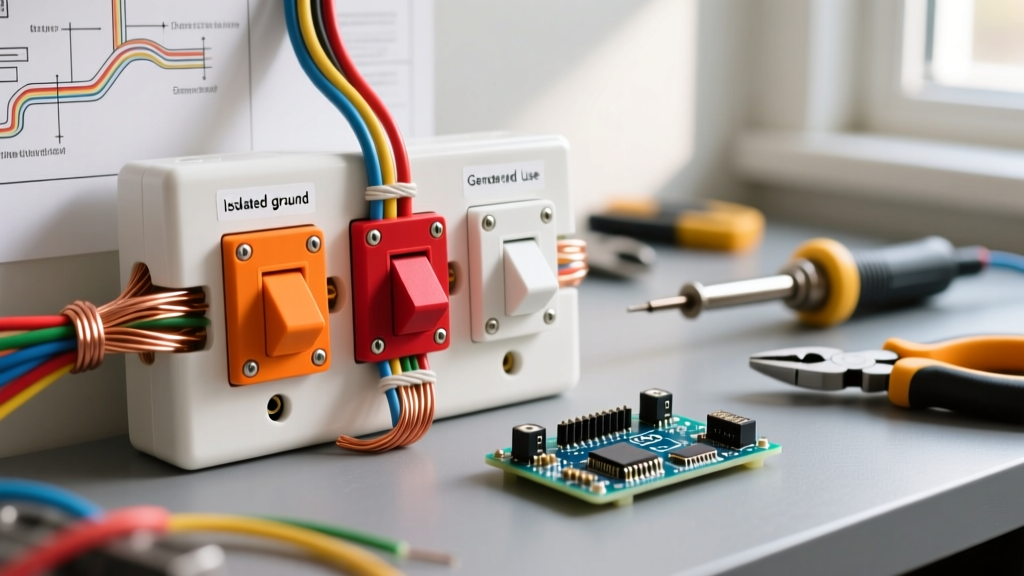

Introduction: Navigating the Rainbow of Electrical Receptacles
When you walk down the electrical aisle of a home improvement store, the sheer variety of receptacles can be overwhelming. While most residential homes are wired with standard white or ivory devices, commercial, medical, and high-end AV installations utilize a spectrum of electrical outlet colors. Understanding these colors is not just about aesthetics; it is a critical component of National Electrical Code (NEC) compliance, safety, and proper circuit identification.
Furthermore, the colors of the terminal screws on the sides of the outlet dictate exactly where your wires must land. For beginners, confusing a neutral wire with a hot wire due to misreading terminal colors can result in catastrophic failure or severe shock. This guide will decode both the plastic body colors and the terminal screw colors, culminating in a step-by-step installation tutorial for one of the most misunderstood devices: the orange isolated ground outlet.
⚠️ Safety First: Lockout/Tagout (LOTO)
Before touching any wiring, you must de-energize the circuit. According to OSHA Lockout/Tagout guidelines, simply flipping a wall switch or relying on a breaker labeling is insufficient. Turn off the breaker at the main panel, apply a physical lockout tag, and verify the circuit is dead using a non-contact voltage tester (NCVT) like the Klein Tools NCVT-3. Test the NCVT on a known live source before and after checking your target outlet to ensure the tool's battery hasn't failed.
Decoding Receptacle Body Colors (The Plastic Face)
The color of the plastic yoke and face of a receptacle immediately signals its specific purpose, internal construction, or circuit type to electricians and inspectors. As of 2026, pricing for these specialized units varies significantly based on their internal metallurgy and testing certifications.
| Outlet Color | Designation & Meaning | Primary Use Case | Avg. Cost (2026) |
|---|---|---|---|
| Orange | Isolated Ground (IG). Features a delta symbol (Δ) on the face. | Sensitive electronics, audio/visual studios, IT server racks to prevent ground loop noise. | $4.50 - $7.00 |
| Red | Hospital Grade (HG). Tested to UL 498 standards for high grip and impact. | Patient care areas, operating rooms, and heavy-duty commercial environments. | $8.00 - $14.00 |
| Blue / Yellow | Switched or Isolated Circuits. No specific NEC mandate, but used as visual identifiers. | Commercial offices to denote outlets controlled by a wall switch or UPS battery backup. | $3.00 - $5.00 |
| White / Ivory / Almond | Standard Residential/Commercial Utility. | General purpose lighting, appliances, and standard wall receptacles. | $1.25 - $2.50 |
Deep Dive: The Orange Isolated Ground (IG) Topology
Let's look closer at the orange outlet, as it is the most frequently misunderstood device among beginners. Per NFPA 70 (National Electrical Code) Article 406.3(D), an isolated ground receptacle is designed to mitigate electromagnetic interference (EMI) and radio frequency interference (RFI).
In a standard outlet, the grounding pin is physically bonded to the metal mounting strap. When screwed into a metal junction box, the box becomes part of the grounding path. If heavy machinery on the same ground bus creates 'noise,' that noise travels through the metal box and into your sensitive equipment. An orange IG outlet features a grounding strap that is electrically isolated from the mounting yoke. This requires you to run a dedicated, insulated green ground wire directly from the outlet's green terminal all the way back to the main panel's ground bus bar, completely bypassing the metal junction boxes in between.
The Terminal Screws: A Beginner's Wiring Map
Regardless of the plastic body color, the terminal screws on a standard 15A or 20A duplex receptacle follow a strict color code. Memorize this mapping before stripping any wire:
- Brass Screws (Hot): Connect your black (or red) insulated wire here. This carries the 120V current from the breaker.
- Silver Screws (Neutral): Connect your white insulated wire here. This completes the circuit back to the panel.
- Green Screw (Ground): Connect your bare copper or green insulated wire here. This provides a safe path for fault currents.
Electrician's Mnemonic: "Black to Brass, or you'll fry your..." This old trade saying reminds beginners that reversing the hot and neutral wires (polarity reversal) leaves the outer shell of a lamp socket energized, creating a severe shock hazard when changing a bulb.
Step-by-Step Tutorial: Installing a 15A Orange IG Outlet
For this tutorial, we are installing a Leviton 5262-IG (15A Isolated Ground) in a home office setup designed to protect a high-end audio interface from ground hum.
Step 1: Preparation and Stripping
Ensure your power is off. Using a dedicated wire stripper like the Klein Tools 11055, strip exactly 5/8-inch of insulation from your 14 AWG THHN wires. Do not nick the copper conductor; nicks create hot spots that can lead to arcing and fires over time.
Step 2: Wiring the Hot and Neutral
Form a clockwise 'shepherd's hook' with your black wire and loop it under the top brass screw. Tighten the screw so the insulation rests just outside the screw head, but no bare copper is exposed. Repeat for the white wire on the silver screw. Note: Never use the 'backstab' push-in holes on the rear of the device. They rely on weak spring tension and are a leading cause of residential electrical fires.
Step 3: Terminating the Isolated Ground
Take your dedicated insulated green wire (which runs uninterrupted to the panel) and terminate it on the isolated green screw. Because the yoke is isolated, the metal box will not be grounded by this outlet. You must ensure the metal box itself is grounded via the incoming armored cable (MC/AC) or a separate bonding jumper to the box's ground clip, per NEC 250.148.
Step 4: Torque Verification
Modern electrical codes (NEC 110.14(D)) mandate the use of a torque screwdriver for terminations. Set your torque driver (e.g., Klein Tools 69110) to the manufacturer's specified rating—typically 0.8 in-lbs for 15A receptacles. A loose connection causes arcing; an over-torqued connection strips the brass threads.
Common Beginner Mistakes & Code Violations
- Painting Standard Outlets: Never buy a cheap white outlet and spray paint it orange to match your IT room. This voids the UL listing and violates fire codes. The plastic polymers are specifically tested for flammability.
- Mixing Wire Gauges: Do not use 14 AWG wire on a 20A breaker, even if the outlet is rated for 20A (indicated by a T-slot neutral). The breaker will not trip before the 14 AWG wire melts.
- Bootleg Grounds: Never install a jumper wire between the neutral (silver) terminal and the ground (green) terminal on a standard outlet to 'trick' a tester into reading a ground. This is lethal if the neutral wire ever disconnects upstream.
Frequently Asked Questions (FAQ)
Does an orange isolated ground outlet protect against power surges?
No. An isolated ground only filters out high-frequency electromagnetic noise and prevents ground loops. It does absolutely nothing to stop a high-voltage transient surge from a lightning strike or grid switching. For surge protection, you must install a Transient Voltage Surge Suppressor (TVSS) either at the panel or as a point-of-use power strip.
Can I install a red Hospital Grade outlet in my kitchen?
While physically possible and incredibly durable, it is generally a waste of money. Kitchen countertops require 20A GFCI protection. Hospital-grade outlets are rarely manufactured with integrated GFCI circuitry in red. You would need to use a standard 20A GFCI (usually white) and rely on the upstream breaker for protection, or stick to standard commercial-grade GFCI receptacles.
Where can I find more safety guidelines for home wiring?
The U.S. Consumer Product Safety Commission (CPSC) provides excellent, free resources on residential electrical safety, arc-fault protection, and recognizing aging wiring hazards in older homes.


