
The Community Shift: Why Builders Choose SBCs for Media
The era of relying solely on locked-down, commercial streaming sticks is fading among DIY enthusiasts. Across forums and workbenches, utilizing a Raspberry Pi as streaming box hardware has evolved from a clunky, experimental hobby into a robust, audiophile-grade media center solution. This community showcase explores how makers are leveraging the latest single-board computers to outperform off-the-shelf devices in local network streaming, ad-blocking integration, and custom audio extraction.
Hardware Deep Dive: What the Community is Actually Buying
While the Raspberry Pi 4 Model B (4GB) remains a staple in budget builds, the community has aggressively adopted the Raspberry Pi 5 for high-end media centers. The transition is driven by the BCM2712 processor's Cortex-A76 cores, which handle software-based tone-mapping for HDR-to-SDR conversion significantly better than previous generations.
Pi 5 vs. Pi 4: The 4K HEVC Decoding Reality
Both generations feature hardware decoding for 4K60 HEVC (H.265). However, the Pi 5's PCIe 2.0 interface has changed the game for local media enthusiasts. By attaching an NVMe SSD via an M.2 HAT, builders are eliminating the network bottleneck when pulling high-bitrate 4K remuxes (often exceeding 80 Mbps) from a local NAS. According to the official Raspberry Pi hardware documentation, the Pi 5 requires a 27W USB-C PD power supply to maintain full peripheral current limits—a critical detail many early adopters missed, resulting in USB drive disconnects during heavy media caching.
Chassis and Thermal Management
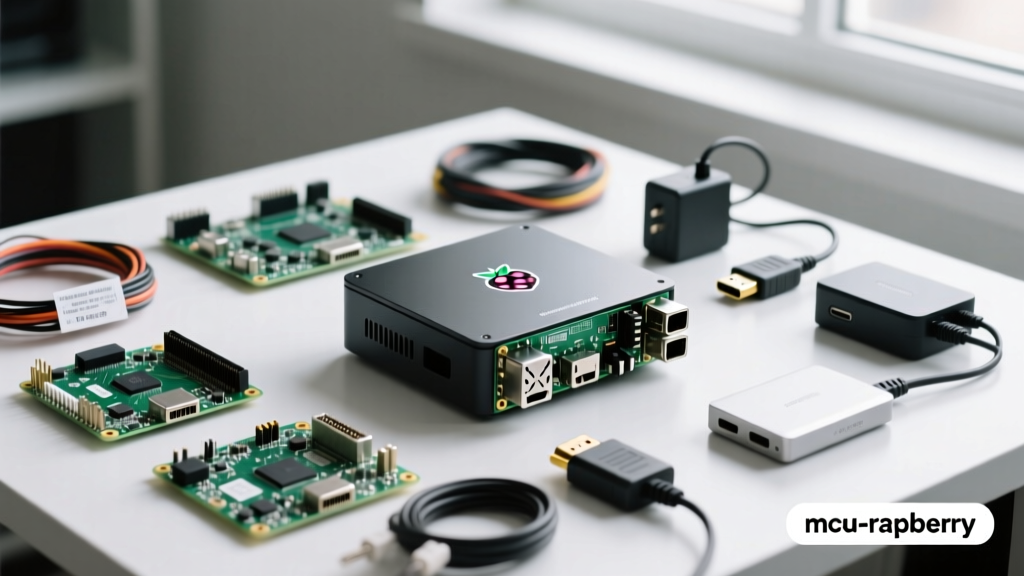
Sustained 4K playback, especially with Kodi's real-time HDR tone-mapping enabled, will push the Pi 5 past 80°C. The community consensus has moved away from passive aluminum blocks toward active, integrated chassis solutions. The Argon ONE V3 is currently the most showcased case, offering a built-in NVMe slot, an integrated IR receiver for universal remotes, and a magnetically levitating fan that remains dead-silent during standard 1080p playback.
Showcase: Three Dominant Community Software Stacks
Choosing the right operating system dictates the user experience. Here is how the community's top three software stacks compare for dedicated streaming boxes:
| Software Stack | Base OS | Best For | Community Consensus |
|---|---|---|---|
| LibreELEC (Kodi) | Just Enough OS (JeOS) | Pure, lightweight local media playback | The undisputed king of low-latency UI and direct hardware decoding. |
| OSMC | Debian Linux | Users who want Kodi + a full Linux backend | Highly customizable, but slightly heavier on system resources. |
| Raspberry Pi OS + Jellyfin | Debian Linux | Multi-user households & remote streaming | Requires more setup; excellent for syncing watch states across devices. |
For dedicated living room setups, the LibreELEC project remains the gold standard. Its stripped-down Linux kernel boots directly into Kodi, ensuring maximum RAM allocation for caching high-bitrate video buffers.
Some builders attempt to flash Android TV ports (like LineageOS) to access native Netflix or Disney+ apps. However, the community largely advises against this for the Pi. The Broadcom SoCs lack Widevine L1 DRM certification, meaning Android-based streams are hard-locked to 480p or 720p SD resolutions. For commercial 4K streaming, a commercial stick is still required, but for local libraries and Jellyfin/Plex servers, LibreELEC remains unmatched.
Audio Extraction: Moving Beyond the HDMI Bottleneck
A major driver for the DIY streaming box is audio fidelity. Commercial streaming boxes often compress audio or struggle with bit-perfect passthrough of high-resolution formats like FLAC or DSD. The community has heavily integrated I2S DACs (Digital-to-Analog Converters) directly onto the Pi's GPIO header.
"Routing audio through an I2S DAC bypasses the HDMI audio extraction bottleneck entirely. You get a clean, jitter-free analog signal straight to your amplifier." — AudioPhile_DIY, ElectricalFlux Forums
Boards like the HiFiBerry DAC+ Pro are frequently showcased in high-end builds. By configuring ALSA (Advanced Linux Sound Architecture) to output directly to the I2S overlay, builders achieve bit-perfect audio playback that rivals dedicated network streamers costing four times as much.
Real-World Failure Modes and Community Fixes
Building your own media center is not without pitfalls. Here are the most common failure modes reported in community builds and their proven solutions:
- MicroSD Card Wear and Database Corruption: Kodi constantly writes to its SQLite database and thumbnail cache. Standard SD cards fail within months. Fix: Use a SanDisk High Endurance SD card, or better yet, boot the Pi 5 directly from an NVMe drive via the PCIe lane.
- HDMI-CEC Ghosting: The TV turns on, but the receiver doesn't switch to the Pi's input, or the Pi's remote commands trigger the TV's native UI. Fix: Disable "Fast Boot" on your TV, and use the
cec-clientutility in LibreELEC to map specific vendor IDs, ensuring clean handshake protocols. - USB 3.0 Interference with 2.4GHz Remotes: Unshielded USB 3.0 ports emit RF noise that cripples wireless air-mouse dongles. Fix: Use a short USB 2.0 extension cable for the wireless dongle, moving it away from the Pi's I/O shield, or rely on the case's integrated IR receiver.
- Dolby Vision and HDR10+ Limitations: While standard HDR10 and HLG are fully supported via HDMI 2.0, proprietary dynamic metadata formats like Dolby Vision (Profile 5/7) remain problematic on Linux-based Kodi builds due to licensing and kernel-level decoder restrictions. Fix: Use MakeMKV to convert Blu-ray backups to HDR10 fallbacks, or rely on an external hardware player for strict Dolby Vision requirements.
Cost Breakdown: Is the DIY Route Still Cheaper?
When evaluating a Raspberry Pi as streaming box hardware, cost is a primary factor. However, the true value lies in the ecosystem integration. Let's compare a premium community Pi 5 build against commercial heavyweights:
| Component / Device | Estimated Cost | Key Advantage |
|---|---|---|
| Pi 5 (8GB) + Argon ONE V3 + 27W PSU + 512GB NVMe | ~$165 | Full OS control, Pi-hole integration, local NAS optimization |
| Nvidia Shield TV Pro | ~$200 | AI upscaling, Plex Media Server hosting, Tegra X1+ power |
| Apple TV 4K (128GB) | ~$150 | Seamless ecosystem, high-bitrate streaming app optimization |
While the Apple TV 4K offers a more polished out-of-the-box experience for mainstream streaming apps, the Raspberry Pi dominates the local media and privacy-conscious space. The ability to run Pi-hole natively on the same device to block smart TV telemetry, combined with direct SMB/NFS mounting without restrictive app sandboxes, makes the Pi the ultimate enthusiast choice.
Final Verdict from the Workbench
Deploying a Raspberry Pi as streaming box hardware is no longer a compromise; it is a deliberate upgrade for local media enthusiasts. By pairing the Pi 5's PCIe capabilities with an NVMe drive, an active-cooling chassis, and LibreELEC, the community has engineered a media player that outpaces commercial alternatives in flexibility and local network performance. Whether you are extracting bit-perfect audio via an I2S DAC or building a unified home theater PC, the SBC route offers unmatched customization for those willing to tinker.