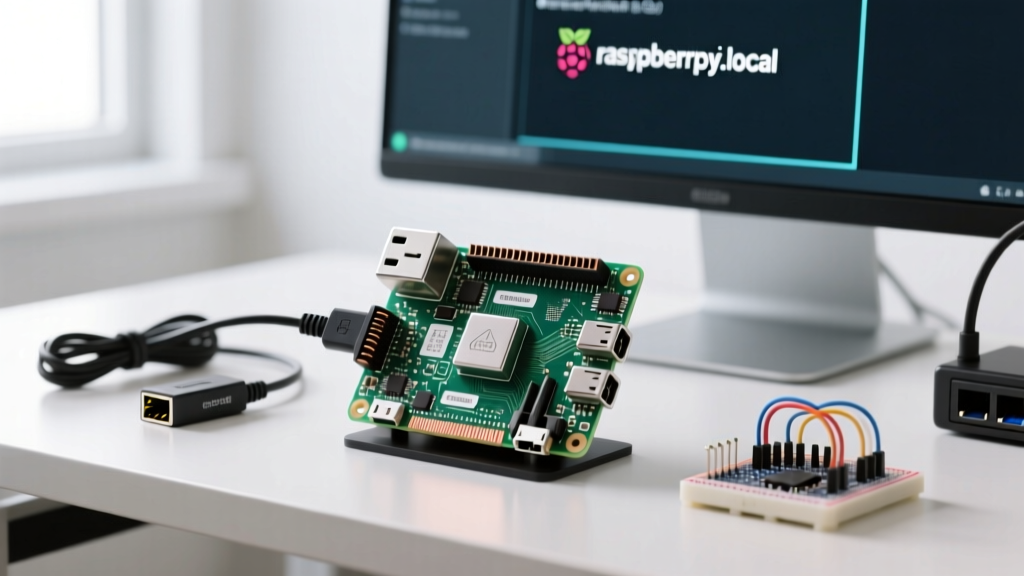
If you are running a headless Raspberry Pi as a 24/7 IoT sensor node, you will eventually hit a wall. Linux is stable, but user-space Python scripts leak memory, I2C buses lock up after weeks of uptime, and thermal throttling degrades performance. The most direct answer to maintain long-term reliability is a Raspberry Pi reboot schedule. For 95% of deployments, a systemd timer paired with a graceful shutdown script is the correct approach. For remote or off-grid nodes where kernel panics occur, you must add a hardware watchdog fallback.
This guide walks through building a robust environmental monitor on a Raspberry Pi 5, configuring the software reboot schedule, and wiring a hardware watchdog to catch the edge cases where software fails.
Decision Path: Soft Reboot vs. Hard Power Cycle
Not all reboots are created equal. Before writing any code, determine which failure mode you are actually trying to solve. Use this decision matrix to pick your reboot strategy.
| Symptom / Failure Mode | Root Cause | Required Solution |
|---|---|---|
| RAM usage creeps up 2-5% daily | Python memory leak in sensor polling loop | Soft Reboot: Daily systemd timer |
Sensor reads return NaN or freeze |
I2C/SPI bus lockup from electrical noise | Soft Reboot: Pre-reboot bus reset script + timer |
| Pi drops off network, requires physical unplug | Kernel panic, USB controller crash, or severe brownout | Hard Power Cycle: External hardware watchdog (TPL5010) |
| Thermal throttling persists after fan failure | SoC thermal saturation over 48+ hours | Soft Reboot: Scheduled reboot + thermal check script |
Parts List and Hardware Pin Mapping
This build targets the Raspberry Pi 5 (4GB variant) running Raspberry Pi OS (64-bit, Bookworm). The Pi 5's improved power management makes it ideal for always-on nodes, but it still requires user-space hygiene.
Bill of Materials
- Compute: Raspberry Pi 5 (4GB) with active cooler
- Sensor: BME280 I2C Temperature/Humidity/Pressure breakout
- Watchdog: Adafruit TPL5010 Nano Timer Breakout (Product ID: 3435)
- Indicators: 5mm Green LED, 330Ω current-limiting resistor
- Wiring: 24 AWG silicone stranded wire, female-to-female Dupont jumpers
Pin Mapping Table
We use specific BCM GPIO pins to avoid conflicts with the Pi 5's dedicated UART and primary I2C buses.
| Component | Pi 5 BCM GPIO | Physical Pin | Function / Notes |
|---|---|---|---|
| BME280 SDA | GPIO 2 | Pin 3 | I2C1 Data (includes 1.8kΩ pull-ups on Pi) |
| BME280 SCL | GPIO 3 | Pin 5 | I2C1 Clock |
| Status LED | GPIO 18 | Pin 12 | PWM-capable; drives LED via 330Ω resistor to GND |
| TPL5010 WAKE | GPIO 23 | Pin 16 | Input to Pi; goes HIGH when watchdog timer expires |
| TPL5010 DONE | GPIO 24 | Pin 18 | Output from Pi; pulse HIGH to reset watchdog timer |
Implementing the Soft Reboot Schedule (systemd)
While cron is the traditional way to schedule tasks, systemd timers are superior for a Raspberry Pi reboot schedule. Timers integrate with the system journal, handle missed jobs if the Pi was powered off during the scheduled window (via Persistent=true), and allow you to chain dependencies.
Step 1: The Graceful Shutdown Script
A raw reboot command can corrupt open I2C connections or SQLite databases. This Python script safely closes connections, logs the event, pulses the status LED, and triggers the reboot.
#!/usr/bin/env python3
# /opt/iot/iot_reboot_prep.py

import subprocess
import time
import logging
import RPi.GPIO as GPIO
import sys

# Pin Definitions
LED_PIN = 18

# Setup Logging
logging.basicConfig(
    filename='/var/log/iot_reboot.log',
    level=logging.INFO,
    format='%(asctime)s - %(levelname)s - %(message)s'
)

def safe_reboot():
    GPIO.setmode(GPIO.BCM)
    GPIO.setup(LED_PIN, GPIO.OUT)

    try:
        # 1. Pulse LED to indicate reboot sequence has started
        for _ in range(3):
            GPIO.output(LED_PIN, GPIO.HIGH)
            time.sleep(0.15)
            GPIO.output(LED_PIN, GPIO.LOW)
            time.sleep(0.15)

        # 2. Flush any open database connections or I2C buses here
        # (Placeholder for your specific app teardown logic)
        logging.info("Pre-reboot teardown complete. Triggering system reboot.")

        # 3. Trigger the reboot
        subprocess.run(['/usr/bin/sudo', '/sbin/reboot'], check=True)

    except subprocess.CalledProcessError as e:
        logging.error(f"Reboot command failed with exit code {e.returncode}")
        sys.exit(1)
    except Exception as e:
        logging.error(f"Unexpected error during reboot prep: {e}")
        sys.exit(1)
    finally:
        GPIO.cleanup()

if __name__ == '__main__':
    safe_reboot()
Step 2: Configure systemd Service and Timer
Create the service file at /etc/systemd/system/iot-reboot.service:
[Unit]
Description=IoT Node Scheduled Reboot Prep
After=network.target i2c.service

[Service]
Type=oneshot
ExecStart=/usr/bin/python3 /opt/iot/iot_reboot_prep.py
User=root
StandardOutput=journal
StandardError=journal

[Install]
WantedBy=multi-user.target
Create the timer file at /etc/systemd/system/iot-reboot.timer to run daily at 03:00 AM:
[Unit]
Description=Run IoT Reboot Daily at 03:00

[Timer]
OnCalendar=*-*-* 03:00:00
Persistent=true

[Install]
WantedBy=timers.target
Enable and start the timer:
sudo systemctl daemon-reload
sudo systemctl enable --now iot-reboot.timersystemd service runs as root. If you change User=root to a standard user (like pi), you must add pi ALL=(ALL) NOPASSWD: /sbin/reboot to your sudoers file via sudo visudo. Never give blanket NOPASSWD sudo rights to a Python script.
Debugging: When the Scheduled Reboot Fails
If your Pi fails to reboot, or the script crashes before executing the command, check these exact error strings in your journal (journalctl -u iot-reboot.service).
| Exact Error String | Ranked Causes | Fix / Measurement |
|---|---|---|
OSError: [Errno 121] Remote I/O error |
1. I2C bus locked by a crashed sensor poll. 2. SDA/SCL pull-up resistors failed. 3. BME280 VCC brownout. |
Add subprocess.run(['i2cdetect', '-y', '1']) to the script before reboot to clear the bus state. Measure I2C SDA line; it should read ~3.3V at idle. |
systemd[1]: Failed to start Reboot IoT Node Service. |
1. Python script lacks execute permissions. 2. Missing RPi.GPIO library in system Python.3. SELinux/AppArmor blocking execution. |
Run chmod +x /opt/iot/iot_reboot_prep.py. Install dependencies via sudo apt install python3-rpi.gpio. |
sudo: a password is required |
1. Service user changed from root without sudoers update. 2. Typo in the sudoers file. |
Verify the User= directive in the .service file. Revert to User=root for system-level maintenance tasks. |
The First 3 Things to Check When It Fails
- Verify the Timer is Active: Run
systemctl list-timers. Ifiot-reboot.timeris missing, it wasn't enabled correctly. Check for syntax errors in the.timerfile. - Check the I2C Bus State: If the Pi is freezing instead of rebooting, the I2C bus is likely locked. Run
i2cdetect -y 1. If it hangs, you have a hardware pull-up issue or a slave device holding SDA low. - Inspect the Journal: Run
journalctl -u iot-reboot.service -n 50 --no-pagerto see the exact Python traceback. Standard output is swallowed unless explicitly directed to the journal.
Extending the Build: Hardware Watchdog Fallback
A soft reboot schedule cannot save you from a kernel panic. If the Linux kernel locks up, systemd is dead, and your Pi becomes a brick until you physically pull the power plug. This is where the Adafruit TPL5010 comes in.
The TPL5010 is an independent hardware timer. It asserts the WAKE pin (GPIO 23) when its internal timer expires. Your Python main loop must pulse the DONE pin (GPIO 24) before that timer runs out. If the Pi freezes and fails to pulse DONE, the TPL5010 cuts power to the Pi's 5V rail (via an external MOSFET or relay) and restores it, executing a hard power cycle.
How to Extend or Simplify
- To Simplify: If your Pi is easily accessible, delete the TPL5010 hardware entirely. Replace the
systemdtimer with a simple cron job: runcrontab -eand add0 3 * * * /sbin/reboot. This removes the Python overhead but loses the graceful I2C teardown. - To Extend: Add an MQTT 'dead man's switch'. Have your main sensor script publish a heartbeat message to an MQTT broker every 60 seconds. Write a secondary script on a remote server that monitors this topic; if the heartbeat stops for 5 minutes, the remote server triggers a smart plug to cut AC power to the Pi enclosure.
Final Verdict and Next Steps
For a robust Raspberry Pi reboot schedule, use the systemd timer method detailed above as your default. It provides graceful teardown, integrates with native Linux logging, and handles missed schedules gracefully. Only add the TPL5010 hardware watchdog if your node is deployed in a location where a physical site visit costs more than the $5 watchdog module.
Before deploying to production, run a stress test: manually trigger the service with sudo systemctl start iot-reboot.service and verify via uptime that the Pi successfully restarts and your main sensor application launches automatically on boot via its own systemd service.
For deeper reading on systemd timer configurations, refer to the official systemd.timer documentation. For Raspberry Pi specific I2C and hardware interfacing limits, consult the Raspberry Pi hardware configuration guides.