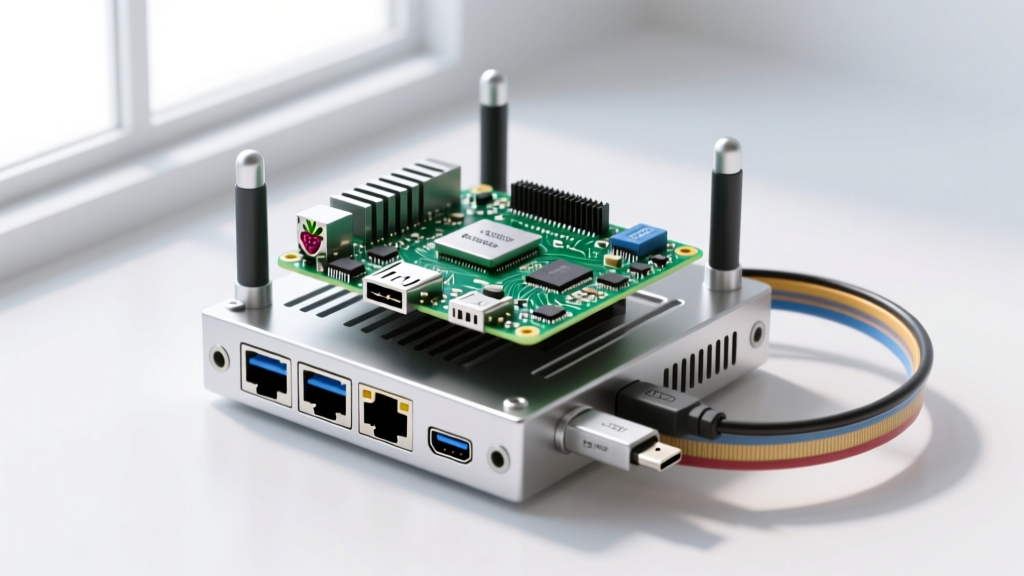
Running a media server on a single-board computer is a rite of passage, but the thermal reality of transcoding video often catches builders off guard. A Raspberry Pi Plex setup is incredibly power-efficient, but the Pi 5’s Broadcom BCM2712 SoC will aggressively throttle at 80°C to 85°C under sustained 1080p software transcoding loads. Relying on a cheap 5V DC fan that runs at 100% all the time is loud and wasteful; relying on passive cooling alone guarantees thermal throttling during movie night.
This guide walks through building a hardware-optimized Raspberry Pi Plex server with a custom GPIO-controlled PWM cooling fan and an activity LED. We will cover the exact wiring, provide a production-ready Python thermal daemon, and detail the exact systemd and GPIO errors you will encounter when things go wrong.
Hardware Spec Sheet & Transcoding Capabilities
Before wiring anything, you need to know what your board can actually handle. Plex relies heavily on CPU power for software transcoding (converting media on the fly for incompatible clients). Hardware transcoding (using dedicated silicon blocks) is limited on the Pi. Below is the real-world performance data for current and legacy boards as of 2026.
| Board Variant | CPU / RAM | HW H.265 Decode | Max Concurrent 1080p Streams (Software) | Est. 2026 Price |
|---|---|---|---|---|
| Raspberry Pi 5 (8GB) | Cortex-A76 / 8GB LPDDR4X | Yes (via RP1 I/O) | 2 to 3 | $80 |
| Raspberry Pi 4 (8GB) | Cortex-A72 / 8GB LPDDR4 | Yes (HW block) | 1 (HW), 0 (SW) | $75 |
| Raspberry Pi 4 (4GB) | Cortex-A72 / 4GB LPDDR4 | Yes (HW block) | 1 (HW), 0 (SW) | $55 |
| Raspberry Pi 3 B+ | Cortex-A53 / 1GB LPDDR2 | No | 0 (Unusable for transcoding) | $35 (Used) |
- Compute: Raspberry Pi 5 (8GB variant) — The 4GB variant will hit swap limits during heavy Plex database scanning.
- Storage: 1TB NVMe SSD (e.g., WD Blue SN580) via official Pi 5 M.2 HAT+ (PCIe Gen 2). Avoid USB-C enclosures for the OS drive; they introduce UAS driver latency.
- Cooling: Noctua NF-A4x20 5V PWM fan. Critical: You must use a 5V PWM fan, not a 12V fan, to interface directly with Pi GPIO without a MOSFET.
- Indicators: 5mm Red LED + 330Ω current-limiting resistor.
- Power: Official 27W USB-C PD Power Supply (required to prevent brownouts when the NVMe drive and fan spin up simultaneously).
Wiring the PWM Fan & Status LED (Pin Mapping)
The Raspberry Pi 5 operates its GPIO pins at 3.3V logic. The Noctua NF-A4x20 5V PWM fan accepts a 3.3V PWM control signal on its blue wire, making it safe to wire directly to the Pi without a level shifter or NPN transistor. The status LED requires a 330Ω resistor to prevent drawing more than the GPIO pin's 16mA safe limit.
| Function | Pi 5 Physical Pin | BCM GPIO | Wire Color / Component |
|---|---|---|---|
| 5V Power (Fan VCC) | Pin 4 | N/A (5V Rail) | Yellow |
| Ground (Fan & LED) | Pin 6 & Pin 9 | N/A (GND) | Black |
| PWM Control (Fan) | Pin 12 | GPIO 18 (PWM0) | Blue |
| Status LED Anode (+) | Pin 11 | GPIO 17 | Red (via 330Ω Resistor) |
| Status LED Cathode (-) | Pin 9 | N/A (GND) | Black |
For deeper reading on Pi 5 thermal thresholds and PWM hardware blocks, refer to the official Raspberry Pi hardware configuration documentation.
Python Thermal Control & Status Code
This Python daemon targets the Raspberry Pi 5 (8GB) running Raspberry Pi OS Bookworm 64-bit. It reads the SoC temperature from the Linux thermal zone, maps it to a PWM duty cycle (keeping the fan silent below 55°C), and blinks the GPIO 17 LED if the Plex service is actively running.
We use the gpiozero library, which is the standard for Bookworm. For more on its API, see the gpiozero PWMOutputDevice documentation.
#!/usr/bin/env python3
"""
Pi 5 Plex Thermal & Status Daemon
Target: Raspberry Pi 5 (8GB), Bookworm 64-bit
Hardware: Noctua 5V PWM Fan on GPIO 18, Status LED on GPIO 17
"""

import time
import subprocess
import logging
import sys

try:
    from gpiozero import PWMOutputDevice, LED
    from gpiozero.pins.pigpio import PiGPIOFactory
except ImportError:
    sys.exit("FATAL: gpiozero or pigpio not installed. Run: sudo apt install python3-gpiozero python3-rpi.gpio")

# Configure logging
logging.basicConfig(
    level=logging.INFO,
    format='%(asctime)s [%(levelname)s] %(message)s',
    handlers=[logging.FileHandler("/var/log/plex_thermal.log"), logging.StreamHandler()]
)

# Pin Definitions
FAN_PIN = 18
LED_PIN = 17

# Thermal Thresholds (Celsius)
TEMP_MIN = 50.0
TEMP_MAX = 75.0

def get_cpu_temp():
    """Reads the SoC temperature from the Linux thermal zone."""
    try:
        with open('/sys/class/thermal/thermal_zone0/temp', 'r') as f:
            temp = float(f.read().strip()) / 1000.0
        return temp
    except FileNotFoundError:
        logging.error("Thermal zone file not found. Are you running on a Pi?")
        return 0.0

def check_plex_status():
    """Checks if plexmediaserver systemd service is active."""
    try:
        result = subprocess.run(
            ['systemctl', 'is-active', 'plexmediaserver'],
            stdout=subprocess.PIPE, stderr=subprocess.PIPE, text=True
        )
        return result.stdout.strip() == 'active'
    except Exception as e:
        logging.warning(f"Failed to check Plex status: {e}")
        return False

def main():
    # Initialize hardware with error handling for pin factory issues
    try:
        # Using pigpio factory ensures hardware PWM on Pi 5
        factory = PiGPIOFactory()
        fan = PWMOutputDevice(FAN_PIN, pin_factory=factory, frequency=25000, initial_value=0)
        led = LED(LED_PIN, pin_factory=factory)
    except Exception as e:
        logging.critical(f"GPIO Initialization failed: {e}")
        sys.exit(1)

    logging.info("Thermal daemon started. Monitoring Plex and CPU temp.")

    try:
        while True:
            temp = get_cpu_temp()
            plex_running = check_plex_status()

            # Calculate PWM duty cycle (0.0 to 1.0)
            if temp <= TEMP_MIN:
                duty_cycle = 0.0
            elif temp >= TEMP_MAX:
                duty_cycle = 1.0
            else:
                duty_cycle = (temp - TEMP_MIN) / (TEMP_MAX - TEMP_MIN)

            fan.value = duty_cycle

            # LED behavior: Solid if Plex is running, blink if throttling, off if stopped
            if not plex_running:
                led.off()
            elif temp >= 80.0:
                led.blink(on_time=0.2, off_time=0.2, background=False) # Blocking blink for thermal warning
            else:
                led.on()

            time.sleep(5)

    except KeyboardInterrupt:
        logging.info("Daemon stopped by user.")
    except Exception as e:
        logging.critical(f"Unexpected error in main loop: {e}")
    finally:
        fan.off()
        led.off()
        logging.info("Hardware pins reset to safe state.")

if __name__ == "__main__":
    main()
/opt/plex_thermal/thermal_daemon.py and create a systemd service file to run it at boot. Ensure the plex user or root has permissions to access the GPIO mem devices.
Troubleshooting: Exact Errors & First Checks
When combining Plex, systemd, and GPIO on a Pi, you will hit specific failure modes. Here is how to debug them based on the exact error strings the OS throws.
Error 1: Job for plexmediaserver.service failed because the control process exited with error code.
This is the generic systemd wrapper for a Plex crash. It rarely means the Plex binary itself is broken; it almost always points to the environment.
Ranked Causes:
- Database Corruption: The Pi lost power during a library scan, corrupting the SQLite database (
com.plexapp.plugins.library.db). - Out of Memory (OOM): The 4GB Pi 4 ran out of RAM during a heavy metadata fetch, and the Linux OOM killer assassinated the Plex process.
- NTFS/exFAT Permissions: Your media drive is formatted as NTFS, mounted via
ntfs-3g, and the Plex user lacks read ACLs.
Error 2: gpiozero.exc.BadPinFactory: Unable to load any default pin factory!
This error halts the Python thermal script immediately upon execution.
Ranked Causes:
- Missing Dependencies: Raspberry Pi OS Bookworm Lite does not ship with
python3-lgpioorpython3-rpi.gpiopre-installed. - Wayland/X11 Conflict: Running the script in a user session where the GPIO memory mapping is blocked by the display server.
The First Three Things to Check When It Fails
Before reinstalling Plex or rewriting your code, run these three diagnostics:
- Read the actual Plex logs, not just systemd: Run
journalctl -u plexmediaserver -n 50 --no-pager. If it says "Database is locked", you need to restore from theBackupsfolder in/var/lib/plexmediaserver/Library/Application Support/Plex Media Server/Plug-in Support/Databases. - Check for OOM Kills: Run
dmesg | grep -i oom. If you see "Killed process... plexmediaserver", you must add a 2GB swap file or upgrade to an 8GB board. - Verify GPIO Pin Factory: Run
python3 -c "import gpiozero; print(gpiozero.Device.pin_factory)". If it throws an error, install the PiGPIO daemon:sudo apt install pigpio python3-pigpio && sudo systemctl enable pigpiod.
For managing Plex via the command line when the web UI is unresponsive, consult the Plex command-line control guide.
Extending or Simplifying the Build
Not every build needs to be a custom engineering project. Depending on your tolerance for hardware tinkering versus media consumption, here is how you should adjust this setup.
How to Simplify (The "Just Make It Work" Route)
If you do not want to maintain a Python daemon or wire GPIO pins, drop the custom fan and script entirely. Purchase the Official Raspberry Pi 5 Active Cooler ($5). It plugs directly into the dedicated 4-pin JST fan header on the Pi 5 PCB (not the GPIO header). The Pi 5’s onboard firmware handles the PWM curve automatically via the EEPROM. You lose the custom status LED, but you gain 100% native thermal management with zero software overhead.
How to Extend (The Data-Hoarder Route)
If you want to push the embedded aspect further, integrate Tautulli (a Python-based monitoring tool for Plex). Instead of spinning up the fan based purely on raw CPU temperature, modify the Python script to query the Tautulli API (/api/v2?cmd=get_activity). Map the fan speed to the number of active transcode streams. This allows the fan to remain dead silent during direct-play streams (which use minimal CPU) and ramp up to 100% the millisecond a remote user forces a 4K HDR tone-mapping transcode, preempting the thermal throttle before it even begins.