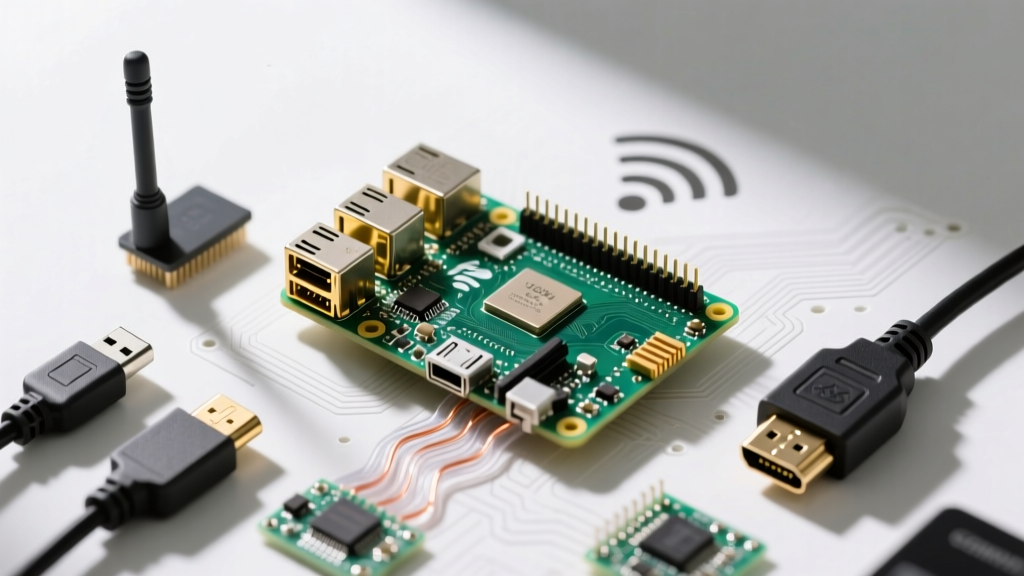
When deploying the raspberry pi 4 for home automation, the primary goal is local reliability. Cloud-dependent smart home ecosystems fail when your ISP drops, but a local hub running Home Assistant, Mosquitto MQTT, and Zigbee2MQTT keeps your physical switches responsive regardless of internet status. The Raspberry Pi 4 (specifically the 4GB variant) remains the optimal workhorse for this stack in 2026, offering the exact balance of thermal stability, I/O bandwidth, and power efficiency required for a 24/7 hub.
This guide provides a decision-forward blueprint to build a hardened, NVMe-booting local hub, complete with a physical GPIO bridge to trigger network resets via MQTT.
Decision Tree: Which Pi Variant Actually Fits Your Hub?
Do not default to the most expensive board. Match the hardware to the workload. Use this decision matrix to select your baseboard:
| Workload Profile | Recommended Board | Why This Pick? |
|---|---|---|
| Core Hub: Home Assistant, Mosquitto, Zigbee2MQTT, ESPHome | Raspberry Pi 4 (4GB) | 4GB is the sweet spot. 2GB starves during HA database compactions; 8GB wastes money and runs hotter. |
| Heavy Hub: Core Hub + Frigate NVR (Object Detection) + Local LLM | Raspberry Pi 5 (8GB) | Requires PCIe lane for Coral TPU and extra RAM for vision models. Pi 4 will bottleneck on USB 3.0 bandwidth. |
| Satellite Node: Remote ESPHome proxy or single-room BLE tracker | Raspberry Pi Zero 2 W | Low power (1.2W idle), built-in WiFi. Insufficient RAM for the main HA database. |
Exact Parts List and Hardware Spec Sheet
MicroSD cards will fail within 6 to 12 months when subjected to the constant write cycles of the Home Assistant SQLite database and MQTT broker logs. You must boot from an NVMe SSD. Here is the exact bill of materials for a hardened build:
| Component | Exact Model / Variant | Specs & Notes |
|---|---|---|
| Compute | Raspberry Pi 4 Model B (4GB) | BCM2711, Quad-core Cortex-A72. Target OS: Raspberry Pi OS Bookworm (64-bit). |
| Storage | Samsung 980 250GB NVMe M.2 | DRAM-less but excellent endurance. Avoid QLC drives like the Crucial P3 for database writes. |
| Enclosure | Argon ONE M.2 NVMe Case for RPi 4 | Routes NVMe via USB 3.0 bridge on the bottom plate. Acts as a massive passive heatsink. |
| Zigbee Radio | Sonoff Zigbee 3.0 USB Dongle Plus (P-Version) | CC2652P chip. Do NOT buy the E-Version (EFR32) if you plan to use Zigbee2MQTT; the P-Version is vastly more stable. |
| Power Supply | Official Raspberry Pi 27W USB-C PD | Provides stable 5.1V at 3A. Third-party chargers often cause brownout warnings under NVMe load. |
Pin Mapping and GPIO Allocation
When using the Raspberry Pi GPIO header alongside the Argon ONE case, you must avoid pin conflicts. The Argon case internally uses specific pins for its fan PWM and power button logic. We will allocate the remaining safe pins for a physical status LED and a hard-reset relay for your network modem.
| GPIO Pin (BCM) | Physical Pin | Assigned Function | Notes |
|---|---|---|---|
| GPIO 4 | 7 | Argon Fan PWM | Reserved by Argon ONE daemon. Do not use. |
| GPIO 17 | 11 | Hub Status LED | Active High. Connect via 220Ω resistor to an LED. |
| GPIO 27 | 13 | Physical Reboot Button | Internal Pull-up enabled. Connect momentary switch to GND. |
| GPIO 22 | 15 | Modem Reset Relay | Active Low. Triggers an opto-isolated 5V relay module to cut modem power. |
Compilable Python MQTT Bridge Code
This Python script targets the Raspberry Pi 4 (4GB) running Raspberry Pi OS Bookworm (64-bit). It uses the gpiozero library (which leverages the lgpio backend in Bookworm) and paho-mqtt to bridge a physical button press to an MQTT topic, allowing Home Assistant to trigger a modem reboot sequence.
Prerequisites: Install dependencies via sudo apt install python3-gpiozero python3-paho-mqtt
import paho.mqtt.client as mqtt
from gpiozero import Button, LED
from signal import pause
import logging

# --- Pin Definitions for Raspberry Pi 4 (4GB) ---
PIN_STATUS_LED = 17
PIN_REBOOT_BTN = 27
PIN_RELAY = 22

# --- MQTT Configuration ---
BROKER_IP = '127.0.0.1'
BROKER_PORT = 1883
TOPIC_HUB_STATUS = 'homeassistant/hub/status'
TOPIC_MODEM_RESET = 'homeassistant/network/modem_reset'

logging.basicConfig(level=logging.INFO, format='%(asctime)s - %(levelname)s - %(message)s')

# Initialize GPIO with explicit pin definitions
status_led = LED(PIN_STATUS_LED)
reboot_btn = Button(PIN_REBOOT_BTN, pull_up=True, bounce_time=0.05)
modem_relay = LED(PIN_RELAY)  # Using LED class for simple digital output control

def on_connect(client, userdata, flags, rc, properties=None):
    if rc == 0:
        logging.info('Connected to Mosquitto broker successfully.')
        status_led.on()
        client.publish(TOPIC_HUB_STATUS, 'online', retain=True)
    else:
        logging.error(f'MQTT Connection failed with result code {rc}')

def handle_reboot_press():
    logging.warning('Physical reboot button pressed! Triggering modem reset relay.')
    # Pulse the relay for 3 seconds to cut and restore modem power
    modem_relay.on()
    client.publish(TOPIC_MODEM_RESET, 'triggered', retain=False)
    status_led.blink(on_time=0.1, off_time=0.1, n=15, background=True)
    import time
    time.sleep(3)
    modem_relay.off()
    logging.info('Relay disengaged. Modem is rebooting.')

# Initialize MQTT Client (Using Callback API Version 2 for Paho v2.0+)
client = mqtt.Client(mqtt.CallbackAPIVersion.VERSION2, client_id='pi4_physical_bridge')
client.on_connect = on_connect

try:
    client.connect(BROKER_IP, BROKER_PORT, 60)
    reboot_btn.when_pressed = handle_reboot_press
    client.loop_start()
    logging.info('MQTT Bridge running. Waiting for physical button press...')
    pause()
except ConnectionRefusedError as e:
    logging.critical(f'Broker unreachable: {e}. Is Mosquitto running?')
except RuntimeError as e:
    logging.critical(f'GPIO Access Error: {e}')
except KeyboardInterrupt:
    logging.info('Keyboard interrupt received. Shutting down bridge...')
finally:
    client.loop_stop()
    client.disconnect()
    status_led.off()
    modem_relay.off()
    logging.info('GPIO cleaned up and MQTT disconnected.')
Debugging: Exact Error Strings and the First Three Checks
When deploying this stack on Bookworm, you will likely hit environment-specific errors. Here is the exact debugging path.
1. The GPIO Permission Error
Exact Error String: RuntimeError: No access to /dev/mem. Try running as root! or RuntimeError: failed to add edge detect
Ranked Causes & Fixes:
- Cause: Bookworm switched the default GPIO backend from
RPi.GPIOtolgpio, which enforces stricter user-space permissions.
Fix: Ensure your user is in the correct groups by runningsudo usermod -aG gpio,input $USER, then reboot. - Cause: Running the script inside a Python virtual environment that lacks access to the system
lgpiobindings.
Fix: Runpip install rpi-lgpioinside your venv to force the correct backend.
2. The MQTT Broker Rejection
Exact Error String: ConnectionRefusedError: [Errno 111] Connection refused
Ranked Causes & Fixes:
- Cause: Mosquitto v2.0+ defaults to local-only loopback and requires explicit listener configuration.
Fix: Edit/etc/mosquitto/conf.d/default.confand add:listener 1883 0.0.0.0allow_anonymous true(or configure ACLs). Restart withsudo systemctl restart mosquitto. - Cause: The Mosquitto service failed to start due to a malformed config file.
Fix: Checksudo journalctl -u mosquitto -n 20for syntax errors in your ACL or password files.
- Check Mosquitto Binding: Run
sudo netstat -tulpn | grep 1883. If it shows127.0.0.1:1883instead of0.0.0.0:1883, your ESP32 nodes and Home Assistant cannot reach the broker over the network. - Check USB 3.0 Interference: If Zigbee2MQTT shows
Error: SRSP - SYS - ping after 6000ms, your Sonoff dongle is suffering from USB 3.0 RF noise. Fix: Use a 1-meter USB 2.0 extension cable to move the dongle away from the Pi 4's NVMe/USB 3.0 bus. - Check NVMe Thermal Throttling: Run
vcgencmd measure_temp. If it exceeds 80°C, the Pi will throttle CPU, causing MQTT timeouts. Ensure the Argon ONE case's thermal pad is firmly seated on the BCM2711 SoC.
Scaling the Build: Simplify or Extend
Once your base hub is stable, you will need to decide how to scale. Do not guess; use these concrete pathways based on your physical environment.
How to Simplify (Budget & Space Constrained)
If the $150+ cost of the NVMe and Argon case is prohibitive, or you are deploying this in a tight enclosure:
- Drop the NVMe: Swap the Samsung 980 and Argon case for a SanDisk High Endurance 64GB microSD (~$12). Standard SD cards will die, but High Endurance cards are rated for continuous dashcam/surveillance write cycles and will survive HA database logging for 2+ years.
- Drop the Relay: Remove the GPIO relay module and use an ESPHome-controlled smart plug (like a Sonoff S31 flashed with Tasmota) to handle modem reboots over WiFi, freeing up the Pi's GPIO header.
How to Extend (Adding Vision & AI)
If you want to add local security camera processing via Frigate NVR:
- The Bottleneck: The Pi 4's USB 3.0 bus shares bandwidth with the NVMe drive. Plugging in a Google Coral USB Accelerator will choke your storage I/O, causing database corruption.
- The Upgrade Path: You must abandon the Pi 4 for this specific workload. Migrate your
/configfolder to a Raspberry Pi 5 (8GB) utilizing the official Raspberry Pi M.2 HAT+, which connects the NVMe directly to the PCIe Gen 2 lane, leaving the USB bus entirely free for the Coral TPU and Zigbee dongle.
For further reading on integrating this MQTT bridge with your smart home dashboard, refer to the Home Assistant MQTT Integration Docs and the GPIO Zero Official Documentation for advanced button debouncing techniques.