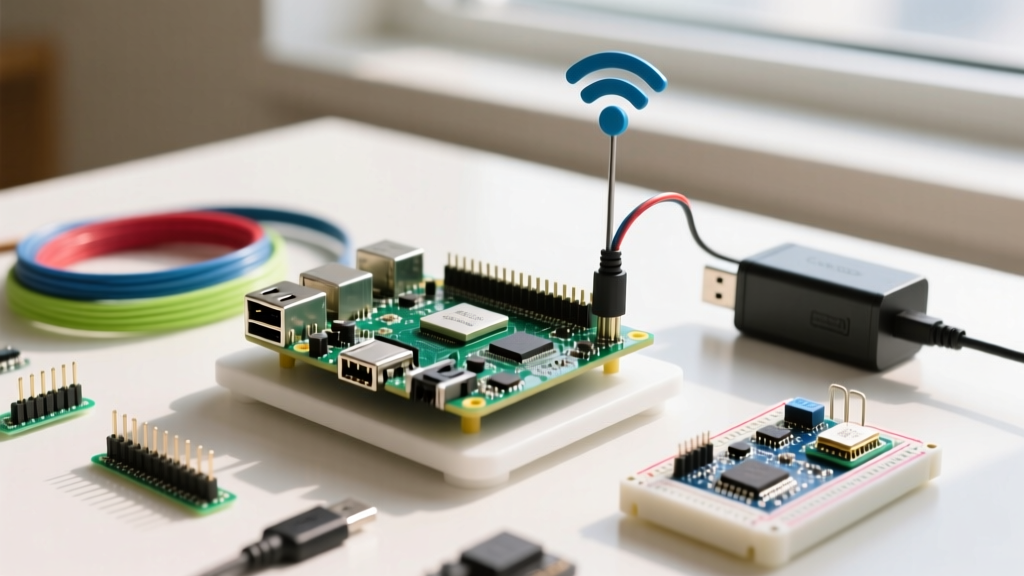
Hardware Performance Matrix: Pi 5 vs Pi 4
Before ordering parts, understand where the bottlenecks actually live. Minecraft server performance is heavily single-thread bound for the main tick loop, but chunk generation and entity tracking will quickly saturate slow storage I/O and starve the JVM of RAM. The table below benchmarks sustained TPS with 10 concurrent players exploring new chunks.
| Board Variant | Storage Medium | Max JVM RAM Alloc | Sustained TPS (10 Players) | Avg Chunk Gen Time |
|---|---|---|---|---|
| Raspberry Pi 5 (8GB) | NVMe SSD (PCIe 2.0 x1) | 5500 MB (-Xmx) | 19.8 - 20.0 | ~45ms |
| Raspberry Pi 5 (8GB) | A2 App Class microSD | 5500 MB (-Xmx) | 14.5 - 17.2 | ~180ms |
| Raspberry Pi 5 (4GB) | NVMe SSD (PCIe 2.0 x1) | 2500 MB (-Xmx) | 16.0 - 18.5 | ~90ms |
| Raspberry Pi 4 (8GB) | A2 App Class microSD | 5500 MB (-Xmx) | 8.0 - 12.0 | ~450ms |
Do not buy the 4GB Pi 5 for a modern Minecraft server. The base OS and background daemon overhead consume ~800MB. Allocating only 2.5GB to the JVM forces aggressive garbage collection cycles, causing micro-stutters (TPS dips) every time players load new chunks.
Parts List & PCIe Hardware Mapping
MicroSD cards will corrupt under the constant write-load of Minecraft region file saves. You must boot from an NVMe drive. This build uses the Argon ONE V3 M.2 case, which routes the Pi 5's PCIe FPC connector to an internal M.2 slot.
Bill of Materials
- Compute: Raspberry Pi 5 (8GB) - ~$80
- Power: Official Raspberry Pi 27W USB-C PD Power Supply - ~$12 (Do not use third-party phone chargers; they fail the PD negotiation and throttle the board to 600mA).
- Enclosure/HAT: Argon ONE V3 M.2 NVMe Raspberry Pi 5 Case - ~$45
- Storage: Samsung 980 256GB M.2 NVMe (or any DRAM-less TLC drive) - ~$35
Pi 5 PCIe to M.2 HAT Pin Mapping
The Raspberry Pi 5 exposes a 16-pin FPC (Flexible Printed Circuit) connector for PCIe 2.0 x1. If you are building a custom HAT or troubleshooting a connection failure, verify these traces with a multimeter.
| FPC Pin | Signal Name | Direction / Function | M.2 M-Key Equivalent |
|---|---|---|---|
| 1 | GND | Ground Reference | Pin 1, 41 |
| 3 | PCIe_CLK_REQ# | Clock Request (Active Low) | Pin 56 |
| 5 | PCIe_CLK | 100MHz Reference Clock | Pin 47 |
| 7 | PCIe_TX+ | Transmit Data Positive | Pin 25 |
| 9 | PCIe_TX- | Transmit Data Negative | Pin 27 |
| 11 | PCIe_RX+ | Receive Data Positive | Pin 33 |
| 13 | PCIe_RX- | Receive Data Negative | Pin 35 |
| 15 | 3V3 | Power Rail (Max 3A) | Pin 39, 43 |
OS Provisioning & PaperMC Deployment
Flash Raspberry Pi OS Lite (64-bit) using the official Imager. In the Imager's OS Customization menu, enable SSH, set a strong password, and configure your Wi-Fi or Ethernet. Boot the Pi, SSH in, and run the deployment script below.
This script targets the Pi 5 8GB, installs Java 21 (required for Minecraft 1.20.5+), downloads PaperMC, and applies Aikar's optimized JVM flags adapted for the ARM64 architecture. For deep-dive flag tuning, refer to the official PaperMC Aikar's flags documentation.
#!/bin/bash
# Target: Raspberry Pi 5 8GB
# Purpose: Automated PaperMC deployment with crash-loop recovery
set -e

SERVER_DIR='/opt/minecraft'
PAPER_VERSION='1.21.1'
BUILD='130'
RAM_ALLOC='5500M'

# 1. System Updates and Java 21 Installation
sudo apt update && sudo apt upgrade -y
sudo apt install -y openjdk-21-jre-headless curl screen

# 2. Directory Setup
sudo mkdir -p $SERVER_DIR
sudo chown $USER:$USER $SERVER_DIR
cd $SERVER_DIR

# 3. Download PaperMC with error handling
JAR_NAME="paper-$PAPER_VERSION-$BUILD.jar"
if [ ! -f "$JAR_NAME" ]; then
  echo "Downloading PaperMC..."
  curl -o "$JAR_NAME" -fSL "https://api.papermc.io/v2/projects/paper/versions/$PAPER_VERSION/builds/$BUILD/downloads/paper-$PAPER_VERSION-$BUILD.jar" || {
    echo "ERROR: Failed to download PaperMC. Check version/build numbers."
    exit 1
  }
fi

# 4. Accept EULA
echo "eula=true" > eula.txt

# 5. ARM64 Optimized Aikar's Flags
JAVA_FLAGS="-Xms$RAM_ALLOC -Xmx$RAM_ALLOC -XX:+UseG1GC -XX:+ParallelRefProcEnabled -XX:MaxGCPauseMillis=200 -XX:+UnlockExperimentalVMOptions -XX:+DisableExplicitGC -XX:G1NewSizePercent=30 -XX:G1ReservePercent=20 -XX:G1HeapRegionSize=8M -XX:G1InitiatingHeapOccupancyPercent=15 -XX:G1MixedGCLiveThresholdPercent=40 -XX:G1MixedGCCountTarget=4 -XX:SurvivorRatio=32 -XX:+PerfDisableSharedMem -XX:MaxTenuringThreshold=1 -Dusing.aikars.flags=https://mcflags.emc.gs -Daikars.new.flags=true"

# 6. Execution Loop with Crash Logging
while true; do
  echo "Starting server at $(date)..."
  java $JAVA_FLAGS -jar $JAR_NAME --noconsole
  EXIT_CODE=$?
  echo "Server stopped with exit code $EXIT_CODE at $(date)." >> crash.log

  if [ $EXIT_CODE -eq 0 ]; then
    echo "Clean shutdown detected. Exiting loop."
    break
  fi

  echo "Crash detected. Restarting in 10 seconds..."
  sleep 10
doneExecute this script inside a
screen or tmux session so the server stays alive when you close your SSH terminal. Run screen -S mc, execute the script, then press Ctrl+A followed by D to detach.
Debugging Common Server Crashes
When a Minecraft server fails on ARM hardware, the Java stack trace usually points to one of three resource starvation issues. Here are the exact error strings and how to fix them.
Error 1: The Heap Starvation
Exact Error String: [Server thread/ERROR]: java.lang.OutOfMemoryError: Java heap space
Ranked Causes & Fixes:
- JVM Flag Overallocation: You set
-Xmxhigher than the OS can provide. On an 8GB Pi, never exceed 6000M. The Linux kernel and GPU memory split need the remaining 2GB. Fix: Lower RAM_ALLOC to 5500M. - Memory Leak in Plugins: A poorly coded Bukkit plugin is caching chunk data. Fix: Run
timings pastein the server console and check the memory allocation section.
Error 2: The Port Binding Failure
Exact Error String: [Server thread/WARN]: **** FAILED TO BIND TO PORT! followed by java.net.BindException: Address already in use
Ranked Causes & Fixes:
- Zombie Java Process: Your previous server crashed but the Java process didn't terminate, holding port 25565 hostage. Fix: Run
sudo lsof -i :25565andkill -9 <PID>. - Duplicate Server Instances: You started the script twice in different screen sessions. Fix: Check active screens with
screen -ls.
The First Three Things to Check When It Fails
If the server is lagging heavily or crashing without a clear Java error, run these three diagnostic commands immediately:
- Check for Thermal/Power Throttling: Run
vcgencmd get_throttled. If it returns anything other thanthrottled=0x0, your power supply is failing under load or your active cooler is dead. The Pi 5 will aggressively downclock the CPU to 600MHz to prevent a brownout, destroying TPS. - Verify Storage I/O Wait: Run
iostat -x 1. Look at the%utilandawaitcolumns for your boot drive. If%utilis pinned at 100% andawaitis >50ms, your storage cannot keep up with region saves. You must migrate to NVMe. - Monitor Real-Time RAM: Run
free -hwhile the server is running. If theavailablecolumn drops below 200MB, the Linux OOM (Out of Memory) killer is about to assassinate your Java process silently.
Extending or Simplifying the Build
Not everyone needs a 10-player NVMe powerhouse, and some makers want to push the Pi 5 to its absolute limits. Here is how to scale the project.
How to Simplify (Budget / Vanilla Setup)
If you are hosting for just 2-3 friends on a strict budget, drop the NVMe HAT and use a Samsung PRO Endurance 64GB microSD ($12). To prevent I/O bottlenecks on the SD card, you must restrict chunk generation. In server.properties, set view-distance=6 and simulation-distance=4. Use the Fabric server loader instead of PaperMC with the Lithium and Starlight mods to optimize the vanilla tick loop without altering game mechanics.
How to Extend (Crossplay & Resilience)
For a robust, always-online production server:
- Bedrock Crossplay: Install the GeyserMC and Floodgate plugins. This translates Java packets to Bedrock on the fly, allowing friends on Xbox, Switch, and iOS to join using the exact same IP and port.
- Power Resilience: Add a Geekworm X1202 UPS HAT. It provides an I2C communication line to the Pi's GPIO. You can write a Python daemon that listens for the UPS battery voltage; if it drops below 3.3V during a blackout, the script triggers a graceful
stopcommand to the Minecraft console, preventing region file corruption. - Offsite Backups: Write a cron job using
rsyncto push the/opt/minecraft/worlddirectory to a remote VPS or NAS every 6 hours. Always runsave-offbefore the copy andsave-onimmediately after to ensure atomic file transfers.
For further hardware specifications and power delivery requirements, consult the Raspberry Pi 5 official product brief. Building a server on embedded hardware requires respecting the physical limits of ARM memory controllers and thermal envelopes, but with the right NVMe storage and JVM tuning, the Pi 5 handles modern Minecraft flawlessly.