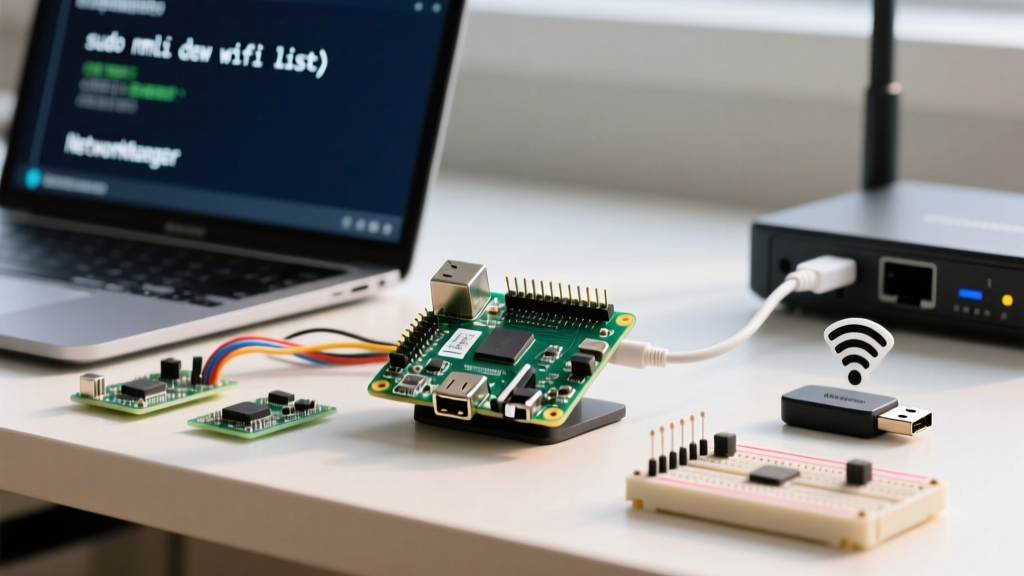
The Short Answer: SBC vs. Microcontroller
No, the standard Raspberry Pi (models 3, 4, and 5) is not a microcontroller. It is a Single Board Computer (SBC) built around a microprocessor (like the Broadcom BCM2712 in the Pi 5) that runs a full operating system, typically Raspberry Pi OS (Linux). However, the Raspberry Pi Pico series (featuring the RP2040 and RP2350 chips) is a true microcontroller designed for bare-metal or RTOS embedded applications.
This distinction dictates everything from boot times to real-time deterministic control. If you need to run a web server, process computer vision, or host a database, you need the SBC. If you need to read a sensor every 50 microseconds without OS interrupt jitter, you need the Pico.
| Feature | Raspberry Pi 5 (SBC) | Raspberry Pi Pico W (MCU) |
|---|---|---|
| Core Architecture | Microprocessor (ARM Cortex-A76) | Microcontroller (Dual ARM Cortex-M0+) |
| Operating System | Linux (Raspberry Pi OS, Ubuntu) | Bare-metal, FreeRTOS, MicroPython, C/C++ |
| Boot Time | 15 - 30 seconds | < 1 second |
| Real-Time Capability | Poor (OS preemption causes jitter) | Excellent (Deterministic PIO state machines) |
| GPIO Logic Level | 3.3V (via level shifters on some hats) | 3.3V native |
| Typical Price (2026) | $80 - $100+ | $6.00 |
For a deeper dive into the silicon architecture, the official Raspberry Pi microcontroller documentation details the RP2040's unique Programmable I/O (PIO) subsystem, which bridges the gap between hardware and software.
Project Build: I2C Sensor Debugging on the Pico W
To demonstrate microcontroller operation, we will wire and debug an I2C environmental sensor. This build targets the Raspberry Pi Pico W (RP2040 variant) running MicroPython 1.22+.
Parts List
- MCU: Raspberry Pi Pico W (with pre-soldered headers)
- Sensor: BME280 I2C Breakout (Adafruit 2652 or equivalent 3.3V tolerant board)
- Prototyping: 400-point solderless breadboard
- Wiring: 22 AWG solid core jumper wires
- Passives: 2x 4.7kΩ pull-up resistors (only required if your specific BME280 breakout lacks onboard pull-ups)
Pin Mapping Table
| Pico W Pin | GPIO / Function | BME280 Breakout Pin |
|---|---|---|
| Pin 6 | GP4 (I2C0 SDA) | SDA |
| Pin 7 | GP5 (I2C0 SCL) | SCL |
| Pin 36 | 3V3(OUT) | VIN / VCC |
| Pin 38 | GND | GND |
Compilable MicroPython Code
This script performs a raw I2C bus scan and reads the BME280's WHO_AM_I register (0xD0) to verify communication before attempting full data parsing. It includes robust error handling for common hardware faults.
from machine import Pin, I2C
import time

# Target Board: Raspberry Pi Pico W (RP2040)
# Pin Definitions
SDA_PIN = 4  # GPIO4 (Physical Pin 6)
SCL_PIN = 5  # GPIO5 (Physical Pin 7)

# Initialize I2C bus 0 at 400kHz
i2c = I2C(0, sda=Pin(SDA_PIN), scl=Pin(SCL_PIN), freq=400000)

# BME280 default I2C addresses and registers
BME_ADDRS = [0x76, 0x77]
WHO_AM_I_REG = 0xD0
EXPECTED_ID = 0x60

def debug_i2c():
    print('Scanning I2C bus...')
    devices = i2c.scan()
    if not devices:
        print('[FAIL] No devices found. Check SDA/SCL wiring and 3.3V power.')
        return

    print(f'[OK] Found devices at: {[hex(d) for d in devices]}')

    for addr in BME_ADDRS:
        if addr in devices:
            try:
                # Read WHO_AM_I register (1 byte)
                chip_id = i2c.readfrom_mem(addr, WHO_AM_I_REG, 1)[0]
                if chip_id == EXPECTED_ID:
                    print(f'[OK] BME280 confirmed at {hex(addr)} (ID: {hex(chip_id)})')
                else:
                    print(f'[WARN] Device at {hex(addr)} returned ID {hex(chip_id)}, expected {hex(EXPECTED_ID)}')
            except OSError as e:
                # Catching the exact MicroPython I2C hardware fault string
                print(f'[FAIL] OSError: {e} - Check pull-up resistors or clock stretching.')
            return

    print('[FAIL] BME280 not found at expected addresses (0x76 or 0x77).')

while True:
    debug_i2c()
    time.sleep(3)
Troubleshooting: I2C Failures on the RP2040
When working with MicroPython on the Pico, the most infamous error you will encounter during I2C initialization or reading is:
OSError: [Errno 5] EIOThis exact error string indicates a low-level Input/Output hardware fault. The RP2040's I2C peripheral sent a clock pulse but did not receive an ACKnowledge (ACK) bit from the target device, or the SDA line was held low unexpectedly.
- Verify Idle Voltage: Use a multimeter to measure DC voltage between GND and the SDA/SCL lines. Both must read ~3.3V when idle. If they read near 0V, you are missing pull-up resistors.
- Check for Swapped Lines: SDA and SCL are not interchangeable. Verify continuity from GP4 to SDA, and GP5 to SCL.
- Run an I2C Scan: Execute
i2c.scan()in the REPL. If it returns an empty list[], the issue is physical wiring or power. If it returns an address but the read fails, the issue is likely a register address typo or clock stretching timeout.
Ranked Causes for OSError: [Errno 5] EIO
- Missing Pull-Up Resistors (60% of cases): I2C is an open-drain protocol. The Pico W's internal pull-ups (usually ~50kΩ) are often too weak for breadboard capacitance. Add external 4.7kΩ resistors from SDA and SCL to 3.3V.
- SDA/SCL Crossed or Loose Jumper (25% of cases): Breadboard contacts wear out. Move your wires to a different row or swap the jumper wire.
- Clock Stretching Timeout (10% of cases): Some sensors hold the SCL line low to delay the master while they process data. If the sensor is faulty or underpowered, it may hold the line low indefinitely, causing the RP2040 to throw an EIO error. Check your sensor's 3.3V power rail for brownouts.
- Address Mismatch (5% of cases): You are polling 0x76, but the breakout board has an SDO pin tied high, shifting the address to 0x77.
For more on MicroPython's underlying machine API, refer to the machine.I2C class documentation.
Extending and Simplifying the Build
Once you have stable I2C communication, you can scale this project up or down based on your embedded learning goals.
How to Simplify
If you don't have an I2C sensor on hand, you can strip the build down to test the Pico's internal peripherals. Remove the BME280 and rewrite the code to read the RP2040's internal temperature sensor via the onboard ADC (Analog-to-Digital Converter) on GPIO 29. This eliminates all I2C wiring variables and isolates whether your MicroPython firmware is functioning correctly.
How to Extend
To turn this into a production-style IoT node, leverage the Pico W's onboard CYW43439 WiFi/Bluetooth chip.
- Add MQTT: Use the
umqtt.simplelibrary to publish the parsed BME280 temperature and humidity payloads to a local Mosquitto broker. - Deep Sleep: Implement
machine.lightsleep()between readings to drop current consumption from ~70mA to under 2mA, making the project viable for 18650 lithium-ion battery deployments. - Watchdog Timer: Add the
machine.WDT(Watchdog Timer) to automatically reset the Pico if the WiFi stack hangs, a common edge case in long-running ESP32 and RP2040 WiFi deployments.
Frequently Asked Questions
Is Raspberry Pi 4 a microcontroller?
No. The Raspberry Pi 4 is a Single Board Computer (SBC) powered by a Broadcom BCM2711 microprocessor. It requires a full operating system like Linux to function, lacks native analog-to-digital conversion (ADC), and cannot guarantee the microsecond-level deterministic timing required for strict real-time embedded control. It is designed for high-level computing, media centers, and server tasks.
Is Raspberry Pi Pico a microprocessor or microcontroller?
The Raspberry Pi Pico is a microcontroller. It is built around the RP2040 (or RP2350 in the Pico 2) System-in-Package (SiP). It runs code directly on the bare metal or via lightweight interpreters like MicroPython, boots in milliseconds, and includes dedicated hardware peripherals like PWM, ADC, and Programmable I/O (PIO) state machines for direct hardware manipulation.
Can a Raspberry Pi act like a microcontroller?
Yes, but with caveats. You can run bare-metal code on a standard Raspberry Pi SBC, bypassing Linux entirely, though this is highly complex and usually reserved for advanced OS developers. The more practical approach used in industry is to pair the two: use the Raspberry Pi SBC as the 'brain' for heavy processing (like OpenCV computer vision) and wire a Raspberry Pi Pico to it via UART or USB to act as a dedicated microcontroller coprocessor handling real-time motor control and sensor polling.
Is Raspberry Pi good for real-time embedded projects?
The standard Raspberry Pi (SBC) is poor for hard real-time embedded projects because the Linux kernel uses preemptive multitasking, which introduces unpredictable jitter into GPIO toggling. The Raspberry Pi Pico, however, is excellent for real-time projects. Its PIO (Programmable I/O) state machines can execute hardware-level logic cycles independently of the main CPU cores, guaranteeing exact timing for protocols like WS2812B addressable LEDs or custom RF transmission.