If you are adding a mic for Raspberry Pi to a project, bypass the USB latency and analog noise floor by using an I2S MEMS microphone. Unlike USB mics that consume bandwidth and introduce polling jitter, or analog electret mics that require a noisy ADC, an I2S MEMS mic (like the SPH0645LM4H or INMP441) streams digital audio directly into the Pi's PCM hardware block. This guide covers the exact wiring, the Raspberry Pi OS (Bookworm) device tree configuration, and a robust Python recording script targeting the Raspberry Pi 4 Model B.
Hardware Selection: I2S MEMS vs. USB Microphones
Before soldering, choose the right module. The SPH0645LM4H is the bench standard for hobbyists because of its high signal-to-noise ratio (SNR), but it has a known quirk: it outputs 24-bit audio left-justified in a 32-bit I2S word, which requires specific software handling. The INMP441 is cheaper but suffers from a lower SNR and higher self-noise.
| Module / Part Number | Interface | SNR (dB-A) | Sensitivity (dBFS) | Typical Price (2026) | Best Use Case |
|---|---|---|---|---|---|
| SPH0645LM4H (Adafruit 3421) | I2S (Master) | 65.5 | -26 | $6.95 | Voice recognition, general recording |
| INMP441 (Generic Breakout) | I2S (Master) | 61.0 | -26 | $2.50 | Budget prototyping, basic SPL metering |
| ICS-43434 (Adafruit 3421 Alt) | I2S (Master) | 65.0 | -26 | $7.50 | Standard 32-bit I2S (no bit-shift quirk) |
| Mini USB Mic (Adafruit 3367) | USB 2.0 | 58.0 | N/A | $9.95 | Plug-and-play fallback, no GPIO wiring |
Parts List & GPIO Pin Mapping
This build targets the Raspberry Pi 4 Model B (4GB or 8GB) running Raspberry Pi OS (Bookworm 64-bit). The Pi 5 routes I2S differently and requires a distinct device tree overlay; do not use this exact pinout for a Pi 5.
Required Components
- Raspberry Pi 4 Model B
- SPH0645LM4H I2S MEMS Breakout (Adafruit 3421 or equivalent)
- 5x Female-to-Female jumper wires (silicone, 28 AWG)
- MicroSD card with Raspberry Pi OS Bookworm (64-bit) flashed
Pin Mapping Table
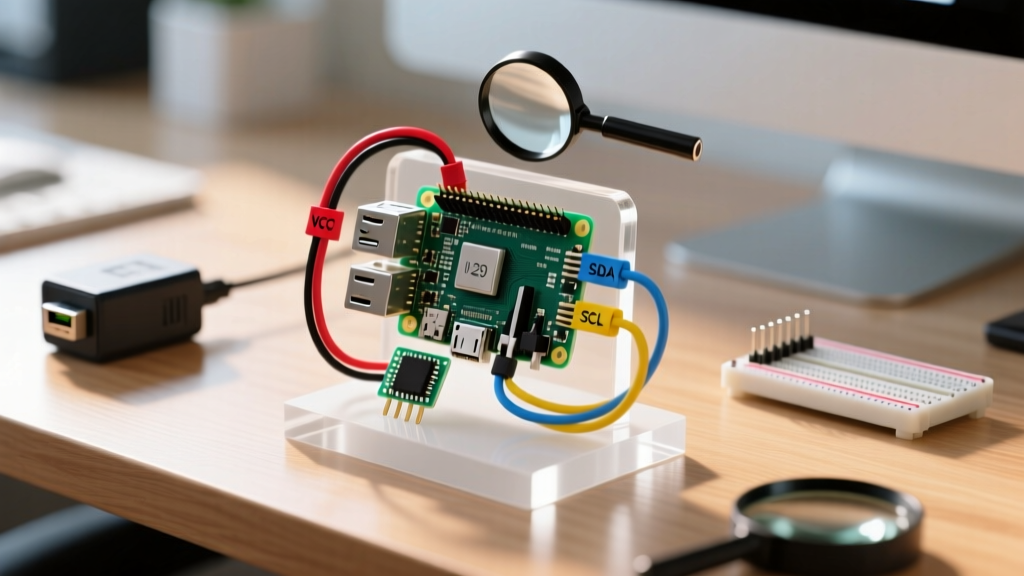
The Pi's PCM (Pulse Code Modulation) block handles I2S natively. Wire the mic strictly to these BCM (Broadcom) GPIO pins. Do not use arbitrary GPIOs; the hardware I2S controller is hardwired to these alternate functions.
| Pi Physical Pin | BCM GPIO | Pi Function | Mic Breakout Pin | Wire Color (Suggested) |
|---|---|---|---|---|
| Pin 1 | 3.3V | Power | VIN / 3V3 | Red |
| Pin 6 | GND | Ground | GND | Black |
| Pin 12 | GPIO 18 | PCM_CLK | BCLK | Yellow |
| Pin 35 | GPIO 19 | PCM_FS | LRCLK / WS | Green |
| Pin 38 | GPIO 20 | PCM_DIN | DOUT / SD | Blue |
The SPH0645LM4H has an
L/R (or SEL) pin. Tie this pin to GND to output audio on the Left I2S channel, or tie it to 3.3V for the Right channel. For mono recording, tie it to GND and configure your software to read the Left channel only.
Device Tree & ALSA Configuration (Bookworm OS)
Raspberry Pi OS Bookworm moved the boot configuration directory from /boot/ to /boot/firmware/. Editing the wrong file is the #1 reason I2S overlays fail to load on modern Pi images.
- Open the config file:
sudo nano /boot/firmware/config.txt - Scroll to the bottom and add the I2S and overlay directives:
# Enable I2S PCM hardware dtparam=i2s=on # Load the generic voice HAT overlay (handles SPH0645 bit-shifting) dtoverlay=googlevoicehat-soundcard - Save (Ctrl+O, Enter) and exit (Ctrl+X).
- Reboot the Pi:
sudo reboot - Verify the ALSA card loaded by running
arecord -l. You should seecard 1: sndrpigooglevoicehat [snd_rpi_googlevoicehat_soundcar].
Python Recording Script (Targeting Pi 4)
We will use the sounddevice library rather than the aging pyaudio. It integrates cleanly with NumPy and handles PortAudio stream errors gracefully. Install the system dependencies and Python packages first:
sudo apt update
sudo apt install libportaudio2 python3-numpy python3-scipy
pip3 install sounddevice --break-system-packages
The script below targets the googlevoicehat ALSA device, records 5 seconds of audio at 16kHz (ideal for voice pipelines like Whisper or Vosk), and saves it as a WAV file. It includes explicit error handling for device enumeration failures.
import sounddevice as sd
import numpy as np
from scipy.io import wavfile
import sys

# --- Configuration ---
SAMPLE_RATE = 16000
DURATION_SEC = 5
CHANNELS = 1
OUTPUT_FILE = "i2s_mic_capture.wav"
# Target the specific ALSA overlay name to avoid defaulting to HDMI audio
DEVICE_NAME_SUBSTRING = "googlevoicehat"

def find_i2s_device():
    """Queries PortAudio for the I2S overlay device index."""
    devices = sd.query_devices()
    for i, dev in enumerate(devices):
        if DEVICE_NAME_SUBSTRING in dev['name'].lower() and dev['max_input_channels'] > 0:
            return i
    return None

def main():
    print(f"Searching for I2S mic containing '{DEVICE_NAME_SUBSTRING}'...")
    device_idx = find_i2s_device()

    if device_idx is None:
        print("ERROR: I2S microphone not found in ALSA device list.")
        print("Available input devices:")
        print(sd.query_devices(kind='input'))
        sys.exit(1)

    print(f"Found device {device_idx}: {sd.query_devices(device_idx)['name']}")
    print(f"Recording {DURATION_SEC} seconds at {SAMPLE_RATE}Hz...")

    try:
        # Record 32-bit float to preserve dynamic range before saving as 16-bit PCM
        audio_data = sd.rec(
            int(DURATION_SEC * SAMPLE_RATE),
            samplerate=SAMPLE_RATE,
            channels=CHANNELS,
            dtype='float32',
            device=device_idx
        )
        sd.wait()  # Block until recording is complete

        # Normalize and convert to 16-bit integer for standard WAV format
        # The SPH0645 can be quiet; this scaling maximizes the ADC range
        max_val = np.max(np.abs(audio_data))
        if max_val > 0:
            audio_data = audio_data / max_val

        audio_16bit = np.int16(audio_data * 32767)
        wavfile.write(OUTPUT_FILE, SAMPLE_RATE, audio_16bit)
        print(f"Success! Audio saved to {OUTPUT_FILE}")

    except sd.PortAudioError as e:
        print(f"PortAudio Error: Failed to open audio stream.\nDetails: {e}")
        sys.exit(1)
    except Exception as e:
        print(f"Unexpected error during recording: {e}")
        sys.exit(1)

if __name__ == "__main__":
    main()
Debugging: First Three Checks & Exact Error Strings
When I2S audio fails on a Pi, it rarely fails silently. It throws specific ALSA or PortAudio errors. If your script crashes or records pure silence, check these three things in order:
- Verify the Overlay Loaded: Run
dmesg | grep -i i2s. If you don't see theasoc-simple-cardbinding thegooglevoicehatcodec, yourconfig.txtedit failed or was applied to the wrong directory (e.g., you edited/boot/config.txtinstead of/boot/firmware/config.txt). - Check Physical LRCLK/BCLK Wiring: I2S requires a shared clock. If BCLK (GPIO 18) or LRCLK (GPIO 19) are swapped or loose, the Pi will record a flatline of zeros or a harsh digital screech.
- Verify Channel Mapping: If you tied the mic's L/R pin to 3.3V (Right channel) but your code requests
channels=1(which defaults to Left), you will record silence. Changechannels=2in the Python script and inspect the right channel array.
Common Error Strings and Fixes
sounddevice.PortAudioError: Error opening InputStream: Invalid device [PaErrorCode -9999]Ranked Causes:
1. The
DEVICE_NAME_SUBSTRING in the Python script doesn't match the ALSA output of arecord -l.2. The
dtoverlay in config.txt has a typo and failed to load at boot.Fix: Run
python3 -m sounddevice to print the exact PortAudio device list. Copy the exact string from the terminal into your script.
ALSA lib pcm_dmix.c:1035:(snd_pcm_dmix_open) unable to open slave (Usually seen when testing via terminal arecord)Ranked Causes:
1. Another process (like PulseAudio or PipeWire) has locked the I2S hardware block.
2. The user lacks permissions to access the
audio group.Fix: Kill background audio daemons with
systemctl --user stop pipewire or specify the hardware device directly in terminal tests: arecord -D hw:1,0 -f S16_LE -r 16000 test.wav.
Extending and Simplifying the Build
Depending on your project's end goal, you may need to pivot from this baseline I2S setup.
How to Simplify (The USB Fallback)
If you are building a kiosk or a simple voice-assistant node and do not want to debug ALSA device tree overlays, abandon the I2S MEMS mic. Purchase a Mini USB Microphone. It registers as a standard USB Audio Class 1.0 device. You will lose the low-latency hardware I2S path, but sounddevice will instantly recognize it as USB PnP Sound Device without touching config.txt.
How to Extend (Mic Arrays & Beamforming)
A single SPH0645 is omnidirectional and will pick up room reverb. If you are building a far-field voice assistant (like a custom Alexa clone) or need Direction of Arrival (DOA) tracking, a single mic is insufficient. Extend the build by switching to a ReSpeaker 2-Mics Pi HAT or the 4-Mic variant. These HATs use an onboard DSP (like the AC108 codec) to handle I2S multiplexing, acoustic echo cancellation (AEC), and beamforming, presenting a single, clean multi-channel USB or I2S stream to the Pi. Note that 4-mic HATs require custom ALSA plugins to de-interleave the channels properly in Python.
For deeper reading on Raspberry Pi audio routing and device tree overlays, consult the official Raspberry Pi config.txt documentation and the Python Sounddevice ReadTheDocs for advanced stream callback implementations.