
The Evolution of the Smart Home Brain
For years, the phrase home assistant raspberry pi was practically a single keyword in the smart home community. The Raspberry Pi 4B was the undisputed king of DIY home automation, offering a low-power, silent, and affordable platform to run Home Assistant OS. However, as smart home ecosystems have matured, so have the computational demands placed on the hub. Adding local voice assistants, Frigate NVR for camera object detection, and complex Matter/Thread border routers has fundamentally shifted the hardware requirements.
In 2026, building a reliable Home Assistant server requires looking beyond the iconic green circuit board. While the Raspberry Pi 5 has brought massive architectural improvements, x86-based Mini PCs and alternative ARM Single Board Computers (SBCs) are challenging its dominance. This comprehensive hardware comparison breaks down the real-world performance, failure modes, and total cost of ownership for the top Home Assistant platforms available today.
Deep Dive: The Raspberry Pi 5 Experience
The Raspberry Pi 5 represents a generational leap in ARM processing. Powered by the BCM2712 SoC with quad-core Arm Cortex-A76 processors, it easily handles the core event loop of Home Assistant, even with hundreds of automated entities and heavy dashboard rendering.
The PCIe NVMe Game Changer
The most critical upgrade for Home Assistant users on the Pi 5 is the exposed PCIe 2.0 x1 lane. Home Assistant’s default SQLite database is notoriously write-heavy. Running HA OS on a MicroSD card is a recipe for corruption within 6 to 12 months due to the lack of proper wear-leveling. By utilizing a PCIe NVMe HAT (such as the Pimoroni NVMe Base or the official Raspberry Pi M.2 HAT+), users can boot directly from a high-endurance NVMe SSD. This eliminates the I/O bottleneck that plagued the Pi 4’s USB 3.0 bus and drastically improves dashboard load times and logbook query speeds.
Thermal and Power Realities
Unlike its predecessor, the Pi 5 requires active cooling. Without the official Active Cooler or a third-party tower cooler, the SoC will thermal throttle under the sustained load of compiling custom HACS integrations or running local LLMs via Ollama. Furthermore, the Pi 5 demands a 27W USB-C PD (Power Delivery) power supply to unlock full current limits to downstream USB devices, which is crucial if you are connecting Zigbee dongles and external SSDs without a powered hub.
The x86 Threat: Intel N100 Mini PCs
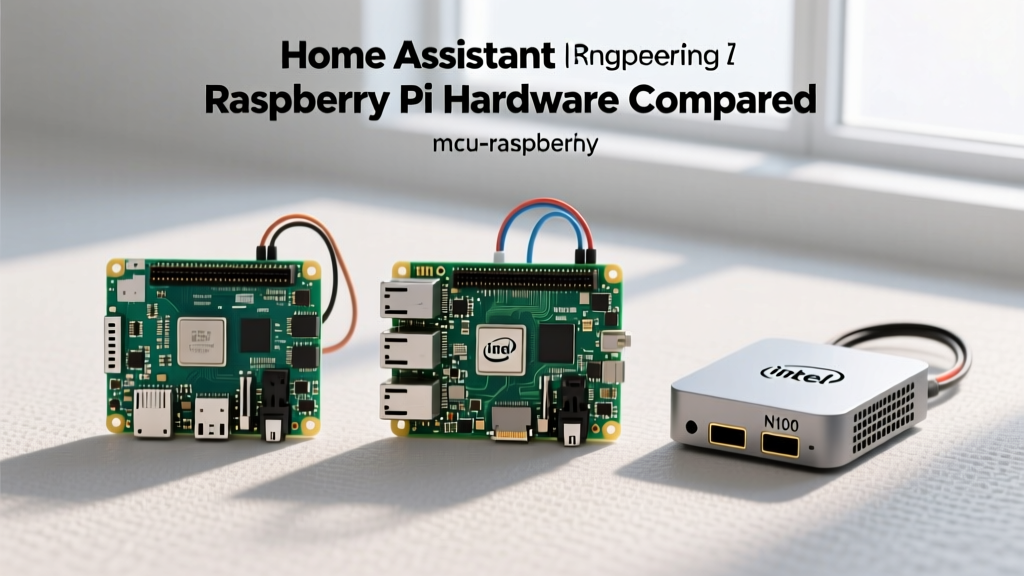
If you search modern smart home forums, the most common advice given to users outgrowing their Pi is to switch to an Intel N100 Mini PC (like the Beelink S12 Pro or GMKtec NucBox). Why? Because the total cost of a fully kitted Raspberry Pi 5 now rivals or exceeds that of a complete x86 system.
Proxmox and Virtualization Superiority
The Intel N100 features an Alder Lake-N architecture with 4 E-cores and hardware-accelerated media encoding (QuickSync). This allows power users to install Proxmox VE as the base hypervisor. You can run Home Assistant OS in a dedicated Virtual Machine while simultaneously running Frigate NVR, Plex, and Pi-hole in isolated LXC containers. The Pi 5 simply cannot match the memory capacity (often 16GB or 32GB DDR5 on N100 units) or the hardware video transcoding capabilities required for processing multiple 4K security camera streams locally.
Head-to-Head Specification & Pricing Matrix
The following table illustrates the true 'ready-to-run' cost and capabilities of the top contenders in 2026. Note that 'Kit Cost' includes the necessary cooling, power supply, and reliable storage mediums required for a production-grade Home Assistant server.
| Hardware Platform | Architecture | RAM / Storage | Est. Kit Cost (2026) | Best HA Deployment Method |
|---|---|---|---|---|
| Raspberry Pi 5 | ARM Cortex-A76 | 8GB LPDDR4X / 256GB NVMe | $145 - $165 | Native HA OS (Bare Metal) |
| Intel N100 Mini PC | x86 Alder Lake-N | 16GB DDR5 / 500GB NVMe | $150 - $180 | Proxmox (VM) or Docker |
| Raspberry Pi 4B | ARM Cortex-A72 | 4GB LPDDR4 / 128GB USB SSD | $95 - $115 | Native HA OS (Legacy Support) |
| Orange Pi 5 | ARM RK3588S | 8GB LPDDR4/5 / eMMC Module | $130 - $150 | Docker (Armbian/Ubuntu) |
Storage Reliability: The Silent Killer of Smart Homes
When evaluating a home assistant raspberry pi build, storage media is the single highest point of failure. Home Assistant utilizes a Write-Ahead Logging (WAL) mechanism for its SQLite database. Every sensor state change, every motion detection event, and every smart bulb toggle generates a database write.
- MicroSD Cards: Even 'High Endurance' SD cards will exhaust their write cycles within a year in a busy HA environment. When the card fails, the HA OS partition table corrupts, requiring a full re-flash and restoration from backup.
- USB 3.0 SSDs (Pi 4): While better than SD cards, the Pi 4’s USB controller shares bandwidth with the Ethernet controller, leading to occasional I/O timeouts during heavy network backups.
- NVMe / eMMC: The Pi 5’s PCIe lane and the Orange Pi 5’s native M.2 slot provide direct memory access with advanced wear-leveling controllers, effectively eliminating storage-induced crashes.
Power Infrastructure and UPS Integration
A smart home hub must survive power outages to execute emergency automations (like turning on battery-backed Zigbee lights or sending offline alerts). This is where the x86 Mini PCs pull ahead in infrastructure compatibility.
The Raspberry Pi 5 requires a 5V/5A USB-C PD connection. Standard Uninterruptible Power Supplies (UPS) output 120V/230V AC or 12V DC. To properly back up a Pi 5, you either need a specialized (and expensive) 5V UPS HAT like the PiJuice, or you must rely on a standard AC UPS, which introduces parasitic draw and inefficiency from the Pi's wall-wart power adapter. Conversely, Intel N100 Mini PCs typically use standard 12V or 19V DC barrel jacks, making it trivial to wire them directly into a 12V LiFePO4 battery backup system or a standard DC UPS board, ensuring hours of runtime during grid failures.
Expert Troubleshooting Tip: Whether you choose a Pi 5 or an N100 Mini PC, USB 3.0 ports generate massive RF interference in the 2.4GHz spectrum. If you plug your Sonoff Zigbee 3.0 USB Dongle Plus or Home Assistant SkyConnect directly into the motherboard, your Zigbee mesh will experience severe packet loss. Always use a 1-meter USB 2.0 extension cable to physically separate the RF coordinator from the compute board's I/O bus.
The Verdict: Choosing Your 2026 Hardware
The ideal hardware depends entirely on your technical background and expansion plans.
Who should buy the Raspberry Pi 5?
If you are deeply embedded in the official Home Assistant OS ecosystem, prefer bare-metal installations, and want a low-profile board that can be mounted directly inside a custom 3D-printed enclosure or DIN-rail setup, the Pi 5 (with an NVMe HAT) remains a stellar choice. It is also the better route if you plan to utilize the GPIO pins for custom hardware integrations, like wiring physical relays or I2C environmental sensors directly to the hub.
Who should buy the Intel N100 Mini PC?
If your goal is a 'set-and-forget' appliance that handles not just Home Assistant, but also local AI object detection (Frigate), media serving (Plex/Jellyfin), and network-wide ad blocking, the N100 is the undisputed champion. The ability to use Proxmox for automated, snapshot-based VM backups makes system maintenance vastly superior to the Pi's SD-card imaging workflows.
Ultimately, the classic home assistant raspberry pi build is no longer the default recommendation for advanced users, but the Pi 5's architectural leaps ensure it remains a highly capable, tinkerer-friendly alternative for those who value the SBC form factor and GPIO ecosystem over raw x86 virtualization power.