
Beyond the Basics: Redefining SBC Capabilities
When enthusiasts search for cool things to do with a Raspberry Pi, the results are often saturated with basic retro-gaming consoles, simple weather stations, or standard ad-blockers. While those are excellent entry points for beginners, the modern single-board computer (SBC) ecosystem has evolved into a powerhouse capable of edge AI, local large language model (LLM) inference, and enterprise-grade network forensics. The introduction of the PCIe Gen 2 interface and the 16nm Broadcom BCM2712 quad-core Arm Cortex-A76 processor on the Pi 5 has fundamentally shifted the paradigm. In this advanced project tutorial, we will bypass the beginner guides and dive deep into three highly technical, deeply rewarding builds that push the ARM64 architecture to its absolute limits.
Tutorial 1: AI-Triggered Avian Classifier with Hailo NPU
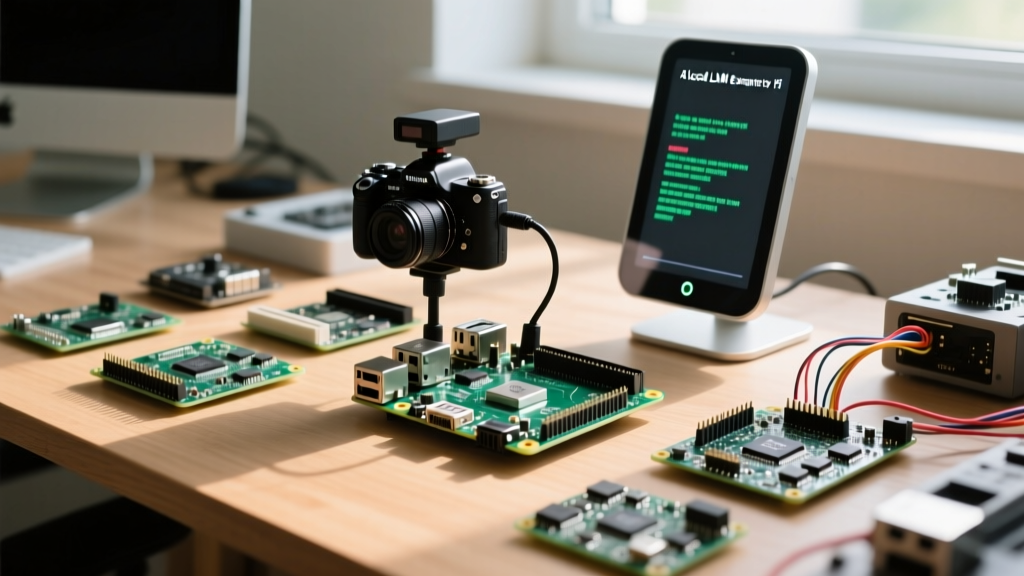
The standard Raspberry Pi Camera Module 3 is capable of capturing stunning 12-megapixel images, but processing those images for real-time object detection using the CPU alone results in severe thermal throttling and low frame rates. By integrating the Raspberry Pi AI Kit, which features the Hailo-8L Neural Processing Unit (NPU) capable of 13 TOPS (Tera Operations Per Second), we can build an AI-triggered bird feeder camera that identifies species in real-time without relying on cloud APIs.
Hardware BOM and Physical Integration
To begin, you will need the Raspberry Pi 5 (8GB variant recommended for model caching), the official M.2 HAT+, the Hailo-8L M.2 module, and the Camera Module 3. The physical installation requires connecting the M.2 HAT+ to the Pi 5's PCIe FPC connector using the included ribbon cable. Ensure the Hailo module is seated correctly and secured with the provided thermal pad and screw to the HAT's passive heatsink. The camera module connects via the MIPI CSI-2 ribbon cable. Crucially, do not force the FPC connectors; lift the retaining collar, insert the cable with the blue tab facing the correct orientation, and press the collar down evenly.
Software Configuration and Inference
After flashing Raspberry Pi OS (64-bit, Bookworm), update your system and install the Hailo runtime and camera applications via the terminal:
sudo apt update
sudo apt install hailo-all rpicam-apps
The rpicam-detect application is pre-configured to utilize a MobileNet-SSD TFLite model optimized for the Hailo NPU. However, for avian classification, you will want to compile a custom YOLOv8n model trained on bird species datasets (such as the NABirds dataset), export it to HEF (Hailo Executable Format) using the Hailo Dataflow Compiler, and pass it to the --model flag. This setup allows the Pi to run inference at over 30 FPS while consuming less than 2 watts of additional power, making it perfect for solar-powered outdoor enclosures.
Tutorial 2: Offline LLM Smart Mirror Integration
Smart mirrors are incredibly popular, but most rely on cloud-based APIs for voice assistance and calendar summarization, raising significant privacy concerns. One of the most cool things to do with a Raspberry Pi today is running a local, privacy-preserving LLM to drive the mirror's interactive elements. Using Ollama and Llama 3.2 (3B parameters), we can achieve responsive, offline text generation directly on the SBC.
Optimizing Memory and Storage for Local AI
Running an LLM locally requires aggressive memory management. The 8GB RAM on the Pi 5 is sufficient for a heavily quantized 3B model (which consumes roughly 2.2GB of VRAM/RAM), but the Electron-based MagicMirror² interface will consume another 1GB to 1.5GB. To prevent the OS from invoking the swap file and grinding the system to a halt, booting from an NVMe SSD via the M.2 HAT+ is mandatory. SD cards cannot handle the random I/O operations required for OS-level paging during LLM inference spikes.
Install Ollama via the official shell script, then pull the quantized model:
curl -fsSL https://ollama.com/install.sh | sh
ollama run llama3.2:3b
By writing a custom MagicMirror² module using Node.js, you can send HTTP POST requests to the local Ollama API (http://localhost:11434/api/generate). Feed your daily calendar and local weather JSON data into the prompt context, and instruct the LLM to generate a concise, spoken-word morning briefing. The resulting audio can be piped through a localized Piper TTS (Text-to-Speech) engine for a fully offline, latency-free morning routine.
Hardware Matrix: Matching the Pi to the Project
Not every project requires the flagship board. Selecting the right hardware ensures cost-efficiency and thermal stability. Below is a comparative analysis for advanced deployments:
| Model | RAM / Architecture | AI & I/O Capabilities | Best Advanced Use Case |
|---|---|---|---|
| Raspberry Pi 5 (8GB) | 8GB LPDDR4X / Cortex-A76 | PCIe Gen 2, Dual 4K60, Native NPU HAT support | Local LLMs, Edge AI Vision, NVMe NAS |
| Raspberry Pi 4 Model B | 4GB/8GB LPDDR4 / Cortex-A72 | USB 3.0, Dual 4K60, No native PCIe | Pi-hole with Zeek, RetroPie, Media Servers |
| Raspberry Pi Zero 2 W | 512MB LPDDR2 / Cortex-A53 | Low power, USB 2.0, Mini HDMI | IoT Edge Sensors, Portable Retro Gaming |
Tutorial 3: Network Sentinel with Zeek and Pi-hole
While setting up Pi-hole as a DNS sinkhole is a standard weekend project, transforming your Pi into a full-fledged Network Sentinel is a truly advanced endeavor. By pairing Pi-hole with Zeek (a powerful open-source network analysis framework), you can monitor your smart home for anomalous behavior, such as IoT devices attempting to phone home to unknown IP addresses or lateral movement attempts by compromised devices.
Architecting the Network Tap
To capture traffic without introducing a bottleneck, you cannot simply route all traffic through the Pi's single Gigabit Ethernet port. Instead, utilize a managed network switch that supports Port Mirroring (SPAN). Configure the switch to mirror all traffic from your IoT VLAN to a specific port. Connect a USB 3.0 to Gigabit Ethernet adapter (using the ASIX AX88179 chipset for reliable Linux driver support) to your Raspberry Pi 4 or 5, and plug the mirrored port into this adapter.
Install Zeek on the Pi and configure it to listen on the USB-Ethernet interface (e.g., eth1). Zeek will generate highly structured logs (conn.log, dns.log, http.log) in TSV format. You can then write a Python script to parse Zeek's dns.log in real-time. If an IoT device queries a domain that is not on your whitelist, the script can dynamically update Pi-hole's gravity list via the API to block the domain network-wide, creating an automated, self-healing security perimeter.
Thermal and Power Delivery Prerequisites
Executing these advanced cool things to do with a Raspberry Pi requires strict adherence to power delivery (PD) and thermal management protocols. The Raspberry Pi 5 negotiates a 5V/5A (27W) USB-C PD contract. If the Pi does not detect a 5A-capable power supply, it will artificially limit the current to downstream USB ports and the PCIe interface to prevent brownouts. This means your NVMe drive or Hailo NPU may experience random disconnects or I/O errors during heavy computational loads.
Furthermore, the BCM2712 SoC generates significant heat under sustained LLM inference or AI vision workloads. The official Active Cooler is mandatory. It utilizes a vapor chamber and a PWM-controlled blower fan that interfaces directly with the rp1 southbridge chip, allowing the OS to dynamically scale fan speeds based on the SoC's internal thermal diodes. Attempting these projects with passive heatsinks or third-party, non-PD-compliant power supplies will inevitably lead to clock throttling and project failure.
"The transition from hobbyist tinkerer to edge-computing engineer happens when you stop treating the Raspberry Pi as a toy and start respecting its hardware constraints. Proper power delivery, thermal dissipation, and I/O bandwidth management are the true differentiators in advanced SBC projects."