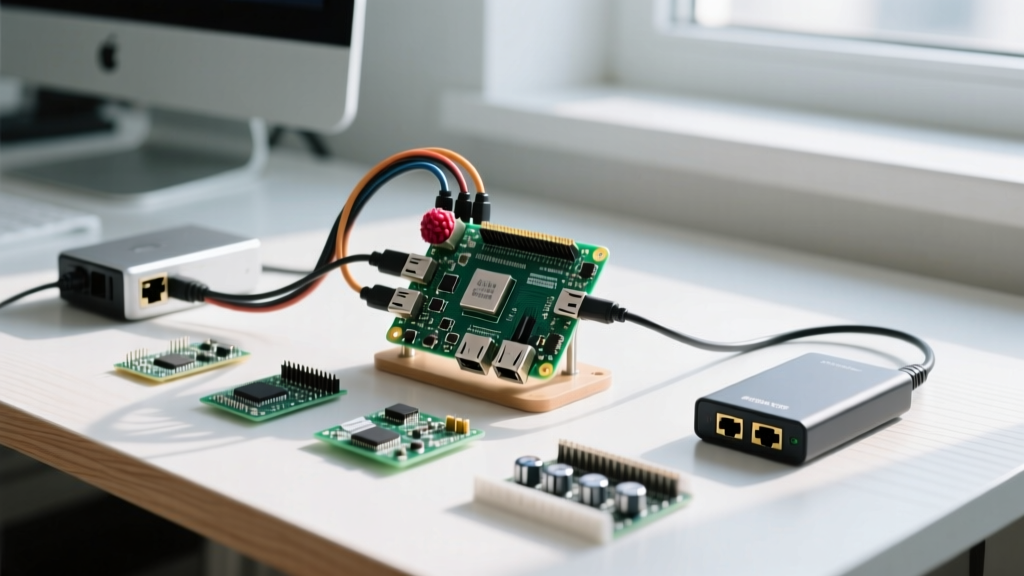

If you want a dedicated, low-power seedbox that runs 24/7 without spinning up a power-hungry desktop, a Raspberry Pi torrent box is the benchmark build. The direct answer for the most reliable, cost-effective stack in 2026 is a Raspberry Pi 4 Model B (4GB) running Raspberry Pi OS Bookworm 64-bit, paired with a 1TB NVMe SSD in a UASP-enabled USB 3.0 enclosure, managed by transmission-daemon.
This guide skips the basic 'how to install an OS' fluff. We are going straight into the hardware decision matrix, the GPIO power mapping for uninterrupted 24/7 operation, a robust Python-based automated setup script, and the exact error strings you will hit when USB power drops out or JSON permissions fail.
Hardware Decision Tree & Parts List
Choosing the right board and storage is where most Pi torrent builds fail. A Raspberry Pi Zero 2 W will choke on the DHT hash table of large public trackers, and a Pi 5 requires active cooling that adds noise and points of failure for a closet-deployed seedbox. Here is the decision matrix that terminates in our default pick.
| Component | Option A | Option B | Option C | Concrete Pick |
|---|---|---|---|---|
| Board | Pi Zero 2 W (1GB) - Too little RAM for large tracker lists | Pi 5 (4GB) - Runs hot, requires active fan for 24/7 | Pi 4 Model B (4GB) - Mature UASP, passively coolable | Pi 4 Model B (4GB) |
| Storage | USB Thumb Drive - Will die in weeks from write wear | SATA SSD via USB - Bottlenecked by bridge chips | NVMe via USB 3.1 UASP - High IOPS, low CPU overhead | Samsung 980 1TB NVMe + UASP Enclosure |
| Client | qBittorrent-nox - Heavier RAM footprint | Transmission-daemon - Lightweight, native systemd | Deluge - Complex plugin architecture | Transmission-daemon |
Exact Parts List & 2026 Pricing
- Compute: Raspberry Pi 4 Model B 4GB (~$55)
- Case/Thermal: Argon ONE V3 Aluminum Case (passive cooling + full-size HDMI) (~$25)
- Storage: Samsung 980 1TB NVMe M.2 (~$75)
- Enclosure: Sabrent USB 3.2 NVMe Enclosure (RTL9210B chip) (~$20)
- Power Backup: Geekworm X735 UPS HAT with 18650 cells (~$35)
- Power Supply: Official Raspberry Pi 27W USB-C PD (~$12)
Power and Pin Mapping (X735 UPS HAT)
Running a Raspberry Pi torrent box 24/7 means dealing with micro-outages. If the Pi loses power while the EXT4 journal is committing, you will corrupt the partition table. The Geekworm X735 UPS HAT handles power failover and safe shutdowns. Because the Pi 4 routes power through the USB-C port, the X735 uses a clever jumper and GPIO mapping to manage the board.
| X735 Pin / Function | Pi 4 GPIO / Physical Pin | Purpose in Torrent Build |
|---|---|---|
| 5V Power In | Physical Pin 2 & 4 (5V) | Feeds the Pi when mains power drops. |
| GND | Physical Pin 6, 9, 14 | Common ground reference. |
| Shutdown Button | GPIO 4 (Physical Pin 7) | Trigger safe OS shutdown before battery depletion. |
| Fan PWM Control | GPIO 17 (Physical Pin 11) | Argon case fan override (if using active cooling). |
| Power Status Read | GPIO 13 (Physical Pin 33) | Scriptable check: Is the Pi on battery or mains? |
Safety Caveat: The X735 uses unprotected 18650 lithium cells. Never mix old and new cells, and never use damaged cells. The HAT includes a basic BMS (Battery Management System) for over-discharge protection, but you must physically inspect the cells for swelling every 12 months.
Automated Headless Setup Script
Editing settings.json manually via nano is a recipe for syntax errors that silently break the Transmission daemon. The script below targets the Raspberry Pi 4 Model B (4GB) running Raspberry Pi OS Bookworm 64-bit. It installs the daemon, formats the attached NVMe to EXT4 (which has vastly lower CPU overhead than NTFS via FUSE), mounts it via fstab, and safely injects the JSON configuration using Python's native parser.
Save this as setup_seedbox.py and run it with sudo python3 setup_seedbox.py.
#!/usr/bin/env python3
"""
Raspberry Pi Torrent Box Automated Setup
Targets: Pi 4 / Pi 5 on Raspberry Pi OS Bookworm 64-bit
"""
import os
import sys
import json
import subprocess
import time

MOUNT_POINT = '/mnt/torrents'
DEVICE = '/dev/sda1' # Assuming NVMe enclosure maps to sda
SETTINGS_PATH = '/var/lib/transmission-daemon/info/settings.json'

def run_cmd(cmd, ignore_errors=False):
    print(f'Running: {cmd}')
    try:
        subprocess.check_call(cmd, shell=True)
    except subprocess.CalledProcessError as e:
        if not ignore_errors:
            print(f'FATAL: Command failed with code {e.returncode}')
            sys.exit(1)

def main():
    if os.geteuid() != 0:
        sys.exit('Error: This script must be run as root (sudo).')

    # 1. Install dependencies
    run_cmd('apt-get update')
    run_cmd('apt-get install -y transmission-daemon ntfs-3g exfat-fuse')

    # 2. Stop daemon to unlock settings.json
    run_cmd('systemctl stop transmission-daemon')
    time.sleep(2)

    # 3. Format and Mount Storage
    if not os.path.exists(DEVICE):
        sys.exit(f'FATAL: {DEVICE} not found. Check USB connection and lsblk.')

    print(f'Formatting {DEVICE} to ext4...')
    run_cmd(f'mkfs.ext4 -F {DEVICE}')

    os.makedirs(MOUNT_POINT, exist_ok=True)

    # Add to fstab if not present
    with open('/etc/fstab', 'r+') as f:
        content = f.read()
        if MOUNT_POINT not in content:
            f.write(f'\n{DEVICE}  {MOUNT_POINT}  ext4  defaults,nofail  0  2\n')
    run_cmd('mount -a')

    # 4. Set Permissions
    run_cmd(f'chown -R debian-transmission:debian-transmission {MOUNT_POINT}')
    run_cmd(f'chmod -R 775 {MOUNT_POINT}')

    # 5. Safely Edit settings.json
    try:
        with open(SETTINGS_PATH, 'r') as f:
            config = json.load(f)
    except (FileNotFoundError, json.JSONDecodeError) as e:
        sys.exit(f'FATAL: Could not parse {SETTINGS_PATH}. Error: {e}')

    config['download-dir'] = MOUNT_POINT
    config['incomplete-dir'] = f'{MOUNT_POINT}/incomplete'
    config['incomplete-dir-enabled'] = True
    config['rpc-whitelist-enabled'] = False # Allow LAN access
    config['rpc-host-whitelist-enabled'] = False
    config['umask'] = 2 # Results in 775 permissions for new files

    with open(SETTINGS_PATH, 'w') as f:
        json.dump(config, f, indent=4)

    # 6. Restart and Enable
    run_cmd('systemctl start transmission-daemon')
    run_cmd('systemctl enable transmission-daemon')
    print('Setup complete! Access Web UI at http://:9091')

if __name__ == '__main__':
    main()
Debugging: Exact Errors and Ranked Fixes
When a headless Raspberry Pi torrent build fails, it rarely gives you a helpful GUI pop-up. Here are the exact error strings you will see in journalctl -u transmission-daemon, ranked by likelihood, with their concrete fixes.
Error 1: The Permission Block
transmission-daemon[1234]: Couldn't create "/mnt/torrents": Permission denied- Cause A (Most Likely): The systemd service started before the USB drive mounted, or the
debian-transmissionuser lacks ownership. Fix: Runsudo chown -R debian-transmission:debian-transmission /mnt/torrentsand ensurenofailis in your fstab. - Cause B: You formatted the drive as NTFS on a Windows PC and mounted it via
ntfs-3gwithout specifying the UID/GID in fstab. Fix: Reformat to EXT4 using the script above. FUSE layers for NTFS will throttle your Pi's CPU to a crawl during torrent hashing.
Error 2: The Web UI Lockout
403: Forbidden - Unauthorized IP Address.- Cause A: Transmission's default security model blocks any IP that isn't localhost. Fix: Stop the daemon, edit
settings.json, set"rpc-whitelist-enabled": false, and restart. - Cause B: You edited
settings.jsonwhile the daemon was running. Transmission overwrites the JSON file with its in-memory cache upon shutdown, erasing your changes. Fix: Always runsudo systemctl stop transmission-daemonbefore editing the file.
Error 3: The USB Dropout
kernel: [ 4521.123] usb 2-1: USB disconnect, device number 3- Cause A: Power brownout. The NVMe enclosure is pulling >1.2A during heavy seeding, tripping the Pi 4's USB polyfuse. Fix: Use the official 27W Pi power supply. If using a hub, it must be a powered hub with a 5V/3A dedicated rail.
- Cause B: UASP kernel bug with specific JMicron bridge chips. Fix: Add a USB quirk to disable UASP for that specific device ID in
/boot/firmware/cmdline.txt(e.g.,usb-storage.quirks=152d:0562:u), though buying an RTL9210B enclosure is the better hardware fix.
- Service State: Run
sudo systemctl status transmission-daemon. If it says 'failed', check the journal. - Mount Point: Run
df -h. If/mnt/torrentsisn't listed, your USB dropped or fstab is wrong. The Pi is currently writing torrents to your SD card, which will fill it and crash the OS in hours. - JSON Syntax: Run
python3 -m json.tool /var/lib/transmission-daemon/info/settings.json. If it throws a ValueError, you missed a comma in your config.
Extending and Simplifying the Build
Once your baseline Raspberry Pi torrent box is seeding reliably, you will likely want to adjust the complexity based on your network environment.
How to Extend: Add a WireGuard VPN Killswitch
If you are seeding on public trackers, your ISP can see the traffic. Extending the build with PiVPN (WireGuard) is the standard move. However, simply installing a VPN isn't enough; you need a killswitch so Transmission stops if the VPN tunnel drops. You can extend the build by adding an iptables rule that restricts the debian-transmission user to only route traffic through the wg0 interface:
sudo iptables -A OUTPUT -m owner --uid-owner debian-transmission -o eth0 -j REJECT
sudo iptables -A OUTPUT -m owner --uid-owner debian-transmission -o wg0 -j ACCEPT
Save this with iptables-persistent to ensure your IP never leaks during a tunnel renegotiation.
How to Simplify: The Docker Alternative
If managing systemd services, fstab mounts, and JSON files via SSH feels like too much friction, you can simplify the build by abandoning bare-metal Debian packages entirely. Install CasaOS or Docker Compose on the Pi. You can deploy the linuxserver/transmission container with a single YAML file. This abstracts away the debian-transmission user permission nightmares by mapping your Pi user (UID 1000) directly to the container. The trade-off is a ~15% increase in baseline RAM usage, which is perfectly acceptable on the 4GB Pi 4 variant we selected.
By sticking to the Pi 4 4GB, an EXT4-formatted UASP NVMe drive, and a script-verified configuration, your seedbox will survive power blips, handle 10G+ file hashes without CPU throttling, and run silently for years.