Why a Local IoT Mail Relay Beats a Public MTA
If you want to use a Raspberry Pi as mail server for your home lab or IoT sensor network, the first rule of 2026 is: do not build a public-facing MTA on a residential IP. Between ISP port 25 blocks, dynamic IP reputations, and instant Spamhaus blacklisting, running Postfix or Exim directly to the open internet is a losing battle.
The robust, maker-approved approach is to build a Local SMTP Ingestion Relay. Your ESP32s, Arduinos, and local servers send unauthenticated SMTP traffic to the Pi on your LAN (port 2525). The Pi logs the payload to a local SQLite database for archiving, timestamps it using a hardware RTC (in case NTP fails), and then forwards it to the outside world via an authenticated API relay like SendGrid, Mailgun, or a Gmail App Password.
Difficulty: Intermediate (Requires basic I2C wiring and Python asyncio)
Time to Build: 2-3 hours
Target Board: Raspberry Pi 5 (8GB RAM) — The 8GB variant is specified here to handle Python asyncio overhead, SQLite writes, and optional Docker containers for a webmail frontend later without swapping to the microSD card.
Cost: ~$95 (Pi 5 8GB + RTC + misc components)
Hardware Bill of Materials & GPIO Pin Mapping
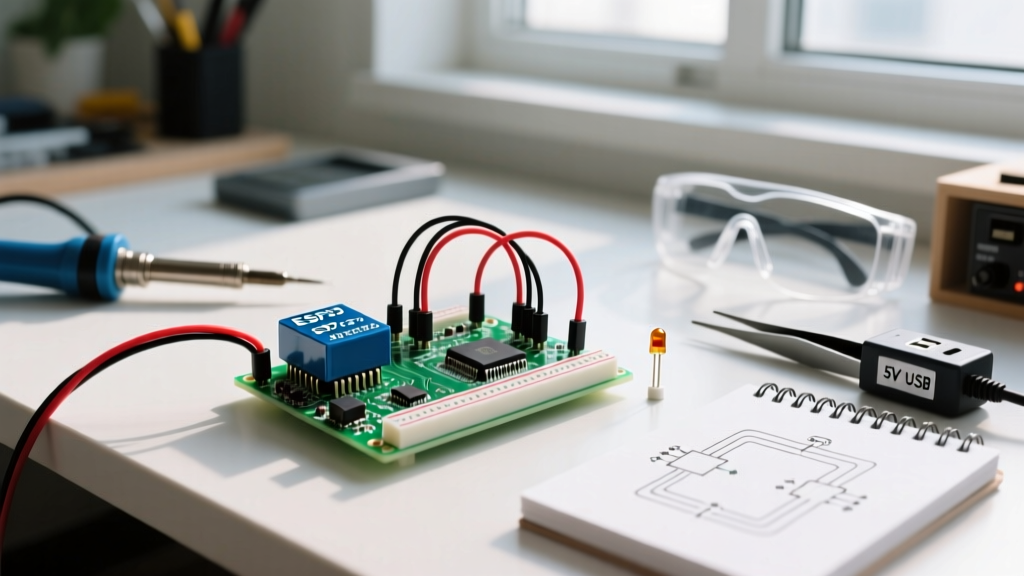
To make this a true embedded project rather than just a software install, we are adding a DS3231 Real Time Clock (RTC) for offline timestamping and physical GPIO LEDs to indicate SMTP ingestion status. This is critical for headless Pi deployments in network closets where you need instant visual feedback on mail flow.
| Component | Pi 5 GPIO Pin | BCM / I2C Designation | Function |
|---|---|---|---|
| DS3231 VCC | Pin 1 | 3.3V Power | Powers the RTC module |
| DS3231 GND | Pin 6 | Ground | Common ground reference |
| DS3231 SDA | Pin 3 | GPIO 2 (SDA1) | I2C Data line |
| DS3231 SCL | Pin 5 | GPIO 3 (SCL1) | I2C Clock line |
| Green LED (+) | Pin 11 | GPIO 17 | Flashes on successful SMTP ingest |
| Red LED (+) | Pin 13 | GPIO 27 | Flashes on I2C/SMTP error |
Note: Always use a 330Ω current-limiting resistor in series with the LED anodes before connecting to the GPIO pins to prevent drawing more than the 16mA per-pin limit.
Step-by-Step: Wiring and I2C Configuration
- Enable I2C: Open terminal and run
sudo raspi-config. Navigate to Interface Options > I2C and enable it. Reboot the Pi. - Verify RTC: Run
i2cdetect -y 1. You should see68in the grid, confirming the DS3231 is on the I2C bus. - Install Dependencies: We need the asynchronous SMTP daemon, I2C tools, and GPIO control libraries. Run:
sudo apt update && sudo apt install python3-pip i2c-tools
pip3 install aiosmtpd smbus2 gpiozero - Wire the Hardware: Connect the DS3231 and LEDs according to the pin mapping table above. Ensure the Pi is powered off during wiring to avoid accidental short circuits on the 40-pin header.
The Python SMTP Daemon (Complete Code)
This script uses aiosmtpd to spin up a local SMTP server. It intercepts incoming mail from your IoT devices, queries the DS3231 for a hardware-backed timestamp, logs the envelope to SQLite, and blinks the green LED. If the I2C bus fails, it catches the exception, blinks the red LED, and falls back to system time.
import asyncio
import logging
import sqlite3
import datetime
from aiosmtpd.controller import Controller
from gpiozero import LED
from smbus2 import SMBus

# --- Hardware Pin Definitions ---
GREEN_LED_PIN = 17  # BCM 17 / Physical Pin 11
RED_LED_PIN = 27    # BCM 27 / Physical Pin 13
I2C_BUS = 1
RTC_ADDRESS = 0x68

# Initialize Hardware
green_led = LED(GREEN_LED_PIN)
red_led = LED(RED_LED_PIN)
bus = SMBus(I2C_BUS)

# Database Setup
conn = sqlite3.connect('iot_mail_log.db', check_same_thread=False)
cursor = conn.cursor()
cursor.execute('''CREATE TABLE IF NOT EXISTS mail_log
                  (id INTEGER PRIMARY KEY AUTOINCREMENT,
                   timestamp TEXT, sender TEXT, recipients TEXT, size INTEGER)''')
conn.commit()

logging.basicConfig(level=logging.INFO, format='%(asctime)s - %(message)s')

def bcd_to_dec(bcd):
    return (bcd // 16 * 10) + (bcd % 16)

def get_rtc_time():
    try:
        data = bus.read_i2c_block_data(RTC_ADDRESS, 0x00, 7)
        sec = bcd_to_dec(data[0] & 0x7F)
        min = bcd_to_dec(data[1])
        hr = bcd_to_dec(data[2] & 0x3F)
        day = bcd_to_dec(data[4])
        month = bcd_to_dec(data[5])
        year = bcd_to_dec(data[6]) + 2000
        return datetime.datetime(year, month, day, hr, min, sec).isoformat()
    except Exception as e:
        logging.error(f"RTC Read Failed: {e}. Falling back to system time.")
        red_led.blink(0.2, 0.2, 3) # Error indicator
        return datetime.datetime.now().isoformat()

class IoTMailHandler:
    async def handle_DATA(self, server, session, envelope):
        logging.info(f"Receiving message from {envelope.mail_from}")

        # Get hardware timestamp
        hw_time = get_rtc_time()

        # Log to SQLite
        try:
            cursor.execute("INSERT INTO mail_log (timestamp, sender, recipients, size) VALUES (?, ?, ?, ?)",
                           (hw_time, envelope.mail_from, str(envelope.rcpt_tos), len(envelope.content)))
            conn.commit()
            green_led.blink(0.5, 0.5, 1) # Success indicator
        except sqlite3.Error as e:
            logging.error(f"Database write failed: {e}")
            red_led.blink(0.1, 0.1, 5)

        # Here you would add your authenticated relay logic (e.g., via smtplib to SendGrid)
        # For this local logger, we just accept and archive.
        return '250 Message accepted for local archival'

async def main():
    handler = IoTMailHandler()
    # Bind to 0.0.0.0 to accept connections from ESP32/Arduino on the LAN
    controller = Controller(handler, hostname='0.0.0.0', port=2525)
    controller.start()
    logging.info("IoT SMTP Relay running on port 2525")

    try:
        while True:
            await asyncio.sleep(1)
    except KeyboardInterrupt:
        controller.stop()
        conn.close()
        logging.info("Server shut down gracefully.")

if __name__ == '__main__':
    asyncio.run(main())
Debugging: Exact Error Strings and Ranked Causes
When integrating embedded hardware with network protocols, things break at the intersection of layers. Here are the exact error strings you will encounter and how to fix them.
ConnectionRefusedError: [Errno 111] Connection refusedSymptom: Your ESP32 or local script tries to connect to the Pi on port 2525 but is instantly rejected.
Ranked Causes:
1. Firewall Block: UFW is active and blocking port 2525. Fix: Run
sudo ufw allow 2525/tcp.2. Binding to Localhost: The Python script was modified to
hostname='127.0.0.1' instead of '0.0.0.0'. Fix: Change to 0.0.0.0 to listen on all LAN interfaces.3. Port Conflict: Another service (like a rogue Postfix instance) is holding the port. Fix: Run
sudo lsof -i :2525 to identify and kill the PID.
OSError: [Errno 121] Remote I/O errorSymptom: The script crashes or falls back to system time immediately upon receiving an email.
Ranked Causes:
1. I2C Disabled: You forgot to enable I2C in
raspi-config. Fix: Enable and reboot.2. Loose Dupont Wires: SDA/SCL lines are making poor contact. Fix: Solder header pins or use crimped JST connectors instead of cheap Dupont wires.
3. Wrong Bus Number: Code specifies
SMBus(0) but Pi 5 uses SMBus(1). Fix: Ensure I2C_BUS = 1 in the script.
The First Three Things to Check When It Fails
If the system isn't ingesting mail from your microcontrollers, run this triage sequence before rewriting code:
- Check Network Isolation: Ensure your ESP32 and the Pi are on the exact same VLAN/subnet. Many modern mesh routers isolate IoT devices from the main LAN by default. Ping the Pi's IP from the sending device first.
- Verify RTC Battery: If your SQLite timestamps are defaulting to 1970 or 2000, the CR2032 coin cell on the DS3231 is dead or missing. The Pi's NTP might also be failing if it's a headless boot without a network connection initially.
- Inspect ESP32 SMTP Library Limits: Many basic Arduino SMTP libraries (like
ESP_Mail_Client) hardcode port 25 or 465. Ensure your microcontroller code is explicitly configured to target port 2525 and disable TLS/SSL for the local hop, as our Python script above expects plain-text local ingestion.
Extending and Simplifying the Build
How to Simplify: If you don't care about offline timestamping or physical LEDs, strip the hardware entirely. Remove the smbus2 and gpiozero imports, delete the RTC functions, and rely purely on datetime.now(). You can run this simplified script on a Raspberry Pi Zero 2 W to save money and space.
How to Extend: To make this a true relay that forwards to the internet, add an authenticated smtplib block inside the handle_DATA function. Use an environment variable to store your SendGrid API key or Gmail App Password. For a full UI, deploy RFC 5321 compliant Docker containers like Mailu alongside this script to provide IMAP access to the archived SQLite logs.
Frequently Asked Questions
Can I use a Raspberry Pi as mail server for public domain email?
Technically yes, but practically no. Residential ISPs block outbound port 25 to prevent spam. Even if you use a VPS or tunnel, your home IP reputation will likely be flagged by major providers (Gmail, Outlook), sending your domain's emails straight to the spam folder. Always use the Pi as a local ingestion point and relay outbound traffic through a reputable ESP (Email Service Provider) like SendGrid or Amazon SES.
Why is my ESP32 getting "Connection timed out" when sending to the Pi?
A timeout (as opposed to a connection refused) usually means the packets are being dropped silently. This is almost always caused by AP Isolation (Client Isolation) on your WiFi router, which prevents wireless clients from talking to each other or to wired LAN devices. Log into your router admin panel and disable AP Isolation for your IoT SSID.
How do I simplify this build if I don't need the hardware RTC?
If your Pi has reliable internet access 24/7, NTP (Network Time Protocol) will keep the system clock perfectly synced. You can safely remove the DS3231 module, the smbus2 library, and the I2C wiring. Replace the get_rtc_time() call in the Python script with datetime.datetime.now().isoformat(). This reduces the hardware BOM to just the Pi and two LEDs.
Is it safe to leave port 2525 open on my local network?
For a local IoT logger, yes, provided your network is secure. Because the Python script above does not implement SMTP AUTH, any device on your LAN can send mail to it. If you have untrusted devices on your network, you should add IP whitelisting in the handle_DATA function to reject envelopes originating from unknown MAC/IP addresses.