If you are trying to run a media server on ARM hardware, the direct answer is this: in 2026, the only viable path for a reliable Plex for Raspberry Pi is using a Raspberry Pi 5 (8GB variant), booting from an NVMe SSD, and running the LinuxServer.io Docker container. Attempting to install the native ARM `.deb` package directly onto Raspberry Pi OS will lead to dependency hell, and relying on SD cards for metadata will destroy your storage within months.
This guide walks through building a production-grade Plex node, complete with a Python-based watchdog script that uses GPIO to monitor container health and auto-recover from Out-Of-Memory (OOM) kills—the most common failure mode for Pi-based media servers.
Project Overview & Hardware Requirements
Time to Build: 2 hours
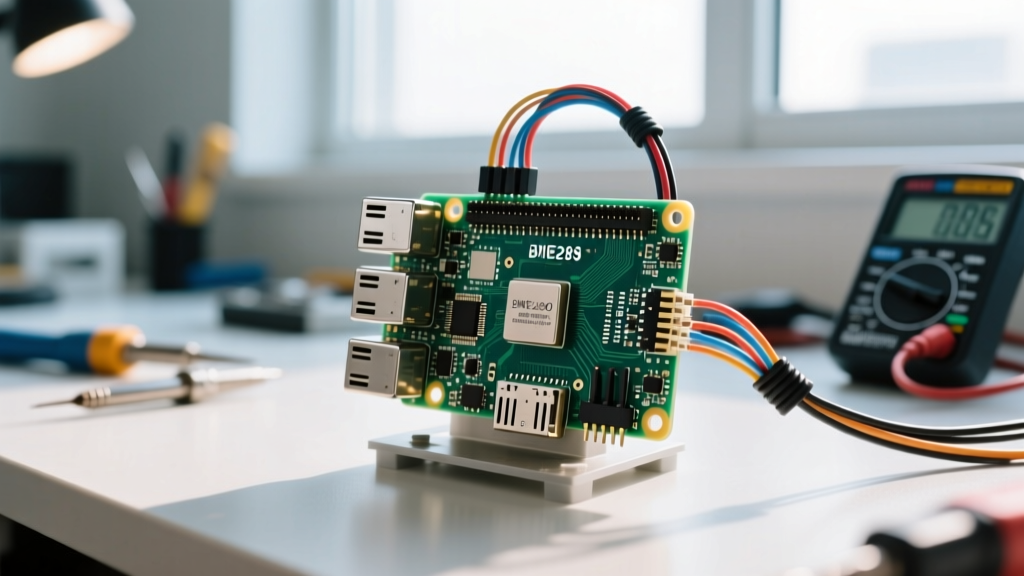
Target Board: Raspberry Pi 5 (8GB RAM) - Code and thermal assumptions target this exact variant.
Plex Media Server (PMS) is notoriously heavy on metadata operations. When it scans a library, it performs thousands of random I/O writes. SD cards and even USB 3.0 thumb drives will bottleneck and fail under this load. We use an M.2 NVMe shield to bypass the USB bus entirely.
Parts List
- Compute: Raspberry Pi 5 (8GB RAM) - The 4GB variant will OOM during large library scans.
- Case/Storage: Argon ONE V3 M.2 NVMe Case for Pi 5 (Includes built-in PWM fan and power button logic).
- Storage: Samsung 980 1TB NVMe M.2 SSD (or any DRAM-less TLC drive; avoid QLC for metadata heavy writes).
- Power: Official Raspberry Pi 27W USB-C PD Power Supply (Crucial for NVMe + USB peripheral stability).
- Indicator: 3mm Red LED + 330Ω resistor (for external watchdog status).
Hardware & Pin Mapping Table
While the Pi 5 handles the software, we map specific GPIO pins to monitor physical health and control the external watchdog LED.
| Pi 5 Physical Pin | BCM GPIO | Function | Connected To |
|---|---|---|---|
| 12 | GPIO 18 | PWM Fan Control | Argon ONE V3 Internal Fan |
| 40 | GPIO 21 | Watchdog Status LED | External Red LED (via 330Ω resistor) |
| 39 | GND | Ground | External LED Cathode |
| 1 | 3V3 Power | LED Power | External LED Anode |
Docker Installation & Storage Mapping
Do not use the official Plex `.deb` repository for ARM64; it is frequently outdated and lacks proper hardware acceleration hooks for the Pi 5's VideoCore VII GPU. The LinuxServer.io Plex container is the community standard for ARM deployments.
Step-by-Step Setup
- Flash the OS: Use Raspberry Pi Imager to flash Raspberry Pi OS Lite (64-bit) directly to your NVMe SSD via a USB NVMe enclosure, then install the SSD into the Argon ONE case.
- Install Docker: Run the official convenience script:
curl -sSL https://get.docker.com | sh - Create the Directory Structure: Keep your transcode folder in RAM to save your SSD from write-wear.
mkdir -p /opt/plex/config /opt/plex/transcode /media/librarymount -t tmpfs -o size=2G tmpfs /opt/plex/transcode - Deploy the Container: Create a
docker-compose.ymlfile and bring it up. Ensure you pass the/dev/dridevice if you attempt experimental V3D hardware decoding, though software decoding is more stable for 1080p H.264.
Python Watchdog: Auto-Recovery & GPIO Monitoring
The Pi 5 has 8GB of RAM, but Plex's WebUI and metadata agents can easily spike memory usage, causing the Linux OOM killer to terminate the container. When this happens, the container exits, and your server goes offline. This Python script uses the Docker SDK and RPi.GPIO to monitor the container, flash a physical LED on failure, clear the transcode cache, and restart the service.
import docker
import RPi.GPIO as GPIO
import time
import logging
import os

# Hardware Definitions
LED_PIN = 21  # BCM GPIO 21 (Physical Pin 40)
CONTAINER_NAME = 'plex'
TRANSCODE_DIR = '/opt/plex/transcode'

# Logging Setup
logging.basicConfig(level=logging.INFO, format='%(asctime)s - %(message)s')

# GPIO Setup
GPIO.setmode(GPIO.BCM)
GPIO.setup(LED_PIN, GPIO.OUT)
GPIO.output(LED_PIN, GPIO.LOW)

client = docker.from_env()

def clear_transcode_cache():
    """Wipes stuck transcode chunks that often cause restart loops."""
    try:
        for f in os.listdir(TRANSCODE_DIR):
            os.remove(os.path.join(TRANSCODE_DIR, f))
        logging.info('Transcode cache cleared.')
    except Exception as e:
        logging.error(f'Failed to clear cache: {e}')

def monitor_plex():
    try:
        container = client.containers.get(CONTAINER_NAME)
        status = container.status

        if status == 'running':
            GPIO.output(LED_PIN, GPIO.LOW)  # LED off = healthy
        else:
            GPIO.output(LED_PIN, GPIO.HIGH) # LED on = stopped/crashed
            logging.warning(f'Container status is {status}. Attempting recovery...')
            clear_transcode_cache()
            container.restart()
            logging.info('Container restarted successfully.')

    except docker.errors.NotFound:
        GPIO.output(LED_PIN, GPIO.HIGH)
        logging.error(f'Container {CONTAINER_NAME} not found. Check docker-compose.')
    except docker.errors.APIError as e:
        logging.error(f'Docker API Error: {e}')
    except Exception as e:
        logging.error(f'Unexpected error: {e}')

if __name__ == '__main__':
    logging.info('Plex Watchdog started on Pi 5...')
    try:
        while True:
            monitor_plex()
            time.sleep(30) # Check every 30 seconds
    except KeyboardInterrupt:
        GPIO.cleanup()
        logging.info('Watchdog stopped.')
Run this script as a systemd service so it survives reboots. Ensure the user running the script is in the docker and gpio groups.
Debugging: When Plex Crashes on the Pi
When running Plex on ARM, you will eventually encounter container crashes. The most common exact error string you will see in your Docker logs is:
Container plex exited with code 137
Exit code 137 means the process was killed by SIGKILL (signal 9), almost always triggered by the Linux Out-Of-Memory (OOM) manager. Here are the first three things to check, ranked by likelihood:
- Transcode RAM Allocation: If your tmpfs transcode directory is larger than your available free RAM, Plex will fill it and crash the system. Fix: Limit tmpfs to 2GB on an 8GB Pi 5, and set Plex to 'Make my CPU hurt' only if necessary.
- Metadata Agent Runaway: The 'Plex Movies' or 'TheMovieDB' agents can get stuck in infinite loops fetching artwork for corrupt MKV files, consuming all RAM. Fix: Check the Plex Dashboard for stuck library scans. Cancel the scan, move the suspicious file out of the library folder, and rescan.
- Power Supply Brownouts: If the Pi 5 draws more than 5A during a spin-up of an attached USB HDD, the kernel will panic or kill high-draw processes. Fix: Check
dmesg | grep -i voltage. If you see under-voltage warnings, upgrade to the official 27W PD supply and use powered USB hubs for mechanical drives.
If you see
E: Unable to locate package plexmediaserver while trying to install via apt, it means you are trying to use the x86_64 repository on an ARM64 board. Stop and switch to the Docker method outlined above.
Extending and Simplifying the Build
How to Simplify: If you don't want to deal with Docker or Python watchdogs, install Raspberry Pi OS Desktop and use Jellyfin instead of Plex. Jellyfin has native ARM64 `.deb` packages, requires less RAM for metadata, and handles hardware transcoding on the Pi 5's VideoCore VII much more gracefully via standard V4L2 hooks.
How to Extend: To scale this into a whole-home media node, add a 10GbE USB-C adapter (like the QNAP QNA-UC5G1T) and connect it to a 10Gbps switch. Serve your media via SMB3 to Apple TVs and Nvidia Shields, letting the client devices handle the decoding (Direct Play) so the Pi 5 only acts as a high-speed file server and metadata database.
Frequently Asked Questions
Can I use a Raspberry Pi 4 for Plex in 2026?
Technically yes, but practically no. The Pi 4 (even the 8GB version) bottlenecks heavily on USB 3.0 storage I/O and lacks the PCIe lanes for NVMe. Furthermore, its CPU struggles to parse modern Plex WebUI JavaScript and metadata XMLs. If you already own a Pi 4, use it for Plexamp or a lightweight Pi-hole, but upgrade to a Pi 5 or an Intel N100 mini-PC for the main Plex server.
Why is my Raspberry Pi Plex server buffering on direct play?
If your client (e.g., Apple TV, Smart TV) supports the file format natively, Plex shouldn't be transcoding. Buffering during 'Direct Play' on a Pi usually points to storage I/O limits. If you are reading a 40GB 4K Remux file from a spinning USB 2.0 hard drive, the drive's read head cannot keep up with the 80Mbps bitrate. Move high-bitrate media to your NVMe SSD or a Gigabit NAS.
How do I mount an external NTFS drive for Plex on Raspberry Pi OS?
Raspberry Pi OS (Bookworm) does not include NTFS write support by default, and read support can be slow. Install the NTFS-3G driver: sudo apt install ntfs-3g. Then, mount it with the big_writes flag to improve throughput: sudo mount -t ntfs-3g -o big_writes /dev/sda1 /media/library. For long-term reliability, reformat the drive to ext4, as NTFS translation layers on ARM consume unnecessary CPU cycles.