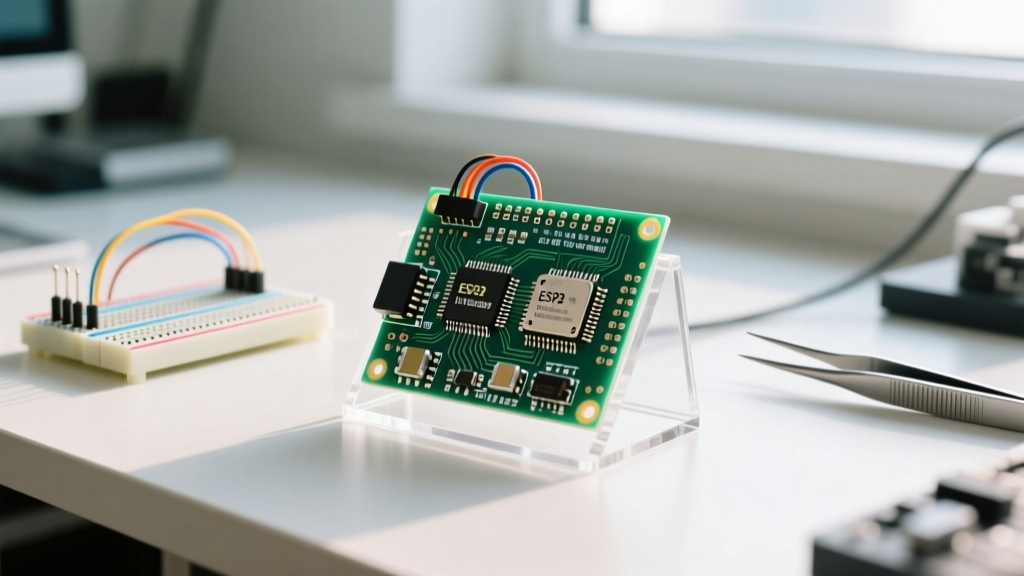
Microcontrollers (MCUs) win for dedicated, low-power, cost-sensitive hardware control where direct sensor interfacing, real-time determinism, and battery life matter. Microprocessors (MPUs) win for high-performance computing, complex user interfaces, and applications requiring a full desktop-class operating system like Linux or Android. If your device needs to wake up in microseconds, read an analog sensor, and go back to sleep on a coin cell, you need an MCU. If your device needs to run a web server, decode H.264 video, and render a touchscreen GUI, you need an MPU.
The Single Physical Difference That Drives Everything
The fundamental physical difference between a microprocessor and a microcontroller is silicon die integration. A microcontroller integrates the CPU cores, random access memory (SRAM), non-volatile storage (Flash), and hardware peripherals (ADCs, DACs, UART, SPI, I2C, timers) all onto a single piece of silicon. A microprocessor, by contrast, integrates only the high-performance CPU cores, cache memory, and memory controllers onto its die. It relies entirely on external chips on the printed circuit board (PCB) for RAM, storage, and power management.
This physical distinction creates a traffic logistics analogy: an MCU is a self-contained delivery van with the engine, cargo hold, and driver in one compact unit, ready to navigate tight city streets (low-power, direct hardware control). An MPU is a massive locomotive engine; it generates tremendous horsepower, but it is completely useless without external freight cars (DDR RAM), a dedicated rail yard (eMMC/NAND storage), and a complex switching network (Power Management ICs).
Because MPUs offload memory to external chips, they require a Memory Management Unit (MMU) to handle virtual memory translation, which is a strict requirement for running full operating systems like Linux or Android. MCUs lack an MMU and execute code directly from internal Flash (XIP - Execute In Place), running bare-metal C/C++ or a lightweight Real-Time Operating System (RTOS) like FreeRTOS.
Real-World Spec Sheet: MCU vs. MPU
To ground this in reality, let us compare a high-end industrial MCU (STMicroelectronics STM32H743) against a mainstream embedded MPU (NXP i.MX 8M Mini). Notice how the MPU's raw speed is offset by massive power draw and external dependencies.
| Specification | STM32H743 (Microcontroller) | NXP i.MX 8M Mini (Microprocessor) |
|---|---|---|
| CPU Architecture | ARM Cortex-M7 (Single Core) | ARM Cortex-A53 (Quad Core) + Cortex-M4 |
| Clock Speed | 480 MHz | 1.8 GHz |
| Internal RAM | 1 MB SRAM (On-die) | 256 KB L2 Cache (Requires external DDR4) |
| Internal Storage | 2 MB Flash (On-die) | None (Requires external eMMC/NAND) |
| Active Power Draw | ~100 mA @ 3.3V (330 mW) | ~2.0A @ 1.0V Core (2000+ mW) |
| Deep Sleep / Suspend | 10 µA (VBAT mode) | ~50 mW (Suspend-to-RAM, no true deep sleep) |
| Typical Chip Price | $8.00 - $12.00 (Volume) | $25.00 - $40.00 (Volume) |
Head-to-Head Comparison Matrix
When designing a product, the choice between an ARM Cortex-M (MCU) and a Cortex-A (MPU) dictates your entire engineering workflow. Here is how they stack up across critical design criteria.
| Design Criterion | Microcontroller (MCU) | Microprocessor (MPU) |
|---|---|---|
| Boot Time | Microseconds to milliseconds. Code executes immediately from internal Flash. | Seconds to minutes. Bootloader must initialize external DDR, load kernel from eMMC into RAM. |
| OS Support | Bare-metal, FreeRTOS, Zephyr, ThreadX. No virtual memory. | Full Linux (Yocto/Buildroot), Android, Windows IoT. Requires MMU for virtual memory. |
| Real-Time Determinism | Nanosecond interrupt latency. Hardware NVIC guarantees strict timing for motor control. | Millisecond jitter. Linux kernel scheduling and cache misses destroy hard real-time guarantees. |
| PCB Complexity | 2 to 4 layers. Simple LDO voltage regulation. Standard trace routing. | 6 to 8+ HDI layers. Impedance-controlled DDR routing. Requires multi-rail PMIC sequencing. |
| Bill of Materials (BOM) | Low. The chip itself is the BOM. Add a few decoupling caps and a crystal oscillator. | High. Requires DDR4 chips, eMMC, PMIC, Ethernet PHY, and extensive passives. |
Where They Are Strictly NOT Interchangeable
A common mistake among hobbyists transitioning to commercial product design is assuming an MPU is just a 'faster microcontroller.' They are not interchangeable, and attempting to swap one for the other will result in catastrophic project failure due to hidden hardware and software costs.
The Hidden Cost of Microprocessors
If you price an NXP i.MX 8M Mini at $30, you are only seeing the tip of the iceberg. Because the MPU lacks internal RAM and storage, you must add a $15 DDR4 chip and a $10 eMMC module. Furthermore, routing high-speed DDR4 memory requires a 6-layer or 8-layer impedance-controlled PCB, which can cost $50+ per prototype board compared to $5 for a 2-layer MCU board. You also need a dedicated Power Management IC (PMIC) like the NXP PCA9450 to sequence the multiple voltage rails (core, DDR, I/O) in the exact millisecond order the MPU demands. The total BOM for an 'entry-level' MPU design rarely drops below $80, whereas a complete STM32 or ESP32 MCU node can be built for under $5.
The Real-Time and Power Wall
You cannot use an MPU for a battery-powered sensor node that needs to last five years on a CR2032 coin cell. MPUs suffer from high leakage currents and lack true deep-sleep states; their external DDR RAM must be continuously refreshed, drawing tens of milliwatts even when suspended. Conversely, you cannot use an MCU for a smart home hub that needs to render a fluid 1080p web interface or run a local AI inference model. MCUs simply lack the memory bandwidth and floating-point throughput to handle desktop-class workloads, and their lack of an MMU means you cannot run the Linux kernel required to support complex network stacks and modern UI frameworks like Qt or Electron.
Choose-A-When / Choose-B-When Decision Framework
Use this rapid decision matrix to select the right silicon for your next embedded project.
Choose a Microcontroller (MCU) When:
- You need hard real-time control: You are driving stepper motors, reading high-speed encoders, or implementing digital power supply feedback loops where a 50-microsecond interrupt latency is mandatory.
- Power is severely constrained: Your device runs on a battery, energy harvesting, or a supercapacitor, and needs to draw less than 50 µA in sleep mode.
- Boot time is critical: The device must be fully operational and taking sensor readings within 10 milliseconds of power being applied (e.g., automotive airbag sensors, consumer remote controls).
- BOM cost and PCB space are tight: You need to fit the entire circuit into a wearable form factor or keep the consumer retail price under $30.
- You are using simple protocols: Your primary communication involves raw I2C, SPI, RS-485, or basic BLE/Wi-Fi (like the ESP32) without needing a full TCP/IP stack managed by an OS.
Choose a Microprocessor (MPU) When:
- You need a rich user interface: The product requires a 7-inch capacitive touchscreen, hardware-accelerated video decoding, or a complex web-based dashboard.
- You require a full operating system: Your software team relies on Linux libraries, Python, Node.js, or Docker containers, and needs virtual memory protection to prevent one crashing app from taking down the whole system.
- You are doing heavy edge computing: The device needs to run local machine learning models (e.g., TensorFlow Lite), process computer vision feeds, or handle complex cryptographic gateways.
- High-speed external interfaces are mandatory: You need native PCIe, USB 3.0, Gigabit Ethernet, or SATA interfaces that MCUs simply do not possess on their silicon.
- The device is mains-powered or has a large battery: Power draw in the 2W to 10W range is acceptable, and thermal management (heatsinks/fans) can be accommodated in the enclosure.
Ultimately, the boundary is blurring with the rise of heterogeneous SoCs—like the Raspberry Pi RP2040 or the NXP i.MX 8 series, which pack both Cortex-A (MPU) and Cortex-M (MCU) cores on the same die. But understanding the fundamental physical and architectural divide ensures you allocate the right cores to the right tasks, keeping your BOM low and your firmware stable.