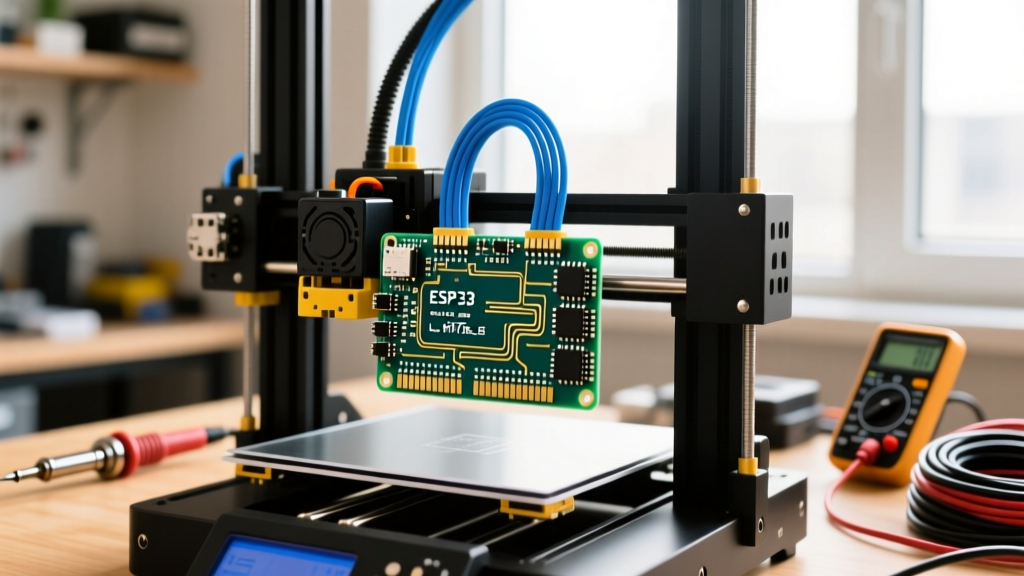
The ESP32-2432S028R Hardware Spec Sheet & Pin Mapping
The Sunton ESP32-2432S028R, universally known in the maker community as the "Cheap Yellow Display" (CYD), is a 2.8-inch TFT development board that integrates an ESP32-WROOM-32, an ILI9341 display driver, and an XPT2046 resistive touch controller on a single PCB. Priced between $14 and $18 USD in 2026, it eliminates the wiring nightmare of standalone TFT shields. However, its shared SPI buses and undocumented pinouts frequently trap beginners.
The code and architecture in this guide explicitly target the ESP32-WROOM-32 (4MB Flash, Dual-Core 240MHz) variant of the 2432S028R. If your board has an 8MB or 16MB chip (often marked as ESP32-WROOM-32U or custom Sunton revisions), the TFT_eSPI configuration remains identical, but you must select the correct flash partition scheme in the Arduino IDE.
CYD Spec Sheet & Component Variants
| Component | Part Number / Driver | Interface | Key Limitation |
|---|---|---|---|
| MCU | ESP32-WROOM-32 | WiFi/BLE | 2.4GHz WiFi only; no native 5GHz |
| Display | 2.8" 320x240 TFT (ILI9341) | SPI (VSPI) | Resistive touch blocks multi-touch |
| Touch | XPT2046 | SPI (HSPI) | Requires calibration matrix |
| RGB LED | Common Cathode | GPIO 4, 16, 17 | Active HIGH; pulls ~20mA per channel |
| Light Sensor | GL5528 LDR | ADC (GPIO 34) | Non-linear; requires voltage divider math |
Critical Pin Mapping for TFT_eSPI
To use the CYD, you must override the default User_Setup.h in the TFT_eSPI library. Copy these exact definitions into your setup file:
| Function | GPIO Pin | Notes |
|---|---|---|
| TFT_MISO | 12 | Shared with SD card on some revisions |
| TFT_MOSI | 13 | Display data in |
| TFT_SCLK | 14 | Display clock |
| TFT_CS | 15 | Display chip select (Active LOW) |
| TFT_DC | 2 | Data/Command pin |
| TFT_RST | -1 | Tied to ESP32 EN pin; use -1 in code |
| TFT_BL | 21 | Backlight PWM (Active HIGH) |
| TOUCH_CS | 33 | Touch chip select |
| TOUCH_IRQ | 36 | Touch interrupt (Input only) |
Decision Tree: Which ESP32 2432S028R Project Fits Your Bench?
Not every ESP32 2432S028R project requires the same architecture. Use this decision matrix to select the right firmware baseline. We will build the default pick below.
| Use Case Scenario | Power Constraint | Network Need | Recommended Project Baseline |
|---|---|---|---|
| Desktop Ambient Clock | USB 5V continuous | WiFi (NTP only) | NTP Clock with OpenWeather overlay |
| Remote Off-Grid Monitor | 18650 Li-ion / Solar | LoRa / ESP-NOW | Deep-Sleep ESP-NOW Sensor Receiver |
| Smart Home Control Panel | USB 5V continuous | WiFi + MQTT Broker | MQTT Environment Dashboard (Default Pick) |
Step-by-Step Build: MQTT Environment Dashboard
This project reads the onboard LDR, publishes ambient light percentages to an MQTT broker, and listens for commands to change the RGB LED color. It includes a watchdog timer to prevent brownout resets during WiFi reconnects.
Parts List
- Board: Sunton ESP32-2432S028R (CYD)
- Power: 5V 2A Micro-USB or USB-C power supply (do not use PC USB ports; the TFT backlight and WiFi spike to 450mA)
- Software: Arduino IDE 2.x, ESP32 Board Package v2.0.14 or v3.x
- Libraries:
TFT_eSPI,PubSubClient(via knolleary/PubSubClient),ArduinoJson
Numbered Build Steps
- Configure TFT_eSPI: Open the library's
User_Setup.h. Comment out all default display drivers. Uncomment#define ILI9341_DRIVER. Paste the pin mapping table from Section 1 into the file. Uncomment#define TOUCH_CS 33. - Wire Power: Plug the CYD into a dedicated 5V 2A wall adapter. The ESP32 brownout detector will trigger if voltage drops below 2.4V on the 3V3 rail during WiFi transmission.
- Flash the Firmware: Upload the code below. Hold the
BOOTbutton on the back of the CYD if the serial monitor hangs at "Connecting...". - Verify MQTT: Open your MQTT explorer (e.g., MQTTX). Publish a JSON payload to
cyd/led/set:{"r":255,"g":0,"b":0}to turn the LED red.
Complete Compilable Code
#include
#include
#include
#include
#include

// --- PIN DEFINITIONS (CYD Specific) ---
#define LED_R 4
#define LED_G 16
#define LED_B 17
#define LDR_PIN 34
#define TFT_BL 21

// --- NETWORK & MQTT ---
const char* ssid = "YOUR_WIFI_SSID";
const char* password = "YOUR_WIFI_PASS";
const char* mqtt_server = "192.168.1.100";
const int mqtt_port = 1883;
const char* mqtt_topic_pub = "cyd/sensor/light";
const char* mqtt_topic_sub = "cyd/led/set";

WiFiClient espClient;
PubSubClient client(espClient);
TFT_eSPI tft = TFT_eSPI();

// Watchdog timeout
#define WDT_TIMEOUT 10

void setup_wifi() {
  delay(10);
  WiFi.begin(ssid, password);
  int attempts = 0;
  while (WiFi.status() != WL_CONNECTED && attempts < 40) {
    delay(500);
    attempts++;
  }
  if (WiFi.status() != WL_CONNECTED) {
    Serial.println("WiFi connection failed. Rebooting.");
    ESP.restart();
  }
  Serial.print("IP: "); Serial.println(WiFi.localIP());
}

void callback(char* topic, byte* payload, unsigned int length) {
  StaticJsonDocument<256> doc;
  DeserializationError error = deserializeJson(doc, payload, length);
  if (error) {
    Serial.print("JSON parse failed: "); Serial.println(error.c_str());
    return;
  }
  int r = doc["r"] | 0;
  int g = doc["g"] | 0;
  int b = doc["b"] | 0;

  // CYD RGB is Common Cathode (Active HIGH)
  analogWrite(LED_R, r);
  analogWrite(LED_G, g);
  analogWrite(LED_B, b);

  // Update UI
  tft.fillRect(10, 120, 300, 40, TFT_BLACK);
  tft.setCursor(10, 120);
  tft.printf("LED Set: R:%d G:%d B:%d", r, g, b);
}

void reconnect() {
  if (!client.connected()) {
    String clientId = "CYD-" + String(random(0xffff), HEX);
    if (client.connect(clientId.c_str())) {
      client.subscribe(mqtt_topic_sub);
    } else {
      Serial.printf("MQTT connect failed, rc=%d\n", client.state());
      delay(5000);
      ESP.restart(); // Hard reset on persistent MQTT failure
    }
  }
}

void setup() {
  Serial.begin(115200);
  esp_task_wdt_init(WDT_TIMEOUT, true);
  esp_task_wdt_add(NULL);

  pinMode(LED_R, OUTPUT); pinMode(LED_G, OUTPUT); pinMode(LED_B, OUTPUT);
  pinMode(TFT_BL, OUTPUT);
  digitalWrite(TFT_BL, HIGH);

  tft.init();
  tft.setRotation(1); // Landscape
  tft.fillScreen(TFT_BLACK);
  tft.setTextColor(TFT_YELLOW, TFT_BLACK);
  tft.setTextSize(2);
  tft.setCursor(10, 10);
  tft.println("CYD MQTT Dashboard");

  setup_wifi();
  client.setServer(mqtt_server, mqtt_port);
  client.setCallback(callback);

  // Set PWM frequency for LEDs (ESP32 Arduino Core v2.x)
  analogWriteFrequency(5000);
}

void loop() {
  esp_task_wdt_reset(); // Feed the watchdog

  if (!client.connected()) reconnect();
  client.loop();

  static unsigned long lastPub = 0;
  if (millis() - lastPub > 2000) {
    lastPub = millis();
    int rawLDR = analogRead(LDR_PIN);
    // LDR on CYD is inverted: high light = low voltage
    int lightPct = map(rawLDR, 4095, 0, 0, 100);
    lightPct = constrain(lightPct, 0, 100);

    char msg[16];
    snprintf(msg, sizeof(msg), "%d", lightPct);
    client.publish(mqtt_topic_pub, msg);

    tft.fillRect(10, 60, 300, 40, TFT_BLACK);
    tft.setCursor(10, 60);
    tft.printf("Ambient Light: %d%%", lightPct);
  }
}
Debugging the CYD: First Three Things to Check When It Fails
The CYD is notorious for silent failures due to misconfigured libraries and power delivery issues. If your build fails, execute this diagnostic path immediately.
1. The "White Screen" or Compiler Failure
Exact Error String: fatal error: User_Setup.h: No such file or directory (or a blank white screen on upload).
Ranked Causes:
- Multiple TFT_eSPI installs: You have the library installed in both your sketchbook and the IDE core. Fix: Delete all instances of TFT_eSPI and reinstall only via the Library Manager.
- Wrong User_Setup.h: You edited the wrong file. Fix: In Arduino IDE, go to Sketch > Show Sketch Folder, navigate up to
libraries/TFT_eSPI, and ensure the pins from Section 1 are active. - Backlight Pin Float: GPIO 21 is not driven HIGH. Fix: Add
digitalWrite(21, HIGH);insetup().
2. Touch Axis Inversion
Symptom: Touching the top-right registers as bottom-left.
Ranked Causes:
- Rotation Mismatch: The ILI9341 display rotation and XPT2046 touch rotation are out of sync. Fix: If
tft.setRotation(1), ensure your touch calibration matrix matches landscape mode. Use theTouch_Calibratesketch included in the TFT_eSPI examples to generate the exact 8-digit calibration array for your specific unit.
3. Random Reboots During WiFi Transmission
Exact Error String: MQTT connect failed, rc=-2 followed by rst:0xc (SW_CPU_RESET) in the serial monitor.
Ranked Causes:
- USB Cable Voltage Drop: Thin Micro-USB cables drop 0.5V under the 450mA WiFi TX spike, triggering the ESP32 brownout detector. Fix: Use a short, 20AWG USB cable and a 5V 2A+ brick.
- Backlight + WiFi Current Spike: Running the TFT backlight at 100% PWM while transmitting starves the 3V3 LDO. Fix: Limit backlight PWM to 80% (
analogWrite(TFT_BL, 200);).
Extending and Simplifying Your CYD Build
Once the baseline MQTT dashboard is stable, you must decide whether to scale up the sensor network or strip it down for local control.
How to Extend the Build (Adding I2C Sensors)
The CYD exposes a 4-pin connector labeled P3 on the back. This is your I2C bus.
- SDA: GPIO 27
- SCL: GPIO 22
- Action: Solder a 4-pin JST-SM pigtail to P3. Connect a BME280 temperature/humidity sensor. In your code, initialize
Wire.begin(27, 22);before callingbme.begin(0x76). This adds real environmental telemetry to your MQTT payload without occupying the main SPI bus.
How to Simplify the Build (Local Touch Control)
If you want to eliminate the WiFi/MQTT dependency and the associated router latency, strip the network stack entirely.
- Action: Remove
PubSubClientandWiFi.h. Usetft.getTouch(&x, &y)in the main loop to draw three virtual buttons (Red, Green, Blue) on the TFT. When a coordinate zone is tapped, directly drive the RGB LED GPIOs. This reduces flash usage by ~400KB, drops power consumption to ~110mA, and yields a sub-10ms touch-to-light latency.