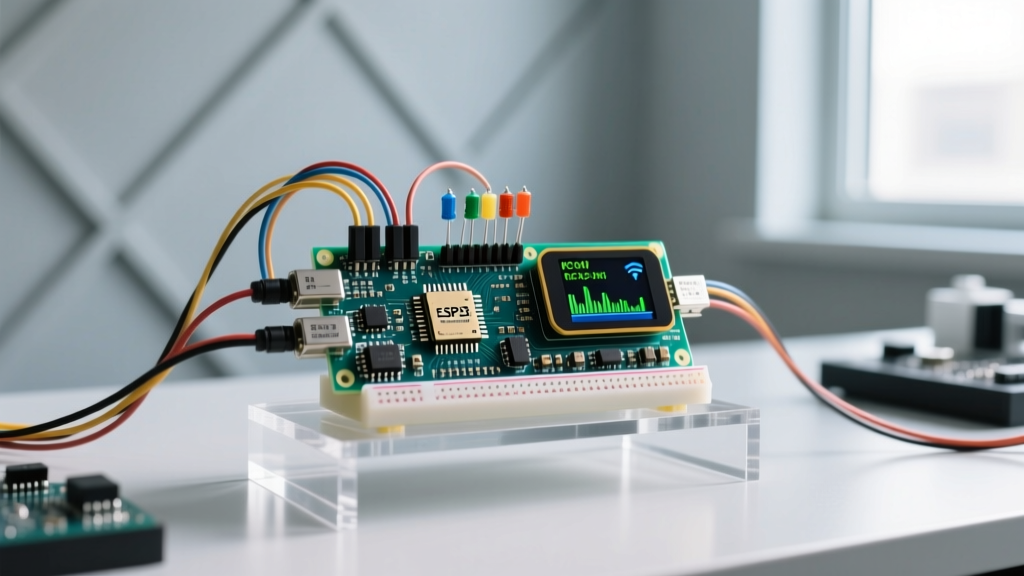

Running ESP-NOW and Bluetooth simultaneously on a single ESP32 SoC is entirely possible, but it is not a simple matter of including both libraries and calling begin(). Because both protocols share the same 2.4 GHz ISM band and a single physical radio transceiver, you must rely on Espressif’s hardware Packet Traffic Arbitration (PTA) and strictly manage your Wi-Fi channels. If you boot both stacks blindly, BLE advertising packets will collide with ESP-NOW MAC frames, resulting in dropped connections, missed sensor readings, and eventual watchdog resets.
The direct answer: To run both concurrently, you must use an ESP32-S3 variant, lock the ESP-NOW Wi-Fi channel to Channel 1, 6, or 11, and enable software coexistence in your build configuration. Here is the exact physical and software architecture required to make it work.
The Physical Layer: RF Impedance Instead of Pull-Ups
When transitioning from wired buses to wireless stacks, the physical layer requirements shift dramatically. In wired protocols like I2C or 1-Wire, a missing 4.7kΩ pull-up resistor on the SDA/SCL lines guarantees a bus failure because the logic high is never established. In the wireless domain, you do not use pull-up resistors. Your 'physical layer' is the RF trace, the 50-ohm impedance matching network (typically a pi-network of inductors and capacitors), and the antenna keep-out zone.
To avoid physical layer failures, do not attempt to route your own RF traces unless you have a VNA (Vector Network Analyzer) on your bench. Always use an integrated, pre-tuned module like the ESP32-S3-WROOM-1, where the RF matching network is sealed under a metal shield and the PCB antenna is isolated from ground pour.
Link Mechanics and Coexistence Matrix
ESP-NOW is not actually a separate radio; it is a proprietary protocol built directly on top of the 802.11 Wi-Fi MAC layer. Bluetooth Low Energy (BLE) uses a different physical layer modulation (GFSK vs Wi-Fi's OFDM/CCK) but occupies the exact same frequency spectrum. The ESP32 handles this via a time-division multiplexing (TDM) coexistence matrix.
| Feature | ESP-NOW (Wi-Fi MAC) | Bluetooth LE (BLE 5.0) |
|---|---|---|
| Physical Medium | 2.4 GHz ISM (802.11b/g/n) | 2.4 GHz ISM (40 channels) |
| Speed / Payload | Up to 250 bytes @ 1-72 Mbps | Up to 251 bytes (DLE) @ 2 Mbps |
| Addressing | 48-bit MAC Address | 48-bit BD_ADDR / Random |
| Max Distance (LOS) | ~200m (External Antenna) | ~100m (PCB Antenna) |
| Coexistence Priority | High (Beacon/Action Frames) | Medium (Advertising/Scanning) |
For deeper architectural details on how the ESP32 arbitrates these time slices, refer to the official Espressif Wi-Fi/BT Coexistence Guide.
The Classic Failures: Channel Clashes and MAC Collisions
When a dual-stack design fails on the bench, it almost always traces back to one of three specific configuration errors:
- Channel Mismatch (The Starvation Error): ESP-NOW requires a fixed Wi-Fi channel (1 through 14). BLE advertises on channels 37, 38, and 39 (2.402, 2.426, and 2.480 GHz). If you allow the Wi-Fi stack to auto-scan for channels, the radio will constantly retune, dropping BLE packets in the process. Fix: Hardcode the ESP-NOW channel to Channel 1, 6, or 11 before initializing the BLE stack.
- Coexistence Starvation: By default, ESP-IDF prioritizes Wi-Fi over BLE. If your ESP-NOW mesh is flooding the air with 250-byte payloads at 50Hz, the BLE advertising window will be starved of TX time slots. Fix: Enable
CONFIG_ESP_COEX_SW_COEXIST_ENABLEin yoursdkconfigto force the TDM algorithm to guarantee BLE time slices. - MAC Address Derivation Clashes: Both stacks derive their addresses from the base eFuse MAC. ESP-NOW uses the base MAC, while BLE adds an offset. If you manually override the MAC address in one stack without updating the other, you can cause internal routing table collisions. Fix: Never manually set the BLE MAC address when running concurrent ESP-NOW; let the NVS (Non-Volatile Storage) handle the derivation.
Sniffing and Debugging the Dual-Stack
You cannot simply hook a logic analyzer to an RF antenna. To debug simultaneous ESP-NOW and BLE traffic, you must use a secondary sniffer setup.
- For ESP-NOW (802.11): Enable promiscuous mode on a secondary ESP32 using
esp_wifi_set_promiscuous(true). Pipe the raw 802.11 frames over UART to a PC running Wireshark. Filter bywlan.fc.type == 2(Data frames) to isolate ESP-NOW action frames from standard network traffic. - For BLE: Flash a dedicated ESP32 with the ESP32 BLE Sniffer firmware. This captures the HCI (Host Controller Interface) logs and allows you to view BLE advertising intervals in Wireshark, verifying that your coexistence matrix is actually granting TX time to the Bluetooth stack.
Minimal Working Exchange: Concurrent Initialization
Below is a minimal ESP-IDF C implementation demonstrating the correct initialization sequence. Notice that the Wi-Fi channel is locked before the BLE stack is brought online. This is critical for the ESP-NOW API to register correctly without triggering a coexistence fault.
#include 'esp_wifi.h'
#include 'esp_now.h'
#include 'esp_bt.h'
#include 'esp_gap_ble_api.h'

void app_main() {
    // 1. Initialize NVS and TCP/IP stack
    esp_netif_init();
    esp_event_loop_create_default();

    // 2. Configure Wi-Fi in STA mode (Required for ESP-NOW)
    wifi_init_config_t cfg = WIFI_INIT_CONFIG_DEFAULT();
    esp_wifi_init(&cfg);
    esp_wifi_set_mode(WIFI_MODE_STA);
    esp_wifi_start();

    // 3. CRITICAL: Lock Wi-Fi Channel to 1 before starting BLE
    // This prevents the radio from scanning and dropping BLE packets
    esp_wifi_set_channel(1, WIFI_SECOND_CHAN_NONE);

    // 4. Initialize ESP-NOW
    esp_now_init();
    // Register send/recv callbacks here...

    // 5. Initialize BLE Stack
    esp_bt_controller_mem_release(ESP_BT_MODE_CLASSIC_BT); // Free Classic BT RAM
    esp_bt_controller_config_t bt_cfg = BT_CONTROLLER_INIT_CONFIG_DEFAULT();
    esp_bt_controller_init(&bt_cfg);
    esp_bt_controller_enable(ESP_BT_MODE_BLE);

    // 6. Start BLE Advertising
    esp_bluedroid_init();
    esp_bluedroid_enable();
    // Configure GAP and start advertising here...
}
Decision Tree: Which Stack Wins Your Design?
Do not default to running both protocols just because the silicon supports it. Running concurrent stacks increases baseline current draw by ~18mA and complicates your RF certification. Use this decision matrix to select the right architecture for your specific application.
| Application Requirement | Latency & Range Needs | Winning Protocol | Concrete Hardware Pick |
|---|---|---|---|
| High-speed sensor mesh (100Hz+) | < 5ms latency, > 100m range | ESP-NOW Only | ESP32-C6 (Wi-Fi 6 + 802.15.4) |
| Direct smartphone pairing & OTA | ~20ms latency, < 30m range | BLE 5.0 Only | ESP32-S3-WROOM-1 |
| Sensor mesh + Local phone dashboard | Mixed (Mesh <5ms, Phone ~50ms) | ESP-NOW + BLE Simultaneous | ESP32-S3-WROOM-1 (ESP-IDF v5.2+) |
The Final Verdict: If your project requires a decentralized sensor mesh that also reports to a local smartphone app without a Wi-Fi router, your concrete pick is the ESP32-S3-WROOM-1 running ESP-IDF v5.2 or newer. The S3 variant features a significantly improved coexistence arbitration hardware block compared to the original ESP32, reducing BLE advertising jitter from ~40ms down to <5ms when the Wi-Fi MAC is heavily loaded. Lock your channel, respect the antenna keep-out zone, and let the PTA handle the rest.


