
The Short Answer: Are Raspberry Pi and Arduino the Same?
If you are asking are raspberry pi and arduino the same, the definitive answer is no. While both are ubiquitous in the maker, IoT, and prototyping spaces, they belong to entirely different computing categories. An Arduino is a microcontroller unit (MCU) designed to execute a single program in a continuous loop with deterministic, real-time hardware control. A Raspberry Pi is a single-board computer (SBC) that runs a full operating system (typically Linux), capable of multitasking, complex networking, and heavy computational workloads.
Understanding this distinction is critical when planning a project migration. Upgrading from an Arduino to a Raspberry Pi to add computer vision is a logical step. However, 'downgrading' from a Raspberry Pi to an Arduino to achieve microsecond-precise sensor polling or ultra-low power consumption is equally common. This guide provides a deep-dive migration and upgrade framework for engineers and makers navigating the 2026 embedded landscape.
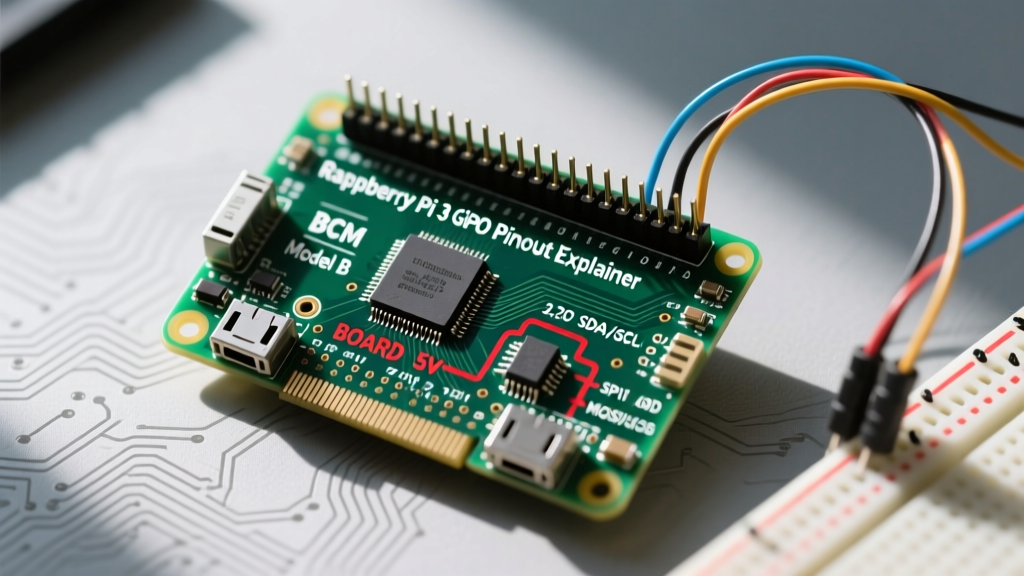
Expert Insight: The most common point of failure when migrating from Arduino to Raspberry Pi is ignoring logic-level differences. Feeding a 5V Arduino signal directly into a 3.3V Raspberry Pi GPIO pin will permanently destroy the Pi's SoC. Always use bidirectional level shifters like the NXP BSS138 or Texas Instruments TXS0108E during hardware migration.
Hardware Specification Matrix: 2026 Standard Boards
To plan your migration, you must compare the silicon. Below is a technical matrix contrasting the current industry-standard boards: the Arduino Uno R4 WiFi, the Arduino Portenta H7 (for high-end MCU needs), and the Raspberry Pi 5.
| Feature | Arduino Uno R4 WiFi | Arduino Portenta H7 | Raspberry Pi 5 (8GB) |
|---|---|---|---|
| Processor | Renesas RA4M1 (48MHz ARM Cortex-M4) | STM32H747 (Dual Core 480MHz Cortex-M7/M4) | Broadcom BCM2712 (2.4GHz Quad-core Cortex-A76) |
| Operating System | Bare-metal / FreeRTOS | Bare-metal / Mbed OS | Raspberry Pi OS (Debian Linux) |
| Logic Level | 5V Tolerant | 3.3V | 3.3V (Strict) |
| Boot Time | < 50ms | < 100ms | 10 - 25 seconds |
| Interrupt Latency | < 5 µs | < 2 µs | 10ms - 50ms (Standard Kernel) |
| Typical Pricing | $27.50 | $105.00 | $80.00 |
Migration Path 1: Upgrading from Arduino to Raspberry Pi
You should migrate from an MCU to an SBC when your project outgrows single-threaded execution, requires heavy data processing, or needs native high-level networking stacks (like running a local MQTT broker or a Flask web server).
Step-by-Step Software Migration
- Translate the Logic: Arduino C++ relies on
setup()andloop(). In Python (the standard for Pi GPIO), you will use atry...finallyblock to ensure GPIO cleanup. ReplacedigitalWrite(pin, HIGH)withGPIO.output(pin, GPIO.HIGH)using thegpiozeroorRPi.GPIOlibraries. - Handle Timing Differences: The Arduino
delay(1000)is a blocking hardware delay. In Linux,time.sleep(1)yields the thread to the OS scheduler. If you need precise background timing, migrate to Python'sasyncioor use hardware timers via thepigpiodaemon. - Implement I2C/SPI Bus Management: Unlike Arduino, where I2C is bit-banged or handled by simple hardware buffers, the Pi uses Linux device trees. You must enable I2C via
raspi-configand interact with sensors using Python libraries likesmbus2oradafruit-blinka.
Hardware Adaptation: The 5V to 3.3V Choke Point
If your existing Arduino project utilizes 5V sensors (like the HC-SR04 ultrasonic sensor or standard 16x2 LCDs), you cannot wire them directly to the Pi. You must integrate a logic level converter. For high-speed SPI or I2C migrations, use dedicated ICs like the SN74LVC1T45 rather than basic resistor voltage dividers, which introduce capacitance and degrade signal edges above 100kHz.
Migration Path 2: Downgrading from Raspberry Pi to Arduino
Why would you move backward in processing power? The answer usually comes down to three factors: power consumption, real-time determinism, and boot reliability.
- Power Constraints: A Raspberry Pi 5 idles at roughly 2.4W. If you are deploying a remote, battery-powered environmental sensor, the Pi will drain a 10,000mAh battery pack in days. An Arduino MKR WAN 1310 utilizing LoRa and deep sleep modes draws less than 10µA, allowing years of operation on standard lithium-thionyl chloride cells.
- Real-Time OS (RTOS) Requirements: Standard Linux is not a real-time operating system. If you are reading a 40kHz ultrasonic pulse or decoding a high-speed rotary encoder, Linux kernel scheduling jitter (often 10ms+) will cause you to miss microsecond-level hardware interrupts. Migrating to an Arduino ensures deterministic interrupt service routines (ISRs).
- Instant-On Reliability: SBCs are prone to filesystem corruption if power is lost during a write cycle. An Arduino executes code directly from flash memory the millisecond power is applied, making it vastly superior for automotive or industrial safety interlocks.
Bridging the Gap: The Hybrid Architecture
In complex 2026 IoT deployments, the question of 'are raspberry pi and arduino the same' is replaced by 'how do they work together?' The most robust architecture uses the Raspberry Pi as the edge-compute gateway and the Arduino as the real-time sensor node.
Wiring a UART Bridge
Connect the Arduino TX pin to the Pi RX pin (through a 3.3V level shifter), and the Arduino RX to the Pi TX. Set both to a stable baud rate like 115200. On the Pi, disable the serial console login via raspi-config to free up /dev/ttyAMA0. Use Python's pyserial library to parse the incoming JSON or CSV data streams generated by the Arduino.
Common Migration Pitfalls and Edge Cases
| Pitfall | Scenario | Engineering Solution |
|---|---|---|
| GPIO Current Overdraw | Attempting to drive a 5V relay directly from a Pi GPIO pin. | Pi GPIO pins max out at ~16mA. Use an optocoupler (e.g., PC817) or a logic-level MOSFET (e.g., IRLZ44N) to switch the relay coil. |
| PWM Jitter on Pi | Using software PWM on the Pi to control a servo motor, resulting in shaking. | Software PWM on Linux is unreliable. Migrate to a hardware PWM I2C driver like the PCA9685 to offload pulse generation. |
| Memory Leaks in C++ | Porting Python logic to Arduino C++ using excessive String objects. |
Avoid the Arduino String class which fragments SRAM. Use fixed-size char arrays and snprintf() to prevent heap corruption over long uptimes. |
Frequently Asked Questions (FAQ)
Can I run Arduino code directly on a Raspberry Pi?
No. Arduino code (sketches) is compiled into AVR or ARM machine code specific to the microcontroller's architecture and hardware abstraction layer (HAL). The Raspberry Pi runs an operating system and requires POSIX-compliant executables. However, you can use the Arduino IDE on the Pi to write and compile code, and you can use third-party libraries like WiringPi (historically) or gpiozero to mimic Arduino syntax in Python.
Which is better for a beginner in 2026?
If your goal is to learn basic electronics, circuit wiring, and hardware control, start with an Arduino Uno R4. It is forgiving of wiring mistakes (5V tolerance) and requires no OS management. If your goal is to learn Linux, Python programming, networking, or computer vision, the Raspberry Pi is the superior starting point.
Does the Raspberry Pi have analog-to-digital converters (ADC)?
No. Unlike almost every Arduino board, which features built-in 10-bit to 14-bit ADCs for reading analog sensors (like potentiometers or thermistors), the Raspberry Pi is strictly digital. To migrate analog sensor projects to the Pi, you must add an external I2C or SPI ADC chip, such as the MCP3008 or ADS1115.
Final Verdict: Choosing Your Silicon
Ultimately, asking if Raspberry Pi and Arduino are the same is like asking if a scalpel and a Swiss Army knife are the same. Both cut, but their applications are vastly different. For deterministic hardware control, low power, and instant boot times, the Arduino remains unmatched. For edge computing, multimedia processing, and complex network routing, the Raspberry Pi is the undisputed king. By understanding the hardware matrices and software translation layers outlined above, you can confidently migrate your projects to the exact silicon they require.
For further reading on real-time processing limitations in Linux environments, refer to the Linux Foundation Real-Time documentation. For the latest SBC specifications, consult the official Raspberry Pi 5 product brief.