
The 2026 Arduino Ecosystem at a Glance
Choosing the right microcontroller is the most critical decision in any electronics project. As of 2026, the Arduino lineup has expanded far beyond the classic 8-bit AVR boards, integrating dual-core ARM Cortex processors, dedicated AI accelerators, and native wireless connectivity. However, this abundance of choice often leads to analysis paralysis for both beginners and seasoned engineers. This quick reference guide and Arduino board comparison matrix cuts through the marketing jargon, providing exact specifications, real-world pricing, and architectural edge cases to help you select the perfect board for your next build.
Quick Reference Matrix: Core Specifications
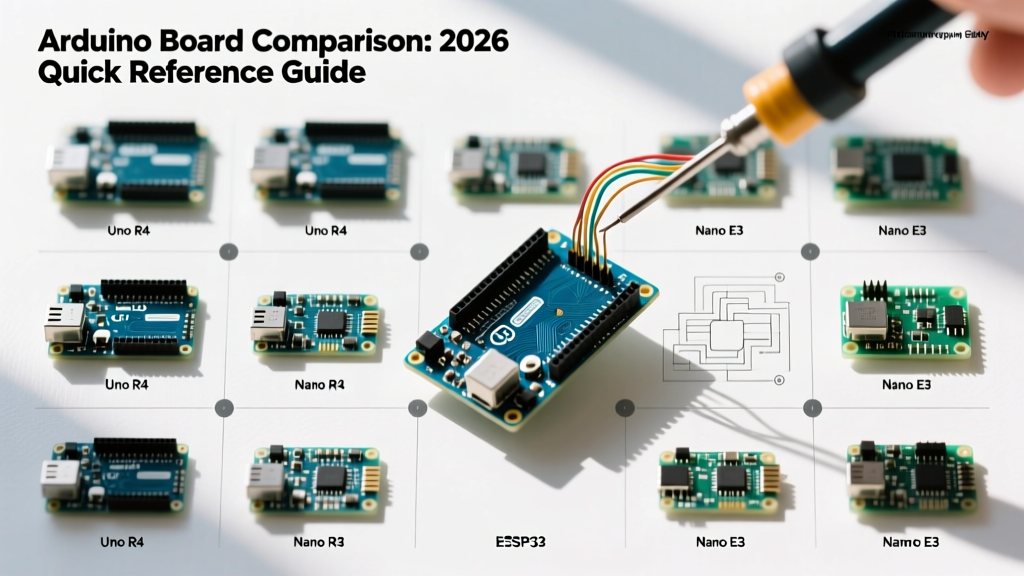
The table below highlights the four most relevant boards in the modern Arduino ecosystem, ranging from entry-level IoT to industrial-grade machine vision.
| Board Model | Core MCU | Clock Speed | Flash / SRAM | Wireless | 2026 Price | Primary Use Case |
|---|---|---|---|---|---|---|
| Uno R4 WiFi | Renesas RA4M1 + ESP32-S3 | 48 MHz (M4) | 256 KB / 32 KB | Wi-Fi + BLE | $27.50 | General IoT & Education |
| Nano ESP32 | ESP32-S3 (Dual-core) | 240 MHz | 16 MB / 8 MB PSRAM | Wi-Fi + BLE | $19.50 | Compact TinyML & Audio |
| Portenta H7 | STM32H747XI (Dual-core) | 480 MHz / 240 MHz | 2 MB / 1 MB | Wi-Fi + BLE (Murata) | $105.00 | Industrial & Vision AI |
| Mega 2560 | ATmega2560 (8-bit AVR) | 16 MHz | 256 KB / 8 KB | None | $45.00 | High I/O & Legacy CNC/3D |
Deep-Dive Board Profiles
Arduino Uno R4 WiFi
The Uno R4 WiFi represents a massive architectural shift from the classic Uno R3. It pairs a Renesas RA4M1 (Arm Cortex-M4) with an ESP32-S3 coprocessor. According to the Arduino Uno R4 WiFi Official Documentation, this dual-MCU setup allows the RA4M1 to handle precise, real-time I/O operations while offloading heavy network stacks to the ESP32-S3. It also features a built-in 12x8 LED matrix and a Qwiic/I2C connector, eliminating the need for breadboards in rapid prototyping. Edge Case Warning: The RA4M1 is a 3.3V logic device, though the board includes a 5V tolerant pinout for specific inputs. Always verify your sensor's logic level before connecting.
Arduino Nano ESP32
Released to bridge the gap between hobbyist footprints and professional IoT deployments, the Nano ESP32 is built entirely around the ESP32-S3. With 16 MB of Flash and 8 MB of PSRAM, it is the undisputed champion for Edge AI and TinyML applications. The Arduino Nano ESP32 Cheat Sheet highlights its support for TensorFlow Lite for Microcontrollers, allowing you to run keyword spotting and basic gesture recognition models directly on the chip. At $19.50, it offers the best price-to-performance ratio for wireless projects in 2026.
Arduino Portenta H7
The Portenta H7 is not a toy; it is an industrial-grade powerhouse. Utilizing the STM32H747XI, it features an asymmetric dual-core architecture: a Cortex-M7 running at 480 MHz for heavy computation and a Cortex-M4 at 240 MHz for real-time peripheral management. When paired with the Portenta Vision Shield, it can process camera frames for defect detection on manufacturing lines. Priced around $105.00, it is strictly recommended for commercial deployments, high-speed data acquisition, and advanced computer vision tasks where standard microcontrollers bottleneck.
Arduino Mega 2560
Despite the proliferation of 32-bit ARM boards, the 8-bit Mega 2560 remains highly relevant in 2026 for one specific reason: sheer I/O volume. With 54 digital I/O pins and 16 analog inputs, it is the backbone of the RAMPS 1.4 ecosystem used in custom 3D printers and CNC routers. While its 16 MHz clock and 8 KB SRAM are inadequate for modern networking or audio processing, its 5V native logic and massive pin count make it irreplaceable for heavy relay switching and legacy stepper motor control.
Critical Hardware Consideration: Logic Level Shifting
Engineering Alert: Mixing 5V and 3.3V logic is the number one cause of permanent MCU failure in mixed-signal projects. The Portenta H7, Nano ESP32, and the primary logic paths of the Uno R4 operate at 3.3V. Feeding a 5V signal from a standard HC-SR04 ultrasonic sensor directly into a Nano ESP32 GPIO will permanently damage the ESP32-S3 silicon.
To safely interface 5V legacy sensors with modern 3.3V Arduino boards, you must use a bidirectional logic level shifter. The TXS0108E or BSS138 MOSFET-based shifters are the industry standard. They cost roughly $2.50 on breakout boards and will save you from replacing a fried $105 Portenta H7.
Frequently Asked Questions (FAQ)
Q: Which Arduino board is best for beginners in 2026?
For absolute beginners, the Arduino Uno R4 Minima ($19.00) or the Uno R4 WiFi ($27.50) remains the gold standard. The physical layout matches decades of existing shields and tutorials, while the upgraded Cortex-M4 processor ensures you won't hit memory limits when learning basic C++ programming or using the Arduino IoT Cloud.
Q: Can I run Machine Learning (TinyML) on a standard Arduino Uno?
No. The classic Uno R3 (ATmega328P) lacks the floating-point unit (FPU) and SRAM required for neural network inference. For TinyML, you need at least a Cortex-M4 or an ESP32-S3. The Nano ESP32 or Arduino Nano 33 BLE Sense are the recommended entry points for edge AI.
Q: What is the difference between the Nano ESP32 and the older Nano 33 IoT?
The Nano 33 IoT uses a SAMD21 (Cortex-M0+) paired with a NINA-W10 Wi-Fi module. The Nano ESP32 uses a single, vastly more powerful ESP32-S3 chip. The Nano ESP32 offers roughly 10x the processing power, native USB capabilities, and dedicated AI vector instructions, making the older Nano 33 IoT largely obsolete for new designs in 2026.
Q: Is the Mega 2560 obsolete for new projects?
For IoT, audio, or display projects, yes. However, if you are building a custom 3D printer, a multi-axis robotic arm, or a home automation relay panel requiring 30+ discrete 5V digital outputs, the Mega 2560 is still the most cost-effective and reliable choice.
Quick Decision Framework
Follow this step-by-step flow to finalize your Arduino board comparison and selection:
- Count your I/O: If you need more than 30 GPIOs and are driving 5V relays, choose the Mega 2560.
- Assess Network Needs: If your project requires Wi-Fi/BLE and fits on a breadboard, choose the Nano ESP32.
- Evaluate Processing Load: If you are doing FFT audio analysis, camera frame processing, or running RTOS, upgrade to the Portenta H7.
- Default to Education: If you are learning, teaching, or using legacy shields, stick with the Uno R4 WiFi.
For deeper architectural schematics and pinout diagrams, always refer to the Arduino Portenta H7 Specs and official hardware documentation before finalizing your PCB layout.