
Demystifying the 'Arduino Aimbot' in Maker Projects
In the DIY electronics and computer vision community, the term 'Arduino aimbot' rarely refers to malicious software. Instead, it describes a hardware-based Human Interface Device (HID) pipeline. Makers and accessibility developers use microcontrollers to emulate a USB mouse, receiving coordinate deltas from a PC running Python-based computer vision models (like OpenCV or YOLOv8). The PC identifies a target, calculates the pixel offset, and sends serial data to the microcontroller, which translates it into physical mouse movements.
However, a massive bottleneck in these projects is hardware compatibility. Not all Arduino boards can act as native USB HID devices, and those that can often suffer from crippling latency due to default USB polling rates and serial baud limitations. This compatibility guide breaks down the exact microcontrollers, firmware stacks, and hardware configurations required to build a low-latency, hardware-based HID tracking system in 2026.
The Golden Rule: Native USB HID Support
The most common failure mode for beginners is attempting to use a standard Arduino Uno or Nano (based on the ATmega328P). These boards lack native USB hardware. They rely on a secondary bridge chip (like the ATmega16U2 or CH340) to convert USB to UART Serial. While they can receive data from a PC, they cannot natively emulate a mouse.
To build a functional hardware HID pipeline, your microcontroller must feature a native USB controller and support the USB HID class. This allows the board to enumerate on the host PC as a standard plug-and-play mouse, requiring zero custom drivers on Windows, Linux, or macOS.
MCU Compatibility Matrix
| Board / Clone | Core MCU | Native USB HID? | Default Polling Rate | Approx. Cost (2026) |
|---|---|---|---|---|
| Arduino Leonardo | ATmega32U4 | Yes | 125Hz (8ms) | $22.00 |
| SparkFun Pro Micro | ATmega32U4 | Yes | 125Hz (8ms) | $19.95 |
| Generic Pro Micro Clone | ATmega32U4 | Yes | 125Hz (8ms) | $4.50 - $6.00 |
| ESP32-S3 DevKitC-1 | ESP32-S3 (Xtensa) | Yes (via USB OTG) | 125Hz - 1000Hz* | $7.00 - $11.00 |
| Arduino Nano 33 IoT | SAMD21 | Yes | 125Hz (8ms) | $21.50 |
| Standard Arduino Uno/Nano | ATmega328P | No (Bridge only) | N/A | $15.00 / $8.00 |
*Note: The ESP32-S3 requires the TinyUSB stack to achieve polling rates above the standard 125Hz limit found in default Arduino cores.
Serial Baud Rate & The Latency Bottleneck
Once you have a compatible board like the ATmega32U4 or ESP32-S3, the next hurdle is the serial communication between your Python vision script and the MCU. The standard Arduino serial monitor defaults to 9600 or 115200 baud. At 115200 baud, transmitting a single byte takes roughly 86 microseconds. If your Python script sends a 5-byte packet (e.g., header, X-delta, Y-delta, click, checksum), serial transmission alone consumes nearly half a millisecond. Add Python's pyserial overhead and USB serial buffer flushing, and you easily lose 2-4ms per frame.
Pushing to 2,000,000 Baud
Both the ATmega32U4 and the ESP32-S3 support much higher hardware UART/CDC speeds. By configuring your Python script and Arduino sketch to use 2,000,000 baud, you reduce serial transmission time to microseconds.
According to the official Arduino Mouse library documentation, the HID reporting mechanism is separate from the Serial CDC interface. This means you can use the high-speed CDC channel purely for receiving coordinate data from the PC, while the native HID endpoint handles the mouse output simultaneously without blocking.
Overcoming the 125Hz USB Polling Limit
Even with a high-speed serial connection, your hardware aimbot will feel sluggish if the host PC only polls the USB device 125 times per second (the default bInterval in standard Arduino USB descriptors). An 8ms delay between the MCU sending the HID report and the OS registering the movement is unacceptable for precision computer vision tracking.
The ATmega32U4 Solution: HID-Project
For Leonardo and Pro Micro boards, the default Mouse.h library is locked to 125Hz. To achieve a 1000Hz (1ms) polling rate, you must use NicoHood's HID-Project library. This library allows you to modify the USB HID descriptor to request a 1ms polling interval from the host OS. Note that some older USB 2.0 hubs may struggle with 1000Hz polling from ATmega32U4 devices; always plug directly into the motherboard's rear I/O.
The ESP32-S3 Solution: TinyUSB
The ESP32-S3 is the undisputed king of modern DIY HID projects. It features native USB OTG and a dual-core 240MHz processor. To unlock low-latency HID on the ESP32-S3, you must abandon the default Arduino USB stack and enable TinyUSB in the Arduino IDE board manager settings. The Espressif ESP32-S3 USB Device API provides granular control over USB endpoints, allowing makers to configure custom HID descriptors and achieve true 1000Hz polling rates with sub-millisecond processing latency.
Step-by-Step: Configuring the ESP32-S3 for Low-Latency HID
If you are building a new computer vision tracking rig in 2026, the ESP32-S3 DevKitC-1 is the recommended hardware. Here is how to configure the IDE for optimal HID performance:
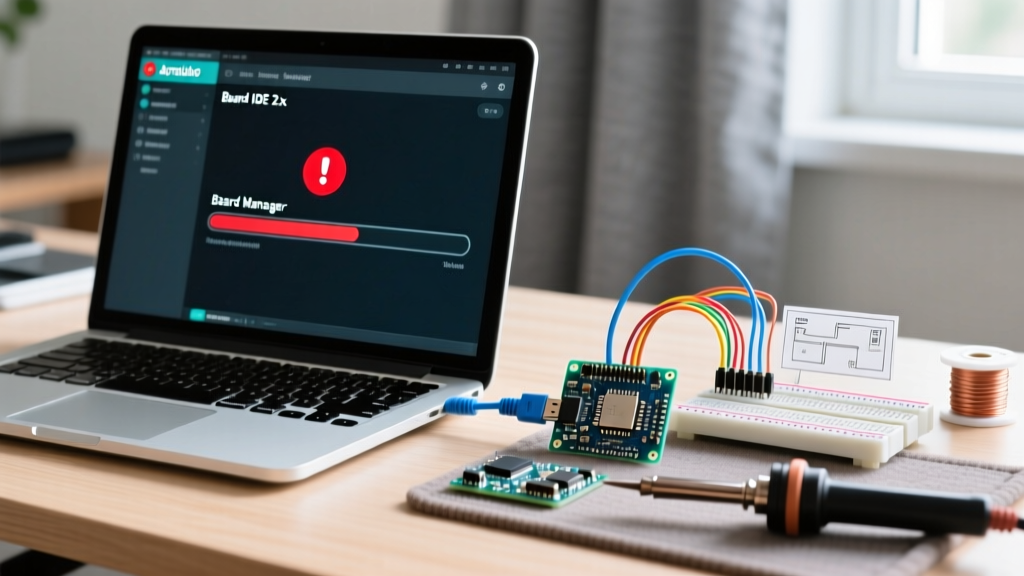
- Install ESP32 Board Manager: Ensure you are using ESP32 Arduino Core v3.0 or newer.
- Board Selection: Select 'ESP32S3 Dev Module'.
- USB Mode: Set to 'Hardware CDC and JTAG' (for serial debugging) or 'USB-OTG (TinyUSB)' if you are using a custom TinyUSB HID sketch.
- USB DFU On Boot: Set to 'Disabled' to prevent the board from hanging in bootloader mode when powered without a PC.
- Flash Size: Select '8MB' (standard for most 2026 DevKits).
- Partition Scheme: Choose 'No OTA (2MB APP/2MB SPIFFS)' to maximize application memory for complex serial parsing buffers.
Ethical & Practical Note: Hardware-based HID emulation is widely used for accessibility tools, single-player robotics alignment, and automated UI testing. However, deploying hardware mouse emulators to bypass anti-cheat systems in competitive multiplayer games violates Terms of Service. Modern kernel-level anti-cheats (like Vanguard or BattlEye) increasingly profile USB descriptor anomalies and non-standard polling jitter to flag hardware spoofing. Always use these pipelines for educational, accessibility, or single-player environments.
Operating System Edge Cases & Driver Enumeration
When deploying your Arduino HID pipeline across different machines, OS-level USB enumeration can cause unexpected behavior:
- Windows 11: Windows caches HID descriptors aggressively. If you flash a new firmware that changes the HID report structure (e.g., adding a keyboard profile to your mouse profile), Windows may reject it. You must open Device Manager, uninstall the 'HID-compliant mouse' device, and reboot to force a fresh descriptor read.
- Linux (Ubuntu/Debian): Linux handles raw HID beautifully, but if your Python script uses
evdevoruinputalongside the Arduino serial pipe, ensure your user is in thedialoutandinputgroups to avoid permission denied errors on/dev/ttyACM0. - macOS: macOS Sonoma and Sequoia enforce strict USB security. You may need to explicitly grant your Python terminal or IDE permission to access the serial port and inject accessibility inputs via System Settings > Privacy & Security.
Frequently Asked Questions (FAQ)
Can I use a standard Arduino Nano with a CH340 chip for this?
No. The CH340 is strictly a USB-to-UART bridge. It cannot enumerate as a HID mouse. While software hacks like V-USB exist for the ATmega328P, they require bit-banging the USB protocol via software, resulting in massive CPU overhead, dropped packets, and unusable latency for real-time computer vision tasks.
Why does my mouse movement stutter when the Python script runs?
Stuttering is rarely a USB issue; it is usually a Python GIL (Global Interpreter Lock) or serial buffer issue. If your OpenCV/YOLO inference takes 40ms, but your serial read loop is blocking, the MCU will receive burst-packets of coordinates rather than a smooth stream. Implement a ring buffer on the MCU side to interpolate the serial data into smooth HID reports.
Is the Raspberry Pi Pico (RP2040) a good alternative?
Yes. The RP2040 features native USB 1.1 and excellent TinyUSB support via the Arduino IDE. It is often cheaper than the ESP32-S3 (around $4.00 for a clone) and offers dual-core processing, making it a highly viable alternative for hardware HID emulation projects.