
The Short Answer: Yes, But With Architectural Caveats
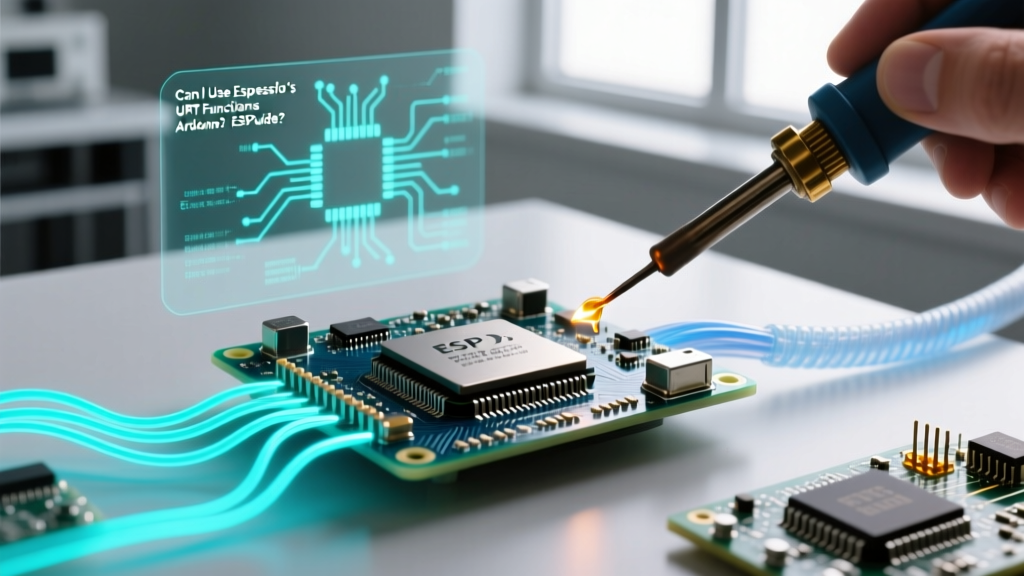
To answer the fundamental question: can I use Espressif's UART functions in Arduino? Yes, absolutely. The ESP32 Arduino core is essentially a C++ wrapper built directly on top of the Espressif IoT Development Framework (ESP-IDF). Because the Arduino HardwareSerial class relies on the underlying ESP-IDF uart_driver API, you have full access to native Espressif UART functions like uart_read_bytes(), uart_set_pin(), and uart_driver_install() within your standard .ino sketches.
However, mixing Arduino's high-level Serial API with Espressif's low-level C drivers requires strict adherence to memory and task management patterns. Failing to isolate hardware ports or manage FreeRTOS ring buffers will result in Guru Meditation errors, ISR panics, or silent data corruption. In 2026, with the widespread adoption of the ESP32-S3 and ESP32-C6, understanding these boundary conditions is critical for industrial and high-throughput IoT applications.
Understanding the ESP32 Arduino Serial Architecture
When you call Serial.begin(115200) in an Arduino sketch, the core executes a sequence of ESP-IDF functions under the hood. Specifically, it invokes uart_param_config() to set the baud rate and data bits, followed by uart_driver_install() to allocate the FreeRTOS ring buffers for the RX and TX FIFOs.
The Double-Initialization Trap
The most common failure mode occurs when developers attempt to "boost" performance by initializing the same UART port twice. If you call Serial1.begin(921600) and subsequently call uart_driver_install(UART_NUM_1, 1024, 0, 0, NULL, 0), the ESP-IDF driver will throw an ESP_ERR_INVALID_STATE or overwrite the existing ring buffer pointers. This leads to immediate memory leaks and Task Watchdog Timer (TWDT) triggers.
Expert Rule of Thumb: Never mix Arduino'sSerialXobjects and ESP-IDF'suart_driveron the same physical UART port (UART_NUM_0, UART_NUM_1, or UART_NUM_2). Dedicate specific ports to specific API ecosystems to prevent memory corruption.
Code Pattern 1: Safe Coexistence via Port Dedication
The safest and most robust pattern for mixing APIs is strict port dedication. Use UART0 (mapped to Serial) exclusively for Arduino-style debugging and logging. Reserve UART1 or UART2 for high-throughput native ESP-IDF communication, such as interfacing with industrial RS-485 transceivers or high-speed GPS modules.
Below is the production-grade pattern for initializing a native ESP-IDF UART queue on UART_NUM_2 while leaving Arduino's Serial untouched.
#include <driver/uart.h>
#include <freertos/queue.h>

#define NATIVE_UART_PORT UART_NUM_2
#define RX_BUF_SIZE 1024
#define TX_BUF_SIZE 0
#define UART_QUEUE_SIZE 10

QueueHandle_t uart_queue;

void setup() {
  // 1. Initialize Arduino Serial for Debugging (UART0)
  Serial.begin(115200);

  // 2. Configure Native ESP-IDF UART (UART2)
  uart_config_t uart_config = {
    .baud_rate = 921600,
    .data_bits = UART_DATA_8_BITS,
    .parity    = UART_PARITY_DISABLE,
    .stop_bits = UART_STOP_BITS_1,
    .flow_ctrl = UART_HW_FLOWCTRL_DISABLE,
    .rx_flow_ctrl_thresh = 0,
    .source_clk = UART_SCLK_DEFAULT // ESP-IDF v5.x+ clock source
  };

  // Install driver with FreeRTOS event queue
  uart_driver_install(NATIVE_UART_PORT, RX_BUF_SIZE * 2, TX_BUF_SIZE, UART_QUEUE_SIZE, &uart_queue, 0);
  uart_param_config(NATIVE_UART_PORT, &uart_config);

  // Route pins (Example: ESP32 classic GPIO16/GPIO17)
  uart_set_pin(NATIVE_UART_PORT, 17, 16, UART_PIN_NO_CHANGE, UART_PIN_NO_CHANGE);
}
This pattern leverages the ESP-IDF event queue, allowing a dedicated FreeRTOS task to block on xQueueReceive() until UART data arrives, completely bypassing the polling overhead of Arduino's Serial.available().
Code Pattern 2: Intercepting Arduino Serial with Native Events
What if you must process high-speed data on UART_NUM_0 (the default USB/Serial port) but still want to use Arduino's Serial.print() for occasional logs? You cannot reinstall the driver, but you can access the underlying ESP-IDF queue that the Arduino core already created.
By utilizing uart_get_event_queue() (available in newer ESP32 core versions) or by reading the hardware FIFO directly via uart_read_bytes() in a high-priority RTOS task, you can achieve zero-latency packet parsing without breaking Arduino's print functions. However, you must disable Arduino's internal RX interrupt handling to prevent race conditions.
API Comparison: Arduino vs. ESP-IDF UART
Choosing between the two APIs depends entirely on your latency requirements and payload sizes. Here is a technical comparison of how the two frameworks handle serial communication.
| Feature | Arduino HardwareSerial |
ESP-IDF uart_driver |
|---|---|---|
| Execution Model | Polling / Simple Interrupt | FreeRTOS Event Queues & Tasks |
| Buffer Management | Fixed Ring Buffer (usually 256 bytes) | Configurable DMA / Ring Buffer (up to 4KB+) |
| RS-485 Half-Duplex | Not natively supported | Native support via uart_set_mode() |
| Baud Rate Tolerance | Standard | Configurable tolerance & oversampling |
| Best Use Case | Debug logs, low-speed sensors | Industrial protocols, high-speed streaming |
Hardware Constraints: ESP32 Classic vs. ESP32-S3
When implementing native UART functions, you must account for silicon-level differences across the ESP32 family.
- ESP32 (Classic/WROOM): Features three UARTs. However,
UART_NUM_1default pins (GPIO9/GPIO10) are connected to the internal SPI flash on most modules. You must useuart_set_pin()to remap UART1 to safe GPIOs (e.g., GPIO25/GPIO26), or the chip will crash during flash access. - ESP32-S3: Features three UARTs, but UART0 is heavily tied to the internal USB-Serial/JTAG peripheral. If you are using the native USB port for serial, mixing ESP-IDF UART0 functions with Arduino
Serialwill cause severe enumeration failures. Always use UART1 or UART2 for native ESP-IDF drivers on the S3. - ESP32-C6: Introduced in recent years, the C6 architecture changes the clock source definitions. Ensure you use
UART_SCLK_DEFAULTorUART_SCLK_APBdepending on your exact ESP-IDF version (v5.1 vs v5.2) to avoid baud rate miscalculations.
Expert Troubleshooting Checklist
If you are integrating Espressif's UART functions into an Arduino sketch and encounter instability, run through this diagnostic checklist:
- Guru Meditation Error (Cache Disabled): You are likely calling a native UART function from an Interrupt Service Routine (ISR) without the
IRAM_ATTRattribute. Ensure all ISR-linked UART functions are placed in IRAM. - Data Corruption at High Baud (e.g., 2Mbps): Arduino's default ring buffer is too small and overruns before the main loop can read it. Switch to ESP-IDF's
uart_read_bytes()inside a dedicated FreeRTOS task pinned to Core 1 with a priority higher than the Arduino setup/loop task. - Task Watchdog Timer (TWDT) Reset: Your native UART reading task is starving the IDLE task. Ensure you include
vTaskDelay(1)or use blocking queue receives (xQueueReceivewithportMAX_DELAY) rather than tightwhile(1)polling loops.
Authoritative References
For deeper architectural insights, consult the official documentation:
- Espressif ESP-IDF UART API Reference - Comprehensive details on FIFO thresholds, DMA configurations, and RS-485 modes.
- Arduino ESP32 Core HardwareSerial Source - Review the exact C++ wrapper implementation to understand how Arduino allocates ESP-IDF buffers.
- FreeRTOS Queue Management - Essential reading for implementing the event-driven UART patterns described in Code Pattern 1.