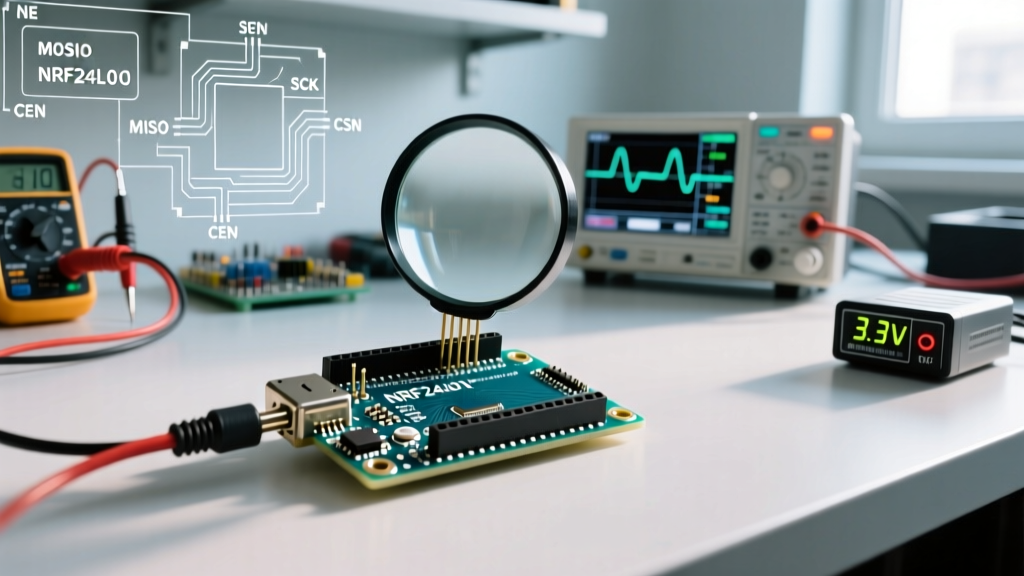
When you add wireless telemetry to a workbench project, the Bluetooth ESP32 ecosystem is usually the first stop. But 'Bluetooth' on these chips isn't a single monolithic feature. The original ESP32 supports both Classic Bluetooth (BR/EDR) and Bluetooth Low Energy (BLE) 4.2, while newer silicon like the ESP32-S3 and ESP32-C6 push into BLE 5.0 and 5.3, adding features like Long Range (LE Coded PHY) and Direction Finding. If you are building a sensor node, you want BLE. If you are streaming high-fidelity audio to a legacy headset, you need Classic. This primer strips away the marketing fluff and looks at the actual protocol mechanics, the physical layer realities of RF wiring, and how to debug the bus when packets inevitably drop.
Protocol Mechanics: Bluetooth ESP32 vs Wired Buses
Before writing a single line of code, you need to know if Bluetooth is actually the right tool for your distance, speed, and device count constraints. Wireless protocols trade physical wires for spectrum management, which introduces latency and bandwidth ceilings that wired buses simply don't have. Below is a data-dense comparison of the ESP32's BLE stack against the standard wired protocols you'll likely be bridging it to.
| Protocol | Physical Medium / Wires | Max Speed (Theoretical) | Addressing & Device Count | Max Practical Distance |
|---|---|---|---|---|
| BLE 5.0 (ESP32-S3) | 1 RF Channel (40 sub-channels, 2.4 GHz) | 2 Mbps (LE 2M PHY) | MAC/UUID (20 concurrent, 100+ scanned) | ~100m (Line of sight, 0 dBm) |
| I2C | 2 Wires (SDA, SCL) + GND | 400 kbps (Fast Mode) | 7-bit / 10-bit (up to 128 devices) | < 1 meter (highly capacitance-limited) |
| SPI | 4 Wires (MOSI, MISO, SCK, CS) | 80 MHz (ESP32 peripheral max) | Chip Select (limited by GPIO count) | < 1 meter (signal integrity degrades fast) |
| UART | 2 Wires (TX, RX) + GND | 5 Mbps (ESP32 UART peripheral max) | None (1:1 Point-to-Point) | < 15 meters (at 9600 baud, unshielded) |
Decision Framework: Choose BLE when you need to cross physical barriers, eliminate ground loops, or connect to mobile devices. Stick to SPI or I2C when you need deterministic, sub-millisecond latency for high-speed sensor polling (like an IMU sampling at 1 kHz), as BLE's connection interval negotiation will bottleneck your data.
Physical Layer: RF Wiring, Antennas, and Bridge Pull-Ups
The biggest mistake hobbyists make with the Bluetooth ESP32 is treating the RF front-end like a digital GPIO. 'Wireless' just means the bus is made of electromagnetic waves instead of copper, and the physical layer rules are unforgiving.
RF Trace and Antenna Matching
If you are designing a custom PCB, the trace from the ESP32's RF pin to the antenna must be a controlled 50-ohm impedance line. Keep it as short as possible, and never route it over a split ground plane. If you are using a dev board with a ceramic chip antenna, do not place the board inside a metal enclosure—the Faraday cage will kill your link budget. If you must use a metal box, select an ESP32 variant with a U.FL/IPEX connector and route a 50-ohm coaxial pigtail to an external SMA antenna.
Wired Bridge Pull-Up Requirements
Most BLE projects involve the ESP32 reading a wired sensor and broadcasting the data. If you are bridging BLE to an I2C sensor (like a BME280 or SCD40), you must include 4.7kΩ pull-up resistors on both SDA and SCL to 3.3V. The ESP32's internal pull-ups (around 45kΩ) are too weak to meet the I2C specification's rise-time requirements. Without external pull-ups, the I2C bus will hang, which starves the FreeRTOS task, trips the watchdog timer, and causes the BLE stack to silently reboot.
The Classic Failures: Sniffing and Debugging the Link
When your Bluetooth ESP32 stops talking, guessing is a waste of time. You need to sniff the bus. Here is how to isolate the three most common failure modes.
1. The Bonding Cache Clash (Address/MAC Failures)
Symptom: Your phone sees the ESP32 in the Bluetooth settings, but the app refuses to connect, or it connects and immediately drops.
Cause: The ESP32 regenerated its security keys (or you flashed new firmware that wiped the NVS partition), but your phone's OS is still caching the old bonding keys.
Fix: Delete the device from your phone's OS-level Bluetooth settings. On the ESP32 side, call esp_ble_remove_bond_device() or wipe the NVS partition during development to force a clean handshake.
2. The UART Baud Mismatch (Bridge Failures)
Symptom: You are using the ESP32 as a BLE-to-UART bridge, but the receiving PC sees garbage characters or dropped packets. Cause: The BLE connection interval (e.g., 30ms) is slower than the UART FIFO buffer fill rate at high baud rates, causing an overrun. Fix: Implement hardware flow control (RTS/CTS) on the UART, or add a software ring buffer in your ESP32 code that queues UART bytes and flushes them only when the BLE MTU (Maximum Transmission Unit) is full.
3. How to Sniff the BLE Bus
Forget Serial.println() for debugging BLE timing. Use nRF Connect for Mobile to inspect the raw GATT (Generic Attribute Profile) tree, verify your UUIDs, and read characteristic properties. For deep packet-level debugging (inspecting link-layer connection events and encryption handshakes), enable the Bluetooth HCI Snoop Log in your Android phone's Developer Options, capture the failure, and open the resulting btsnoop_hci.log file in Wireshark.
Minimal Working Exchange: BLE GATT Server
Below is a complete, minimal BLE GATT server using the Arduino IDE framework. This sets up a custom service with a writable characteristic. Wiring Context: Connect the anode of an LED (with a 220Ω current-limiting resistor) to GPIO 2 and the cathode to GND. This provides a physical, visual confirmation of a BLE write event without relying on serial monitor latency.
#include <BLEDevice.h>
#include <BLEUtils.h>
#include <BLEServer.h>

// UUIDs generated via standard RFC4122 tools
#define SERVICE_UUID        '4fafc201-1fb5-459e-8fcc-c5c9c331914b'
#define CHARACTERISTIC_UUID 'beb5483e-36e1-4688-b7f5-ea07361b26a8'

const int LED_PIN = 2;

class WriteCallback : public BLECharacteristicCallbacks {
  void onWrite(BLECharacteristic *pCharacteristic) {
    std::string value = pCharacteristic->getValue();
    if (value.length() > 0) {
      // Toggle LED based on first byte received
      if (value[0] == 0x01) {
        digitalWrite(LED_PIN, HIGH);
      } else {
        digitalWrite(LED_PIN, LOW);
      }
    }
  }
};

void setup() {
  pinMode(LED_PIN, OUTPUT);
  Serial.begin(115200);

  // Initialize the BLE stack, setting the device name
  BLEDevice::init('ESP32-BLE-Node');

  // Create the BLE Server
  BLEServer *pServer = BLEDevice::createServer();

  // Create the BLE Service
  BLEService *pService = pServer->createService(SERVICE_UUID);

  // Create a BLE Characteristic with WRITE property
  BLECharacteristic *pCharacteristic = pService->createCharacteristic(
    CHARACTERISTIC_UUID,
    BLECharacteristic::PROPERTY_READ |
    BLECharacteristic::PROPERTY_WRITE
  );

  pCharacteristic->setCallbacks(new WriteCallback());
  pCharacteristic->setValue('OFF');

  // Start the service and begin advertising
  pService->start();
  BLEAdvertising *pAdvertising = BLEDevice::getAdvertising();
  pAdvertising->addServiceUUID(SERVICE_UUID);
  pAdvertising->setScanResponse(true);
  BLEDevice::startAdvertising();
  Serial.println('Waiting for BLE connection...');
}

void loop() {
  delay(2000); // Yield to FreeRTOS BLE background tasks
}
For authoritative details on stack configuration and memory allocation for the BLE controller, always refer to the official Espressif BLE API Guide. If you are pushing the limits of the protocol, such as implementing LE Audio or Direction Finding on the ESP32-C6, cross-reference your implementation with the Bluetooth SIG Core Specification to ensure your PDU (Protocol Data Unit) formatting remains compliant.