To add password to Telnet on ESP32, you must implement a TCP-level authentication handshake before bridging the WiFiClient to the hardware Serial stream. Native Telnet lacks built-in authentication in basic Arduino wrappers, meaning anyone on your local network can read your serial logs or inject commands. By intercepting the initial connection, prompting for credentials, and filtering out Telnet IAC (Interpret As Command) negotiation bytes, you can secure your debug shell without relying on abandoned third-party libraries.
Difficulty: Intermediate (Requires understanding of TCP streams and hex byte filtering)
Time to Complete: 30 minutes
Target Board: ESP32-WROOM-32 (DevKit V1, 30-pin)
Core Version: ESP32 Arduino Core v2.0.14 or newer
Parts List and Board Specifications
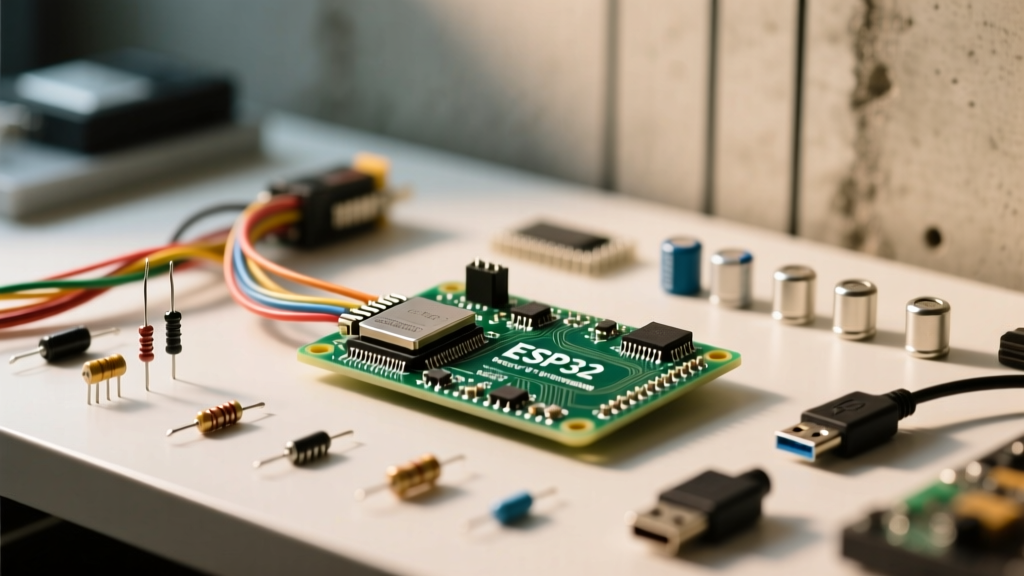
This build relies on the standard Espressif DevKit V1. Avoid the 38-pin variants if your breadboard is narrow, as they bridge across the center divider and leave no room for jumper wires.
| Component | Exact Variant / Specification | Estimated Cost (2026) |
|---|---|---|
| Microcontroller | ESP32-WROOM-32 DevKit V1 (30-pin, Type-C or Micro-USB) | $5.50 - $7.00 |
| Power/Data Cable | USB 2.0 Data Cable (Must support data, not just charge) | $4.00 |
| Network | 2.4GHz 802.11 b/g/n Router (ESP32 does not support 5GHz) | N/A |
| Terminal Client | PuTTY (Windows) or native telnet / nc (Linux/macOS) | Free |
Pin Mapping and Hardware Setup
Because Telnet operates entirely over the Wi-Fi radio, physical pin mapping is minimal. However, we map the onboard LED and the primary UART pins to provide visual feedback and hardware serial fallback.
| Function | ESP32 GPIO | Notes |
|---|---|---|
| Onboard Status LED | GPIO 2 | Active HIGH on standard DevKit V1 boards. |
| Hardware Serial TX | GPIO 1 | Connected to onboard CP2102/CH340 USB bridge. |
| Hardware Serial RX | GPIO 3 | Used for local fallback debugging if Wi-Fi drops. |
For physical setup, simply plug the ESP32 into your breadboard and connect the USB cable to your PC for initial flashing. Once flashed, the device can run off any 5V USB power supply.
The Complete Compilable Code
The following code targets the ESP32 DevKit V1. It establishes a Wi-Fi connection, opens a TCP server on port 23, and enforces a plain-text login. Crucially, it includes an IAC (0xFF) byte filter. According to the IETF RFC 854 Telnet Protocol Specification, clients like PuTTY will send negotiation hex bytes immediately upon connection. If you do not strip these, your password string will be corrupted by invisible control characters.
#include <WiFi.h>

// --- Pin Definitions ---
#define LED_PIN 2

// --- Network & Auth Credentials ---
const char* ssid = "YOUR_WIFI_SSID";
const char* password = "YOUR_WIFI_PASSWORD";
const char* telnet_user = "admin";
const char* telnet_pass = "esp32debug";

// --- Server Configuration ---
WiFiServer telnetServer(23);
WiFiClient telnetClient;
bool authenticated = false;
bool iac_pending = false;

void setup() {
  pinMode(LED_PIN, OUTPUT);
  digitalWrite(LED_PIN, LOW);

  Serial.begin(115200);
  while(!Serial) { delay(10); }

  Serial.print("Connecting to ");
  Serial.println(ssid);
  WiFi.begin(ssid, password);

  while (WiFi.status() != WL_CONNECTED) {
    delay(500);
    Serial.print(".");
  }

  Serial.println("\nWi-Fi connected.");
  Serial.print("IP address: ");
  Serial.println(WiFi.localIP());

  telnetServer.begin();
  telnetServer.setNoDelay(true);
  Serial.println("Telnet server listening on port 23...");
}

void loop() {
  // Check for new incoming connections
  if (telnetServer.hasClient()) {
    if (telnetClient && telnetClient.connected()) {
      // Reject new connection if one is already active
      WiFiClient reject = telnetServer.available();
      reject.println("500 Max connections reached. Disconnecting.");
      reject.stop();
    } else {
      telnetClient = telnetServer.available();
      authenticated = false;
      telnetClient.println("ESP32 Secure Telnet Debug Shell");
      telnetClient.print("Username: ");
    }
  }

  // Handle active client data
  if (telnetClient && telnetClient.connected()) {
    while (telnetClient.available()) {
      uint8_t c = telnetClient.read();

      // Filter Telnet IAC (Interpret As Command) sequences to prevent auth corruption
      if (c == 0xFF) { iac_pending = true; continue; }
      if (iac_pending) { iac_pending = false; continue; } // Skip command and option bytes

      // Handle Authentication Phase
      if (!authenticated) {
        handleAuth(c);
      }
      // Handle Bridged Serial Phase
      else {
        if (c == '\r' || c == '\n') {
          Serial.println();
          telnetClient.println();
        } else {
          Serial.write(c);
          telnetClient.write(c); // Local echo
        }
      }
    }

    // Bridge Hardware Serial to Telnet
    while (Serial.available()) {
      telnetClient.write(Serial.read());
    }
  } else {
    // Prevent WDT resets when no client is connected
    yield();
  }
}

void handleAuth(uint8_t c) {
  static String inputBuffer = "";
  static bool expectingPass = false;

  if (c == '\r' || c == '\n') {
    telnetClient.println();
    if (!expectingPass) {
      if (inputBuffer == telnet_user) {
        expectingPass = true;
        inputBuffer = "";
        telnetClient.print("Password: ");
      } else {
        telnetClient.println("Invalid username.");
        telnetClient.stop();
      }
    } else {
      if (inputBuffer == telnet_pass) {
        authenticated = true;
        expectingPass = false;
        inputBuffer = "";
        digitalWrite(LED_PIN, HIGH);
        telnetClient.println("\nAuthenticated. Bridging to Serial...");
        Serial.println("Telnet client authenticated.");
      } else {
        telnetClient.println("Invalid password.");
        telnetClient.stop();
      }
    }
  } else if (c == 0x08 || c == 0x7F) { // Backspace handling
    if (inputBuffer.length() > 0) {
      inputBuffer.remove(inputBuffer.length() - 1);
      telnetClient.print("\b \b");
    }
  } else {
    inputBuffer += (char)c;
    if (!expectingPass) {
      telnetClient.write(c); // Echo username
    } else {
      telnetClient.print("*"); // Mask password
    }
  }
}
Troubleshooting: First Three Things to Check When It Fails
When working with raw TCP streams on the ESP32, the Espressif Wi-Fi Driver can behave unpredictably if buffers aren't managed. If your board resets or refuses connections, check these three things first.
1. Exact Error: Guru Meditation Error: Core 1 panic'ed (Interrupt wdt timeout on CPU1)
- Cause A (Most Likely): You have a blocking
while(!telnetClient.available())loop in your code without ayield()orvTaskDelay(1). The FreeRTOS Watchdog Timer (WDT) kills the task if it hogs the CPU for more than ~1.2 seconds. - Cause B: The Wi-Fi radio is experiencing a brownout during TX spikes. Ensure your USB power supply can deliver at least 500mA. Measure the 5V pin with a multimeter; if it dips below 4.6V during connection, add a 470µF electrolytic capacitor across the 5V and GND pins.
2. The Terminal Displays Gibberish Before the Password Prompt
- Cause: Your terminal client (like PuTTY or TeraTerm) is sending Telnet Option Negotiation commands (e.g.,
0xFF 0xFB 0x18for Terminal Type). If you do not implement the IAC filter included in the code above, these hex bytes are read as literal text, corrupting yourinputBuffer. - Fix: Ensure the
if (c == 0xFF) { iac_pending = true; continue; }logic is present in your read loop.
3. Connection Refused or Immediate Disconnect on Port 23
- Cause A: Your PC's firewall is blocking outbound TCP connections on port 23. Windows Defender Firewall frequently blocks raw Telnet.
- Cause B: The ESP32 hasn't finished DHCP negotiation before the server starts. Always verify
WiFi.status() == WL_CONNECTEDbefore callingtelnetServer.begin().
How to Extend or Simplify the Build
To Simplify: If you are only working in a closed, isolated lab environment and don't care about authentication, delete the handleAuth() function entirely. Set authenticated = true; immediately upon telnetServer.hasClient() returning true. This reduces flash usage by roughly 2KB and removes the backspace/masking logic.
To Extend: Plain-text Telnet sends your password unencrypted over the air. For production IoT deployments, extend this build by integrating mbedTLS to wrap the WiFiClient in a TLS layer, effectively creating a rudimentary SSH server. Alternatively, implement a challenge-response hash (like CRAM-MD5) so the actual password is never transmitted in the TCP payload.
Frequently Asked Questions
Can I use SSH instead of Telnet for encrypted ESP32 debugging?
Yes, but it requires significantly more resources. The ESP32 has enough RAM to handle TLS/SSH handshakes using the libssh-esp32 or mbedTLS libraries, but it consumes roughly 40KB-60KB of SRAM just for the cryptographic buffers. If your project is already using heavy libraries (like ESPAsyncWebServer or Bluetooth LE), you will likely hit memory fragmentation limits. Telnet with a simple password remains the standard for low-overhead local debugging.
Why does PuTTY send weird characters before the password prompt?
PuTTY is strictly adhering to the Telnet protocol standard. Before sending your keystrokes, it attempts to negotiate terminal features (like window size, echo, and terminal type) using hex bytes starting with 0xFF (IAC). Our code explicitly traps and discards these negotiation bytes so they don't get appended to your "admin" username string.
How do I hide the password characters as I type them in the terminal?
The provided code handles this in the handleAuth() function. When the expectingPass boolean is true, the code intercepts the incoming character, appends it to the hidden inputBuffer, but sends an asterisk (*) back to the Telnet client for local echo. This mimics standard Linux terminal behavior without requiring special Telnet LINEMODE negotiations.